How to build an efficient Villager trading hall in Minecraft
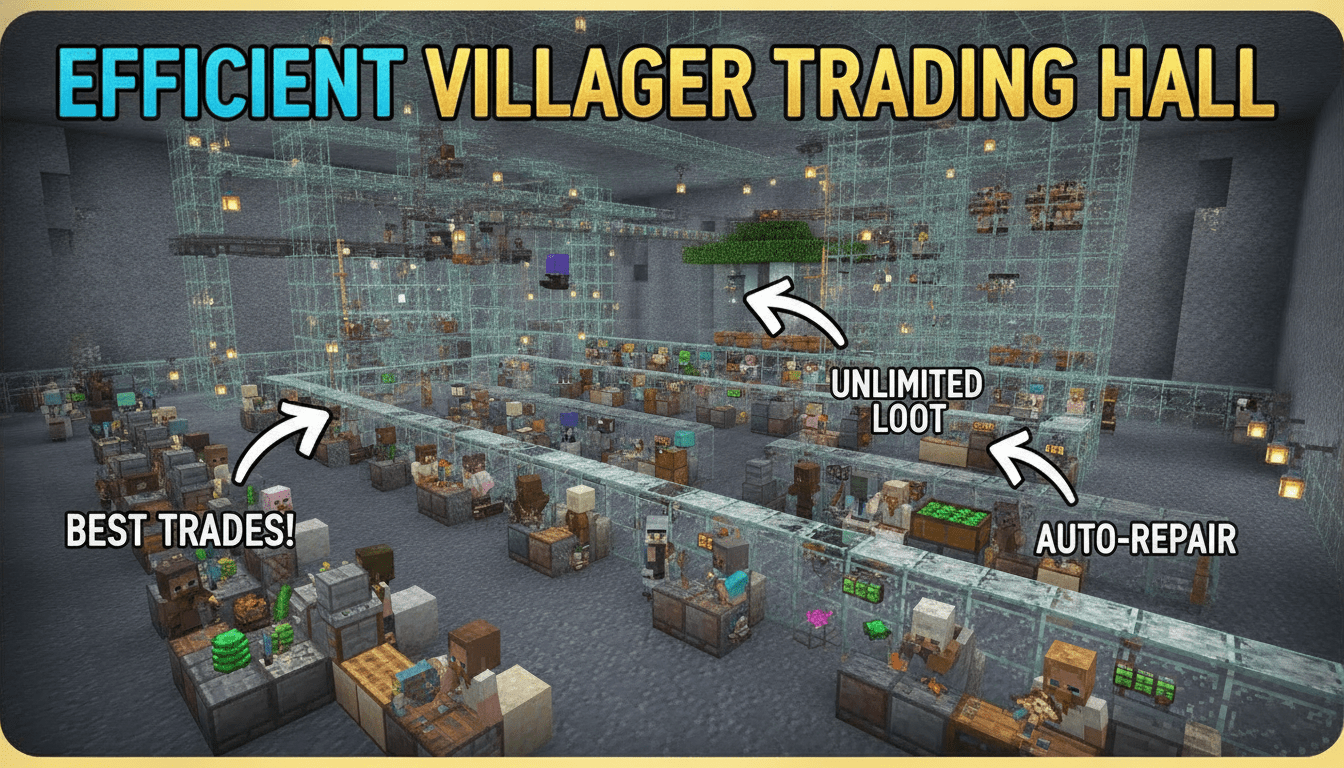
An efficient Villager trading hall in Minecraft is crucial for any player looking to optimize their resource acquisition, providing easy access to valuable enchanted books, diamond gear, and other rare items through streamlined trading. This guide will walk you through building a robust and expandable trading hall, including mechanisms for getting the best possible deals.
What You’ll Need
Building an efficient trading hall requires a variety of materials. The quantities listed are for a basic setup (e.g., 10 villagers) and should be scaled up or down based on your desired hall size.
- Building Blocks (approx. 182+):
- Where to get: Harvest wood from trees (for wood planks, logs, trapdoors, fences, slabs, stairs) or mine stone (for stone, stone bricks, slabs, stairs). Choose non-flammable blocks like stone bricks for lightning protection.
- Workstations (1 per desired villager profession):
- Where to get: Crafted from various materials. Examples include:
- Lectern (Librarian): 4 wooden slabs, 1 bookshelf.
- Composter (Farmer): 7 wooden slabs.
- Blast Furnace (Armorer): 5 iron ingots, 3 smooth stone, 1 furnace.
- Smoker (Butcher): 4 logs/stripped logs/wood/stripped wood, 1 furnace.
- Fletching Table (Fletcher): 4 planks, 2 flint.
- Cartography Table (Cartographer): 4 planks, 2 paper.
- Grindstone (Weaponsmith): 2 sticks, 2 wood planks, 1 stone slab.
- Loom (Shepherd): 2 wood planks, 2 strings.
- Stonecutter (Stone Mason): 3 stone, 1 iron ingot.
- Brewing Stand (Cleric): 1 blaze rod, 3 cobblestone.
- Barrel (Fisherman): 6 wood planks, 2 wood slabs.
- Smithing Table (Toolsmith): 4 wood planks, 2 iron ingots.
- Where to get: Crafted from various materials. Examples include:
- Redstone Components (per villager cell for zombification):
- Piston (1):
- Where to get: Craft with 3 cobblestone, 1 iron ingot, 1 redstone dust, 4 wood planks. Regular pistons are often recommended for better Bedrock compatibility.
- Lever (1):
- Where to get: Craft with 1 cobblestone, 1 stick.
- Trapdoor (1):
- Where to get: Craft with 6 wood planks (any type).
- Redstone Dust (2):
- Where to get: Mine Redstone Ore (found deep underground).
- Piston (1):
- Villager Management & Transport:
- Minecarts (multiple):
- Where to get: Craft with 5 iron ingots.
- Rails (multiple):
- Where to get: Craft with 6 iron ingots, 1 stick.
- Beds (at least 1 for village establishment, more for some Bedrock designs):
- Where to get: Craft with 3 wool, 3 wood planks.
- Minecarts (multiple):
- Zombification & Curing:
- Zombie (1):
- Where to get: Found naturally at night or in dark areas.
- Nametag (1):
- Where to get: Found in dungeon chests, strongholds, woodland mansions, or by fishing. Used to prevent your designated zombie from despawning.
- Splash Potions of Weakness (1 per villager to be cured):
- Where to get: Brewed using 1 Fermented Spider Eye and 1 Potion of Weakness (which is brewed from a Water Bottle and a Mushroom, Sugar, and Spider Eye).
- Golden Apples (1 per villager to be cured):
- Where to get: Craft with 1 apple and 8 gold ingots.
- Zombie (1):
Step-by-Step
This guide outlines building a trading hall with a zombification and curing mechanism for optimal trade discounts.
-
Build a Villager Breeder:
- Before constructing your trading hall, you’ll need a steady supply of villagers. Create an efficient villager breeder to generate new villagers, as manually transporting them from distant villages is time-consuming. Ensure your breeder is separate from the trading hall to prevent unwanted linking.
-
Construct the Foundation and Cells:
- Layout: Dig out or build a flat area for your trading hall. A common, space-efficient design uses individual 1×1 cells for each villager, arranged in rows. Leave a 1-block wide path in front of the cells for player access and a 1-block wide space behind for redstone wiring.
- Cell Walls: Build the walls of your villager cells. Each cell should be at least 1 block deep, 1 block wide, and 2 blocks tall for the villager, with an additional block above for the ceiling. For a zombification system, you’ll need a 2-block deep space.
- Zombification Pit (Optional, but Recommended): Designate a central area or a specific section where the zombie will be trapped. This area should be accessible by pistons from the villager cells.
-
Implement the Zombification Mechanism (Per Villager Cell):
- Piston Placement: At the back of each villager cell, place a regular piston facing towards the cell. This piston will push the villager into the zombification area.
- Trapdoor Placement: Place a trapdoor directly in front of the piston, on the floor level of the villager cell. This trapdoor, when opened, will create a 1-block gap for the villager to fall through when pushed.
- Redstone Wiring:
- Place 1 Redstone Dust behind the piston.
- Place 1 Lever on a block next to the Redstone Dust, or connect it via additional Redstone Dust to a central control panel. This lever will activate the piston.
- Ensure the wiring is isolated for each cell or grouped logically to prevent accidental activations.
-
Install Workstations:
- In front of each villager cell (where the player will stand to trade), place the desired workstation block. For example, a Lectern for a Librarian, a Blast Furnace for an Armorer, etc.
- Important: Villagers need to be able to “see” and pathfind to their workstation to link to it in Java Edition. In Bedrock, they only need to “see” it. Ensure the workstation is within range and not completely obstructed.
-
Transport Villagers:
- Create a rail line from your villager breeder to your trading hall.
- Push a villager into a minecart, then send it along the rails.
- At the trading hall, have a mechanism (e.g., a powered rail leading to a block that stops the minecart, allowing you to break it and push the villager into its cell) to safely deposit each villager into its designated cell.
- Pro Tip: Bring in one villager at a time and assign its workstation immediately to prevent them from linking to unintended job blocks.
-
Assign Professions and Lock Trades:
- Once a villager is in its cell, it will attempt to claim the nearest available workstation and take on a profession.
- Re-rolling Trades: Before you trade with a villager, you can break and replace its workstation to re-roll its available trades. Do this until you find the desired enchantments or items.
- Locking Trades: Once a desirable trade appears, perform just one trade with the villager. This will permanently lock in all of its current trades, preventing them from changing even if the workstation is broken later.
-
Set Up the Zombie Curing Mechanism:
- Trap the Zombie: In your designated zombification pit, trap a zombie. Name it with a Nametag immediately to prevent it from despawning. Build a roof over the zombie’s head to protect it from sunlight. Ensure the zombie cannot escape or attack other villagers unintentionally.
- Difficulty Setting: For a 100% chance of a villager turning into a zombie villager when attacked, set your game difficulty to Hard. On Normal, there’s a 50% chance, and on Easy, there’s a 0% chance (villagers will just die).
- Zombify Villager:
- Activate the lever for the villager cell you want to zombify. The piston will push the villager, and the trapdoor will open, dropping the villager into the zombification pit with the named zombie.
- Let the zombie hit the villager until it transforms into a zombie villager.
- Quickly deactivate the piston to move the zombie villager back into its cell or into a separate curing area, out of the zombie’s reach.
- Cure Zombie Villager:
- Throw a Splash Potion of Weakness at the zombie villager.
- Immediately right-click (use) a Golden Apple on the weakened zombie villager.
- You’ll hear a distinct sound, and red particles will appear around the zombie villager, indicating the curing process has begun.
- Wait 3-5 minutes for the villager to convert back. Once cured, the villager will offer significantly discounted trades.
- Discount Stacking (Java vs. Bedrock): As of Minecraft 1.20.2 (Java Edition), repeated zombification and curing for stacking discounts has been removed; the discount now only applies once per villager. Bedrock Edition designs often still incorporate zombification for initial discounts.
-
Repeat and Expand:
- Repeat steps 5-7 for each villager you want in your trading hall.
- Design your hall to be easily expandable by adding more rows of cells as your needs grow.
Tips for Efficiency and Maintenance
- Lightning Protection: Build your trading hall with a non-flammable roof (e.g., stone bricks) or place lightning rods strategically. A direct lightning strike on a villager can turn it into a witch, which is undesirable.
- Lighting: Use ample light sources (torches, glowstone, sea lanterns, shroomlights) throughout your trading hall to prevent hostile mob spawns, which could interfere with your villagers or the zombification process.
- Storage: Incorporate chests or barrels near your trading stations to store items you buy from villagers (e.g., enchanted books, diamonds) and items you sell to them (e.g., paper, emeralds).
- Baby Zombies: Ensure there are no 1-block gaps between villager cells or in the zombification area where baby zombies could squeeze through and attack villagers. Solid blocks or closed trapdoors are effective barriers.
- Villager Unlinking/Restocking Issues:
- If villagers stop restocking trades, ensure their workstation is accessible (even if visually blocked by a trapdoor) and that there is at least one bed within detection range to maintain the “village” status, especially in Bedrock Edition.
- Sometimes, breaking and replacing the workstation can re-establish the link.
- Killing Unwanted Villagers: Avoid killing unwanted villagers manually, as this lowers your player popularity and can turn iron golems hostile. Instead, design a disposal system (e.g., a lava pit accessible via a piston) or transport them away.
- Librarian Biome Dependency (Minecraft 1.20.2+): Be aware that Librarian villagers now offer different enchantments based on the biome they are “born” in or initially link to a workstation in. Some powerful enchantments have been removed from librarian trading tables entirely, encouraging exploration. Consider building specialized librarian sections in different biomes if specific enchantments are desired.
FAQ
Q: Why do I need to zombify and cure villagers?
A: Zombifying and curing a villager gives you permanent trade discounts, making items significantly cheaper. As of Minecraft 1.20.2 (Java Edition), this discount applies only once per villager, but it’s still a substantial benefit.
Q: My villagers aren’t taking professions or restocking trades. What’s wrong?
A: This often happens if the villager cannot pathfind to or “see” its workstation, or if the “village” status is compromised. Ensure the workstation is correctly placed and accessible, and that there’s at least one bed nearby (especially important in Bedrock Edition) for the village to function properly.
Q: Can I use sticky pistons instead of regular pistons for the zombification setup?
A: Yes, sticky pistons can be used, but regular pistons are often recommended for better compatibility across Java and Bedrock editions, especially in simpler push-and-pull mechanisms for villagers.
Q: Do I need a nametag for the zombie?
A: Yes, a nametag is essential for the zombie you use in your curing mechanism. Without a nametag, the zombie will despawn after a few minutes, requiring you to find and trap a new one.
Q: How many villagers should I have in my trading hall?
A: The number of villagers depends on your needs. Many players aim for one villager for each profession, and then multiple Librarians to get a wide range of enchanted books. Start with a few and expand as you discover more desired trades.
Building an efficient villager trading hall is a rewarding project that will significantly enhance your Minecraft experience, providing a reliable source of valuable items and enchantments.
Tags:
YOU MAY ALSO LIKE...