How to breed and farm Allays in Minecraft?
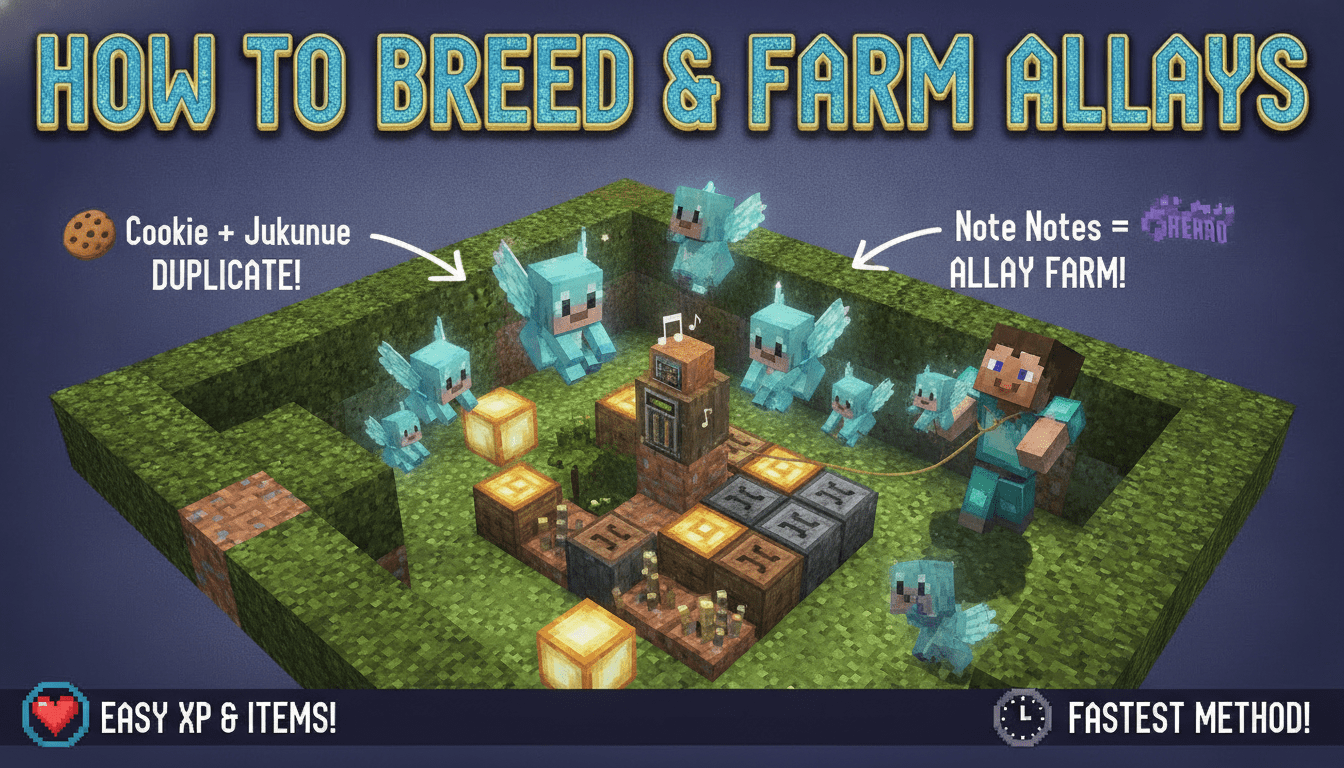
Learning how to breed and farm Allays in Minecraft can revolutionize your item collection and sorting systems, turning these adorable, helpful mobs into a cornerstone of your automated builds. This guide will walk you through every step, from finding your first Allay to setting up an efficient duplication and item-gathering farm.
What You’ll Need
To successfully duplicate Allays and set up an item farm, gather the following essential items:
- 1x Allay (at least): Found in wooden cages within Pillager Outposts or prison cells inside Woodland Mansions. Pillager Outposts are generally more common to find.
- 1x Jukebox: Crafted using 8 wooden planks (any type) and 1 diamond.
- Wooden Planks: Obtained by chopping down trees and converting the logs into planks in your crafting grid.
- Diamond: Mined deep underground, typically at Y-levels -58 to -59 for optimal chances.
- 1x Music Disc (any type): Found in loot chests within Dungeons, Ancient Cities, or Bastion Remnants. They can also be rare drops from Creepers killed by Skeletons.
- 1x Amethyst Shard (per duplication): Obtained by mining fully grown Amethyst Clusters found exclusively within Amethyst Geodes, which generate underground.
- 1x Note Block (for farming): Crafted with 8 wooden planks (any type) and 1 Redstone Dust.
- Redstone Dust: Mined from Redstone Ore found deep underground.
- Hoppers (for farming): Crafted with 5 iron ingots and 1 chest. Used to collect items dropped by Allays.
- Chests (for farming): Crafted with 8 wooden planks (any type). Used to store collected items.
- Optional: Lead: Crafted with 4 strings and 1 slimeball. Useful for transporting Allays, though they can break leads.
- Optional: Boat: Crafted with 5 wooden planks (any type). Excellent for safely transporting Allays across distances or for temporary storage.
Step-by-Step
Allays don’t “breed” in the traditional sense with two parents creating a baby; instead, they “duplicate” themselves. This process is unique and requires specific conditions.
Step 1: Acquire Your First Allay
Before you can duplicate Allays, you need to find one.
- Locate a Structure: Allays are found exclusively in two dangerous structures:
- Pillager Outposts: Look for a small, wooden cage structure near the main tower. Allays are often imprisoned here.
- Woodland Mansions: Search the interior for prison cells, where Allays can sometimes be found. Woodland Mansions are much rarer and more dangerous to explore.
- Free the Allay: Break the cage or prison cell blocks to release the Allay.
- “Tame” the Allay: Once an Allay is free, simply right-click on it while holding any item. The Allay will take the item, and from that point, it will follow you. This is how you “tame” it.
- Transport the Allay:
- Following You: Since it now holds an item, it will follow you. Be mindful of dangerous terrain or mobs.
- Lead: You can attach a lead to an Allay, similar to other mobs. However, Allays have a tendency to break leads if they move too far or too quickly, especially over long distances.
- Boat: The most recommended method for safe and efficient transport is to lure the Allay into a boat. They will stay in the boat until you break it. This is excellent for long-distance travel or even for temporarily storing them.
Step 2: Prepare for Duplication
Once you have at least one Allay safely transported to your base, it’s time to set up the duplication station.
- Craft a Jukebox: Open your crafting table and place 8 wooden planks (any type) in all slots except the center, and place 1 diamond in the center slot. This will yield a Jukebox.
- Obtain a Music Disc: Ensure you have at least one music disc of any type.
- Gather Amethyst Shards: Mine Amethyst Clusters within Amethyst Geodes until you have a good supply of Amethyst Shards. Each duplication requires one shard.
Step 3: Duplicate Your Allay
This is the core process for expanding your Allay population.
- Place the Jukebox: Place your crafted Jukebox in an open area where your Allay can easily reach it.
- Start the Music: Right-click on the Jukebox while holding a music disc. The disc will be inserted, and music will begin to play.
- Observe the Allay: Ensure your Allay is within a 10-block radius of the Jukebox. When it hears the music, it will start to dance and spin in place. This dancing animation is crucial.
- Give the Amethyst Shard: While the Allay is dancing, right-click on it with an Amethyst Shard in your hand.
- Duplication Occurs: The Allay will consume the Amethyst Shard and immediately split into two separate Allays. Both the original and the newly created Allay will be full-sized.
- Cooldown: Both Allays will now have a 5-minute cooldown before they can duplicate again. You will need to wait for this cooldown to expire and repeat the process with another Amethyst Shard for each Allay you wish to duplicate.
Important Notes on Duplication:
- Dancing is Key: If you give an Amethyst Shard to an Allay that is not dancing, it will simply hold the shard like any other item, and no duplication will occur.
- Cooldown Management: Keep track of the 5-minute cooldown. Attempting to duplicate an Allay before its cooldown has reset will also fail.
- Version Consistency: This duplication mechanic was introduced in Bedrock Edition and later in Java Edition with the 1.19.1 update. It remains the same in Minecraft 1.20+ and 1.21+ for both editions.
Allay Farming for Item Collection
Allays excel at item collection and sorting, making them invaluable for automated farms. Here’s how to set up an efficient system.
Understanding Allay Item Collection
- Target Item: When you give an Allay an item (by right-clicking it with the item in your hand), that item becomes its “target item.” The Allay will then search for and collect more of that exact item.
- Item Drop: Allays will hold up to a full stack of their target item. Once their inventory is full, or after a certain amount of time, they will return to the player who gave them the item and drop all collected items.
- Range: Allays can search for items up to 32 blocks away from their current position.
Directing Allays with Note Blocks
This is where Allays become incredibly powerful for automated farms.
- Place a Note Block: Place a Note Block in the area where you want the Allay to deposit collected items.
- Play the Note Block: Activate the Note Block (e.g., by right-clicking it, or powering it with Redstone).
- Favorite Note Block: When an Allay hears a Note Block play, it will consider that specific Note Block its “favorite” for 30 seconds. During this 30-second period, instead of returning items to the player, the Allay will drop all collected items directly around its favorite Note Block.
- Renewing Favoritism: To keep the Allay dropping items at the Note Block, the Note Block needs to be played again before the 30-second timer expires. This is usually done with a Redstone clock or repeater circuit.
- Collection Range: While the sound of a Note Block only travels within a 16-block radius, an Allay will still search for items up to 32 blocks away even when directed to a Note Block.
Setting Up an Automated Item Collection Farm
Here’s a basic setup for an Allay item farm:
- Item Source: Have a reliable source of the item you want to collect (e.g., a mob farm dropping mob loot, a tree farm dropping wood, a crop farm dropping produce).
- Collection Area: Designate an area where the items will drop.
- Note Block Placement: Place a Note Block strategically within 16 blocks of where the Allays will be operating.
- Redstone Automation: Set up a simple Redstone clock (e.g., a repeater loop) to repeatedly activate the Note Block every few seconds. This ensures the Allays continuously favor the Note Block.
- Hopper System: Place hoppers directly beneath or around the Note Block. These hoppers will collect the items dropped by the Allays.
- Storage: Connect the hoppers to chests or a larger item storage system.
- Allay Deployment: Release your duplicated Allays into the collection area. Give each Allay an example of the item you want it to collect.
- Containment (Optional but Recommended): While Allays don’t despawn, they can wander. Consider building walls or a ceiling to keep them contained within the farm area, especially if they are not actively following a player or Note Block.
Tips for Efficiency
- Multiple Allays: Use multiple Allays, each given the same target item, to increase collection speed.
- Item Sorting: For more complex farms, you can have different Allays collecting different items, each directed to its own Note Block and separate hopper/storage system. This allows for basic item sorting.
- Avoid Item Duplication Glitches: Be aware that on some older server versions or with certain plugins, there was a known bug where Allays could duplicate items from containers like Shulker Boxes. Most current servers and game versions have patched this, but it’s good to be informed. Always use Allays for collecting naturally dropped items, not for duplicating items from inventories.
FAQ
Q: Can Allays despawn?
A: No, Allays do not despawn naturally. Once you have an Allay, it will persist in your world unless it dies.
Q: How many items can an Allay carry?
A: An Allay can carry up to a full stack (64) of its target item. If the item is not stackable (like tools or armor), it can only carry one.
Q: What happens if I give an Allay a different item?
A: If an Allay is already holding an item and you give it a different item, it will drop the item it was previously holding and pick up the new item as its new target.
Q: Can Allays open doors or gates?
A: No, Allays cannot open doors, trapdoors, or gates. This makes containing them much easier.
Q: Do Allays take damage?
A: Yes, Allays can take damage from falls, hostile mobs, lava, fire, and other environmental hazards. They have 20 health (10 hearts) and are immune to fall damage in Java Edition, but not in Bedrock Edition. Be careful when transporting them in Bedrock.
With these steps and tips, you’re well on your way to mastering Allay duplication and farming, bringing a new level of automation and convenience to your Minecraft world!
Tags:
YOU MAY ALSO LIKE...