How to craft and use a grindstone in Minecraft?
Learning how to craft and use a grindstone in Minecraft is essential for any player looking to efficiently manage their tools, weapons, and armor, offering a unique way to repair items and reclaim valuable experience from unwanted enchantments. This guide will walk you through everything you need to know about this versatile utility block.
What You’ll Need
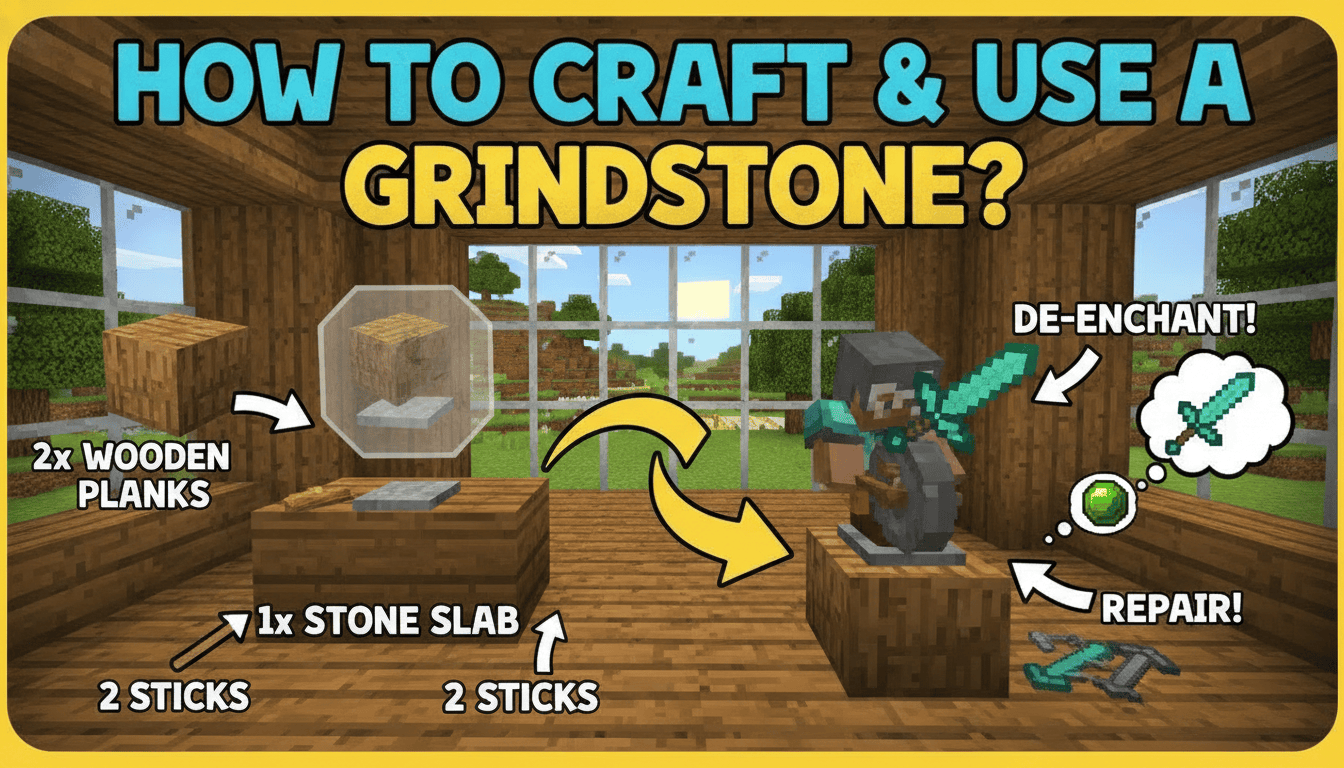
To craft a grindstone, you’ll need a few common resources. Here’s a breakdown of what to gather and where to find it:
- 2x Sticks
- How to get: Craft 4 sticks from 2 wooden planks placed vertically in any crafting grid. Sticks can also be obtained by breaking leaves, dead bushes, or from witches. They are also found in various loot chests and can be “junk” items from fishing.
- 1x Stone Slab
- How to get: Craft 6 stone slabs from 3 stone blocks placed horizontally in a crafting table. Stone is obtained by smelting cobblestone in a furnace, and cobblestone is mined from stone blocks. A stonecutter can also convert stone into slabs. Ensure you use regular “Stone Slab,” not “Smooth Stone Slab” or “Cobblestone Slab.”
- 2x Wooden Planks (any type)
- How to get: Craft 4 planks from any log or wood block by placing it in a 2×2 crafting grid. Logs are obtained by chopping down trees. Planks can also be found in structures.
Step-by-Step
Crafting a grindstone is straightforward once you have the necessary materials. Follow these precise steps using a crafting table:
- Open your Crafting Table: Place your crafting table on the ground and right-click it to open the 3×3 crafting grid.
- Place the Sticks: In the top row of the crafting grid, place one stick in the left slot and another stick in the right slot. The middle slot of the top row should remain empty for now.
- Add the Stone Slab: Place the stone slab in the middle slot of the top row, between the two sticks.
- Position the Wooden Planks: In the middle row of the crafting grid, place one wooden plank in the left slot and another wooden plank in the right slot. The middle slot of the middle row should remain empty.
- Retrieve the Grindstone: The grindstone icon will now appear in the output slot on the right side of the crafting interface. Drag it into your inventory to complete the crafting process.
Once crafted, you can place your grindstone anywhere you like. Remember that in Bedrock Edition, a grindstone requires a supporting block beneath it to remain placed, whereas in Java Edition, it can float without support.
How to Use a Grindstone
The grindstone is a highly functional utility block with two primary uses: repairing items and disenchanting items.
-
Open the Grindstone Interface: Right-click on a placed grindstone to open its interface. You’ll see two input slots on the left and one output slot on the right.
-
To Repair Items:
- Place two damaged items of the same type (e.g., two iron pickaxes, two diamond swords, two leather helmets) into the two input slots.
- The grindstone will combine their durability into a single item, adding an extra 5% durability bonus to the total, up to the item’s maximum durability.
- Important Note: When repairing items this way, the grindstone will remove all non-curse enchantments from both input items. Curse enchantments (like Curse of Binding or Curse of Vanishing) will remain.
- If either of the input items was enchanted, you will receive experience points when you take the repaired, unenchanted item from the output slot. This is a great way to “recycle” enchanted items you no longer want.
-
To Disenchant Items:
- Place a single enchanted item into either of the two input slots.
- The grindstone will remove all non-curse enchantments from that item, returning it to its base, unenchanted state.
- You will receive experience points proportional to the value and level of the enchantments removed. This is an excellent method for gaining XP from unwanted enchanted gear found in chests or drops.
- Bonus Feature: Disenchanting an item with a grindstone also resets its “Prior Work Penalty.” This hidden penalty accrues each time an item is repaired or modified on an anvil, making subsequent anvil operations more expensive. By disenchanting and then re-enchanting (if desired), you can effectively reduce future anvil repair costs.
Where to Find Grindstones and Alternative Methods
While crafting is the most common way to acquire a grindstone, you can also find them naturally generated in the Minecraft world.
- Naturally Generated: Grindstones commonly generate in villages. Look for them near a weaponsmith’s house or workshop, as the grindstone serves as the job site block for weaponsmith villagers. This means if you find an unemployed villager and place a grindstone nearby, they might become a weaponsmith.
- Mining a Grindstone: If you find a naturally generated grindstone, you can mine it with any pickaxe to collect it. Mining it with any other tool or by hand will destroy it without dropping the item.
Tips for Efficiency and Best Practices
To make the most of your grindstone, consider these expert tips:
- Prioritize Anvil for Valuable Enchants: If you have highly enchanted tools, weapons, or armor that you wish to keep enchanted, do not use a grindstone for repairs or disenchanting. The grindstone removes all non-curse enchantments. Instead, use an anvil to repair enchanted items. Anvils allow you to repair items using raw materials or by combining two of the same item, all while preserving their enchantments (though at an experience cost).
- XP Farm for Unwanted Enchants: Grindstones are an excellent, early-game source of experience points. Whenever you find or craft an enchanted item that you don’t need or want the specific enchantments on, run it through the grindstone. The XP gain can be significant, especially from high-level enchantments.
- Resetting Anvil Penalty: As mentioned, the grindstone can reset an item’s “Prior Work Penalty.” If you have an item that has become prohibitively expensive to repair on an anvil due to repeated repairs or enchantments, consider disenchanting it with a grindstone. While you lose the enchantments, you can then re-enchant it and repair it on an anvil at a much lower cost. This is particularly useful for rare items like Mending tools that you want to keep indefinitely.
- Mending vs. Grindstone: Items enchanted with Mending are best repaired by gaining experience while holding them or having them equipped. Using a grindstone on a Mending item will remove the Mending enchantment along with any others, which is usually not desirable.
FAQ
Q: Can a grindstone remove the Curse of Vanishing or Curse of Binding?
A: No, grindstones cannot remove curse enchantments. These enchantments (like Curse of Vanishing and Curse of Binding) are permanent and cannot be removed by any in-game mechanic, including the grindstone.
Q: Can I combine enchantments on a grindstone?
A: No, grindstones are not used for combining enchantments. Their function is to remove enchantments or combine item durability while removing enchantments. To combine enchantments from two items, you must use an anvil.
Q: Does a grindstone repair items perfectly, like a brand new one?
A: When repairing two damaged items of the same type, the grindstone combines their remaining durability and adds a 5% durability bonus. The resulting item’s durability will be the sum of the two input items’ durability plus 5%, capped at the item’s maximum durability. It won’t necessarily be “brand new” unless the combined durability (plus bonus) reaches the maximum.
Q: What’s the difference between using an anvil and a grindstone for repairs?
A: The key difference is enchantments. Anvils repair items while preserving their enchantments (at an experience cost and with an accumulating “Prior Work Penalty”). Grindstones repair items by combining durability, but they always remove all non-curse enchantments and reset the “Prior Work Penalty,” granting experience in return.
Q: Can I rename items using a grindstone?
A: No, grindstones do not have a renaming function. To rename items in Minecraft, you need to use an anvil.
Mastering the grindstone will significantly improve your efficiency in Minecraft, allowing you to manage your gear and experience points more effectively.
Tags:
YOU MAY ALSO LIKE...