

Crafting a Basic Macerator in IndustrialCraft 2 — A Quick Guide
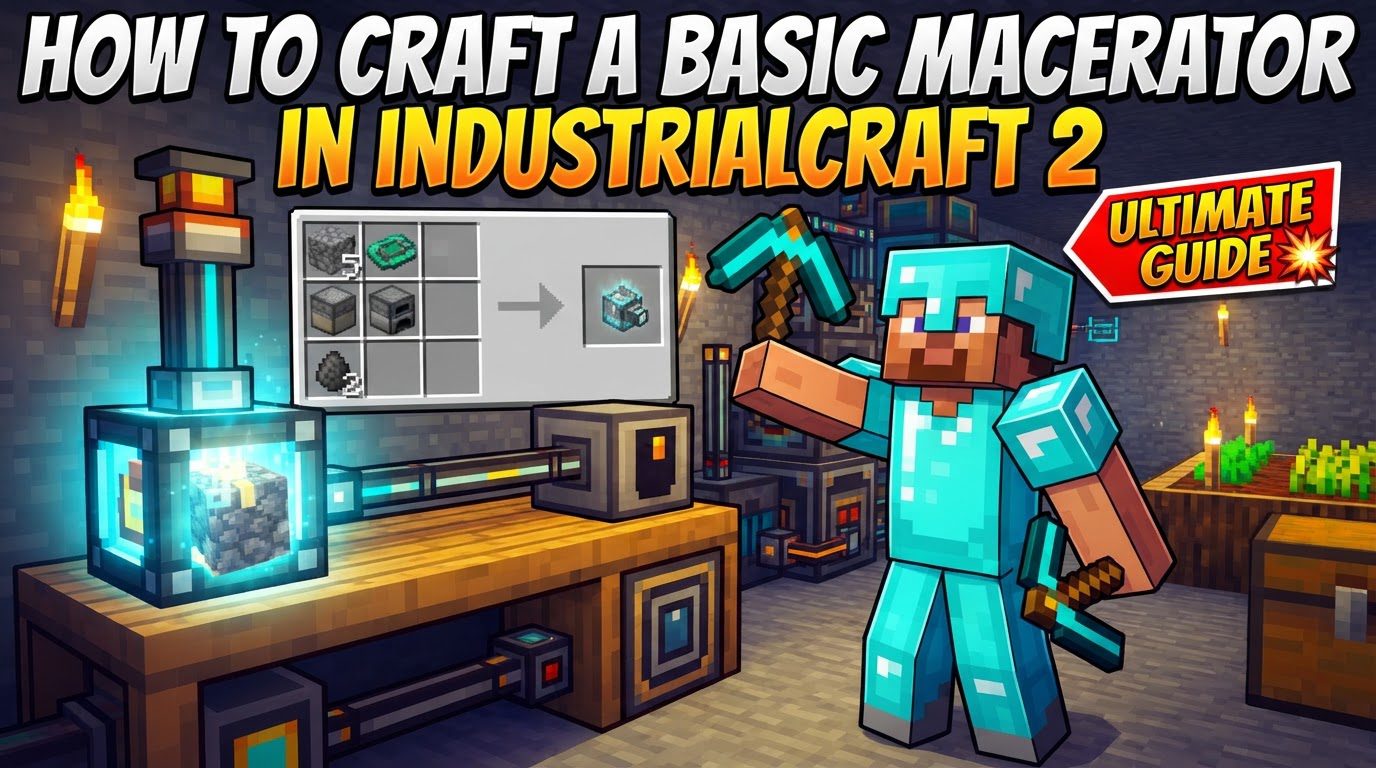
At its core, the Macerator is a primary machine within the IndustrialCraft 2 ore processing chain. Its most significant function is to effectively double your ore output, a benefit that cannot be overstated in a modpack focused on technological advancement. Instead of simply smelting one ore block into one ingot, the Macerator grinds a single ore block into two units of its corresponding crushed ore. These crushed ores, often referred to as ‘dusts,’ can then be smelted in a furnace to yield ingots. For instance, feeding one Iron Ore into a Macerator will produce two Iron Dusts, which, when smelted, will result in two Iron Ingots. This doubling mechanism is vital for accelerating your resource accumulation, allowing for faster expansion of your industrial infrastructure.
Beyond ores, the Macerator demonstrates its versatility by processing a range of other materials. It can transform common Cobblestone into Sand, a useful resource for glass production or desert-themed builds. Gravel, another abundant block, can be processed into Flint, essential for early tools and igniters. Even Coal can be macerated into Coal Dust, which has various industrial applications within the mod. This broad utility makes the Macerator a workhorse in your base, reducing the need for extensive mining expeditions for certain common resources.
As a basic machine, the Macerator operates as a power tier 1 device. Its graphical user interface (GUI) is straightforward, featuring an input slot where you place the items to be processed, an energy item slot typically used for charged batteries, and an output slot where the processed materials will appear. Each operation performed by the Macerator consumes a specific amount of energy: 625 EU (Energy Units). To operate continuously, it requires a minimum power input of 2 EU per tick (EU/t). It is crucial to note its power handling capabilities: the Macerator is designed to accept up to 32 EU/t. Supplying any amount of energy beyond this Low Voltage (LV) threshold will result in the machine violently exploding, destroying itself and potentially damaging surrounding blocks. Therefore, careful management of your power supply is paramount. Power can be supplied to the Macerator by directly connecting it to a generator using appropriate cables or by placing a charged battery directly into its energy slot within the GUI.
Crafting Your Basic Macerator (Standard IndustrialCraft 2)
Crafting a Macerator involves several intermediate components, each requiring specific materials. This section outlines the step-by-step process, assuming you are playing with standard IndustrialCraft 2 recipes, without the added complexity that GregTech often introduces. Gathering the necessary raw materials is your first step before embarking on the crafting journey.
- Refined Iron: The foundation for many IC2 components. You will need a significant amount of this.
- To obtain Refined Iron, simply smelt regular Iron Ingots in a furnace. Each Iron Ingot yields one Refined Iron.
- Insulated Copper Cable: Essential for electrical circuits.
- Combine Copper Ingots with Rubber in a crafting grid. Copper Ingots are obtained by smelting Copper Ore, and Rubber is typically sourced from Rubber Trees.
- Electronic Circuit: A core component for many advanced machines.
- In a crafting grid, place 6 Insulated Copper Cables across the top and bottom rows (three in each row).
- Place 1 Refined Iron in the very center slot of the crafting grid.
- Place 2 Redstone Dust, one on the left side and one on the right side of the Refined Iron, in the middle row.
- Machine Block: The basic casing for IndustrialCraft 2 machines.
- Arrange 8 Refined Iron in a crafting table, filling all slots except for the very center one. This pattern is identical to how you would craft a furnace using cobblestone.
- Flint: Readily available by breaking Gravel.
- You will need 3 pieces of Flint for the Macerator’s grinding mechanism.
- Cobblestone: One of the most common blocks in Minecraft.
- You will need 2 pieces of Cobblestone.
The Final Macerator Recipe:
Once you have all the prerequisite components, you can assemble the Macerator itself in a crafting grid:
- Place 3 Flint across the entire top row of the crafting grid. These represent the grinding components of the Macerator.
- In the middle row, place 1 Cobblestone in the leftmost slot and 1 Cobblestone in the rightmost slot.
- Place the previously crafted Machine Block in the center slot of the middle row. This forms the main body of the machine.
- Finally, place the Electronic Circuit in the bottom-middle slot. This provides the necessary intelligence and control for the Macerator’s operations.
With these components arranged correctly, you will successfully craft your very own Macerator, ready to revolutionize your ore processing.
Operating Your Macerator and Important Tips
Building a Macerator early in your IndustrialCraft 2 progression is highly recommended. The immediate boost to ore production it provides can significantly accelerate your technological tree, allowing you to craft more advanced machines and tools much faster. The ability to double resources means you can achieve twice as much with the same amount of mining effort, making it one of the most impactful early-game machines.
When it comes to powering your Macerator, ensuring a consistent and appropriate power supply is critical. Whether you connect it to a generator via cables or use charged batteries, verify that the power flow is stable and within the Macerator’s limits. For cable connections, the top side of the Macerator is typically designated as the input for items when utilizing automated transport systems like BuildCraft pipes, streamlining your industrial setup.
It’s also worth noting that the Macerator is not a static machine; it can be upgraded to enhance its performance. Items such as Overclocker Upgrades can increase its processing speed, allowing it to grind materials faster, though this will also increase its energy consumption. Transformer Upgrades, on the other hand, allow it to accept higher voltage power, which can be useful as your base scales to more powerful energy generation systems. These upgrades offer flexibility in tailoring the Macerator to your specific needs and infrastructure.
A special consideration arises if you are playing with the GregTech mod installed. GregTech significantly alters many IndustrialCraft 2 recipes, often making them much more complex and resource-intensive. If GregTech is present, the Macerator recipe will require diamonds, making it a much later-game item. In such scenarios, it is often more practical to consider crafting a Pulverizer from another mod, such as Thermal Expansion, as an alternative for early-game ore doubling, as its recipe might be less demanding.
Common Mistakes to Avoid
To ensure the longevity and efficient operation of your Macerator, be aware of these common mistakes:
- Over-powering: This is perhaps the most critical mistake. As mentioned, the Macerator can only handle up to 32 EU/t. Supplying it with more power than this Low Voltage (LV) threshold will cause it to explode. Always use appropriate cables (like copper or tin cables for LV) and generators that match its power requirements. If using a BatBox (a common early-game energy storage unit), ensure it is oriented correctly and not outputting excessive power.
- Incorrect Removal: When you need to move or remove your Macerator, do not simply break it with a pickaxe. Doing so will only return a Basic Machine Casing, not the Macerator itself. To retrieve the Macerator intact, you will need to use a Wrench from IndustrialCraft 2. Right-clicking the Macerator with a Wrench will safely pick it up.
- Insufficient Power: If your Macerator isn’t working or seems to be processing items very slowly, the most likely culprit is an insufficient power supply. Double-check that it’s receiving at least 2 EU/t. Verify that your power source (e.g., generator, BatBox) is active, charged, and correctly connected. Also, ensure that any cables are intact and not overloaded by other machines.
- Processing Ingots Instead of Ores: The Macerator’s purpose is to process raw ore blocks into dusts for double output. A common mistake newcomers make is attempting to put already smelted ingots into the Macerator. This will not yield any beneficial result. Always ensure you are feeding raw ore blocks into the Macerator’s input slot to get the desired double dust output.
By understanding these mechanics and following this guide, you will be well-equipped to integrate the Macerator into your IndustrialCraft 2 base, significantly boosting your resource efficiency and paving the way for advanced industrial endeavors.

