

Designing a Realistic Terrain Using Natural Block Blending — A Quick Guide
Designing realistic terrain in Minecraft goes beyond simply placing blocks; it involves understanding the underlying principles of natural landscapes and how to replicate them within the game’s blocky environment. The default terrain generation, often driven by Perlin noise, can sometimes produce repetitive and unnatural forms. To create truly immersive and believable worlds, players must adopt techniques that mimic the organic processes of nature, focusing on gradual transitions, varied textures, and intricate details.
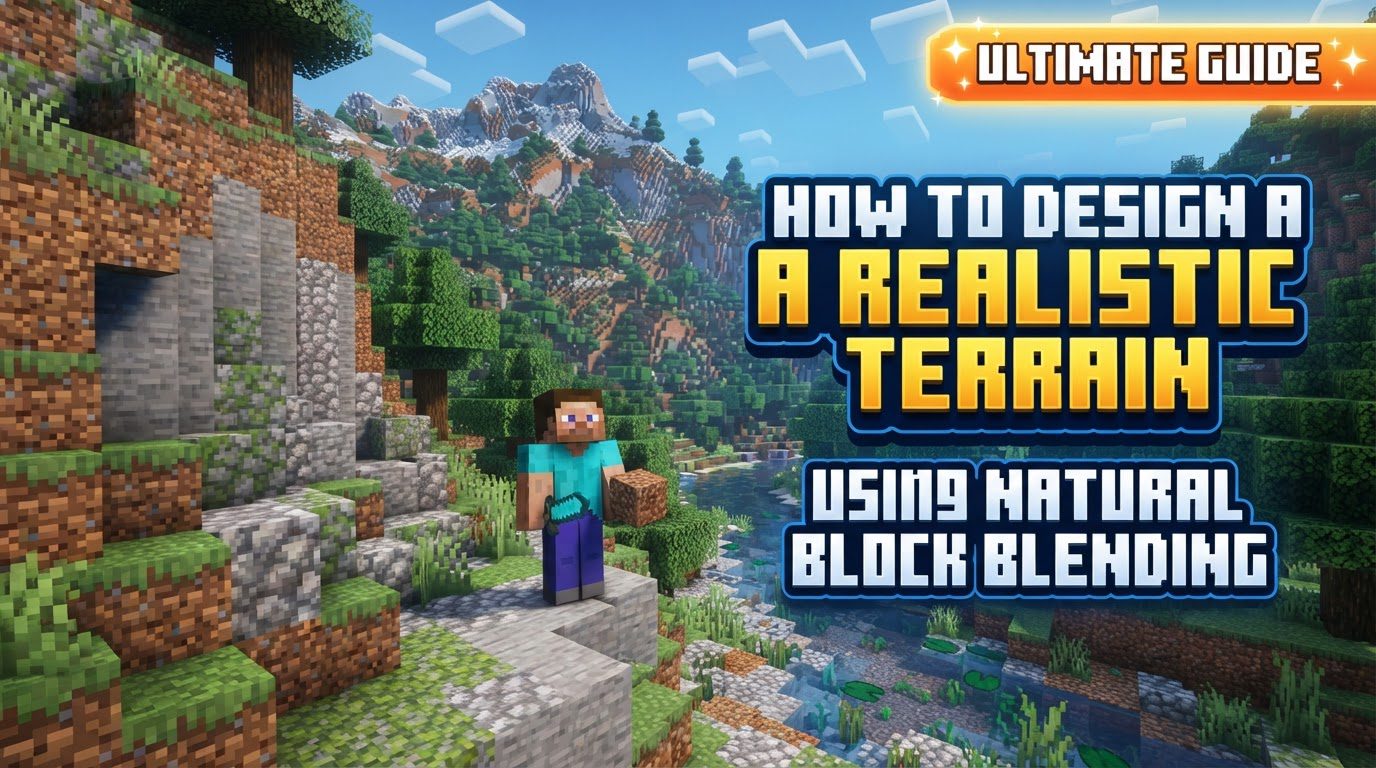
Understanding Key Mechanics for Realistic Terrain
-
Perlin Noise and Its Limitations: Minecraft’s default terrain generation frequently relies on Perlin noise algorithms. While effective for generating vast landscapes, this often results in terrain that can feel repetitive and lack the nuanced irregularities found in real-world environments. Recognizing this limitation is the first step toward building more unique and natural-looking landscapes by hand or with specific tools.
-
Building in Layers: Realistic terrain is inherently multi-layered. It starts with a foundational base, typically composed of dirt or stone, which establishes the primary contours and elevation. Upon this base, subsequent layers of different block types are added, such as grass, sand, gravel, and cobblestone, to introduce essential texture and visual depth. This layering approach mimics how soil, rock, and vegetation accumulate in nature.
-
Gradual Transitions and Smoothing: One of the most crucial aspects of natural block blending is the avoidance of harsh, abrupt lines. Realistic landscapes feature smooth, gradual transitions between different block types and even between varying biomes. This requires careful placement and blending of blocks to ensure that changes in material or elevation flow seamlessly, preventing the artificial appearance of sharp, blocky edges.
-
Biome-Specific Block Choices: Authenticity is significantly enhanced by matching block choices and intricate details to the specific biome being represented. For instance, a desert biome would naturally feature sandstone and cacti, while a taiga biome would be characterized by spruce trees and podzol. Adhering to these biome-specific elements ensures that the terrain feels cohesive and environmentally appropriate.
-
Adding Depth Through Varied Placement: A flat, uniform surface rarely appears natural. Introducing depth through varied block placement and significant elevation changes is paramount for a realistic aesthetic. This involves not just raising and lowering terrain but also creating subtle undulations, small dips, and rises that break up monotony and add visual interest, making the landscape feel dynamic and organic.
Step-by-Step Process for Natural Terrain Design
Creating realistic terrain is an iterative process that builds complexity from simple forms to intricate details. Follow these steps to transform your Minecraft world:
-
1. Establish Basic Shapes: Begin by laying down a foundational layer of dirt or stone. This initial layer serves to define the general contours and overall shape of your terrain, whether you’re planning a mountain range, a rolling hill, or a gentle valley. Focus on broad strokes to get the main elevation changes in place.
-
2. Create Organic Forms: Once the basic shapes are established, refine the landscape by introducing natural curves and irregular edges. Actively avoid straight lines, especially those longer than seven blocks, when sculpting hills or slopes. Nature rarely produces perfectly straight lines, so replicating its organic forms is crucial for realism.
-
3. Layer Materials: Build up the terrain in distinct layers, progressively adding different block types. Incorporate blocks like grass for surface areas, sand for beaches or dry patches, gravel for pathways or rocky outcrops, and cobblestone for more rugged, exposed rock faces. This layering technique adds visual texture and crucial dimension to your landscape.
-
4. Implement Block Blending: To achieve smooth and natural transitions, actively mix similar blocks. For example, blend coarse dirt with regular dirt, or intersperse various stone types (like stone, diorite, andesite, granite) randomly or in small patches. This blending prevents uniform surfaces, which appear artificial, and instead creates rich, varied textures that mimic natural geology.
-
5. Add Finer Details: Small details dramatically enhance realism. Place individual cobblestone blocks to represent boulders, scatter gravel in patches to simulate natural erosion or loose ground, and use single blocks to suggest small, scattered stones. Additionally, utilize bone meal on grassy areas to enrich them with varied vegetation like flowers and tall grass, adding vibrant life to the terrain.
-
6. Form Natural Overhangs: For any cliffs or elevated areas, dig into the underside of the terrain to create realistic overhangs. These features are common in natural rock formations and are essential for casting shadows and introducing significant depth to cliff faces, making them appear more imposing and believable.
-
7. Incorporate Biome-Specific Features: Finally, populate your terrain with elements that are consistent with the chosen biome. This includes planting appropriate trees (e.g., oak for forests, spruce for taigas), placing specific plants, and designing water features such as rivers, lakes, or waterfalls that naturally integrate into the landscape. These details tie the entire environment together.
Important Tips for Enhanced Realism
Beyond the core steps, several key tips can further elevate the realism of your terrain:
-
Prioritize Irregular Shapes: Always opt for natural curves, undulating surfaces, and irregular edges over predictable straight lines or geometric forms. Natural landscapes are rarely perfectly symmetrical or straight.
-
Build in Layers: Consistently construct your terrain from the bottom up, utilizing a diverse array of materials. This approach ensures richness in texture and depth, reflecting geological stratification.
-
Consider the Biome: Ensure that all chosen blocks, plants, trees, and details are cohesive and appropriate for the specific biome you are aiming to create. Consistency is vital for believability.
-
Detailing is Key: Make liberal use of small blocks, gravel patches, and bone meal. These intricate natural details add a level of authenticity that larger structures alone cannot achieve.
-
Incorporate Overhangs: These architectural features, particularly on cliff faces, significantly contribute to depth and realism by creating natural shadows and varied silhouettes.
-
Vary Block Types: To prevent monotony, mix blocks that share similar colors or textures. This subtle variation adds visual interest and prevents surfaces from appearing flat or uninspired.
-
Use Custom Trees: While default trees are functional, hand-built trees offer unique shapes and sizes that can dramatically improve the natural appearance and scale of your landscape.
-
Smooth Transitions with Partial Blocks: Utilize slabs and stairs to soften sharp edges and create gradual slopes. This technique helps to blend different elevations and block types more organically.
-
Develop a Consistent Color Palette: Select blocks that naturally complement each other to achieve a harmonious and visually pleasing look. A well-chosen palette enhances the overall natural feel of the terrain.
Common Mistakes to Avoid
Being aware of common pitfalls can save time and prevent your terrain from looking artificial:
-
Creating Straight Lines or Overly Blocky Terrain: This is a primary indicator of artificiality. Natural environments are rarely perfectly straight or uniformly blocky; embrace organic irregularity.
-
Leaving Harsh Transitions: Abrupt changes between different block types or biomes are jarring and unnatural. Always strive for smooth, gradual blends to maintain realism.
-
Building with Monotone Surfaces: Not mixing similar blocks leads to flat, uninteresting, and unrealistic terrain. Variety in texture and color is essential for vibrant landscapes.
-
Lack of Depth in Builds: Failing to utilize varied layers and block placements makes both structures and terrain appear two-dimensional and lacking in natural complexity.
-
Placing Unrealistic Biomes Side-by-Side: Avoid abrupt and jarring transitions, such as placing a desert directly adjacent to a tropical forest. Biomes typically transition gradually in nature.
-
Over-smoothing Terrain Excessively: While smoothing is beneficial, making areas too smooth with an excessive use of slabs and stairs can look artificial when compared to the surrounding blocky environment.
-
Low Variation in Natural Elements: Neglecting to add diverse vegetation like various flowers, undergrowth, or custom trees results in a sparse and less lifelike landscape. Rich biodiversity enhances realism.
By diligently applying these principles of layering, blending, and attention to detail, you can transform the often-rigid block world of Minecraft into breathtaking, realistic landscapes that feel truly alive and natural.
Tags:
YOU MAY ALSO LIKE...


