Using a Clutch to Stop Rotational Power Temporarily, Explained
Understanding the Clutch: Your Gateway to Controlled Rotational Power
In the intricate world of Minecraft’s Create mod, managing the flow of rotational power is paramount to building efficient and dynamic contraptions. Among the many ingenious components available, the Clutch stands out as an indispensable tool for precise control. This guide will delve into the mechanics, application, and best practices for utilizing the Clutch to temporarily halt or resume the transmission of rotational energy within your mechanical networks.
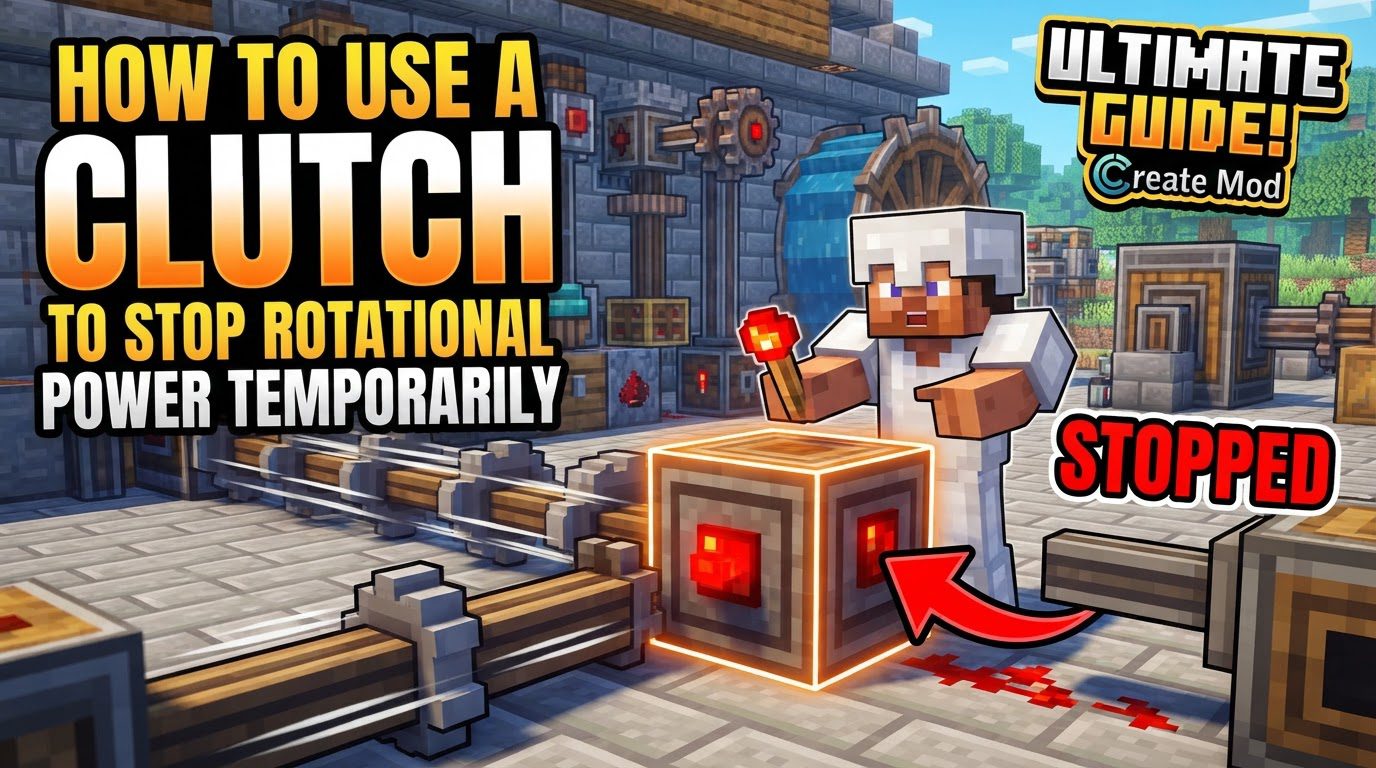
Key Mechanics of the Clutch
The Clutch is a specialized block within the Create mod, fundamentally designed to govern the movement of kinetic energy. Its operational principle is straightforward yet incredibly powerful, allowing players to introduce a layer of dynamic control into their otherwise continuously running mechanical systems.
- Rotational Power Control: At its core, the Clutch’s purpose is to control the flow of rotational power. It acts as a switch or a gate, determining whether the kinetic energy generated by your power sources is allowed to pass through to the rest of your machinery. This ability to start and stop power transmission on demand is crucial for various automation tasks.
- Default Behavior (No Redstone): When the Clutch is in its unactivated state-meaning it is not receiving any redstone signal-it functions precisely like a standard Shaft block. In this default configuration, any rotational power that enters one side of the Clutch will be seamlessly transferred through to the other side. This ensures that when you don’t need to interrupt power, the Clutch integrates flawlessly into your existing power lines without causing any impedance or alteration to speed or direction.
- Activated Behavior (With Redstone): The true utility of the Clutch emerges when it receives a redstone signal. Upon activation, the Clutch immediately ceases to transfer any outgoing rotational power. It effectively disconnects the power source from the downstream machinery, bringing any connected components to a halt. This temporary cessation of power is instant and provides a responsive control mechanism for your contraptions.
- No Stress Impact or Speed Requirement: A significant advantage of the Clutch is its neutral effect on your mechanical network’s overall performance metrics. Unlike some other Create components that might add to the kinetic stress of a system or require specific rotational speeds to function optimally, the Clutch operates without these constraints. It does not impose any additional kinetic stress on your power grid, nor does it have any inherent speed requirements. It simply transfers or blocks whatever rotational speed it receives, making it a highly versatile and forgiving component to integrate into diverse mechanical setups.
Step-by-Step Process for Implementing a Clutch
Integrating a Clutch into your Create mod builds is a straightforward process, involving crafting, placement, and redstone connectivity. Follow these steps to effectively introduce temporary power control into your systems:
- Crafting the Clutch: The first step is to craft the Clutch itself. The recipe for a Clutch typically involves a combination of Redstone Dust, Shafts, and an Andesite Casing. These materials are generally accessible early in your Create mod progression, making the Clutch an early-game utility block that remains relevant throughout your journey. Ensure you have a sufficient supply of these components to craft as many Clutches as your designs require.
- Placement in Your Power System: Once crafted, the Clutch needs to be strategically placed within your existing rotational power transmission system. Think of it as an inline component, much like where you would ordinarily place a Shaft to extend your power line. Identify the point in your system where you wish to introduce a temporary stop or start mechanism. Remove the existing Shaft or other rotational component at that specific location and replace it with the Clutch. The Clutch will then act as the gatekeeper for all rotational power flowing through that segment of your network.
-
Connecting a Redstone Power Source: To control the Clutch’s state, you must connect a redstone power source to it. The Clutch is designed to respond to any standard redstone signal. This can be achieved using a variety of redstone components, depending on your desired level of control and automation:
- Lever: For simple, manual on/off control.
- Button: For momentary activation, useful for quick bursts of power or single-action triggers.
- Redstone Dust: To extend a redstone signal from a more distant control panel or integrate it into a larger redstone circuit.
- Redstone Blocks: For continuous activation.
- Redstone Torches: For continuous activation, though mind their default state.
Ensure the redstone signal directly reaches the Clutch block.
-
Activating and Deactivating the Redstone Signal: With the redstone source connected, you can now control the flow of rotational power.
- Activate the Redstone Signal: When the connected redstone component is turned on (e.g., a lever is flipped to the ‘on’ position, a button is pressed, or redstone dust is powered), the Clutch will receive the signal. This will cause it to stop transferring outgoing rotational power, effectively disengaging the downstream machinery.
- Deactivate the Redstone Signal: Conversely, when the redstone component is turned off (e.g., the lever is flipped to the ‘off’ position, the button’s effect wears off, or the redstone dust loses power), the Clutch will no longer receive a signal. It will revert to its default state, allowing rotational power to flow freely once more, re-engaging your machinery.
Important Tips for Advanced Clutch Usage
Beyond its basic function, the Clutch offers several opportunities for advanced integration and problem-solving within your Create mod builds:
- Essential for Turning Contraptions On and Off: Clutches are fundamental for any contraption that requires intermittent operation. Instead of having your entire mechanical system running constantly, consuming resources or grinding materials unnecessarily, a Clutch allows you to power it up only when needed. This is invaluable for automated farms, processing units, or even complex assembly lines where specific stages need to be activated sequentially.
- Remote Control with Redstone Links: For larger builds or systems where the control panel is distant from the machinery, Redstone Links become an invaluable companion to Clutches. Redstone Links allow you to transmit redstone signals wirelessly over long distances. By pairing a Redstone Link at your control station with another linked Redstone Link near your Clutch, you can remotely activate or deactivate the Clutch, enabling centralized control over widespread mechanical operations without extensive redstone wiring. This also facilitates integration into more complex automation systems, where logical gates or sensors might trigger a Clutch from afar.
- “Inverted Clutch” Addons: While not part of the vanilla Create mod, it’s worth noting that some community-made addons introduce a variant often referred to as an “Inverted Clutch.” This block behaves in the opposite manner to a standard Clutch. Specifically, an Inverted Clutch would act like a powered normal clutch (blocking power) when it receives no redstone signal, and like a standard shaft (allowing power) when it is powered by redstone. This offers additional flexibility for certain redstone logic designs, depending on the specific addon in use. Always verify the mechanics of addon blocks as they may differ.
- Automatic Overstress Prevention: Clutches can be intelligently combined with other Create mod components to create automated safety systems. By linking a Clutch with a Stressometer and Comparators, you can design a mechanism that automatically shuts off a part of your system if it approaches or exceeds its kinetic stress limit. A Stressometer measures the stress level of your mechanical network, and a Comparator can read this information. You can then configure the Comparator to output a redstone signal that activates a Clutch, temporarily disengaging power, when the stress reaches a critical threshold. This prevents components from breaking due to overstress, safeguarding your contraptions and resources.
Common Mistakes to Avoid
While the Clutch is a robust and reliable block, certain operational practices can lead to unintended issues. Being aware of these common mistakes can save you frustration and ensure the smooth operation of your mechanical systems:
- Rapid Redstone Switching: One of the most critical mistakes to avoid is rapidly switching the redstone signal to a Clutch on and off in quick succession. Similar to how a redstone torch can “burn out” if updated too frequently, a Clutch can become unresponsive or temporarily “break” if subjected to an excessive number of alternating updates within a very short period. This rapid toggling can cause the Clutch to enter an auto-shut off state, where it stops functioning as intended until the system has settled or the chunk is reloaded. Design your redstone circuits to provide clear, stable signals to Clutches, avoiding high-frequency pulsing or rapid on-off cycles unless specifically designed for robust, short-burst operations.
- Failing to Incorporate Clutches for Safety and Efficiency: A common oversight in building complex mechanical contraptions is neglecting to integrate Clutches where temporary stops or emergency shutdowns are necessary. Without Clutches, an entire system might run continuously, leading to unnecessary resource consumption, wear and tear on components, or a lack of precise control over specific operations. More critically, the absence of Clutches in critical junctures can lead to significant operational issues, such as overstressed networks. If a blockage occurs or a component fails, and there’s no way to quickly cut power, the kinetic stress can build up rapidly, causing multiple parts of your system to break down. Proactively planning for temporary stops and emergency shutdowns by strategically placing Clutches can prevent these cascading failures and ensure the longevity and efficiency of your builds.
Tags:
YOU MAY ALSO LIKE...