Filtering Items on a Create Belt Using a Brass Funnel (Step by Step)
Mastering Item Filtering on Create Belts with Brass Funnels
In the intricate world of Create automation, efficient item management is paramount. The Brass Funnel stands out as a versatile and indispensable tool for precisely controlling item flow, especially when integrated with Mechanical Belts. This guide will walk you through the comprehensive process of utilizing Brass Funnels to filter items on your Create belts, ensuring your automated systems run smoothly and efficiently.
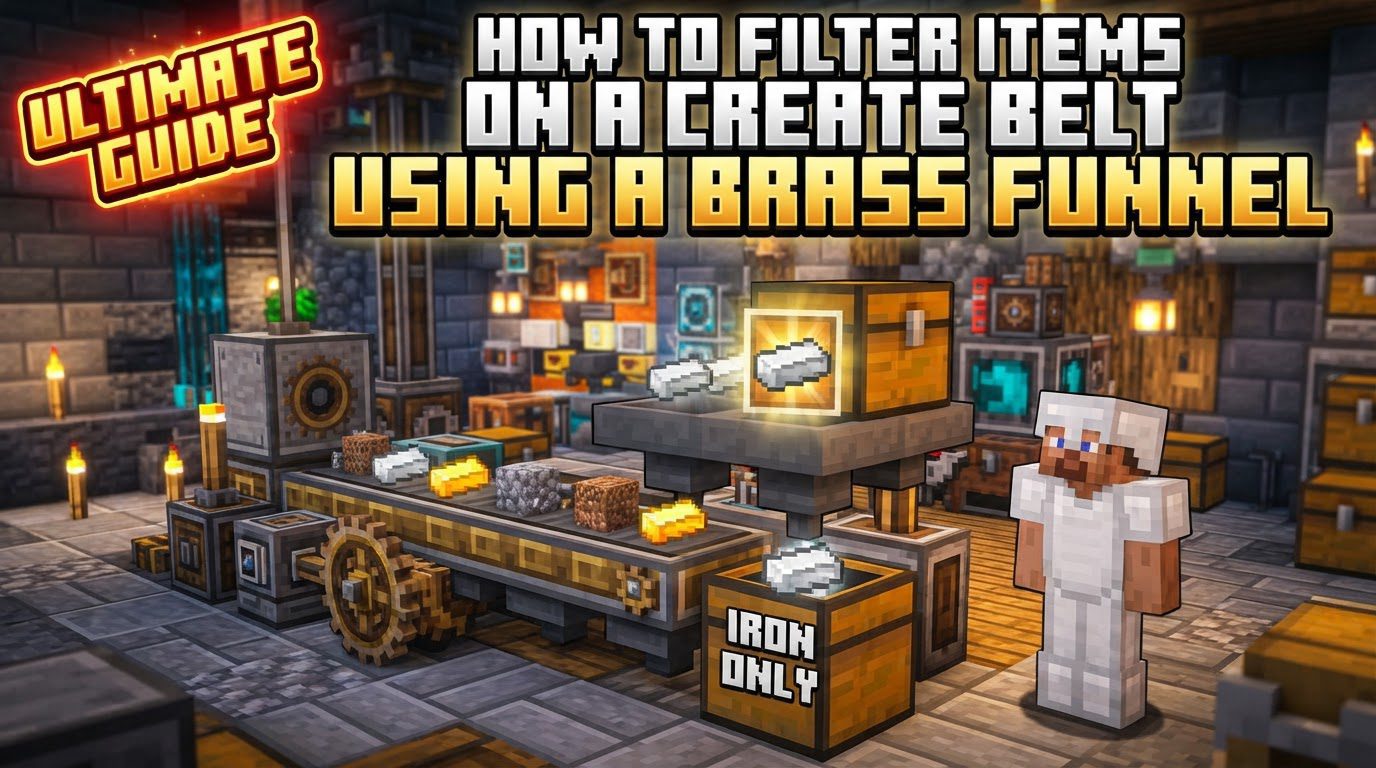
Key Mechanics of Brass Funnels
Understanding the fundamental mechanics of Brass Funnels is crucial for effective implementation. These devices offer a sophisticated level of control over item movement and sorting.
- Specific Item Filtering: At its core, a Brass Funnel can be configured to filter specific items. This means you can dictate precisely which items are allowed to pass through it or be extracted by it, and which are not. This capability forms the basis of all item sorting and routing systems using funnels.
- Configurable Direction (Input/Output): Brass Funnels are highly flexible in their operational direction. They can be set to either input items into an inventory or onto a belt, or to output/extract items from an inventory or off a belt. This direction can be initially influenced by how you place the funnel, and crucially, by the movement direction of an adjacent Mechanical Belt.
- Value Settings for Quantity Control: Beyond just filtering item types, Brass Funnels offer precise control over item quantities. Through their Value Settings Screen, accessible by right-clicking, you can configure a funnel to output or input an exact amount of items, or “up to” a specified amount. This is invaluable for crafting recipes that require specific ingredient ratios or for managing storage capacities.
- Mechanical Belt Dependency: For a Brass Funnel to effectively insert or extract items from inventories into a moving stream, or vice-versa, a Mechanical Belt is generally required. The belt provides the necessary motion for items to be transported, and the funnel acts as the gatekeeper or dispenser.
- Versatile Placement and Item Entity Interaction: Brass Funnels are not limited to just inventories or belts. They possess the ability to pick up loose item entities directly from the ground, making them useful for collection points. Furthermore, they can be placed on inventories or belts in various orientations, offering flexibility in system design.
- Advanced Filter Types: For complex filtering needs, Brass Funnels support various types of filters, which can even be nested for intricate logic. The primary types include:
- List Filters (by item): These allow you to specify individual items that should be filtered.
- Attribute Filters (by tag): These are more powerful, enabling filtering based on item tags, such as allowing all items tagged as ‘logs’ or ‘ingots’ to pass through, regardless of their specific type.
Step-by-Step Process for Filtering Items
Setting up a Brass Funnel for filtering involves a few key steps to ensure proper functionality and desired item flow.
- Place the Brass Funnel: Begin by physically placing the Brass Funnel in your desired location. This can be directly on top of an inventory block, such as a chest or a barrel, or directly on or alongside a Mechanical Belt. The initial placement is important as it can influence the funnel’s default direction.
- Determine Direction: The operational direction of your Brass Funnel is critical for its function:
- Placement on an Inventory: If you place the funnel on an inventory block, sneaking (holding Shift) while placing it will set it to input mode, indicated by an arrow pointing inward towards the inventory. If you place it without sneaking, it will default to output mode, with the arrow pointing outward.
- Placement on a Mechanical Belt: When a Brass Funnel is placed directly on or adjacent to a Mechanical Belt, the belt’s direction of movement will dictate the funnel’s behavior. If the belt is moving towards the funnel’s input side, the funnel will insert items onto the belt. If the belt is moving away from the funnel’s output side, the funnel will extract items from the belt.
- Manual Direction Adjustment: For fine-tuning or correcting the direction, a
Wrench
can be used. Right-clicking a funnel with a Wrench will cycle its input/output direction when it’s not on a belt, or extend its reach for item pickup/deposit.
- Apply a Filter: With the funnel placed and its direction set, the next crucial step is to apply a filter.
- Accessing the Filter Slot: Right-click on the Brass Funnel itself to open its interface. You will see a dedicated slot for placing a filter item.
- Creating a Filter Item: To create a filter, you’ll need a “Filter” item (crafted from wool and iron nuggets) or an “Attribute Filter” (crafted with brass and paper). Hold the filter item in your hand and right-click to program it. This interface allows you to define which items or item tags you want to filter.
- Whitelist or Blacklist: Filters can be configured to operate as either a whitelist (only allowing the specified items/tags) or a blacklist (denying the specified items/tags while allowing all others).
- Handling NBT Data: For items that carry NBT (Named Binary Tag) data, such as partially crafted components or enchanted items, it’s vital to configure your filter item to ignore NBT data if you want to filter based purely on the item type. Failing to do so might cause the funnel to treat items with identical types but different NBT data as distinct, leading to incorrect filtering.
Important Tips for Optimal Funnel Usage
To maximize the efficiency and reliability of your Brass Funnel systems, consider these important tips:
- Wrench for Versatility: Always keep a Wrench handy. It’s not just for direction changes; it can also extend a funnel’s reach, allowing it to interact with inventories or belts that are one block further away, increasing design flexibility.
- Redstone Control: Integrate Redstone into your funnel setups for dynamic control. A Redstone signal can be used to turn a Brass Funnel on or off, providing a simple yet effective way to start, stop, or pause item flow in your automated systems.
- Filter Item for Multiple Items: When filtering for several different item types, utilize a single “Filter” item. Program it with all the desired items. This is far more efficient than needing multiple funnels or complex routing for each item type.
- Attribute Filters for Categories: For broad categories of items, such as all types of wood logs or all metal ingots, use an “Attribute Filter.” These filters allow you to specify an item tag (e.g., #forge:logs or #forge:ingots), enabling the funnel to filter based on these tags rather than individual item IDs.
- Buffer Chests/Vaults: In systems dealing with high volumes or speeds of items, or when there’s a risk of temporary bottlenecks, consider placing a buffer chest or a Create Vault before or after the funnel. This prevents items from being ignored or backing up, ensuring a smoother and more reliable flow.
Common Mistakes to Avoid
Even experienced players can encounter issues with Brass Funnels. Being aware of these common pitfalls can save you time and frustration.
- Ignoring NBT Data: This is a frequent source of frustration. If you’re trying to filter items like incomplete mechanisms or specific enchanted tools, and your filter isn’t configured to ignore NBT data, the funnel might not recognize them correctly. It will treat items that look identical but have different NBT as entirely different, leading to unwanted items passing through or desired items being blocked. Always check this setting for complex items.
- High Item Volume/Speed Overload: Brass Funnels, while efficient, have limits. At extremely high speeds or with a very large volume of mixed items, funnels can become unreliable. They might miss or ignore some items, leading to pile-ups or inefficiencies in your system. Design your systems with appropriate item flow rates in mind, potentially using multiple funnels or slower belts for critical sorting points.
- Incorrect Direction: A seemingly simple mistake, but a funnel pointing the wrong way will completely break your item flow. Double-check that the arrow on the funnel aligns with your intended input or output direction, and that the belt’s movement is synchronized with the funnel’s role (inserting or extracting). Use a Wrench to correct if necessary.
- Unfiltered Funnel Placement Over Mixed Items: Placing a Brass Funnel without any filter over an area containing multiple item types can lead to unexpected behavior. The funnel might only pick up one specific type of item and ignore all others, causing the unpicked items to accumulate and potentially clog your system. Always apply a filter if you expect mixed items.
- Misunderstanding Belt Interaction: Funnels interact differently with Mechanical Belts than they do with static inventories. When a funnel is placed directly on a belt, its function (input or output) is largely dictated by the belt’s direction. Ensure you understand this dynamic: if the belt moves towards the funnel, it’s an input point; if it moves away, it’s an output point. This is distinct from how a funnel behaves when placed on a chest not connected to a belt, where its placed direction (sneaking or not) is primary.
By thoroughly understanding these mechanics, carefully following the setup steps, and heeding the important tips and common mistakes, you will be well-equipped to design robust and highly efficient item filtering systems using Brass Funnels on Create Belts, optimizing your Minecraft automation.
Tags:
YOU MAY ALSO LIKE...