Building a Sequenced Assembly Line
Welcome to this comprehensive guide on constructing an efficient Sequenced Assembly line within your Minecraft world, leveraging the powerful capabilities of the Create mod. Sequenced Assembly is a core mechanic that allows players to simulate complex factory lines, enabling precision crafting by subjecting a base item to a series of defined processes. This system is crucial for automating the production of advanced items, transforming raw materials into sophisticated components through a systematic, multi-step operation.
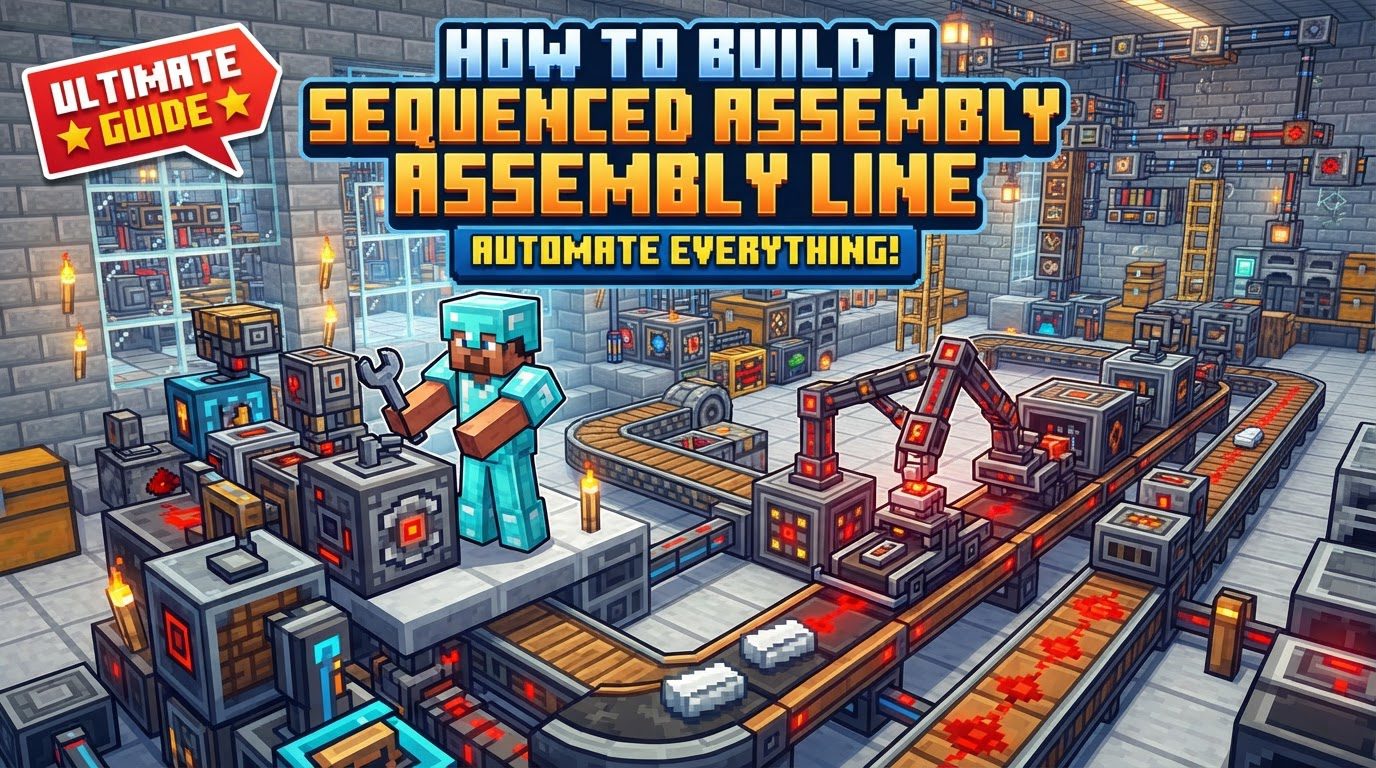
The fundamental principle of a Sequenced Assembly line involves items moving progressively through various stages. This movement is primarily facilitated by Depots or Mechanical Belts, which act as the conveyor system for your materials. As an item travels along this path, it encounters different processing blocks designed to perform specific crafting steps. These steps can range from deploying additional items onto the base component, pressing it to change its form, cutting it with mechanical saws, or even spouting liquids onto it for chemical reactions or coatings. The precision of this system ensures that each operation is applied correctly and in the intended order, mimicking a real-world assembly line.
A notable characteristic of Sequenced Assembly is its ability to handle complex recipes that require repetition. For instance, crafting a Precision Mechanism demands that a sequence of steps be repeated multiple times on the same item. This necessitates clever design to loop the incomplete item back to the beginning of a specific sequence until all iterations are complete. Furthermore, it’s important to understand that certain sequenced assembly recipes are not guaranteed to succeed every time. Some complex processes inherently carry a chance of failure, which can result in the production of unintended byproducts such as “random junk” or “random salvage” instead of the desired item. This is an intended mechanic, adding a layer of realism and challenge to advanced automation. Crucially, when an item on a belt reaches a processing block, it will automatically stop directly underneath it, allowing the operation to be applied before continuing its journey down the line.
Step-by-Step Process for General Automation
Building a Sequenced Assembly line follows a logical progression, starting with the input of your base material and ending with the extraction of the finished product. Here’s a general outline for setting up your automated factory:
- Initiate the Process: Begin by placing your base item onto either a Depot or a Mechanical Belt. This serves as the starting point for your item’s journey through the assembly line.
- Position Processing Machines: Strategically place various processing machines along the path of your Mechanical Belt. These machines include Deployers, Mechanical Saws, Mechanical Presses, and Spouts, each configured to perform a specific crafting step as dictated by your recipe.
- Load Deployers Correctly: For steps involving the addition of items, ensure that your Deployers are loaded with the exact and correct items required for their specific step in the sequence. Incorrect item provisioning will lead to failed operations or incorrect products.
- Implement Looping for Repetitive Steps: For recipes that demand multiple iterations of the same sequence of steps, such as those for the Precision Mechanism, you must design your belt system to return the incomplete item to the beginning of the sequence. A highly effective method for achieving this is to use a weighted ejector at the end of the looping section, configured to launch items back onto the starting point of the belt for another pass.
- Power the System: All Mechanical Belts and processing machines require rotational force to operate. Ensure that your entire assembly line is adequately powered by connecting it to a rotational power source, such as a water wheel, wind mill, or engine, via gearboxes and shafts.
- Extract and Filter Products: Once an item has completed all its required steps, it needs to be extracted from the assembly line. Use funnels, ideally equipped with filters, to efficiently extract the completed product. These filters are also invaluable for separating any unwanted “random junk” or “random salvage” that might have been produced due to recipe failure, ensuring only desired items are collected.
Important Tips for Optimization and Troubleshooting
To maximize the efficiency and reliability of your Sequenced Assembly lines, consider these important tips:
- Utilize Recipe Browsers: Always consult in-game recipe browsers like Just Enough Items (JEI) or Roughly Enough Items (REI). These tools are indispensable for viewing the exact sequence of operations, the required components for each step, and the precise order needed for any given sequenced assembly recipe. This prevents guesswork and errors.
- Deployer Interaction: Remember that Deployers and other similar processing blocks are designed to automatically interact with items positioned directly on a belt below them. Proper placement is key to ensuring these interactions occur seamlessly.
- Weighted Ejectors for Loops: As mentioned, when setting up a loop for processes that require multiple repetitions, a weighted ejector is your best friend. It provides a reliable mechanism to launch items from the end of a belt segment back to its beginning, facilitating continuous reprocessing.
- Strategic Use of Filters: Filters are not just for separating completed products from byproducts. They can be used with funnels or other inventory management tools throughout your factory to sort items, direct specific materials to certain processing lines, or prevent unwanted items from entering critical stages of your assembly.
- Automate Deployer Shutdown: For enhanced efficiency and to conserve resources, you can configure Deployers to automatically turn off when their internal inventory becomes empty. This prevents them from continuously attempting to operate without items, reducing unnecessary power consumption and wear.
Common Mistakes to Avoid
Even experienced builders can encounter issues with Sequenced Assembly lines. Being aware of these common pitfalls can save you significant time and frustration:
- Incorrect Deployer Placement: One of the most frequent errors is improper placement of Deployers. For them to correctly interact with items on a conveyor belt, Deployers must typically be placed one block directly above the belt. Incorrect height will prevent any interaction.
- Misunderstanding Recipe Failure: Do not mistake the production of “random salvage” or “random junk” as a bug. For certain complex recipes, particularly those like the Precision Mechanism, a chance of failure is an intentional game mechanic. It’s designed to introduce an element of challenge and resource management, so account for it in your designs.
- Incorrect Item Input or Order: Precision is paramount in Sequenced Assembly. Ensure that the exact correct items are provided to the Deployers in the precise order specified by the recipe. Any deviation, whether it’s the wrong item or an item delivered out of sequence, will result in a failed or incorrect product.
- Ignoring Transitional Items in Custom Recipes: For those delving into creating custom sequenced assembly recipes, for example with tools like KubeJS, it is vital to properly define transitional items. These intermediate items must extend `SequencedAssemblyItem` to function correctly within the assembly process. Failure to do so will prevent your custom recipe from working as intended.
- JSON Formatting Errors: When working with custom recipes, especially those defined in JSON format, even a minor formatting error can cause significant problems. Incorrect JSON formatting can prevent the recipe from loading into the game or cause it to behave unpredictably. Always double-check your JSON syntax for any custom recipe definitions.
By carefully following these guidelines and understanding the core mechanics and potential pitfalls, you will be well-equipped to design, build, and troubleshoot highly efficient and reliable Sequenced Assembly lines in your Minecraft Create mod factories. Happy crafting!
Tags:
YOU MAY ALSO LIKE...