

Handcrafted Furniture Minecraft
Over 250 new furniture pieces can transform your blocky Minecraft builds from functional to truly fabulous, elevating your interior design from basic to breathtaking.
For many Minecraft enthusiasts, the creative freedom of building is unparalleled. Yet, the vanilla game’s limited selection of interior design options often leaves players longing for more. Beyond a basic bed, a few chests, and a crafting table, true furniture variety is scarce. This is where the “Handcrafted” mod steps in, offering an expansive solution to furnish your virtual homes, castles, and bases with unprecedented detail and functionality. This comprehensive guide will delve into the world of handcrafted furniture, focusing on the popular mod that unlocks a new realm of interior design possibilities.
Transforming Interiors: What the Handcrafted Mod Offers
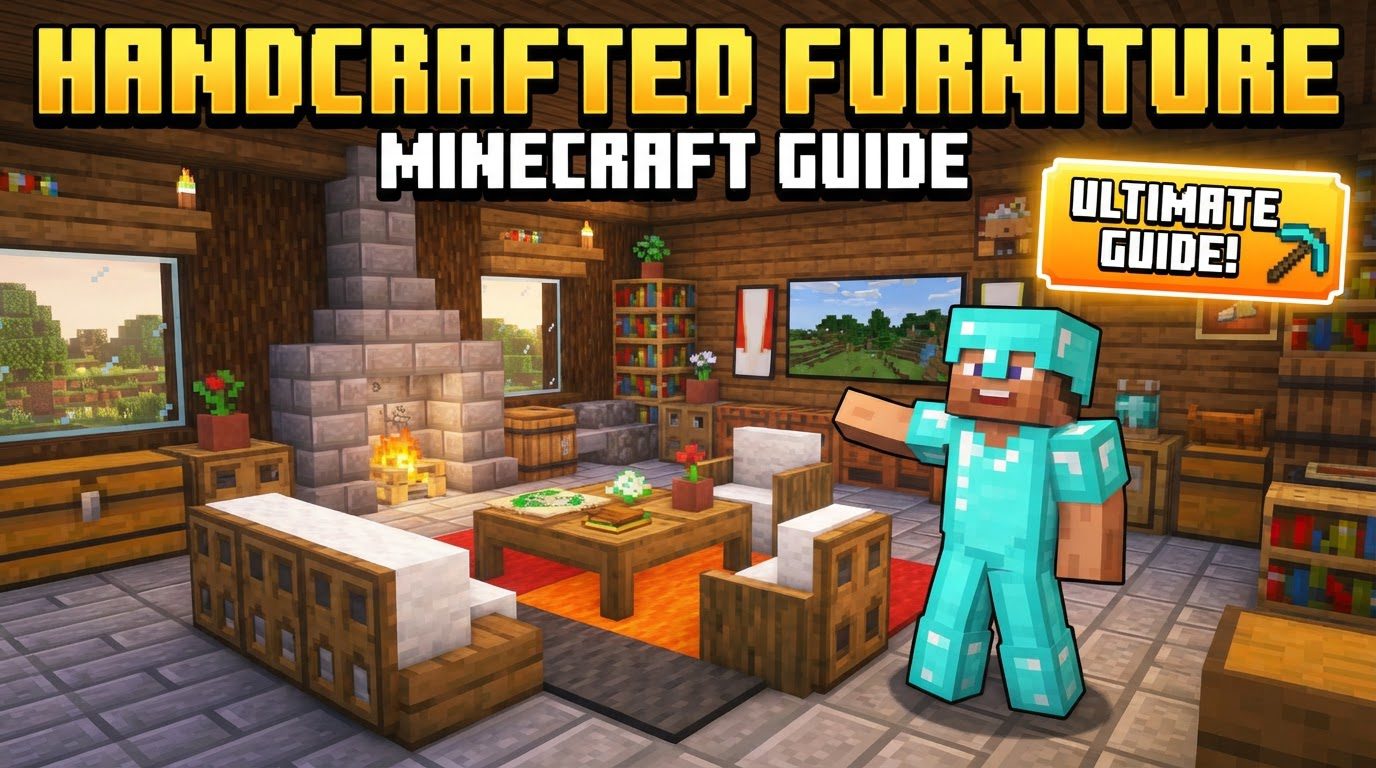
The “Handcrafted” mod is a game-changer for interior decoration in Minecraft, introducing over 250 distinct furniture pieces. This vast collection dramatically expands beyond the simple blocks and items found in the vanilla game, allowing players to craft truly unique and personalized spaces. The mod caters to a wide array of aesthetic preferences, featuring items in medieval, fantasy, modern, and even basic styles that seamlessly blend with the existing vanilla look and feel of Minecraft.
Beyond mere aesthetics, many of these new furniture items boast impressive functionality. Players can finally sit comfortably on chairs, benches, and couches, adding a layer of realism and interaction to their builds. Custom beds allow for more varied sleeping arrangements, while drawers and cupboards provide practical storage solutions, moving beyond the ubiquitous chest. The mod introduces a plethora of specific items, including elegant tables, functional desks, and new building blocks that offer greater architectural detail. Smaller, decorative touches like mugs, plates, and book piles add to the homely atmosphere. Custom frames, chests of drawers, and even tablecloths contribute to a truly furnished environment.
One of the mod’s strengths lies in its thoughtful integration with existing Minecraft elements. Pieces are designed to blend with standard wood types and other building materials, ensuring that your new furniture complements your existing structures rather than clashing with them. Flexibility is also key; some items, such as tables and benches, can be placed adjacently to connect into larger, cohesive pieces, perfect for dining halls or lengthy seating arrangements.
The decorative potential is immense. Players can adorn their spaces with wooden lamps, hanging lanterns, and candle holders to create varied lighting ambiances. Rugs, carpets, and curtains add texture and color, while cushions provide comfort and an additional splash of dyeable color. Functional and aesthetic items like clocks, mirrors, jars, crates, statues, and trophies allow for further personalization. For builders who crave even finer detail, a “tinkering object” like a hammer can be used to alter the shape of tiles, providing an extra layer of customization to your designs. Beds themselves offer unique customization, with interchangeable cushions and sheets available in various dye colors to match any bedroom theme.
Setting Up Your Furnished World: Installing the Handcrafted Mod
To embark on your journey of interior design mastery, you’ll first need to install the “Handcrafted” mod. This process is straightforward, but requires careful attention to detail:
- Download a Mod Loader: The “Handcrafted” mod requires a mod loader to run. Your first step is to download and install either Fabric or NeoForge, ensuring it matches your specific Minecraft version (e.g., 1.21.1 or 1.20.2). These loaders provide the necessary framework for mods to function within your game.
- Acquire the Required Dependency: Crucially, the “Handcrafted” mod does not operate in isolation. It relies on another mod called “Resourceful Library.” Before proceeding with “Handcrafted,” you must download and install the “Resourceful Library” mod, ensuring its version is also compatible with your Minecraft version and chosen mod loader.
- Place Mod Files: Once both the “Handcrafted” mod and the “Resourceful Library” mod files (usually .jar files) are downloaded, navigate to your Minecraft directory. Inside, you will find a folder named “mods.” Copy and paste both downloaded mod files into this “mods” folder.
- Launch Minecraft: Open your Minecraft launcher. Before clicking “Play,” ensure you select the correct game version – specifically, the Fabric or NeoForge profile you installed earlier. Launch the game and enter any world. If installed correctly, the new furniture items should now be accessible.
Crafting Your Vision: Utilizing Handcrafted Items
With the mod successfully installed, the real fun begins: crafting and placing your new furniture.
- Crafting New Pieces: Most new furniture pieces are crafted using common wood and other basic materials at a standard crafting table. The sheer volume of new recipes can be daunting, so it is highly recommended to install the “Just Enough Items” (JEI) mod. JEI provides an in-game interface that allows you to easily view all crafting recipes, including those added by “Handcrafted,” making it simple to discover how to create each item.
- Placement and Interaction: Once crafted, furniture items can be placed in your world just like any other block. The functionality of these items is intuitive. Right-click on chairs, stools, or couches to sit down and relax. For storage solutions like drawers or cupboards, right-clicking will open their respective inventory menus, allowing you to store items just as you would in a chest.
Expert Tips for Interior Designers
To truly master the art of handcrafted furniture in Minecraft, consider these expert tips:
- Embrace Wood Variety: Minecraft offers various wood types, each with its unique color and texture. The “Handcrafted” mod allows you to craft different furniture blocks from each of these wood types. Experimenting with oak, spruce, birch, jungle, acacia, dark oak, crimson, and warped wood can significantly expand your design choices and help you create diverse and visually appealing interiors.
- Leverage JEI: As mentioned, “Just Enough Items” (JEI) is an invaluable tool. It eliminates guesswork by displaying all crafting recipes for the mod’s new blocks and items, saving you time and resources. Keep it installed and refer to it frequently.
- Combine for Cohesion: Don’t limit yourself to single pieces. The mod is designed for modularity. Combine individual counters, shelves, and kitchen units to construct complete and functional room setups. This allows for highly customized kitchenettes, elaborate shelving systems, and integrated workspaces.
- Personalize Your Beds: Take advantage of the bed customization options. Experiment with different cushion and sheet colors using various dyes to perfectly match your bedroom’s aesthetic or to create unique color schemes for each room.
Common Pitfalls and How to Avoid Them
While generally stable, players might encounter a few issues when using the “Handcrafted” mod. Being aware of these common mistakes can help you troubleshoot and ensure a smooth experience:
- Forgetting the “Resourceful Library”: This is the most frequent oversight. The “Handcrafted” mod absolutely requires the “Resourceful Library” mod to function. If your game crashes or the furniture items don’t appear, double-check that “Resourceful Library” is correctly installed in your “mods” folder and is compatible with your Minecraft version.
- Incompatible Minecraft Version: Mods are often specific to certain Minecraft versions. Ensure that the version of “Handcrafted” you download is compatible with your installed Minecraft version (e.g., a mod built for 1.20.2 will likely not work on 1.21.1). Always check the mod’s download page for version compatibility.
- Dealing with Specific Block Issues: Occasionally, users might encounter bugs with particular blocks, such as an oven block causing game crashes. These issues can sometimes be due to mod bugs that might be addressed in future updates, or they could stem from compatibility conflicts with other mods you have installed. If you experience crashes related to a specific item, try temporarily removing other mods to isolate the issue, or report the bug to the mod developer.
The “Handcrafted” mod breathes new life into Minecraft’s interior design capabilities. By providing an extensive collection of functional and decorative furniture, it empowers players to transform their blocky worlds into truly personalized and aesthetically pleasing environments. With careful installation, creative crafting, and an eye for detail, you can turn any structure into a beautifully furnished home.
Tags:
YOU MAY ALSO LIKE...


