How Enchantment Incompatibility Actually Gets Determined
Many a seasoned miner has felt the sting of disappointment when attempting to fuse the earth-shattering power of Fortune with the surgical precision of Silk Touch onto a single pickaxe, only to be met with the anvil’s unyielding refusal. This common frustration highlights a core, often misunderstood, aspect of Minecraft’s enchantment system: incompatibility. Far from being random, enchantment incompatibility is a carefully designed mechanic, primarily intended to maintain game balance and prevent players from creating tools or armor that would trivialise the game’s challenges.
The Fundamental Principle: Balance Enforcement
At its heart, the system of enchantment incompatibility serves as a critical balancing act within Minecraft. Imagine a pickaxe capable of both multiplying drops (Fortune) and preserving blocks (Silk Touch) simultaneously. Such an item could potentially grant infinite resources from a single block, or bypass entire gameplay loops intended to encourage exploration and resource management. To prevent these game-breaking scenarios and ensure a fair, engaging progression, developers implement specific rules that dictate which enchantments can coexist on a single item. This isn’t about arbitrary restrictions; it’s about preserving the intended difficulty curve and the value of different gameplay strategies.
Categorizing Conflicts: Enchantment Groupings
The primary method by which incompatibility is determined is through the categorization of enchantments into “conflict groups.” Within these groups, enchantments are deemed mutually exclusive. An item can generally only possess one enchantment from any given incompatible group. For instance, the various “Protection” enchantments for armor form such a group, as do the different “damage-boosting” enchantments for swords. This grouping system provides a clear, logical framework for the game to assess potential conflicts, ensuring that when you attempt to combine enchantments, the system can quickly identify if any are from the same restricted group.
These groupings are not always immediately obvious to a new player, but through experimentation and understanding the intent behind the enchantments, their logic becomes clearer. Enchantments that offer similar benefits, but with different specializations, are often the ones found in conflict groups. The game’s internal code simply checks which group an enchantment belongs to, and if the item already has an enchantment from that same group, the new one will be rejected.
The Anvil: The Primary Gatekeeper of Enchantments
While enchantment incompatibility rules exist inherently, the anvil is the primary interface through which players encounter and interact with these rules. It acts as the “gatekeeper,” performing the necessary checks whenever you attempt to combine items or apply enchanted books. Without the anvil, the rules would be largely theoretical; with it, they become a practical, day-to-day consideration for any player looking to optimize their gear.
Anvil Combination: A Step-by-Step Check
When you place items into an anvil for combination, a specific sequence of checks is initiated:
- Item Placement: You place the target item (the one you want to enchant) in the first anvil slot and the sacrifice item (another enchanted item or an enchanted book) in the second slot.
- Enchantment Scan: The game scans all enchantments present on both the target item and the sacrifice item.
- Incompatibility Check: For each enchantment on the sacrifice item, the game checks if it is incompatible with any enchantment already present on the target item. This check uses the predefined conflict groups mentioned earlier.
- Application Decision:
- If an enchantment on the sacrifice item is compatible with the target item and its existing enchantments, it will be added to the target item (or its level increased if already present).
- If an enchantment on the sacrifice item is incompatible with an enchantment already on the target item, that specific incompatible enchantment will typically not transfer to the target item. It is effectively blocked by the existing conflicting enchantment.
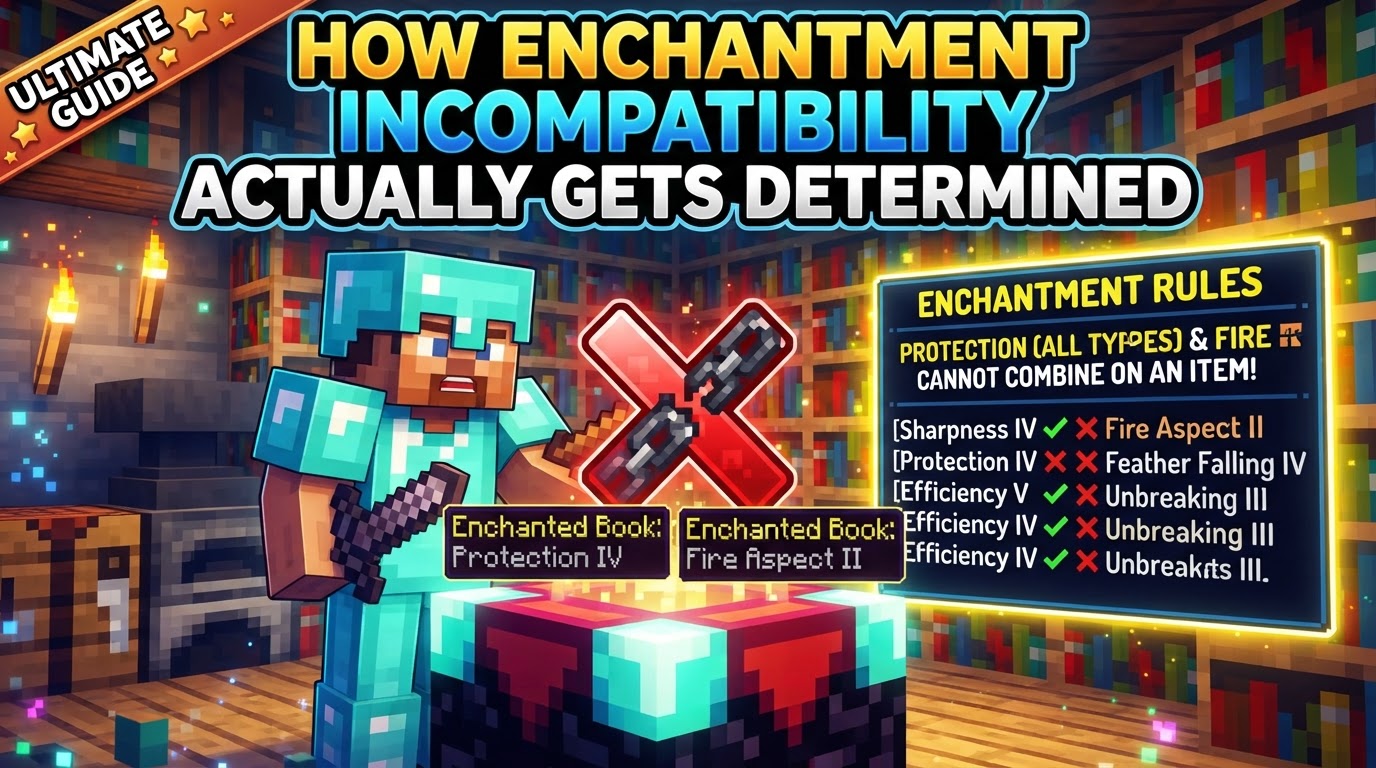
- Visual Feedback: The anvil interface provides immediate feedback. If the combination is impossible due to incompatibility (or if the cost is too high), a red “X” will usually appear over the output slot, indicating that no item can be retrieved. If some enchantments can transfer but others cannot, the output item will reflect only the compatible transfers.
It’s crucial to understand that enchanted books can contain multiple, even incompatible, enchantments. However, when such a book is applied to an item, only those enchantments that are both applicable to the item type (e.g., a sword enchantment won’t apply to a pickaxe) and compatible with its existing enchantments will transfer. The anvil won’t reject the entire book just because one enchantment is incompatible; it will simply skip the conflicting ones.
Common Incompatibility Examples and Their Rationale
Understanding the specific instances of incompatibility is key to mastering enchantment. These are not arbitrary rules but rather carefully considered decisions to maintain game balance:
- Mixing Protection Types: A single piece of armor (helmet, chestplate, leggings, boots) can only have one type of “Protection” enchantment. This means you cannot have Protection IV, Fire Protection IV, Blast Protection IV, and Projectile Protection IV on the same chestplate. This prevents armor from becoming excessively powerful against all damage sources, forcing players to specialize or create different sets for different situations.
- Fortune and Silk Touch on Tools: This is perhaps the most iconic incompatibility. As discussed, allowing both on a single tool would create an endlessly exploitable resource generation mechanism. Fortune increases block drops (e.g., more diamonds from diamond ore), while Silk Touch allows you to mine blocks themselves (e.g., the diamond ore block). These two functions are fundamentally opposed in their outcome for resource gathering.
- Infinity and Mending on Bows: Both Infinity and Mending are incredibly powerful enchantments for bows, offering infinite arrows and self-repair, respectively. Allowing both would create an unbreakable, ammo-free weapon, negating the need for arrow crafting or managing durability. Players must choose between limitless arrows or a bow that never breaks.
- Sword Damage Enchantments: Swords have three main damage-boosting enchantments: Sharpness (general damage increase), Smite (increased damage to undead mobs), and Bane of Arthropods (increased damage to arthropods like spiders and silverfish). These are mutually exclusive. A sword can only possess one of them. This forces players to either create specialized swords for specific mob types or opt for the more versatile Sharpness enchantment.
Strategic Enchanting: Avoiding Pitfalls and Optimizing Combinations
Knowing these incompatibility rules allows for more strategic and cost-effective enchanting. Here are some tips:
- Know the Conflict Groups: Familiarize yourself with the common incompatible groups before attempting complex combinations. A quick search or an in-game mod can often provide this information. Understanding which enchantments cannot coexist will save you valuable experience levels and materials.
- Optimal Anvil Usage: Be mindful of the “prior work penalty.” Every time an item is combined in an anvil, its “prior work cost” increases, leading to higher experience costs for subsequent operations. Eventually, an item can become “Too Expensive!” to enchant further. By understanding incompatibilities, you can plan your combinations to apply only compatible enchantments, avoiding wasted efforts and keeping costs manageable.
- Prioritize Base Enchantments: It’s often a good strategy to apply fundamental, universally beneficial enchantments first, then add specialized ones, always keeping compatibility in mind. For instance, put your primary Protection enchantment on armor before trying to add anything else.
- Don’t Expect Miracles from Multi-Enchanted Books: While books can hold many enchantments, remember that only those applicable to the item and compatible with its existing enchantments will transfer. Don’t waste a valuable book trying to apply an incompatible enchantment.
In conclusion, Minecraft’s enchantment incompatibility system is a well-thought-out game mechanic designed to maintain balance and challenge. By understanding the core principles of conflict groups, the anvil’s role as a gatekeeper, and the specific examples of mutually exclusive enchantments, players can navigate the enchanting process with greater efficiency and less frustration, ultimately crafting more powerful and strategically sound gear.
Tags:
YOU MAY ALSO LIKE...