Fixing Duplicate Scoreboard Objective Errors, Explained
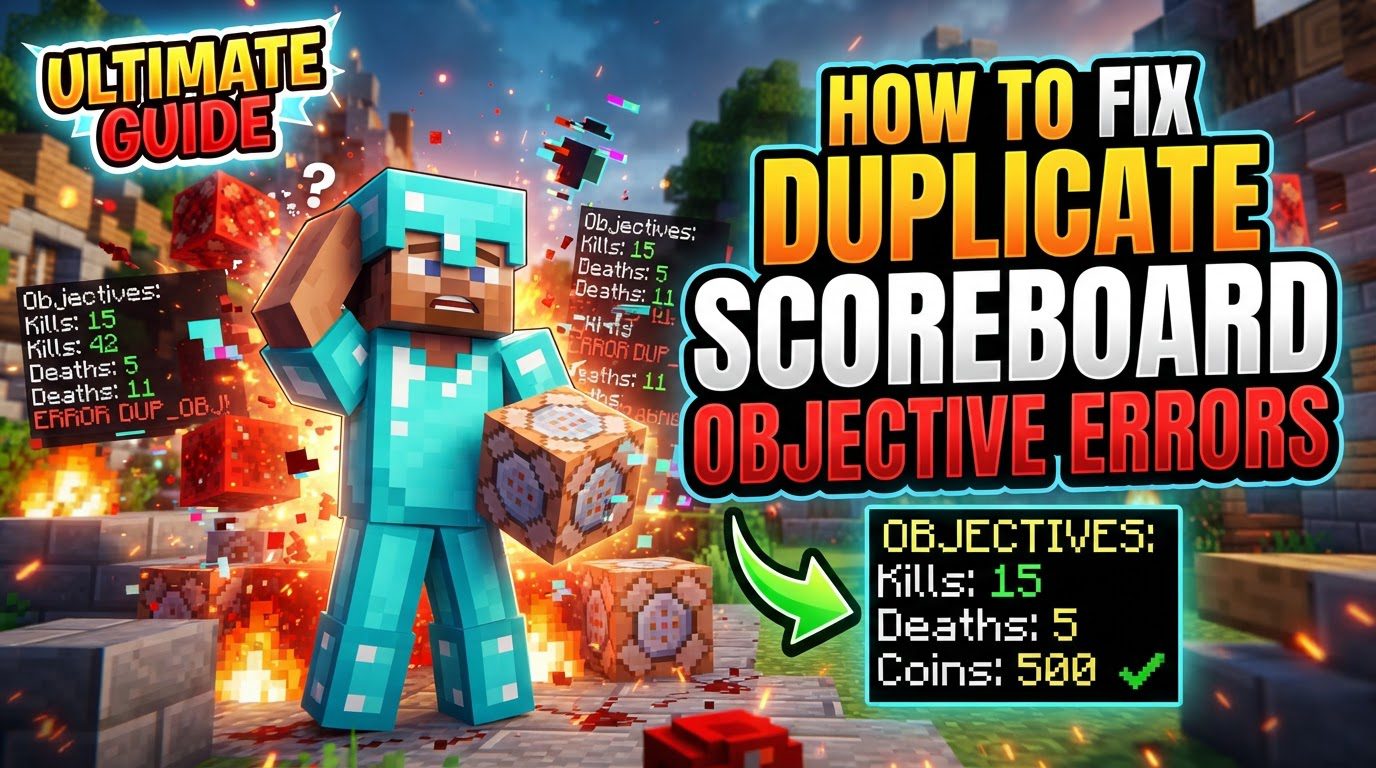
Minecraft’s scoreboard system is a powerful tool for tracking various statistics, creating custom game mechanics, and enhancing player interaction within a world. It allows for the assignment of numeric values, known as scores, to players and other entities, all organized under specific, named objectives. However, like any complex system, it can sometimes encounter issues, with one of the more common problems being “duplicate scoreboard objective errors.” This guide will provide a comprehensive overview of how to identify, resolve, and prevent these errors, ensuring your Minecraft world runs smoothly.
Understanding Minecraft Scoreboard Mechanics
Before diving into fixes, it’s crucial to understand the fundamental mechanics of Minecraft scoreboards, as this knowledge forms the basis for effective troubleshooting.
- Objectives and Scores: At its core, a scoreboard objective is a category under which scores are tracked. Each objective has an internal name, which is a unique identifier used in commands, and an optional display name, which is what players see in-game. Scores are the numeric values assigned to players or entities under these objectives.
- Criterion Types: Objectives are defined by a criterion type. This criterion dictates how scores associated with that objective are updated. For instance, the
dummycriterion is used for objectives where scores are updated manually via commands, offering maximum flexibility. In contrast, criteria likedeathCountautomatically track how many times a player has died, updating scores without manual intervention. Understanding the criterion type is essential for knowing how an objective is intended to function.
Step-by-Step Process for Fixing Duplicate Objectives
Addressing duplicate scoreboard objectives requires a systematic approach, starting with identification and moving through removal and source resolution.
1. List Existing Objectives
The first step in resolving any scoreboard objective issue is to gain a clear understanding of what objectives are currently active in your world. This is achieved using a simple command:
/scoreboard objectives list: Executing this command will display a comprehensive list of all active scoreboard objectives. This list will show you the internal name of each objective, its display name (if set), and its criterion type. By reviewing this list, you can identify any objectives that appear to be duplicated or that are no longer needed. Identifying the exact internal name is critical for subsequent steps, as commands rely on this identifier.
2. Remove the Problematic Objective
Once you’ve identified a duplicate or unwanted objective from the list, the next step is to remove it. This frees up the objective’s internal name and removes all associated scores from the system.
/scoreboard objectives remove: Replace<objectiveName>with the exact internal name of the objective you wish to remove. For example, if you have a duplicate objective named “myScore”, you would use/scoreboard objectives remove myScore.- Important Note on Data: When you remove an objective and then re-add one with the exact same internal name, all previous “offline player” data for that specific objective is cleared. This means any scores held by players who were not online when the objective was active, or whose scores were recorded before the removal, will be gone. This can be a useful side effect for clearing old, stale data, but it’s also something to be aware of if you intend to preserve historical scores.
3. Address the Source of Duplication
Removing an objective is often a temporary fix if the underlying cause of its re-creation isn’t addressed. If objectives reappear after removal, it indicates an external factor is continuously generating them. Investigating these sources is crucial for a permanent solution.
- Data Packs: Custom data packs or server plugins are a common source of automated scoreboard objective creation. Many data packs are designed to add specific game mechanics that rely on scoreboards. If you suspect a data pack, you should:
- Temporarily remove or disable data packs one by one or in small groups.
- After each removal, restart your world or server and check if the problematic objective reappears.
- Once identified, examine the data pack’s files (typically in the
data//functionsdirectory) forscoreboard objectives addcommands. You might need to modify the data pack to prevent it from creating an objective you don’t want, or adjust its logic to use an existing objective.
- Command Blocks: Command blocks placed directly in your world can also be configured to continuously attempt to add an objective. This is particularly common in older setups or custom maps. To investigate:
- Visually scan your world for command blocks that might be active, especially those in spawn chunks or areas that are always loaded.
- Use commands like
/execute as @e[type=command_block] run data get entity @s Commandto inspect the commands within nearby command blocks. This can help you identify any blocks that are repeatedly trying to create an objective. - Disable or modify any command blocks found to be the source of the duplication.
- World Load Routines: In some rare cases, issues might arise from the world’s internal load routines that re-initialize objectives. This is less common for user-created objectives but can occur if there’s corruption or specific server software interactions. If data packs and command blocks have been ruled out, this points to a deeper issue that might require more advanced troubleshooting or even world repair tools.
4. Remove Individual Player Scores (If Needed)
Sometimes, the issue isn’t a duplicate objective but rather unwanted scores associated with players or entities within an objective. This is especially relevant if you’ve cleared an objective but want to clean up specific entries.
/scoreboard players reset: This command allows you to remove a specific player’s score from a given objective. For example,/scoreboard players reset Notch myScorewould clear Notch’s score in the “myScore” objective./scoreboard players reset *: To reset all scores for all players and entities within a particular objective, use the asterisk (*) as a wildcard for the player argument. For instance,/scoreboard players reset * myScorewould clear everyone’s score in the “myScore” objective. This is a powerful command for a clean slate within an existing objective.
Important Tips for Scoreboard Management
Effective scoreboard management goes beyond just fixing errors; it involves proactive measures and understanding nuances.
- Double-Check Command Syntax: Minecraft commands are highly sensitive to syntax. This includes case sensitivity for objective names and player selectors, as well as requiring exact arguments. A small typo can lead to a command failing or targeting the wrong objective or player. Always review your commands carefully before execution.
- Internal Name vs. Display Name: Remember that the internal name of an objective, used in commands, is distinct from its display name, which is what players see. When using commands like
/scoreboard objectives removeor/scoreboard players reset, you must always use the internal name. The display name is purely cosmetic. - Clearing Display Slots: An objective won’t be visible to players until it’s explicitly assigned to a display slot (e.g., sidebar, list, belowName). If you wish to clear an objective from a display slot without removing the objective entirely, you can use the command:
/scoreboard objectives setdisplaywithout specifying an objective name. For example,/scoreboard objectives setdisplay sidebarwill remove any objective currently displayed on the sidebar.
Common Mistakes to Avoid
Being aware of common pitfalls can save you significant troubleshooting time.
- Incorrect Syntax: As mentioned, even minor typos or incorrect arguments in scoreboard commands can lead to errors. Always ensure your commands are precise and match the expected format.
- Forgetting to Set Display: A frequent misconception is that creating an objective automatically makes it visible. Objectives only become visible once they are explicitly assigned to a display slot (like the sidebar, player list, or below player names) using the
/scoreboard objectives setdisplaycommand. If you create an objective and don’t see it, this is often the reason. - Misunderstanding Criteria: Choosing the wrong criterion type for an objective can lead to inefficient or incorrect score tracking. For example, if you intend for scores to update automatically based on player deaths, using a
dummycriterion would be a mistake, as it would require constant manual updates. Instead, an automatic criterion likedeathCountwould be more appropriate. Matching the criterion to the desired behavior is key. - “Ghost” Entries from Entities: When entities (like mobs or dropped items) that have scores assigned to them are removed or killed, their scores may not automatically be removed from the scoreboard system. This can result in “ghost” entries – persistent, unreachable scores associated with entities that no longer exist. To clean these up, you may need to manually reset these scores using
/scoreboard players reset, ensuring you target the specific entity if possible, or using the wildcard for a broader cleanup.
By understanding these mechanics, following the step-by-step resolution process, and heeding the important tips and common mistakes, you can effectively manage your Minecraft scoreboards and prevent or fix duplicate objective errors, leading to a more stable and enjoyable gameplay experience.
Tags:
YOU MAY ALSO LIKE...