Biomes O’ Plenty vs Terralith: World Generation Mods Compared
Over 80 new biomes for the Overworld, Nether, and End, or a complete overhaul of the Overworld with 85-100 new biomes and 20+ structures – these are the dramatic choices Minecraft players face when seeking to transform their blocky worlds. For those yearning for fresh landscapes beyond vanilla generation, world generation mods are indispensable. Among the most popular and impactful are Biomes O’ Plenty and Terralith, each offering a distinct vision for Minecraft’s terrain. Understanding their core mechanics, installation processes, and unique philosophies is crucial for any player looking to breathe new life into their next adventure.
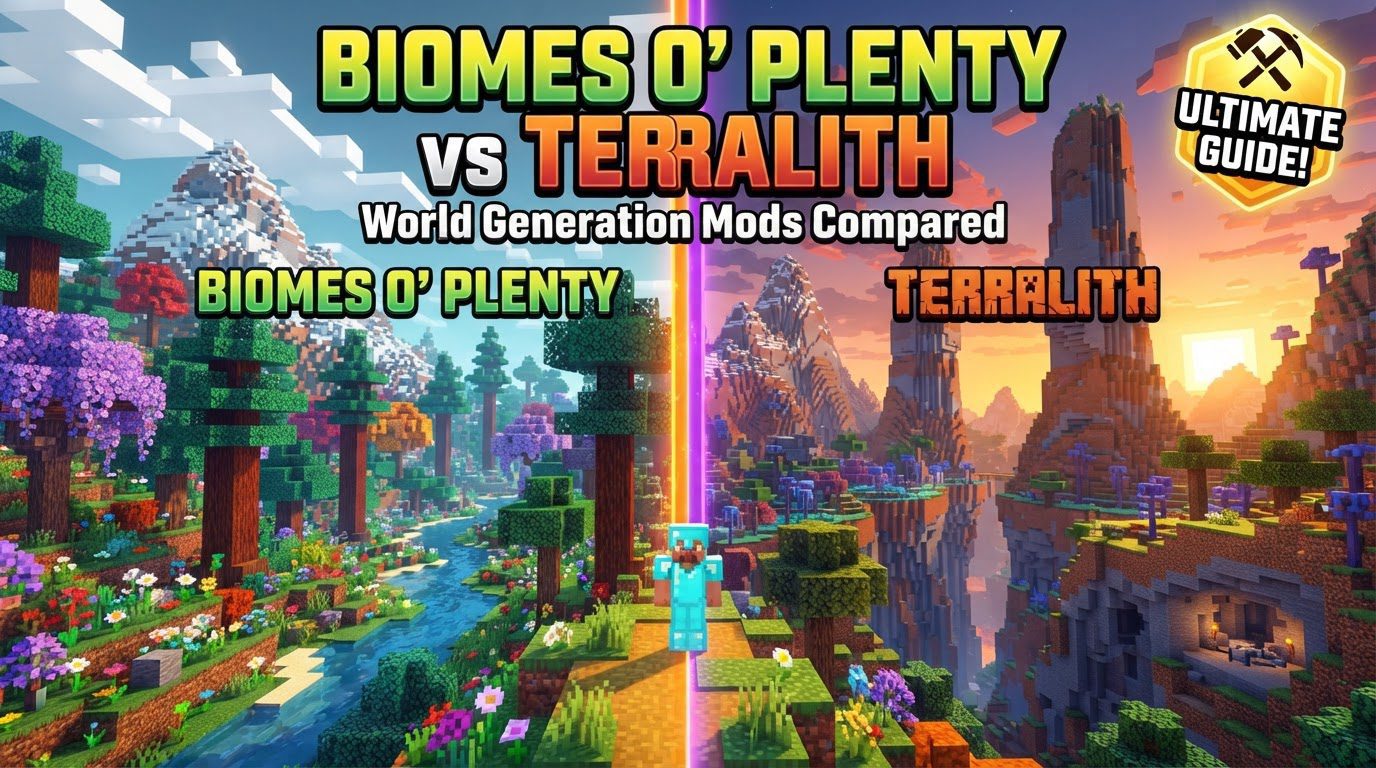
Biomes O’ Plenty: A Universe of Diversity
Biomes O’ Plenty (BoP) stands as a venerable titan in the world generation modding scene, renowned for its expansive addition of new content. It doesn’t just tweak existing biomes; it introduces a staggering array of over 80 unique biomes across all three dimensions – the Overworld, Nether, and End. This mod is designed to significantly enhance exploration, making every journey into uncharted territory a discovery of novel ecosystems.
Key Features and Philosophy
BoP’s philosophy revolves around visual diversity and content expansion. Beyond just terrain, it introduces hundreds of new blocks, items, plants, and occasionally new mobs, enriching the game’s building and crafting possibilities. Players can expect to find unique wood types, exotic flora, and distinctive geological formations that are entirely absent in vanilla Minecraft. The biomes themselves span a wide spectrum, blending fantastical elements like Mystic Groves and Flower Fields with more grounded, yet equally stunning, landscapes such as Cherry Blossom Groves, Lavender Fields, and Volcanic Wastelands. This blend ensures that players encounter both familiar-feeling, enhanced biomes and truly alien environments, fostering a sense of wonder and encouraging extensive exploration to gather unique resources.
Installation and World Creation Guide
Implementing Biomes O’ Plenty requires a standard modding setup:
- Install a Mod Loader: First, ensure you have a compatible mod loader (Forge or Fabric) installed for your specific Minecraft version. This is the foundational step for nearly all Minecraft mods.
- Download Mod Files: Obtain the Biomes O’ Plenty mod file. For Minecraft 1.18 and newer versions, you will also need to download TerraBlender, a dependency that helps integrate new biomes into the game’s generation system.
- Place Files in Mods Folder: Drag and drop the downloaded
.jarfiles (BoP and TerraBlender, if applicable) into your.minecraft/modsfolder. - Launch Minecraft: Start Minecraft using the profile created by your mod loader (e.g., “Forge” or “Fabric”).
- Select World Type: Crucially, when creating a new world, navigate to the “More World Options” screen. Here, you must explicitly select “Biomes O’ Plenty” as the world type. Failing to do so will result in a standard vanilla world generation.
Pro Tips for Exploration and Resource Gathering
- Utilize Navigation Tools: With so many biomes to discover, tools like Nature’s Compass (a separate mod) or in-game biome finder commands are invaluable for locating specific, often rare, biomes.
- Map Your Discoveries: Integrate minimap mods such as JourneyMap or Xaero’s Minimap. These tools help you keep track of discovered biomes, mark points of interest, and plan your routes through the expanded world.
- Strategic Exploration: Consider using a specific world seed or creating a biome checklist. This approach can help you systematically explore and collect the unique materials and blocks offered by BoP, especially if you have particular building projects in mind.
Common Pitfalls to Avoid
- Incorrect World Type Selection: The most frequent mistake is forgetting to select “Biomes O’ Plenty” as the world type during new world creation. This will lead to a standard Minecraft world, rendering the mod seemingly ineffective.
- Adding to Existing Worlds: Introducing BoP to an already generated world can cause severe chunk errors, abrupt terrain transitions (known as “chunk walls”), or the mod simply not functioning as intended in older chunks. Always start a new world for the best experience.
- Version Mismatches and Conflicts: Using outdated mod versions or conflicting Biomes O’ Plenty with other terrain generation mods can result in visual glitches like sharp biome edges, missing terrain, or even game crashes. Ensure all mods are compatible with your Minecraft version and each other.
- Removing Mid-Game: Once a world is generated with Biomes O’ Plenty, removing the mod can corrupt the world save, making it unplayable or causing significant data loss.
Terralith: Vanilla-Plus World Enhancement
Terralith offers an alternative, yet equally breathtaking, approach to world generation. Developed by Stardust Labs, this mod (or datapack) focuses on transforming the Overworld into an epic landscape using only vanilla Minecraft blocks. It’s a “vanilla-plus” experience, aiming to enhance the game’s natural beauty without introducing new items or blocks that might alter the core gameplay loop.
Core Philosophy and Features
Terralith introduces an impressive 85-100 new biomes and more than 20 unique structures to the Overworld. Its core philosophy is to create realistic, visually stunning, and often monumental natural structures. Players will encounter towering mountains that scrape the sky, intricate cave systems waiting to be explored, and diverse landscapes ranging from vast deserts to lush forests, all crafted with the familiar block palette of Minecraft. The genius of Terralith lies in its ability to achieve such dramatic transformations and variety using only vanilla assets, making it feel like an official, highly polished update to Minecraft’s world generation.
Installation (Datapack Focus) and World Creation
One of Terralith’s significant advantages is its flexibility in installation, particularly its availability as a datapack, which bypasses the need for a separate mod loader:
- Download the Datapack: Obtain the Terralith datapack as a
.zipfile. - Create a New World: Begin the process of creating a new Minecraft world.
- Access Data Packs: Click the “Data Packs” button on the world creation screen.
- Open Pack Folder: Select “Open Pack Folder” and copy the downloaded Terralith
.zipfile directly into this folder. Do not extract the file. - Enable Datapack: Within the game’s interface, move the Terralith datapack from the “Available” column to the “Selected” column.
- Finalize World Creation: Proceed to create your new world. Terralith will now be active.
Terralith is also available as a traditional mod for Forge, Fabric, and NeoForge, offering mod loader compatibility for those who prefer that method.
Maximizing Your Terralith Experience
- New Worlds are Key: To fully appreciate Terralith’s effects, always generate a new world. Adding it to an existing world will only apply the generation to newly loaded chunks, resulting in unsightly and immersion-breaking seams.
- Reward for Exploration: Terralith’s epic landscapes are designed for discovery. Towering mountains often conceal valuable mineral veins, and intricate cave systems can lead to hidden treasures or unique mob spawners.
- Leverage Commands for Discovery: If you’re looking for specific biomes or the mod’s unique structures, enable cheats or operator status and use the
/locatecommand. This can save significant time in finding key features. - Combine with “Continents”: For an even grander scale, consider pairing Terralith with “Continents,” another creation from Stardust Labs. This mod generates large, separated landmasses, providing a more realistic and epic world map layout.
Avoiding Common Issues with Terralith
- Existing World Mismatches: Similar to BoP, adding Terralith to an existing world will inevitably lead to jarring chunk borders, terrain mismatches, and potential generation conflicts. Always start fresh.
- Irreversible Removal: If you generate a world with Terralith, removing the datapack or mod can corrupt the world save, making it impossible to load or causing severe data loss.
- Overloading Generation: While Terralith is optimized, combining it with too many other large world generation mods can lead to smaller, less distinct biomes or slower chunk generation rates, impacting performance and overall world quality.
Biomes O’ Plenty vs. Terralith: A Direct Comparison
While both mods aim to enhance Minecraft’s world generation, their approaches and target audiences differ significantly.
Content Philosophy: New Blocks vs. Vanilla Blocks
- Biomes O’ Plenty: This mod is for players who desire new content. It introduces new blocks, items, and sometimes mobs, expanding the game’s mechanics, crafting recipes, and building palette. If you want unique wood types for construction or exotic plants for decoration, BoP delivers.
- Terralith: Its strength lies in its commitment to vanilla. Terralith uses only existing Minecraft blocks to create its diverse landscapes. This is ideal for players who love the core Minecraft feel but crave more dramatic and realistic terrain. It doesn’t add complexity to inventory management or crafting, focusing purely on visual and exploratory enhancement.
Installation Flexibility
- Biomes O’ Plenty: Always requires a mod loader (Forge or Fabric). This is standard for most content-adding mods but adds an extra layer of setup for new users.
- Terralith: Offers greater flexibility. It can be installed as a traditional mod (Forge, Fabric, NeoForge) or, more simply, as a datapack. The datapack method is particularly appealing as it doesn’t require a separate mod loader, making it accessible to a broader range of players, including those on servers without full mod support.
Aesthetic and Design Goals
- Biomes O’ Plenty: Embraces a wide aesthetic, ranging from the truly fantastical to enhanced versions of grounded biomes. It aims for maximal visual diversity, often creating environments that feel distinctly “modded” in their uniqueness.
- Terralith: Strives for a “vanilla-plus” aesthetic. Its landscapes feel like what Minecraft’s world generation *could* be if pushed to its graphical and structural limits, maintaining a sense of realism and grandeur that blends seamlessly with the game’s default style.
Co-existence and Compatibility
This is a critical point. While some community sources might suggest compatibility between Biomes O’ Plenty and Terralith, it is generally recommended to use one or the other for the best experience. The reason lies in how Minecraft’s biome generation works. When multiple large biome-adding mods are active, they compete for space. This often results in biomes being much smaller than intended, leading to a “patchwork quilt” effect where biomes transition rapidly and unnaturally. The unique grandeur of Terralith’s mountains or the sprawling beauty of BoP’s cherry groves can be severely diminished when forced into tiny pockets of space. For optimal world generation and an immersive experience, choose the mod that best aligns with your desired world aesthetic.
Ultimately, the choice between Biomes O’ Plenty and Terralith depends on your personal preference. If you crave new blocks, items, and a truly diverse, sometimes fantastical, world, Biomes O’ Plenty is your go-to. If you prefer a “vanilla-plus” experience with breathtaking, realistic, and epic landscapes using only standard Minecraft blocks, Terralith will transform your Overworld in spectacular fashion. Whichever you choose, both mods promise to elevate your Minecraft adventures to new, unforgettable heights.
Tags:
YOU MAY ALSO LIKE...