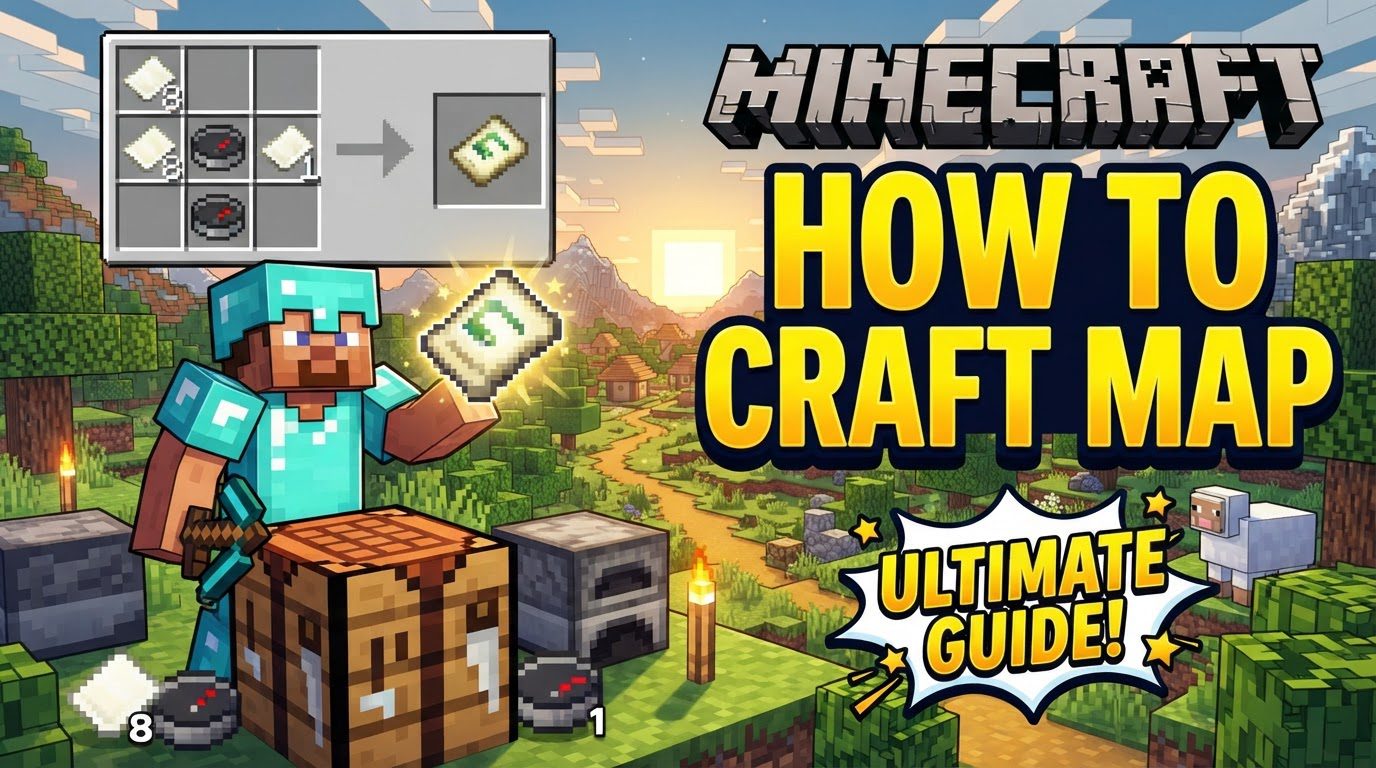
Minecraft How to Craft Map
Wasting precious paper on your first Minecraft map is a common rookie mistake that many players make. While a standard crafting table can indeed produce a map, it’s a significantly less efficient method than utilizing a specialized block designed specifically for cartography. Understanding the nuances of map creation and expansion can save you valuable resources and enhance your exploration experience.
Minecraft, a boundless world of endless discovery, doesn’t come equipped with a built-in minimap or quest tracker. This deliberate design choice emphasizes genuine exploration and the satisfaction of charting your own path. Maps are your indispensable companions in this journey, serving as crucial tools for navigation, documenting your discoveries, and finding your way back home. They dynamically expand as you traverse the landscape, gradually revealing the procedurally generated terrain around you. Every map starts at “level 0,” showcasing a relatively small area with high detail, and always displays north pointing upwards.
The Indispensable Role of Maps in Exploration
Beyond simply showing where you’ve been, Minecraft maps are foundational to effective world navigation. They operate on a fixed, invisible grid, rather than centering on your player upon activation. For a level 0 map, this grid snaps every 128 blocks, a crucial detail for advanced map usage like creating large wall displays. Perhaps the most vital feature for personal navigation is the “locator map.” To see your own position, represented by a white dot, on a map, it must be a locator map, which requires a compass during its creation. In Bedrock Edition, a regular empty map will not show your location, making locator maps essential to avoid disorientation.
Maps also shine in multiplayer settings. A single map can track multiple players, provided that copies of the same map are distributed to everyone who wishes to be tracked. This ensures that all players are viewing and updating the same map data, making group exploration and rendezvous points much easier to coordinate.
Gathering Your Cartography Toolkit: Essential Materials
Before you can embark on your mapping adventure, you’ll need to gather the necessary ingredients. The core components are paper and, for the most useful maps, a compass.
- Paper: This is the fundamental building block for all maps. You’ll need 8 pieces of paper if you’re using a crafting table for your initial map, or just 1 piece of paper if you opt for the more efficient Cartography Table. Paper is crafted from sugarcane, which typically grows near water sources in most biomes.
- Compass (for Locator Map): A compass is vital if you want to see your position on the map. Without it, your map will simply show the terrain without indicating where you are. A compass is crafted using 1 piece of redstone dust placed in the center of a crafting grid, surrounded by 4 iron ingots in a cross pattern. Iron ingots are smelted from iron ore, and redstone dust is mined from redstone ore, usually found deep underground.
Crafting Your First Empty Map
There are two primary methods for crafting an empty map, one significantly more resource-efficient than the other.
The Traditional (Less Efficient) Method: Using a Crafting Table
If you’re in a pinch or haven’t yet built a Cartography Table, you can craft an empty locator map using a standard crafting table. Place a compass in the center slot of the 3×3 crafting grid. Then, surround the compass with 8 pieces of paper, filling all the remaining slots. This will yield one empty locator map. While functional, this method consumes a substantial amount of paper, making it less ideal for extensive mapping projects.
The Recommended (Efficient) Method: Using a Cartography Table
The Cartography Table is a specialized block designed to streamline map creation and manipulation. It’s highly recommended for all your mapping needs due to its efficiency. To craft a Cartography Table, you’ll need 4 wood planks (of any type) and 2 pieces of paper. Place the two pieces of paper in the top two center slots of a crafting table, and the four wood planks in the remaining slots of the middle and bottom rows. Once crafted and placed, using it is simple.
To craft an empty map (which will be a locator map if you also provide a compass, or a plain map if not, depending on Bedrock/Java mechanics and your intent) using a Cartography Table, simply place a single piece of paper into the table’s input slot. This method is incredibly resource-efficient, requiring only one piece of paper compared to the crafting table’s eight.
Activating and Filling Your Map
Once you have your empty map, the next step is to activate it and begin charting your surroundings. Hold the newly crafted blank map in your hand and right-click (or use the designated “Use” button on your platform). The map will immediately activate, displaying a small, unrevealed square. As you move around the world, the map will dynamically fill in with the terrain you explore, gradually revealing the landscape within its current boundaries.
Expanding Your View: Zooming Out Maps
A level 0 map covers a relatively small area. To encompass larger portions of your world, you can expand or “zoom out” your map. Each expansion level effectively doubles the covered distance, allowing you to see more territory but at the cost of reduced detail per block. This process can be repeated up to four times.
Again, the Cartography Table proves superior for this task. Place your filled map into the Cartography Table’s input slot, and add a single piece of paper to the secondary slot. This will produce a zoomed-out version of your map. Attempting this with a crafting table is far more wasteful, as it would require surrounding your existing map with 8 pieces of paper every single time you wish to zoom out.
Advanced Map Techniques & Tips
Mastering maps goes beyond basic crafting. Here are some advanced strategies to make the most of your cartographic tools:
- Embrace the Cartography Table: We cannot stress this enough. For both crafting new maps and expanding existing ones, the Cartography Table is significantly more resource-efficient than a crafting table, saving you valuable paper.
- Mark Important Locations: Maps are excellent for remembering key points of interest. You can place maps into item frames on walls to create permanent markers. Additionally, placing banners in the world and then right-clicking them with a map in hand will mark their location on that map, allowing you to name them for easy identification.
- Create Impressive Map Walls: For the truly ambitious, map walls are a fantastic way to visualize vast areas of your world. By meticulously aligning multiple maps, you can create a mosaic-like display. Remember the 128-block grid snap: to create a seamless map wall, move 128 blocks away from the center of your first activated map before activating the next one. This ensures they align perfectly without overlap or gaps.
- Lock Your Maps: Once you’ve explored an area and are happy with its representation, you can “lock” a map using a glass pane on a Cartography Table. A locked map will no longer update its contents, even if the terrain changes (e.g., you build a new structure or destroy a mountain). This is useful for preserving a historical record or a specific view.
- Start with a Map (Bedrock Edition): For players on Bedrock Edition, there’s an option in world settings to enable a “Starting Map.” This provides you with a pre-made map from the moment you spawn, giving you an immediate sense of direction.
Common Pitfalls to Avoid
Even with the best intentions, map usage can lead to confusion if certain common mistakes are made:
- Ignoring Locator Maps (Bedrock Edition): This is a critical point for Bedrock players. A basic empty map, crafted without a compass, will not show your position. Always ensure you craft a locator map by including a compass to prevent getting disoriented.
- Getting Lost Without Maps: The most fundamental mistake is simply not utilizing maps. The Minecraft world is immense, and without a way to track your progress or mark landmarks, even experienced players can easily get lost, especially when venturing far from their base.
- Inefficient Crafting Habits: Persisting with the crafting table for map creation and expansion is a wasteful habit. It consumes 8 pieces of paper for each map or zoom level, whereas the Cartography Table only requires one. Adopt the Cartography Table early to conserve resources.
- Misunderstanding the Map Grid for Walls: If you’re planning a grand map wall, failing to account for the map’s fixed grid system can result in misaligned or overlapping maps. Always activate new maps 128 blocks away (or multiples thereof) from the center of adjacent maps for perfect alignment.
By understanding these mechanics and tips, you’ll transform from a wandering explorer into a seasoned cartographer, able to confidently navigate and document every corner of your Minecraft world. Happy exploring!
Tags:
YOU MAY ALSO LIKE...