Elytra Trims Mod Download
Until recently, customizing your Minecraft elytra beyond a simple dye job was largely impossible, leaving the game’s most iconic flight mechanism visually static. The “Elytra Trims” mod changes this entirely, offering an unprecedented level of personalization that transforms your wings into a canvas for self-expression, mirroring the intricate armor trim system introduced in recent vanilla updates.
Unveiling the Elytra Trims Mod: A New Era of Aerial Style
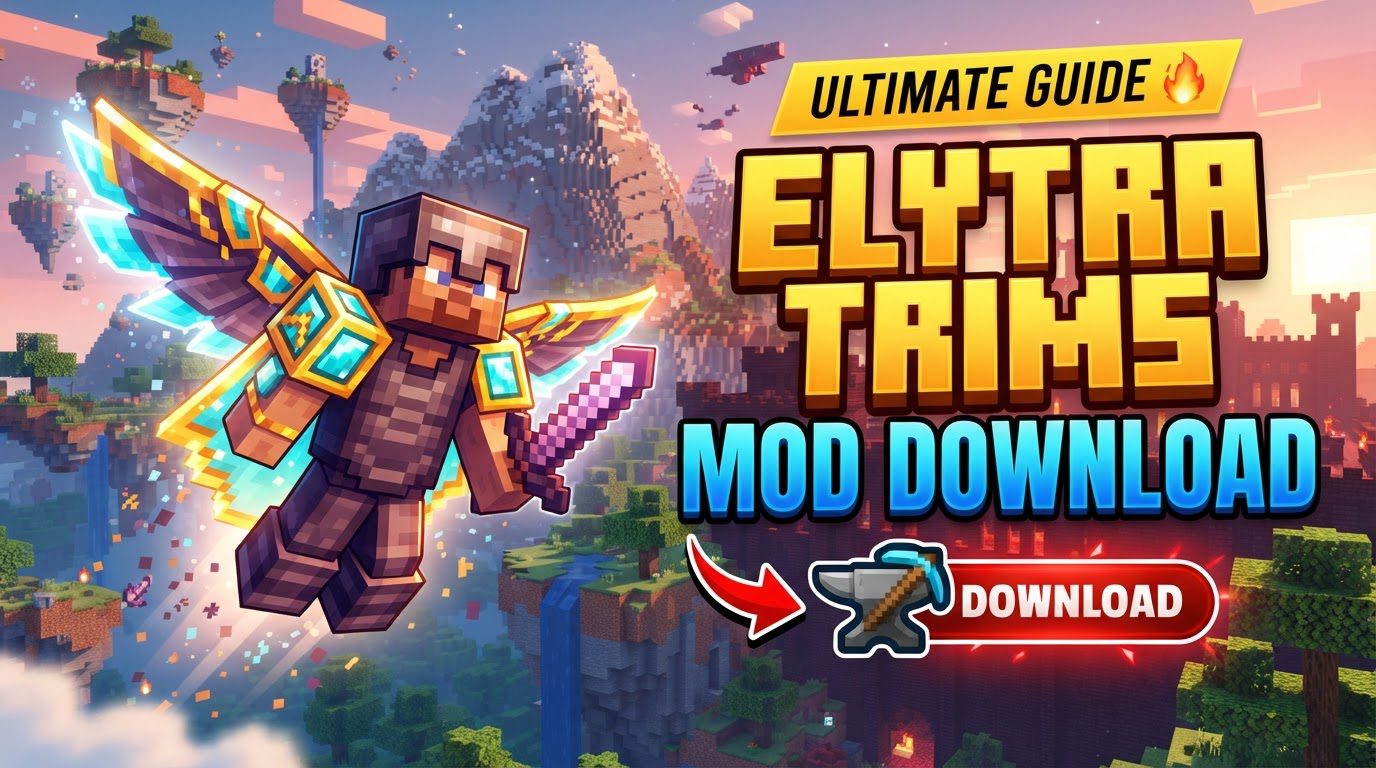
The “Elytra Trims” mod for Minecraft is a game-changer for players who crave more aesthetic control over their gear. It extends the popular armor trim mechanics to your elytra, allowing you to adorn them with a vast array of designs, colors, and even banner patterns. No longer are your wings just a tool for flight; they become a key component of your character’s unique look, reflecting your adventures and personal flair.
This mod seamlessly integrates existing game mechanics, making the customization process intuitive for anyone familiar with armor trims. From subtle metallic accents to vibrant, glowing patterns, the possibilities for personalizing your flight experience are virtually endless.
Deep Dive into Customization Options
The core appeal of the Elytra Trims mod lies in its diverse customization features. It brings several powerful tools to your disposal, enabling truly unique elytra designs.
- Armor Trim Application: The primary feature allows you to apply any existing armor trim template to your elytra. This process occurs at a smithing table, much like applying trims to armor. You’ll combine your elytra with the desired armor trim template and an ingot or ore (e.g., Netherite, Gold, Diamond, Emerald, Redstone, Lapis, Amethyst, Copper, Iron) to define the trim’s material and color. This opens up a world of metallic and gem-like patterns for your wings.
- Dyeing Your Elytra: Beyond trims, the mod enables you to dye your elytra with any standard Minecraft dye. This foundational step is crucial, especially when planning to add banner patterns, as the dye sets the base color upon which patterns will be overlaid. This allows for vibrant, color-coordinated designs that complement your overall aesthetic.
- Intricate Banner Patterns: For those seeking truly elaborate designs, the mod supports applying banner patterns to your elytra. By combining an elytra with a banner and either paper or leather in a smithing table, you can transfer the complex patterns from banners or shields directly onto your wings. It’s important to note that only the pattern is transferred, not the banner’s base color. Therefore, pre-dyeing your elytra to the desired base color is a critical step for achieving the intended visual effect.
- Glow Effects with Glow Ink: To make your elytra truly stand out, especially during night flights or in dark caves, the mod allows you to apply a Glow Ink Sac to your elytra trims. This imbues the applied trim patterns with a subtle, yet striking, glow-in-the-dark effect, adding an extra layer of visual appeal and mystique to your aerial maneuvers.
- The Trim Randomizer: For players who enjoy a bit of serendipity or want to explore a vast range of options quickly, the mod includes a “Trim Randomizer” feature. This tool can apply any available trim, including those from other mods, randomly to your elytra. With a grand total of 69 unique trims (combining vanilla Minecraft and exclusive Elytra Trims designs), the randomizer offers an exciting way to discover new aesthetic combinations and find inspiration for your next custom design.
Seamless Integration: Installing Elytra Trims
Getting the Elytra Trims mod up and running is a straightforward process, designed to integrate smoothly with your existing Minecraft setup. Follow these steps to begin your journey into customized flight:
- Install a Mod Loader: The Elytra Trims mod, like most Minecraft modifications, requires a compatible mod loader to function. The most common and recommended loaders are Fabric or NeoForge. Ensure you have one of these installed for the specific Minecraft version you intend to play. Without a mod loader, the game will not recognize the mod.
- Download the Mod Files: Navigate to reputable mod distribution platforms such as CurseForge or Modrinth. Search for “Elytra Trims” and download the mod file (a .jar file) that matches your installed Minecraft and mod loader version. You might also consider downloading the “Elytra Trims Extensions” mod at this stage, which significantly broadens your customization options by adding support for trims from other mods.
- Place in the `mods` Folder: Once downloaded, locate your Minecraft installation directory. Inside, you’ll find (or may need to create) a folder named `mods`. Copy the downloaded .jar files for “Elytra Trims” and “Elytra Trims Extensions” into this `mods` folder. If the `mods` folder is absent, it typically means your mod loader isn’t properly installed or hasn’t been run at least once. Re-installing or running the mod loader should generate this folder.
After completing these steps, launch Minecraft through your mod loader profile. Your custom elytra options will now be available in-game.
Maximizing Your Aesthetic Potential: Advanced Tips
To truly unlock the full power of the Elytra Trims mod and integrate it seamlessly into your Minecraft experience, consider these advanced tips:
- Expand Design Choices with “Elytra Trims Extensions”: This companion mod is highly recommended. “Elytra Trims Extensions” automatically detects and integrates additional armor trim designs from other mods and datapacks you might have installed. This means a significantly wider variety of patterns and textures become available for your elytra, ensuring your wings can match any thematic build or character concept you envision.
- Craft Custom Trims with Resource Packs: For advanced users and resource pack creators, the mod supports adding entirely custom trim textures. To do this, you’ll need to correctly place your custom textures within a specific file path inside your resource pack: `assets/minecraft/textures/trims/entity/Wings`. Additionally, an `armor_trims.json` file in `assets/minecraft/atlases` is required to define the location and properties of your custom trim textures. This allows for unparalleled creative freedom, letting you design trims that are truly unique.
- Enjoy Consistent Customization with Server-Side Support: A significant advantage of the Elytra Trims mod is its built-in server-side support. This means that if the mod is installed on a multiplayer server, all players will see your customized elytra exactly as you’ve designed it. This ensures a consistent and immersive experience across multiplayer environments, allowing your unique style to shine without client-side discrepancies.
Navigating Potential Pitfalls: Common Issues and Troubleshooting
While the Elytra Trims mod is robust, like any modification, certain interactions can lead to unexpected behavior. Being aware of these common issues can save you time and frustration:
- Shader Incompatibility: One of the most frequently encountered issues involves shader packs, particularly those like Optifine or Iris. The Elytra Trims mod utilizes custom “core shaders” to render its intricate designs and glow effects. These custom shaders are often incompatible with how shader mods operate, leading to incorrect rendering, missing textures, or even crashes. The most common workaround is to disable your shader pack when using the Elytra Trims mod, especially if you notice visual glitches or missing trim effects.
- Issues with Custom-Shaped Elytras: Some other mods introduce custom-shaped elytras (e.g., “Butterfly Elytras”). Applying dyes or banner patterns from Elytra Trims to these custom models can sometimes result in texture loss or distortion. This occurs because the Elytra Trims mod’s coloring and pattern application system primarily references the base vanilla elytra model. If the custom elytra model deviates significantly, the applied textures may not map correctly.
- Missing Custom Textures: If you’re attempting to use custom trim textures via a resource pack and they aren’t appearing correctly, double-check your file organization. Missing textures often stem from incorrect placement of image files within the `assets/minecraft/textures/trims/entity/Wings` directory or errors in the `armor_trims.json` file. Ensure paths and filenames are exact.
- General Mod Conflicts: As with any extensive modding setup, incompatibilities can arise between Elytra Trims and other installed modifications. These conflicts can manifest as rendering issues, unexpected game behavior, or even crashes. If you experience issues, try isolating the problem by temporarily disabling other mods to identify the conflicting one. Checking the mod’s official page or community forums for known incompatibilities is also a good practice.
Conclusion: Soar with Style
The “Elytra Trims” mod fundamentally redefines how players interact with and perceive their elytra in Minecraft. By integrating the beloved armor trim system, along with dyeing, banner patterns, and glow effects, it empowers players to transform a purely functional item into a personal statement. From the moment you download the mod and take to the skies, you’ll find that your adventures are not just about exploration and survival, but also about expressing your unique style in every graceful glide and daring dive. It’s an essential addition for any player who believes that even in the vast blocky world of Minecraft, aesthetics matter.
Tags:
YOU MAY ALSO LIKE...