Biomes O Plenty Biome List
The single most common pitfall new players encounter when trying to experience the wonders of Biomes O’ Plenty is failing to select the correct world type during world creation. This seemingly minor oversight can lead to immense frustration, as you’ll load into a vanilla Minecraft world, completely devoid of the mod’s rich and diverse landscapes. Biomes O’ Plenty is a foundational Minecraft modification designed to dramatically enhance world generation, introducing a breathtaking array of new biomes, unique blocks, and fresh gameplay experiences that transform the familiar blocky world into an expansive tapestry of ecological diversity.
Transforming Your World: Core Mechanics
To fully immerse yourself in the Biomes O’ Plenty experience, understanding its core mechanics is paramount. The mod doesn’t just sprinkle new biomes; it fundamentally alters how your world generates, offering players unparalleled control and variety.
World Type Selection: The Golden Rule
As highlighted, the critical first step is selecting the appropriate world type. For versions 1.12.2 and older, you must choose “BIOMESOP.” For 1.13.2 through 1.17, the option will appear as “biomesoplenty.” With Minecraft 1.18 and newer, a custom world type selection is no longer strictly mandatory, but the mod still needs to be installed and active. Ignoring this step means you’ll miss out on the mod’s primary features, rendering it essentially inactive.
Principles of World Generation
Biomes O’ Plenty employs sophisticated world generation principles, primarily influenced by temperature and rainfall attributes. This intelligent system ensures that biomes with similar characteristics tend to generate in proximity to one another. For example, you might discover a lush tropical rainforest seamlessly transitioning into a dense jungle, creating a more cohesive and believable natural environment than vanilla generation often provides. This approach leads to a more organic and visually appealing world map.
Deep Customization Options
Beyond the default settings, Biomes O’ Plenty empowers players with extensive customization capabilities. During world creation, you can adjust parameters such as “amplitude,” which dictates the maximum terrain height, leading to worlds with anything from gently rolling hills to towering mountain ranges. The “land mass” setting allows you to choose between a “vanilla” generation style, an “archipelago” of scattered islands, or a vast “continent.” Furthermore, players can fine-tune temperature and rainfall values to influence the distribution of biomes and overall terrain features. For advanced users, the mod’s configuration files-such as biomes.cfg, ids.cfg, and weights.cfg-offer granular control. Within these files, you can enable or disable specific Biomes O’ Plenty biomes, adjust their spawn rates, and even modify biome IDs to prevent potential conflicts with other mods.
A Wealth of New Blocks and Items
Biomes O’ Plenty isn’t just about landscapes; it introduces a staggering array of new content to build and interact with. The mod adds over 200 new blocks, significantly expanding creative possibilities. Players will discover 14 distinct new wood types, including the vibrant Cherry, the elegant Willow, the eerie Dead wood, the mystical Magic, and the dark Umbran. The flora is equally diverse, with over 50 varieties of plants and flowers like the fragrant Lavender, the striking Blue Hydrangea, the whimsical Toadstool, and the practical Cattail. Unique terrain and building blocks such as White Sandstone, versatile Mud Blocks, arid Dried Sand, and the desolate Ash Block also populate these new environments. Beyond these, special features like the cascading Spanish Moss, the glowing Celestial Crystals, and the restorative Hot Springs further enrich the exploration experience.
A Glimpse into the Biome Catalog
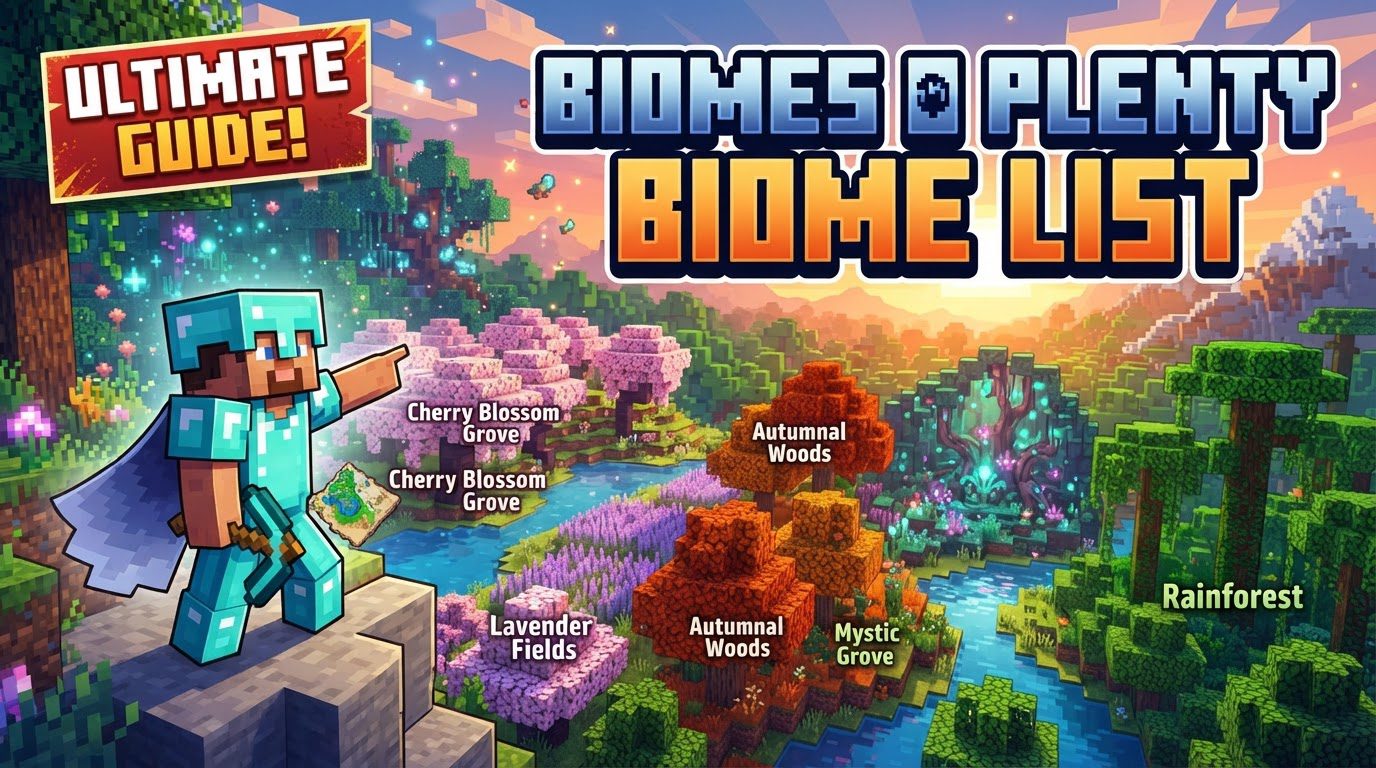
The true heart of Biomes O’ Plenty lies in its expansive biome list, which stretches across the Overworld, Nether, and End dimensions. These biomes are often categorized by temperature, ranging from snowy tundras to cold forests, temperate plains, and arid deserts. While an exhaustive list would be immense, here are some notable examples that showcase the mod’s incredible variety:
- Auroral Garden: A visually stunning biome, often associated with vibrant, otherworldly colors.
- Bayou: A humid, swampy region characterized by dense vegetation and shallow waters.
- Bog: Similar to a swamp but often with darker waters and distinct plant life.
- Cold Desert: A unique blend of arid conditions and chilly temperatures.
- Coniferous Forest: Dominated by towering evergreen trees, reminiscent of real-world taigas.
- Crag: Rugged, mountainous terrain often featuring unique rock formations.
- Dead Forest: An eerie biome filled with skeletal trees and a desolate atmosphere.
- Dryland: A parched, barren landscape, often with cracked earth.
- Dune Beach: Sandy shores leading to vast oceans, sometimes with rolling dunes.
- Mystic Grove: A magical, often ethereal biome with unique flora and an enchanting ambiance.
- Lavender Fields: Expansive plains covered in beautiful, purple lavender plants.
- Rainforest: Dense, humid jungles bursting with life and towering canopy trees.
- Alps: Majestic, snow-capped mountains offering breathtaking vistas and challenging climbs.
- Lush Desert: A surprising twist on the desert, featuring more vegetation and occasional oases.
- Wasteland: A bleak, desolate biome, often appearing barren and unwelcoming.
- Maple Woods: Forests adorned with vibrant maple trees, particularly striking in autumn-like colors.
This diverse collection ensures that every new world generation offers a fresh and exciting adventure, with landscapes ranging from the serene to the challenging, and the beautiful to the foreboding.
Navigating Diverse Landscapes: Essential Tips
Exploring a Biomes O’ Plenty world can be an overwhelming yet rewarding experience. To make the most of your journey, consider these expert tips:
- Fresh World Generation: Always use Biomes O’ Plenty on a newly created world. Adding it to an existing, explored world will only generate new biomes in previously unvisited chunks, leading to jarring and unnatural terrain transitions at the chunk borders.
- Exploration Tools: Finding specific biomes can be a challenge. If cheats are enabled, utilize the in-game command
/locate biome. Alternatively, install external mods like Nature’s Compass for efficient biome discovery. For those with their world seed, online biome finder tools such as ChunkBase can be invaluable. - Resource Collection Strategy: With so many new blocks, it’s wise to create a checklist for unique wood types, stone variants, and other new materials. This systematic approach will help you gather a comprehensive collection for building and crafting.
- Map Your World: To aid in navigation and keep track of your discoveries, integrate mapping mods like JourneyMap or Xaero’s Minimap. These tools are crucial for understanding the vastness and layout of your Biomes O’ Plenty world.
- Backup Worlds Regularly: Modded Minecraft can sometimes be unpredictable. Biome mods, in particular, can occasionally encounter update-related issues. Regular world backups are a simple yet critical safeguard against potential data loss.
- Performance Considerations: The sheer scale and detail of Biomes O’ Plenty can be demanding on your system. To mitigate potential performance lag, consider allocating 6-8GB of RAM to Minecraft, installing optimization mods like Sodium or OptiFine, and reducing your render distance to a manageable level.
Potential Pitfalls and How to Address Them
While Biomes O’ Plenty offers an incredible experience, players should be aware of potential issues and common mistakes to ensure a smooth gameplay experience.
- Incorrect World Type Selection: Reaffirming this crucial point, not setting the world type to “Biomes O’ Plenty” during world creation remains the most frequent error, resulting in a vanilla world. Always double-check this setting before finalizing your world.
- Mod Conflicts: Biomes O’ Plenty can sometimes conflict with other world generation mods or even structure generation mods if both attempt to control the same aspects of terrain generation. Before committing to a long-term world, always check for known compatibility issues between your chosen mods.
- Disappearing Blocks: There have been reports of Biomes O’ Plenty blocks occasionally disappearing, even when vanilla blocks within the same structure remain intact. This can be problematic for builds and may require careful placement or alternative block choices in sensitive areas.
- Survival Mode Challenges: Certain Biomes O’ Plenty biomes can present unique challenges in survival mode. Traversing dense areas like Bamboo Forestry, scaling massive mountains, or navigating biomes with excessive flowing water can be difficult. Additionally, some Biomes O’ Plenty materials may lack ore dictionary tags, causing compatibility issues with other mods that rely on them for crafting or processing. Villages can also be rarer in Biomes O’ Plenty worlds due as a result of generation restrictions.
- Bedrock Edition Limitations: The Bedrock port of Biomes O’ Plenty is often noted to be less complete than its Java counterpart. This includes missing recipes, rendering issues (e.g., pine leaves appearing black from a distance), a historical lack of villages in Biomes O’ Plenty biomes (though this is being actively addressed), and some blocks feeling unfinished or unpolished. Players on Bedrock should manage expectations regarding feature parity.
- Water Interaction Issues: Occasionally, Biomes O’ Plenty water can interact incorrectly with water from other mods, leading to visual glitches or unintended destruction of plants. Furthermore, ocean water may not always correctly replace normal water in specific Biomes O’ Plenty biomes, such as “Oasis,” leading to visual inconsistencies.
- Unification Problems: The mod can introduce duplicate block types that do not unify with similar blocks from other mods. Examples include multiple types of willow planks, mud blocks, or dead logs. This can clutter inventories, make storage management more complex, and limit crafting options across different modded recipes.
In conclusion, Biomes O’ Plenty is an indispensable mod for any Minecraft player seeking to revitalize their exploration and building experience. By understanding its core mechanics, utilizing helpful exploration strategies, and being mindful of potential issues, you can unlock a truly vast and breathtaking world, filled with endless possibilities and stunning natural wonders.
Tags:
YOU MAY ALSO LIKE...