

Choicetheorem’s Overhauled Village
Did you know that vanilla Minecraft’s villages and pillager outposts, while iconic, represent only a fraction of the architectural and exploratory possibilities within the game’s diverse biomes? Enter ChoiceTheorem’s Overhauled Village (CTOV), a transformative world-generation mod designed to breathe new life into these crucial structures. Far from a mere texture pack, CTOV completely replaces and significantly enhances both villages and pillager outposts, offering an unparalleled level of detail, variety, and integration into your Minecraft world.
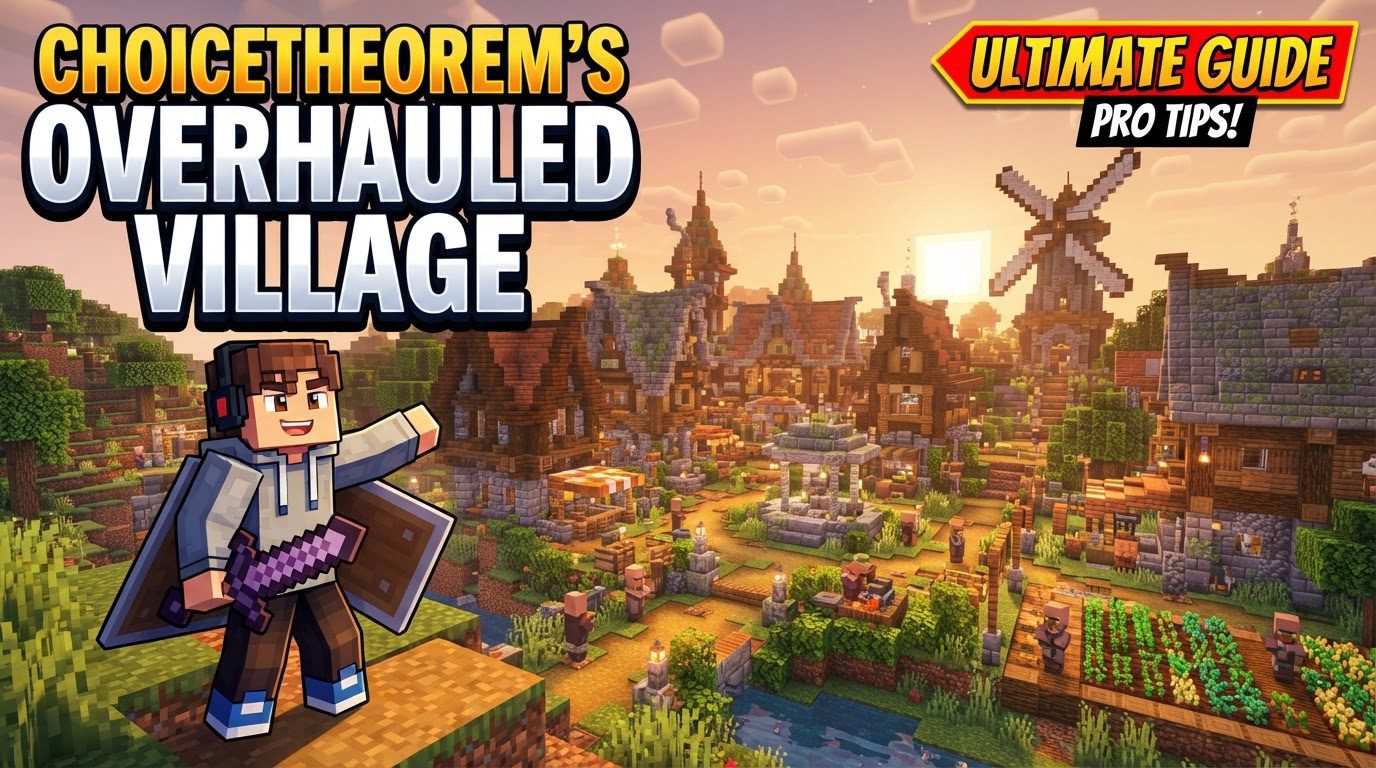
An Overview of Enhanced World Generation
ChoiceTheorem’s Overhauled Village is a comprehensive mod that redefines how players encounter and interact with the game’s most fundamental generated structures. Its core purpose is to replace the often-repetitive vanilla villages and pillager outposts with a vast array of unique, biome-specific designs. This isn’t just about cosmetic changes; CTOV fundamentally alters the scale and complexity of these locations.
- Unprecedented Variety: The mod introduces an impressive 23 distinct village variants and 14 unique pillager outpost variants. Each of these structures is meticulously crafted to seamlessly blend with the aesthetic and terrain of its native biome, ensuring that a snowy village feels genuinely different from one nestled in a desert or plains.
- Larger, More Diverse Structures: Gone are the days of small, generic villages. CTOV’s villages are significantly larger and boast a much greater diversity in appearance, offering more buildings, intricate layouts, and a sense of a truly established community. This enhanced scale encourages more thorough exploration and provides a richer backdrop for player interactions.
- Aesthetic Harmony: The design philosophy behind CTOV prioritizes biome integration. Whether you stumble upon a village in a lush forest, a barren desert, or a cold taiga, its architecture, materials, and overall feel will perfectly complement its surroundings, making the world feel more cohesive and immersive.
Enriched Exploration: Loot and Compatibility
Beyond the visual and structural overhauls, CTOV significantly impacts the gameplay experience through its enhanced loot tables and remarkable compatibility with other popular mods. This ensures that exploring these new structures is not only visually rewarding but also provides tangible benefits for adventurers.
- Valuable Discoveries: Chests within CTOV’s villages and outposts are no longer confined to basic resources. The mod enhances loot tables, offering a wider variety of potentially valuable items. Players can expect to find rare enchanted books, precious minerals like emeralds or even diamonds, and a more generous supply of essential resources, making every chest a potential treasure trove. This encourages players to thoroughly explore every nook and cranny of these expansive new structures.
- Seamless Biome Mod Integration: One of CTOV’s most impressive features is its reliance on vanilla biome tags. This intelligent design choice ensures unparalleled compatibility with a vast array of world-generation mods. Whether you’re using popular options like Terralith, Oh The Biomes You’ll Go, or Biomes O’ Plenty, CTOV will automatically generate matching villages and outposts within the new biomes introduced by these mods. This means you won’t encounter vanilla structures clashing with custom biomes; instead, you’ll find custom CTOV structures perfectly adapted to the new environments.
- Coexistence with Structure Mods: CTOV is also built to work harmoniously alongside other structure-generating mods. Players who enjoy expanding their world with additions like Towns and Towers or Repurposed Structures can rest assured that CTOV will coexist peacefully, adding its own unique structures without causing conflicts or diminishing the experience provided by other popular mods.
- Broad Mod Loader Support: Accessibility is key, and CTOV delivers by supporting all major Minecraft mod loaders. Whether your setup uses Forge, Fabric, or Quilt, you can integrate ChoiceTheorem’s Overhauled Village into your game, ensuring a wide audience can enjoy its benefits.
Bringing CTOV to Your World: Installation Guide
Implementing ChoiceTheorem’s Overhauled Village into your Minecraft experience is a straightforward process, whether you’re playing solo or hosting a server. Following these steps carefully will ensure a smooth installation.
Prerequisites: Your Mod Loader
Before you can add CTOV, you must have a compatible mod loader installed. This is the foundation upon which all other mods operate.
- Install a Mod Loader: Begin by installing a supported mod loader for your specific Minecraft version. This could be Forge, Fabric, or NeoForge. Ensure the mod loader version matches your Minecraft client or server version exactly.
Acquiring the Mod: Downloading CTOV
Once your mod loader is ready, it’s time to get the CTOV file itself.
- Download CTOV: Navigate to the official CurseForge page for ChoiceTheorem’s Overhauled Village. Download the correct
.jarfile. It is crucial to verify that the downloaded file matches both your Minecraft version and the mod loader you have installed.
Client-Side Setup: Single Player & Local Play
For players looking to enjoy CTOV in their single-player worlds or on local client-hosted games, follow these steps:
- Open Your Minecraft Launcher: Launch the official Minecraft launcher.
- Access Installations: Go to the “Installations” tab.
- Locate Modded Profile: Find the profile associated with your installed mod loader (e.g., “Forge,” “Fabric,” or a custom profile you created). Click on the small folder icon next to it to open your game directory.
- Find or Create the
modsFolder: Within the game directory, locate themodsfolder. If it doesn’t exist (which can happen with fresh mod loader installations), simply create a new folder and name itmods. - Place the Mod File: Drag and drop the downloaded CTOV
.jarfile directly into thismodsfolder. - Launch the Game: Return to the Minecraft launcher, select your modded profile, and click “Play.” The mod should now be loaded.
Server-Side Setup: Multiplayer Worlds
If you’re running a dedicated server and want your players to experience CTOV, the process is slightly different:
- Server Mod Loader Setup: Ensure that Forge or Fabric (or NeoForge) is correctly set up and running on your Minecraft server.
- Access Server Files: Use your server’s file manager, typically accessed via an FTP client or a web-based panel provided by your hosting service.
- Navigate to
modsDirectory: Locate themodsdirectory within your server’s main folder. - Upload the Mod File: Upload the downloaded CTOV
.jarfile into thismodsfolder. - Generate a New World: For CTOV structures to generate, you *must* create a new world on your server. Existing chunks will not update.
- Restart Your Server: After uploading the mod and configuring for a new world, restart your server to fully load ChoiceTheorem’s Overhauled Village.
Mastering CTOV: Essential Advice for Adventurers
To fully appreciate and utilize the additions brought by ChoiceTheorem’s Overhauled Village, consider these valuable tips for exploration and integration.
- Integrating into Existing Worlds: If you’re adding CTOV to a world you’ve already been playing in, remember that new structures will only generate in chunks that have not yet been explored or loaded. To find CTOV’s enhanced villages and outposts, you’ll need to venture into new, undiscovered areas of your map. This is a common behavior for most world-generation mods.
- Locating New Structures Swiftly: To quickly discover the new villages and outposts without extensive wandering, you can use a helpful in-game command. If you have cheats enabled or are an operator on a server, use the command
/locate structure choicetheorems_overhauled_village:villagefor villages or/locate structure choicetheorems_overhauled_village:pillager_outpostfor outposts. This will provide coordinates to the nearest CTOV structure. - Pillager Outpost Rewards: Don’t overlook the pillager outposts! While challenging, some of CTOV’s rare outpost variants can contain exceptionally valuable loot. Beyond the typical vanilla offerings, these enhanced outposts can be a great source of rare enchanted books, valuable minerals, and other high-tier resources, making the risk of confronting pillagers well worth the reward.
Avoiding Pitfalls: Common Issues and Solutions
While CTOV is designed for stability and compatibility, certain common mistakes can hinder its proper functioning. Being aware of these can save you troubleshooting time.
- Version Mismatch Mayhem: One of the most frequent reasons for mod loading failure is downloading an incorrect version of CTOV. Always double-check that the
.jarfile you download from CurseForge precisely matches both your Minecraft game version (e.g., 1.19.2, 1.20.1) and your installed mod loader (Forge, Fabric, NeoForge). An incompatible file will simply not load. - The Missing Foundation: Attempting to install ChoiceTheorem’s Overhauled Village without first having a compatible mod loader (Forge, Fabric, or NeoForge) properly installed is a guaranteed way for the mod to fail. CTOV is not a standalone modification; it requires a modding framework to function.
- Chunk Generation Confusion: A common misconception is that new structures will appear in areas of an existing world that have already been explored and loaded. As mentioned, CTOV structures, like most world-generation additions, will only generate in newly explored and newly generated chunks. If you add the mod to an old world, you must travel to uncharted territory to find its additions.
- Overloading Your World: While CTOV is compatible with many other structure mods, stacking an excessive number of world-generation mods can sometimes strain the game’s ability to generate terrain efficiently. This might lead to performance issues or, in rare cases, unexpected generation quirks. While not a direct conflict, it’s something to be mindful of with very large mod packs.
- Villager Compatibility Considerations: If you are using other mods that introduce entirely new types of villagers or significantly alter villager mechanics, you might occasionally require a separate compatibility pack to ensure full integration with CTOV. While CTOV itself focuses on structures, interactions with highly specialized villager mods might need a bridge.
ChoiceTheorem’s Overhauled Village transforms the familiar into the extraordinary, offering an unparalleled depth of exploration and visual richness to your Minecraft adventures. By meticulously following installation steps and understanding its core mechanics, you’ll unlock a world where every village and outpost is a unique discovery.
Tags:
YOU MAY ALSO LIKE...


