

Comparing Different Hopper Lock Designs for Speed
Did you know a single hopper minecart can process items 8 times faster than a standard hopper, making it a cornerstone for high-throughput item transportation in Minecraft? Understanding this fundamental difference, and how to effectively lock and unlock hoppers, is crucial for designing efficient and lag-friendly item management systems. Whether you’re building a massive automatic farm, an elaborate sorting system, or a complex storage array, optimizing your hopper networks for speed and reliability is paramount.
Understanding the Basics: How Hoppers Work
At its core, a standard hopper is a simple yet powerful redstone component. Its primary function is to transfer items between inventories. A hopper pulls items from an inventory directly above it and pushes them into an inventory it points into. This transfer occurs at a steady rate of 2.5 items per second, which translates to one item every 8 game ticks. This seemingly modest speed forms the baseline for all item transportation in Minecraft’s automated systems.
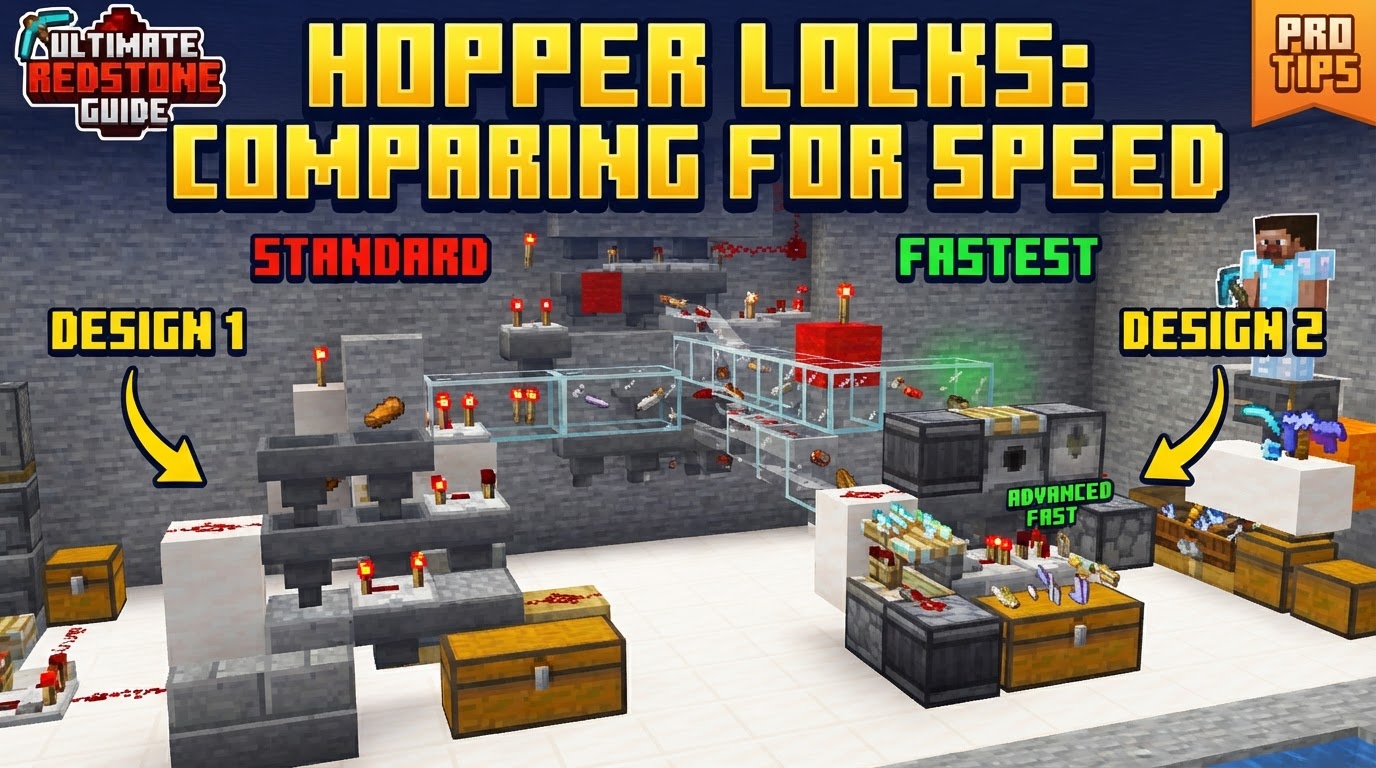
However, hoppers have a critical feature: they can be “locked” or “disabled.” A hopper becomes locked when it receives a redstone signal. This signal can originate from various sources: adjacent redstone dust, a solid redstone block, a powered rail placed directly on top of the hopper, or even a redstone torch. When a hopper is locked, it ceases its primary functions – it will not pull items from above, nor will it push items into the inventory it points towards. This locking mechanism is not merely an on/off switch; it’s a precise control over item flow, enabling complex redstone contraptions.
It’s important to grasp the nuances of a locked hopper’s behavior. While locked, a hopper will not initiate item transfers itself. However, it’s not entirely inert. Items can still be pushed into a locked hopper if they come from an inventory directly above it. Conversely, items can still be pulled out of a locked hopper’s internal inventory by another hopper positioned directly beneath it. This “partial interaction” is a fundamental concept, especially when designing intricate item sorters where items need to pause within a hopper before being processed further.
The Power of Locking: What It Means for Speed and Efficiency
While the immediate thought might be that locking a hopper slows things down, its strategic application can paradoxically enhance overall system speed and efficiency. Locking hoppers allows for precise control over item flow, preventing bottlenecks and ensuring items move only when and where they are needed. This control is vital for several reasons:
- Preventing Overflows and Backlogs: In complex sorting or processing systems, items can accumulate rapidly. By locking hoppers, you can temporarily halt item flow into a full container or a module that is currently busy, preventing blockages and ensuring items are processed in an orderly fashion.
- Optimizing Item Routing: Locking allows for dynamic routing. Imagine a system where items need to be sent down one path until a certain condition is met, then diverted to another. Hopper locks enable this kind of conditional item transportation.
- Lag Reduction: Perhaps one of the most overlooked benefits, especially in large-scale builds or on multiplayer servers, is lag reduction. Unlocked hoppers constantly check for items to pull and inventories to push into. In systems with hundreds or thousands of hoppers, these constant checks can create significant server strain. Strategically locking hoppers when they are not actively needed can drastically reduce the computational load, leading to a smoother gameplay experience for everyone. This “idle” state for locked hoppers is a powerful optimization technique.
Unlocking Speed: Advanced Techniques for Faster Item Flow
Beyond the basic hopper functionality, several advanced techniques can be employed to significantly increase item throughput in your Minecraft contraptions.
Harnessing Hopper Minecarts for High Throughput
When raw speed is the primary concern, hopper minecarts are your best friend. A single hopper minecart is a powerhouse, capable of moving items at an astonishing rate of 1 item per game tick, or 20 items per second. This is an incredible eight times faster than a standard stationary hopper. Furthermore, hopper minecarts boast a wider collection radius, able to pick up items from a 3×3 block area above their track. This makes them exceptionally efficient for collecting large quantities of items from farms or drops.
Utilizing hopper minecarts over multiple lines of stationary hoppers can effectively achieve 2x or even 4x the typical hopper speed for item collection and transportation. They are ideal for situations where items are generated in bulk and need to be moved quickly to a processing or storage area.
Achieving “2x Hopper Speed” Designs
While hopper minecarts offer the ultimate speed, there are also specific redstone contraptions that can effectively achieve “2x hopper speed” using only stationary hoppers. These designs manipulate the way items interact with hoppers to double the apparent transfer rate (meaning 5 items per second instead of 2.5). One common method involves having a hopper pointing into a container (like a chest or another hopper) while a second hopper simultaneously pulls items from underneath the first. The precise redstone timing involved in these designs ensures that items are moved out of the system as quickly as they enter, effectively bypassing some of the inherent cooldowns of single hoppers.
Batching for Efficiency
Hopper mechanics include a brief cooldown after each item transfer. For systems that handle numerous items, especially in sorting applications, processing items one by one can be less efficient than “batching” them. Batching involves accumulating several items (often a full stack or multiple stacks) before transferring them all at once. This reduces the number of individual transfer operations and associated cooldowns, leading to a more streamlined and efficient item flow over time. Designing systems that accumulate items in a temporary buffer before releasing them into the main sorting or transportation network can significantly improve overall throughput.
Avoiding Pitfalls: Common Mistakes to Sidestep
Even seasoned players can fall prey to common mistakes when dealing with hopper systems, especially those involving locks and precise timing.
Accidental Locks and Misorientation
A frequent error is the accidental locking of hoppers. Unintended redstone power sources, such as a stray redstone dust line, a misaligned redstone block, or even a powered rail placed too close, can inadvertently power and lock a hopper, bringing your item flow to a grinding halt without immediate explanation. Always double-check your redstone layouts around hoppers. Equally critical is correct hopper orientation. Hoppers must be placed with their “spout” (the narrow end) facing the inventory they are intended to push items into. If oriented incorrectly, items will simply accumulate within the hopper’s internal inventory, causing blockages.
Misinterpreting Locked Hopper Behavior
A common misconception is that a locked hopper completely blocks all item interaction. As discussed, this is not the case. Items can still be pushed into a locked hopper from an inventory above, and items can still be pulled out by a hopper below. Failing to account for this “partial interaction” can lead to unexpected item movement or blockages in complex sorting mechanisms where items are meant to be held in place by a locked hopper.
Timing is Everything: Redstone Errors
In intricate redstone circuits that control hopper locks, precise timing is non-negotiable. Incorrect redstone pulse lengths, insufficient delays, or desynchronized signals can lead to malfunctions. For instance, a hopper might unlock too early, releasing items before the receiving inventory is ready, or remain locked too long, causing a backlog. These timing errors can result in inconsistent item sorting, blockages, or even complete system failure. Thorough testing and understanding of redstone ticks are essential for robust designs.
Chunk Unloading Issues
On multiplayer servers or even in single-player worlds where you frequently move away from your contraptions, chunk unloading can wreak havoc on precise hopper systems. Systems relying on exact hopper timing, such as certain hopper clocks or advanced sorters, can become desynchronized or break entirely if the chunks they reside in are repeatedly loaded and unloaded. This is because redstone components and hoppers might process ticks differently upon chunk loading, leading to desynchronization. For critical systems, consider building them in spawn chunks or using chunk loaders to ensure consistent operation.
Conclusion: Optimizing Your Item Flow
Mastering hopper lock designs for speed in Minecraft is about more than just building; it’s about understanding the intricate dance between item flow, redstone power, and game mechanics. From the raw speed of a hopper minecart to the subtle efficiency gains of batching items and the critical role of strategic locking, each element plays a part in creating a truly optimized system. By avoiding common pitfalls and embracing advanced techniques, you can transform your item management from a chaotic mess into a finely tuned, high-speed operation, allowing you to focus on the next grand build.
Tags:
YOU MAY ALSO LIKE...


