How to build an efficient sheep farm for wool in Minecraft?
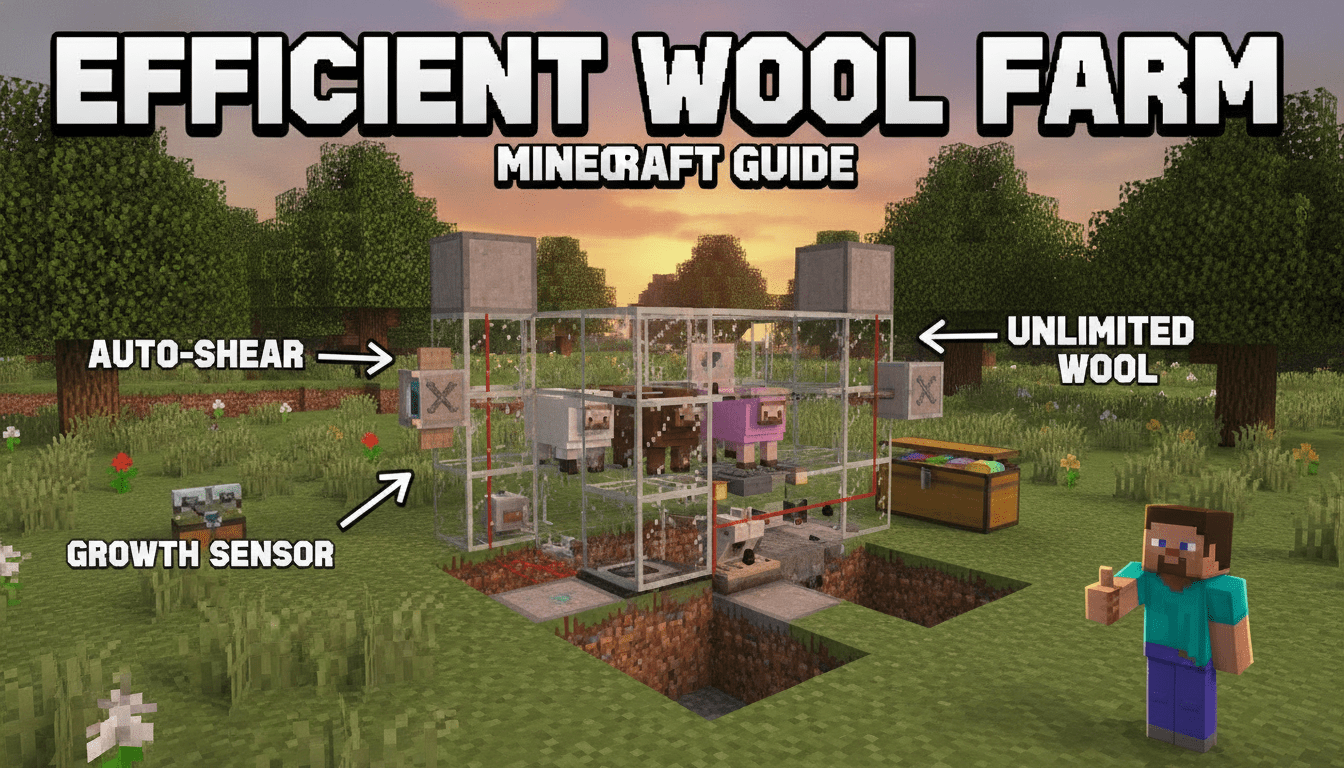
To build an efficient sheep farm for wool in Minecraft, you’ll need a clever combination of redstone and basic blocks to automate the shearing process, ensuring a steady supply of this versatile resource. This guide will walk you through constructing a highly effective, automatic wool farm suitable for both Java and Bedrock editions.
What You’ll Need
Here’s a breakdown of the essential items for one sheep module, along with how to acquire them:
- 1 Dispenser: Crafted with 3 Cobblestone, 1 Bow (even a damaged one works), and 1 Redstone Dust.
- 1 Observer: Crafted with 6 Cobblestone, 2 Redstone Dust, and 1 Nether Quartz.
- 1 Redstone Dust: Mined from Redstone Ore, found deep underground.
- 1 Grass Block: Mined with a Silk Touch enchanted tool. Alternatively, you might find an Enderman holding one after picking it up from the ground.
- ~6-12 Glass Blocks: Smelt Sand in a furnace to get Glass Blocks. Used for the sheep’s enclosure.
- 1 Chest (or Barrel): Crafted with 8 Wood Planks (for a Chest) or 7 Wood Planks (for a Barrel). Used for wool collection.
- 1 Hopper: Crafted with 5 Iron Ingots and 1 Chest. Directs items into the collection chest.
- 1 Rail: Crafted with 6 Iron Ingots and 1 Stick. Used to place the Minecart with Hopper.
- 1 Minecart with Hopper: Crafted with 1 Hopper and 1 Minecart. Collects dropped wool.
- 1+ Shears: Crafted with 2 Iron Ingots. These go inside the dispenser. Bring several for extended operation, or enchant with Unbreaking.
- 1 Sheep: Found naturally in most grassy biomes. Can be lured with Wheat.
- Additional Solid Building Blocks: Any non-flammable solid block (e.g., Cobblestone, Dirt, Stone) for structural support and redstone wiring.
- Optional: 1 Light Block: (e.g., Shroomlight, Glowstone, Torch) Placed above the sheep to ensure grass continues to grow at night. Shroomlights from the Nether are excellent as they don’t produce light level 15 which can melt ice, if you’re building near an ice farm.
- Optional: More Grass Blocks: Several additional grass blocks placed adjacent to the central grass block will significantly speed up grass regrowth, thus increasing wool production.
- Optional: 1 Trapdoor: Placed above the hopper to prevent wool from getting stuck on the dispenser’s hitbox.
Step-by-Step
Follow these precise steps to build a single, efficient automatic sheep shearing module. You can easily scale this up by building multiple modules side-by-side.
1. Set Up the Collection System
- Dig the Pit: Dig a 1×1 hole that is two blocks deep.
- Place the Chest: Place a Chest at the very bottom of this hole. This is where your collected wool will be stored.
- Add the Hopper: While crouching (Shift key), place a Hopper on top of the Chest. Ensure the Hopper’s “spout” is facing into the Chest.
- Install the Minecart with Hopper:
- Crouch and place a Rail directly on top of the Hopper.
- Place a Minecart with Hopper onto the Rail.
- Immediately break the Rail underneath the Minecart with Hopper. This will cause the Minecart with Hopper to drop into the same block space as the Hopper, allowing it to collect items from above while still feeding into the Hopper below.
- Cover the Minecart: Place a Dirt Block directly on top of the Minecart with Hopper. This will be the crucial Grass Block that your sheep stands on. If you don’t have a Silk Touch tool yet, you can use a regular Dirt Block and wait for grass to spread to it from an adjacent grass block, or lure a sheep onto it from an existing grass block.
2. Construct the Sheep Enclosure
- Build the Walls: Around the Dirt Block you just placed (which will soon be grass), build a two-block-high enclosure. Use Glass Blocks for three of the four sides. Glass is excellent because it allows you to see the sheep and doesn’t suffocate mobs if they glitch into it.
- Place the Dispenser: On the fourth side of the enclosure, place your Dispenser. It should be facing horizontally inwards, directly towards the central Dirt/Grass Block where the sheep will stand.
3. Implement the Redstone Mechanism
- Dig for Redstone: Directly behind the Dispenser, dig a hole one block down.
- Position the Observer: Place an Observer block in this hole. Crucially, the Observer’s “face” (the side with the two small dots) must be facing the central Dirt/Grass Block. The “red dot” (output side) will then be at the back, facing away from the grass. The Observer detects when the grass block changes state (i.e., when the sheep eats the grass).
- Add Support Block: Place a solid building block directly behind the Observer (on the same level as the Observer’s red dot).
- Connect with Redstone Dust: Place a single piece of Redstone Dust on top of this solid block. This Redstone Dust will receive a signal from the Observer and transmit it to the Dispenser, triggering the shears.
4. Introduce the Sheep and Shears
- Lure the Sheep: Use Wheat to lure a sheep into the glass enclosure. Once it’s inside, you can seal the top with another glass block or a trapdoor to prevent it from jumping out.
- Add Light (Optional but Recommended): Place a light block (like a Shroomlight or Glowstone) directly above the sheep. This ensures that the grass block receives enough light to grow back even at night, maintaining continuous production.
- Load the Dispenser: Open the Dispenser and fill it with Shears. You can place multiple sets of shears to extend the farm’s operation time before needing to refill. Shears enchanted with Unbreaking will last significantly longer.
5. Enhance Efficiency
- Grass Spreading: To maximize wool output, ensure there are other grass blocks adjacent to the central grass block. This speeds up the rate at which the eaten grass block regrows, allowing the sheep to eat more frequently. The more grass blocks nearby, the faster the regrowth.
- Prevent Wool Sticking (Optional): Sometimes, wool can get stuck on the top edge of the Dispenser’s hitbox. To prevent this, place a Trapdoor on the block above the Hopper (the block the Dispenser is sitting on, if it’s a solid block). This can help ensure all wool falls into the Minecart with Hopper.
Alternative Methods and Considerations
Scaling Up for More Wool
Once you have one module working, you can easily build multiple identical modules side-by-side. Just ensure there’s enough space for the redstone behind each dispenser and that your collection system can handle the increased input (e.g., using a network of hoppers leading to a larger storage system).
Bedrock Edition Specifics: Hyper-Efficient Farms
While the basic design works on both Java and Bedrock, Bedrock Edition has a unique mechanic that allows for much higher output:
- Multiple Dispensers: In Bedrock Edition, a single sheep can be sheared by up to nine dispensers simultaneously if they are all facing the sheep. This means you can surround a single sheep with dispensers on all four sides and above/below, leading to an incredibly high wool per hour rate (over 32,000 wool per hour in some designs). This is due to dispensers having a wider shearing range in Bedrock compared to Java. If you’re on Bedrock and want maximum output, explore designs that utilize this feature.
Java Edition: Colored Wool Identification
In Java Edition, when a sheep is sheared, it temporarily appears white, regardless of its original color. If you’re building a multi-color wool farm, consider using colored glass for each sheep’s enclosure to easily identify which color wool is being produced by which module.
Mob Griefing Game Rule
For your sheep farm to function, the “mob griefing” game rule must be enabled. This rule allows mobs like sheep to interact with blocks (in this case, eating grass). If it’s disabled, sheep won’t eat grass, and thus won’t regrow wool or trigger the observer.
Tips for Efficiency
- Unbreaking Shears: Enchant your shears with Unbreaking to significantly increase their durability and reduce how often you need to refill the dispenser.
- Automatic Shears Refill: For truly AFK (away from keyboard) operation, you can place a Hopper and a Chest directly above the Dispenser. Fill the Chest with shears, and they will automatically feed into the Dispenser as needed.
- Chunk Loading: Ensure your farm is in a loaded chunk for it to operate continuously. In recent versions of Minecraft, grass can spread in any loaded chunk, meaning your farm can run 24/7 even if you’re far away, provided the chunk remains loaded (e.g., through a chunk loader or by staying nearby).
- Prevent Escapes: Double-check your enclosure for any gaps. Sheep can sometimes glitch through small openings or jump over low walls. A two-block-high wall with a roof or trapdoor is usually sufficient.
FAQ
Q: Why isn’t my sheep eating the grass?
A: Ensure the “mob griefing” game rule is enabled in your world settings. Also, make sure the block under the sheep is indeed a Grass Block (not just Dirt), and that there’s enough light for grass to grow (light level 9 or higher).
Q: My dispenser isn’t shearing the sheep, but the observer is working. What’s wrong?
A: Double-check that you’ve placed a Dispenser, not a Dropper. Only Dispensers can use tools like shears. Also, ensure the Dispenser is loaded with shears.
Q: Why is my wool not going into the chest?
A: Make sure the Hopper is correctly placed on top of the Chest, and the Minecart with Hopper is dropped into the same block space as the Hopper. Sometimes wool can get stuck on the Dispenser’s hitbox; adding a Trapdoor above the Hopper can help.
Q: Does the color of the sheep matter for the wool it drops?
A: Yes, the sheep will always drop wool of its own color. If you dye a sheep blue, it will drop blue wool. In Java Edition, sheared sheep temporarily appear white, but they still drop their original colored wool.
Q: How many shears do I need?
A: A single pair of shears has 238 durability, meaning it can shear a sheep 238 times. For extended operation, load multiple shears into the dispenser, or enchant them with Unbreaking.
Enjoy your bountiful harvest of wool!
Tags:
YOU MAY ALSO LIKE...