Crafting and Placing a Waystone Using the Waystones Mod — A Quick Guide
The Waystones mod introduces a revolutionary method for fast travel within Minecraft. Waystones are special blocks that enable instant teleportation between discovered locations across the Overworld, Nether, and End dimensions. They can appear naturally, often found in villages or sporadically in the wilderness, recognizable as tall stone pillars crowned with a glowing crystal. This mod offers both stationary teleporters like Waystones, Sharestones (for group travel), Portstones (one-way), and Warp Plates (for items/entities), as well as portable options including consumable scrolls (Return, Bound, Warp Scrolls) and the reusable Warp Stone item.
Teleportation typically consumes experience points, with the cost scaling based on distance. This cost, however, is configurable, allowing players or server administrators to adjust the challenge. Waystones can also be set as “global” on servers, making them accessible to all players.
Getting Started: Discovering and Activating Natural Waystones
The simplest way to begin using the Waystones mod is by locating naturally generated Waystones. These are commonly found in:
- Villages: Often integrated into village structures.
- Wilderness: Sporadically generated throughout the Overworld, Nether, and End.
Upon finding one, right-click the Waystone block to activate it. You will then be prompted to give it a name. This name is vital for identifying the Waystone in your teleportation menu, so choose a clear and descriptive title.
Crafting Your Own Waystone: A Step-by-Step Guide
To establish custom travel points, you’ll need to craft your own Waystones. This involves two primary crafting steps.
Step 1: Craft a Warp Stone
The Warp Stone is a core component for crafting Waystones and also functions as a portable teleportation item. Its recipe requires specific materials:
- Components:
- 4 Amethyst Shards
- 4 Ender Pearls
- 1 Gold Ingot OR 1 Emerald
- Crafting Arrangement: Place the 1 Gold Ingot or Emerald in the center slot of a 3×3 crafting grid. Surround it with the 4 Amethyst Shards in the cardinal directions (top-middle, bottom-middle, middle-left, middle-right). Finally, place the 4 Ender Pearls in the four corner slots. This arrangement forms a diamond pattern.
Step 2: Craft a Waystone Block
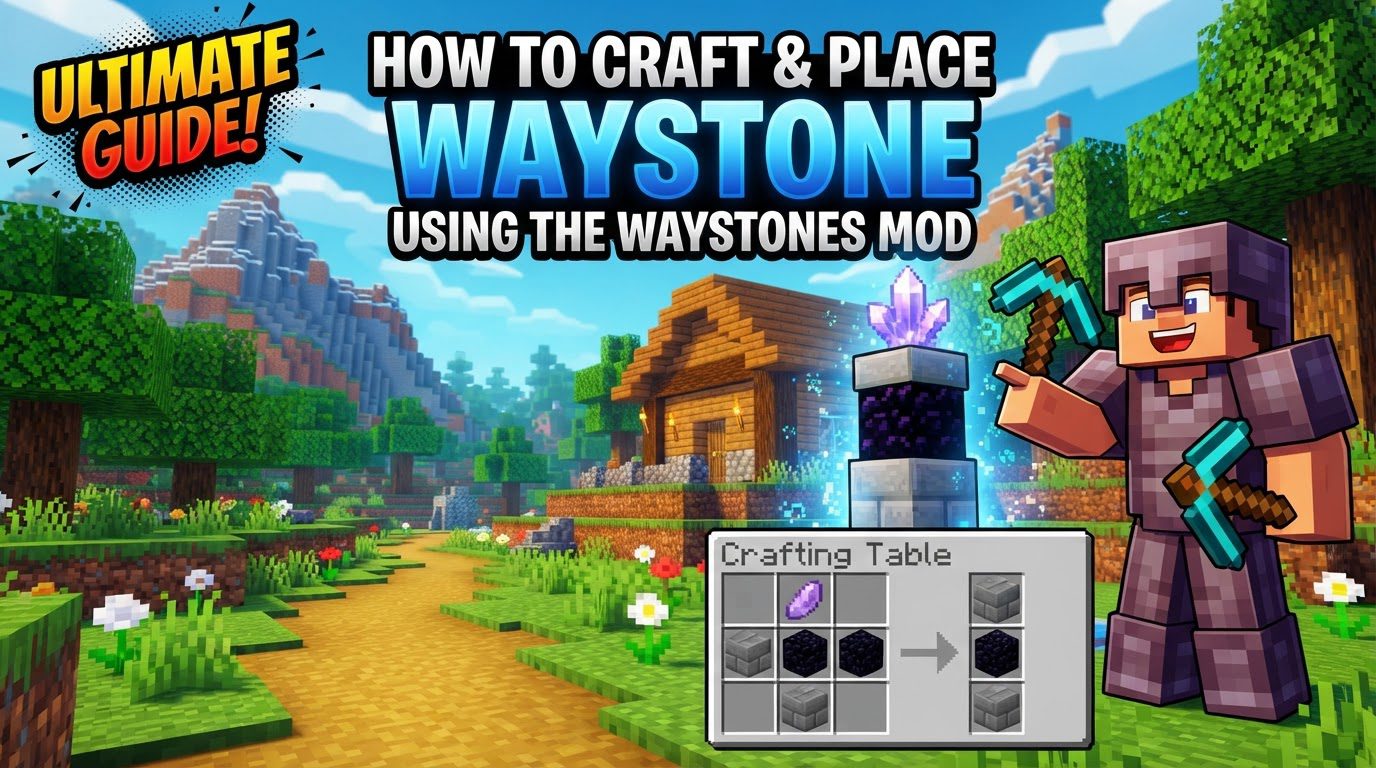
With a Warp Stone in hand, you can now craft the Waystone block itself. Common recipes include:
- Recipe 1 (Stone Bricks):
- 1 Warp Stone: Place this in the center slot of the crafting grid.
- 5 Stone Bricks: Arrange these around the Warp Stone in a cross pattern. This typically means placing Stone Bricks in the top-middle, bottom-middle, middle-left, middle-right, and one additional corner slot to make five, forming a cross-like shape around the central Warp Stone.
- Recipe 2 (Obsidian & Decorative Blocks): Some versions or modpacks may use a different combination:
- 1 Warp Stone: Placed in the center slot.
- 3 Obsidian: Positioned strategically around the Warp Stone.
- 3 Stone Bricks (or other decorative blocks): Such as sandstone, deepslate, or endstone bricks, filling the remaining slots to complete the pattern.
Step 3: Place the Waystone
Select a suitable location for your Waystone. Right-click to place the crafted block, just like any other Minecraft block. Choose a spot that is easily accessible and safe for your travel hub.
Step 4: Activate and Name Your Waystone
Whether newly crafted or naturally found, right-click on the placed Waystone to activate it. You will be prompted to enter a name. This name is crucial for its identification in your teleportation menu, so choose a clear and descriptive title that helps you remember its location.
Step 5: Teleport Using Your Waystone
To initiate a teleportation, right-click an activated Waystone. This action opens the teleportation menu, displaying a list of all your discovered and activated Waystones. Select your desired destination from the list. Remember, teleporting typically costs experience points, with the cost increasing based on the distance to your chosen destination.
Portable Teleportation Tools
Beyond stationary Waystones, the mod offers portable solutions for on-the-go travel:
- The Warp Stone: The Warp Stone, which you crafted as a component for your Waystone, is also a powerful item in its own right. It acts as a durable, rechargeable, and reusable portable teleportation device. By using a Warp Stone from your inventory, you can access your list of discovered Waystones and teleport to any of them from almost anywhere in your world. However, it’s important to note that the Warp Stone has a cooldown period after each use, preventing instant, continuous teleportation and encouraging strategic planning.
- Return Scroll: This is a simple, one-time use item. When consumed, it instantly teleports you to the nearest activated Waystone you have discovered. It’s an excellent emergency exit or quick return tool.
- Bound Scroll: This scroll offers a more targeted one-time teleportation. To use it, you first “bind” it to a specific Waystone by shift-right-clicking that Waystone while holding the Bound Scroll. Once bound, consuming the scroll will teleport you directly to that specific Waystone.
- Warp Scroll: The Warp Scroll is a versatile one-time use item. When consumed, it opens the full teleportation menu, allowing you to choose any of your unlocked and discovered Waystones as a destination, similar to right-clicking a Waystone block.
Managing Your Waystones and Multiplayer Options
- Renaming Waystones: If you wish to change the name of an already activated Waystone, simply shift-right-click the activated Waystone block while holding an empty hand. This will bring up the naming interface again, allowing you to assign a new name.
- Global vs. Personal Waystones: In multiplayer environments, Waystones offer flexibility regarding accessibility. When you craft and place a Waystone, you have the option to make it “global.” A global Waystone is visible and usable by all players on the server, making it a shared travel point for the entire community. Alternatively, you can keep your crafted Waystone “personal,” meaning only you can see and use it in your teleportation menu. This allows for private bases and secret travel routes, catering to different playstyles and server rules.
Important Tips and Troubleshooting
To ensure a smooth experience with the Waystones mod, be aware of these potential pitfalls and important tips:
- Installation Check: The most fundamental requirement is correct installation. Ensure that the Waystones mod, along with any necessary dependencies such as Forge, Fabric, NeoForge, or “Balm” (for older versions), is correctly installed. This applies to both your client-side game and the server, if you are playing multiplayer. An incorrect or incomplete installation is the leading cause of mod-related issues.
- Recipe Discrepancies: While the recipes provided are common, modpacks frequently alter crafting recipes to fit their specific progression or balance. If the Waystone or Warp Stone recipes don’t seem to match the default information, it’s highly probable that a modpack has changed them. In such cases, utilize a mod like Just Enough Items (JEI) to view the precise in-game recipes. JEI is invaluable for quickly looking up crafting requirements within your specific modded instance.
- Spawn Protection: Be mindful of where you place Waystones, particularly on servers. Minecraft’s default spawn protection mechanism can restrict interactions for non-operator players within a certain radius of the world spawn point. If a Waystone is placed within this spawn protection area, non-operator players might not be able to interact with it, preventing them from using it for teleportation. It’s generally best to place communal Waystones just outside such protected zones or to adjust server settings if necessary.
- Mod Conflicts: Large modpacks can sometimes lead to conflicts between different mods, which might prevent Waystones from functioning correctly. If you encounter unexpected behavior or errors, especially after adding new mods, consider checking your game’s error logs. A systematic approach of temporarily disabling recently added mods can help identify the source of the conflict. Compatibility patches or configuration adjustments might be required.
- Config File Backups: The Waystones mod offers various configuration options, such as adjusting the experience cost for teleportation. If you decide to modify any of the mod’s configuration files to customize these settings, always remember to create a backup of the original files first. This ensures that you can easily revert to the default settings if your changes cause issues or if you simply wish to undo them.
By following this guide, you can effectively craft, place, and utilize Waystones to transform your Minecraft adventures with efficient fast travel.
Tags:
YOU MAY ALSO LIKE...