Finding a Badlands Biome for Terracotta and Gold — A Quick Guide
Badlands are one of Minecraft’s most visually striking and resource-rich, yet challenging, biomes to discover. Characterized by their iconic multi-colored terracotta layers, distinctive red sand, and often towering plateaus, these rare, warm-climate biomes offer unique opportunities for players seeking specific materials like terracotta for building and an abundance of gold ore. Understanding their unique generation patterns and features is paramount for a successful expedition into these vibrant landscapes.
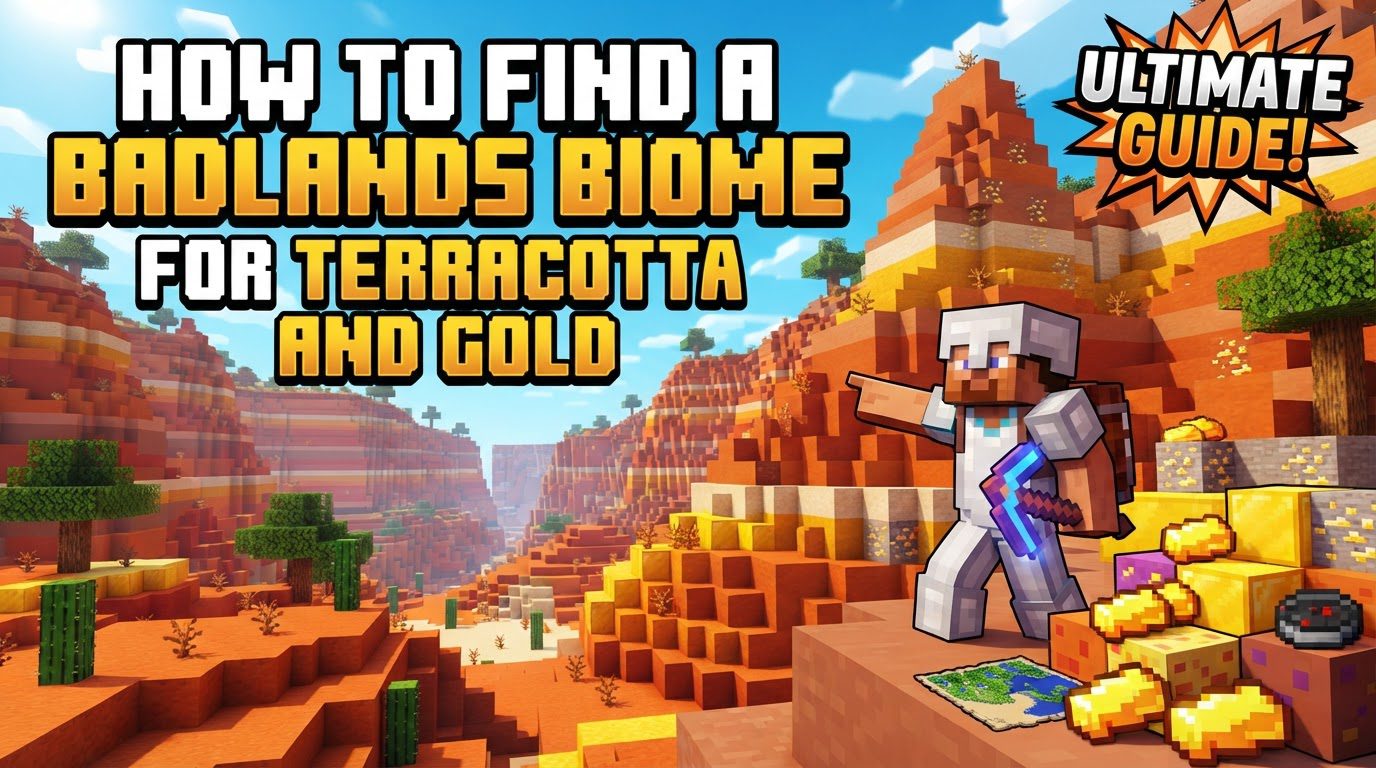
The generation of Badlands biomes is quite specific. They exhibit a strong preference for warm-climate zones, typically spawning adjacent to other warm biomes such as vast deserts, expansive savannas, or even dense jungles. This geographical inclination means that players should direct their search away from colder regions, as Badlands very rarely generate next to icy biomes or large oceans. This warm-climate association is a crucial piece of information for initial exploration efforts, guiding adventurers to the most likely areas for discovery.
Beyond their vibrant appearance, Badlands biomes hold several unique features that make them highly sought after. One of the most significant is the increased generation of gold ore. Unlike other biomes where gold is typically found deep underground, in Badlands, gold ore can generate at remarkably high Y-levels, extending all the way up to the world’s build limit of Y=255. This makes surface mining for gold a viable and often more efficient strategy, significantly reducing the need for extensive deep mining. Furthermore, exposed abandoned mineshafts are a common sight clinging to Badlands cliffsides, offering not only additional resources like rails, chest loot, and spider spawners but also a unique exploration experience right on the surface.
Terracotta itself is the defining block of the Badlands, available in a stunning array of colors including red, orange, yellow, brown, light gray, and white, among others. These naturally occurring, multi-hued blocks make Badlands the best natural source for this versatile building material, providing players with an immediate and diverse palette for creative construction projects. However, the biome presents its own set of challenges. Vegetation is sparse, limited mostly to scattered cacti and dead bushes, and passive mobs are either very few or entirely absent. This scarcity directly impacts the availability of essential resources like food and wood, requiring careful preparation from adventurers embarking on a Badlands expedition.
The Badlands biome also boasts interesting variants that cater to different player needs and aesthetic preferences. The Wooded Badlands variant, for instance, stands out by featuring occasional trees, predominantly oak or acacia, providing a much-needed source of wood within an otherwise barren landscape. For those seeking dramatic scenery and unique building locations, the Eroded Badlands variant offers breathtaking, dramatic spires and deep canyons, perfect for unique base locations or simply for visual enjoyment. One final environmental note: rain and snow do not naturally occur in Badlands biomes, maintaining their arid appearance, with the sole exception being where a river biome might cut through, bringing localized moisture to its immediate vicinity.
How to Find a Badlands Biome
There are two primary methods for locating a Badlands biome: natural exploration and using in-game commands. Each method has its advantages depending on your play style and current game stage.
Natural Exploration
This method relies on careful observation and strategic travel within your Minecraft world. It’s ideal for players who prefer an immersive experience without relying on console commands.
-
Step 1: Focus on Warm Biomes. Begin your search by exploring regions of your world that contain other warm biomes. Given their generation patterns, Badlands are frequently adjacent to large deserts, expansive savannas, or even dense jungles. Traveling through these biomes significantly increases your chances of stumbling upon a Badlands region.
-
Step 2: Look for Red Sand. As you traverse these warm areas, pay close attention to the ground texture. A key visual indicator that you are nearing a Badlands biome is a transition from regular yellow sand to distinctive red sand. This red sand often appears as a precursor to the multi-colored terracotta cliffs, serving as a clear signpost that you are on the right track.
-
Step 3: Visually Identify the Biome. Once you encounter red sand, continue onward and visually identify the biome by its unmistakable characteristics. Look for its distinct multi-colored terracotta cliffs, often appearing in layers of various hues, and the general lack of lush greenery. The stark, arid landscape with scattered cacti and dead bushes will confirm your discovery.
-
Step 4: Utilize an Elytra (Optional). For players who have progressed to the End game and acquired an Elytra, this item can significantly speed up the process of covering vast distances. Gliding across your world allows you to survey large areas quickly, making the identification of distant Badlands formations much more efficient than traveling on foot or by horse.
Using Commands (Java Edition)
For Java Edition players who prefer a direct and immediate approach, commands offer the quickest way to locate a Badlands biome. This method bypasses extensive exploration, providing exact coordinates.
-
Step 1: Open the Chat Window. In your game, press the ‘T’ key (or your assigned chat key) to open the chat interface.
-
Step 2: Input the Locate Command. Type the precise command:
/locate biome minecraft:badlands. Ensure the spelling is correct and there are no typos. -
Step 3: Get Coordinates. Press Enter. The game will then provide the coordinates (X, Y, Z) of the nearest Badlands biome to your current location. Note these coordinates down.
-
Step 4: Teleport (Optional). If you wish to instantly travel to these coordinates, you can use the teleport command:
/tp X Y Z. Replace X, Y, and Z with the coordinates provided by the locate command. Be mindful of the Y-coordinate; it’s often best to set it slightly above the ground level to avoid teleporting into a block.
Important Tips for Exploring Badlands
Once you’ve successfully located a Badlands biome, keep these strategic tips in mind to maximize your resource gathering and exploration efficiency:
-
Focus on Surface-Level Exploration: Within the Badlands, many valuable resources are exposed. Abandoned mineshafts frequently generate on the sides of cliffs and canyons, making them easy to spot without extensive digging. Similarly, gold ore veins are often visible on the surface of these multi-colored terracotta formations, reducing the need for traditional deep mining.
-
Mine Gold at Higher Y-Levels: Capitalize on the unique gold generation of Badlands. Since gold ore generates abundantly up to Y=255 in this biome, prioritize mining at higher elevations. This strategy is far more efficient than searching for gold deep underground, allowing you to quickly accumulate large quantities of this valuable metal.
-
Seek Out Wooded Badlands for Wood: If your primary goal includes gathering wood, specifically seek out the “Wooded Badlands” variant. This is the only Badlands variant where naturally spawning trees (typically oak or acacia) can be found, providing an essential resource that is otherwise extremely scarce in the biome.
-
Harvest Terracotta with Any Pickaxe: Terracotta can be harvested with any type of pickaxe, making it accessible even with basic tools. Its natural color variations make it an excellent material for decorative building, offering a wide palette without the need for dyes or crafting.
-
Appreciate Eroded Badlands for Unique Builds: The “Eroded Badlands” variant, with its dramatic towering spires and deep canyons, offers a visually stunning landscape. These formations are ideal for constructing unique and impressive bases or structures that integrate seamlessly with the natural environment, providing unparalleled aesthetic opportunities.
Common Mistakes to Avoid in Badlands
Navigating the Badlands can be challenging due to its unique environment. Being aware of potential pitfalls can save you time and resources:
-
Underestimating Resource Scarcity: A common mistake is to enter a Badlands biome unprepared for its lack of basic resources. Do not expect to find passive mobs for food or large quantities of wood easily. Always bring ample supplies of food and wood, or plan your exploration to specifically visit a Wooded Badlands variant to gather timber, to avoid being stranded.
-
Searching in Cold Regions: Wasting time searching for Badlands near snowy or frozen biomes is a fruitless endeavor. Badlands almost exclusively generate in warm climate zones, so direct your exploration efforts towards deserts, savannas, and jungles to optimize your search.
-
Ignoring Fall Damage: The steep cliffs, deep canyons, and towering plateaus characteristic of Badlands biomes pose a significant risk of fall damage. Always navigate carefully, especially when traversing elevated areas or exploring deep chasms, to prevent unexpected and potentially fatal falls.
-
Using Gold for Tools/Armor: Despite its abundance in Badlands, gold tools and armor are notoriously weak and possess very low durability. Crafting them for practical use is highly inefficient and not recommended for sustained mining or combat. Save your gold for crafting powered rails, golden apples, or other more strategic items.
Tags:
YOU MAY ALSO LIKE...