

Hiding Seams in a Large-scale Terraform Project, Explained
Creating expansive and breathtaking landscapes in Minecraft, known as terraforming, is an art form that transforms flat, uninspired terrain into vibrant, natural-looking environments. However, one of the most common challenges in large-scale terraforming is effectively hiding the “seams” – the visible transitions and unnatural edges that can betray the artificial nature of the build. A truly masterful terraform project appears as though it was naturally generated, with every hill, valley, and cliff flowing seamlessly into the next. This guide will delve into the essential techniques, processes, and considerations for achieving such a natural aesthetic, ensuring your large-scale terraform projects are free of jarring discontinuities.
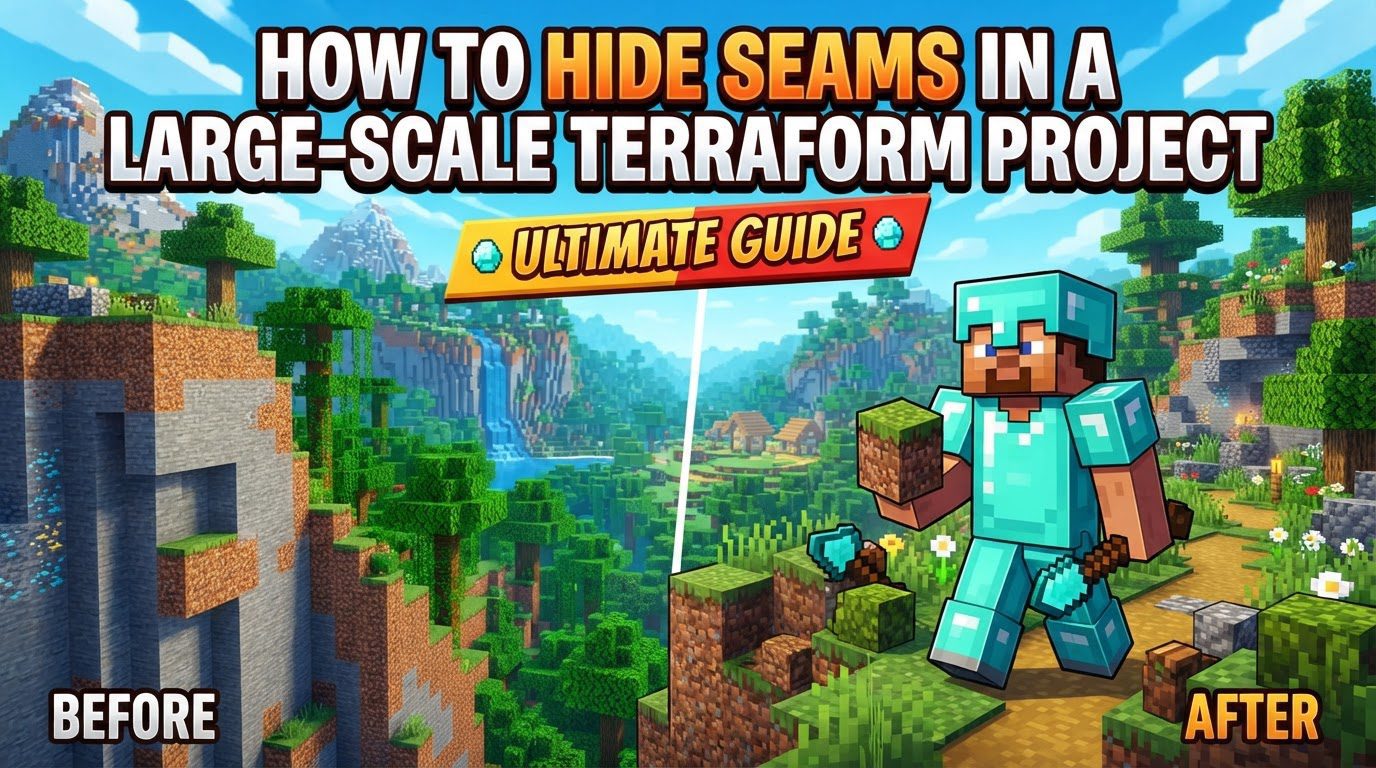
Key Mechanics for Seamless Terraforming
Understanding the fundamental mechanics behind effective terraforming tools is crucial for blending terrain naturally. These techniques allow for the manipulation of blocks in a way that mimics natural geological processes.
- Smoothing Tools: These are indispensable for softening harsh transitions and eliminating jagged edges that often result from block-by-block placement or initial rough shaping. Tools like the blend ball or smooth modifier found in popular plugins such as Voxel Sniper or WorldEdit can transform angular terrain into gentle slopes and natural curves, making the terrain appear far more organic.
- Melting and Welding: Specialized tools that can either remove blocks (melt) or add blocks (weld) in a fluid, non-linear fashion are vital. This functionality allows builders to fill in unwanted gaps or carve out new features without introducing sharp, artificial boundaries. The smooth addition or removal of blocks ensures that new terrain integrates flawlessly with existing structures.
- Melding/Blending: This concept refers to the degree to which newly placed terrain interacts and integrates with the surrounding environment. A stronger melding setting means that the new blocks will more aggressively conform to the shapes and textures of the existing landscape, leading to superior integration and less noticeable seams. Adjusting melding strength is key to achieving the desired level of natural transition.
- Noise Patterns: To combat the inherent uniformity of digital block placement, employing noise patterns is an effective strategy. Noise patterns introduce random, subtle variations in height, block type, or density, which are characteristic of natural terrain. This prevents the creation of repetitive or perfectly smooth surfaces that immediately flag the area as man-made.
- Gradients: Utilizing subtle block gradients is a powerful technique for blending different terrain types and elevations. Instead of an abrupt change from, for example, dirt to stone, a gradient might involve a gradual transition through coarse dirt, gravel, and then various stone types. This visual progression helps to smoothly merge distinct sections of your terraform, eliminating harsh lines and creating a more cohesive look.
Step-by-Step Process for Hiding Seams
A systematic approach is essential for large-scale terraforming, ensuring that each stage contributes to the overall seamlessness of the project.
- Tidy Up the Area: Before beginning any significant terraforming, it’s crucial to prepare a clean canvas. This involves clearing out any existing irregularities such as unsightly water pockets, random holes, or floating blocks. A pristine starting point makes it easier to sculpt new terrain without having to constantly correct pre-existing flaws that could later become visible seams.
- Add Shape and Layers: Natural terrain rarely features straight lines or uniform shapes. To mimic this, actively avoid linear structures. Break away corners, vary edges, and build your terrain in natural, curved layers. This approach introduces organic flow and prevents the rigid, blocky appearance that often exposes artificial construction.
- Rough Shaping: Begin by establishing the general form of your terrain using large, basic shapes. These can be thought of as “balls” or spheres of a primary block, such as stone. This initial rough shaping defines the major contours and elevations without getting bogged down in fine detail, providing a solid foundation for subsequent refinement.
- Smooth and Blend: Once the rough shapes are in place, apply smoothing techniques to these initial forms. This step is critical for removing any harsh angles or abrupt transitions that were created during the rough shaping phase. Blending different sections together at this stage ensures a fluid connection between major landforms.
- Texture with Variety: Introducing a diverse array of blocks is vital for adding natural texture and color variation, which helps obscure seams. Incorporate blocks like coarse dirt, green concrete powder, various types of stone, cobblestone, moss blocks, and tuff. These different textures break up monotonous surfaces and create a more visually interesting and realistic landscape.
- Add Details and Foliage: To further enhance realism and break up any remaining uniform surfaces, incorporate natural details. This includes creating rocky areas, carving out rivers, and planting diverse foliage such as trees, grass, flowers, and moss, along with draping vines. These elements add depth and complexity, drawing the eye away from potential seams.
- Double-Layer Terrain: For ground surfaces, especially in areas where players might interact, consider double-layering the terrain. This technique involves placing two layers of blocks instead of one. If a top block is accidentally removed, the underlying layer prevents a visible hole, maintaining the integrity and seamlessness of the landscape.
Important Tips for Natural Terraforming
Beyond the mechanics and process, several overarching principles will guide you toward achieving truly seamless and natural-looking terraform projects.
- Avoid Straight Lines: This is a cardinal rule in natural terraforming. Nature is inherently irregular and lacks perfect straight lines or sharp angles. By consciously avoiding these in your builds, you can create a more believable and organic landscape.
- Vary Block Palettes: A rich and varied block palette is essential. Use a diverse range of blocks that are appropriate for the biome and terrain type you are replicating. This not only creates rich textures but also facilitates smooth, subtle transitions between different areas, preventing abrupt visual breaks.
- Think Like Clay: Approach your landscape as if you are molding clay. Instead of simply placing or destroying blocks, imagine pushing, pulling, and sculpting the terrain to achieve natural, flowing forms. This mindset encourages a more artistic and less rigid construction process.
- Consider Natural Formation: When creating specific features like cliffs or mountains, think about how these would form in the real world. Consider the material properties (e.g., erosion patterns for sandstone versus granite) and environmental factors. This understanding helps to create geologically plausible and natural-looking formations.
- Reference Real-World Examples: Seek inspiration from the real world. Look at real-life photography of landscapes or study existing, well-executed Minecraft terrain. Observing natural shapes, textures, and transitions can provide invaluable insights for your own projects.
- Use Tools (e.g., WorldEdit, Voxel Sniper, Axiom): For large-scale projects, manual block placement is impractical. Utilize powerful terraforming tools like WorldEdit, Voxel Sniper, or Axiom. These tools offer advanced brushes and commands for efficient shaping, smoothing, and texturing, which are indispensable for achieving seamless results on a grand scale.
Common Mistakes to Avoid
Being aware of common pitfalls can save significant time and effort, preventing the creation of visible seams and artificial-looking terrain.
- Jagged and Diagonal Edges: These are tell-tale signs of artificial terrain. Overly angular or perfectly diagonal lines, especially on slopes or cliff faces, look unnatural. Always strive to smooth these out using the appropriate tools to achieve a more organic flow.
- Abrupt Cut-offs: Avoid sudden and drastic changes in elevation or block types. These abrupt cut-offs create obvious seams and break the illusion of a natural landscape. Instead, focus on gradual, flowing transitions that gently guide the eye across the terrain.
- Too Much Uniformity: Repetitive patterns or perfectly symmetrical shapes are rarely found in nature. Such uniformity makes terrain appear artificial and uninspired. Introduce randomness and variation in your designs to create a more dynamic and believable environment.
- Flat Terrain: While it might seem easier to flatten large areas, this often leads to dull and bland landscapes. Resist the urge to create vast, featureless plains. Even subtle undulations, small hills, or depressions can add significant character and natural appeal.
- Exceeding Sky Limit (if applicable): When building tall structures or mountains, be mindful of Minecraft’s vertical build limit. While you might not be able to reach infinite heights, you can use exaggeration and subtle gradients in block color or texture to create illusions of immense height, making your peaks appear taller than they actually are without hitting the ceiling.
Tags:
YOU MAY ALSO LIKE...


