Organizing an Item Sorting System by Category — A Quick Guide
Minecraft item sorting systems are invaluable tools for any player looking to streamline their storage and maintain an organized base. These sophisticated redstone contraptions automatically direct incoming items into designated storage units, eliminating the tedious task of manual sorting. While the core mechanism typically handles individual item types, the true power of these systems for organization comes from arranging multiple individual sorters into logical categories, such as “ores,” “wood,” or “building blocks.” For sorting multiple different items into a single “category” chest, more advanced multi-item sorters or categorizers, which may use different redstone designs, are available, but the fundamental building blocks remain the single-item sorters described here.
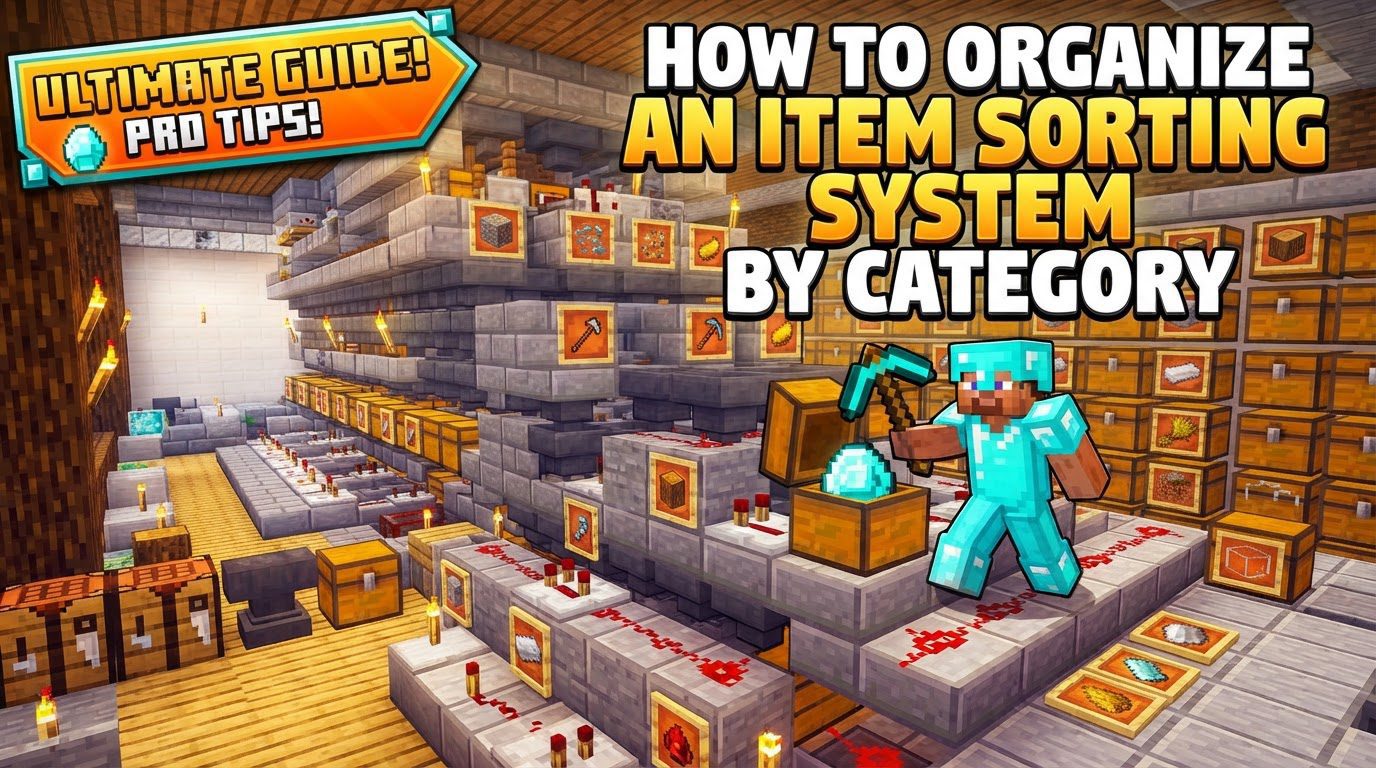
Key Mechanics of Item Sorting
Understanding the basic components is crucial before attempting to build an item sorting system. Each block plays a specific role in detecting, moving, and routing items.
- Hoppers: These versatile blocks are the workhorses of any item transportation system. Hoppers pull items from containers directly above them and push them into the container they point towards. Each hopper has five inventory slots. A key feature for sorting is their ability to be locked, preventing item movement, by a redstone signal.
- Comparators: Redstone comparators are essential for detecting the fill level of a container. When placed facing out of a container, such as a hopper, they output a redstone signal strength corresponding to how full that container is. This signal is the trigger for activating the sorting mechanism.
- Redstone Circuitry: The brain of the sorting system. Redstone dust transmits signals, while repeaters ensure the signal strength remains consistent over distance and provide signal delays. Redstone torches are used to provide a constant power source or to invert a signal, which is critical for locking and unlocking hoppers at the right moment. These components work together to transmit and control the signals from comparators, orchestrating the item flow.
- Filter Hoppers: These are specialized hoppers configured to accept only a specific type of item. This is achieved by carefully filling their inventory slots in a particular way to create an “item filter,” which is the core of the sorting logic.
Step-by-step Process: Building a Standard Hopper-Based Sorter
This guide focuses on the standard, single-item hopper-based sorter, which forms the foundation of any category-organized system. You will build one of these modules for each unique item type you wish to sort.
- Build Storage: Begin by placing a row of double chests (or single chests if space is a concern) on the ground. Each double chest will serve as the storage for one specific item type.
- Collection Hoppers: On top of each storage chest, place a hopper. These “collection hoppers” should point directly into the chests below them. They will receive the sorted items from the filter hoppers above.
- Filter Hoppers: Place another row of hoppers on top of the collection hoppers. These are your “filter hoppers.” They should point into the collection hoppers directly beneath them. This is where the magic of item detection and redirection happens.
- Redstone Power Rail: Behind each filter hopper, you will construct the redstone circuit that controls its operation.
- Place a solid block one block away directly behind each filter hopper.
- Place a redstone comparator facing out of each filter hopper, pointing into the solid block you just placed.
- Place redstone dust on the block directly behind the comparator. This transmits the signal.
- Place a redstone repeater leading from the redstone dust, often into another solid block. The repeater strengthens the signal and ensures proper timing.
- Attach a redstone torch to the side of that last solid block. This torch will power the collection hopper directly beneath the filter hopper, keeping it locked until a matching item arrives in the filter hopper.
- Configure Item Filters: This is arguably the most critical step for making your sorter functional.
- Access each filter hopper’s inventory.
- In the first (leftmost) slot, place 41 items of the specific type you want that hopper to sort. For example, if sorting cobblestone, place 41 cobblestone here.
- Fill the remaining four inventory slots (slots 2, 3, 4, and 5) with one “junk” item each. These “junk” items should be something that will never enter your sorting system, such as renamed dirt or cobblestone. This setup ensures the hopper only pulls the designated item type when it passes through.
- Input System: Construct a system to feed your unsorted items into the top row of filter hoppers. This can be as simple as a chest connected to a line of hoppers running across the top of your filter hoppers, or a more elaborate water stream system for faster throughput.
- Overflow/Unsorted Storage: At the very end of your sorting line, beyond the last filter hopper, add a chest or a series of chests. These will collect any items that do not match an existing filter, serving as an overflow or general unsorted storage.
Organizing by Category
To organize your system “by category,” you will build multiple standard single-item sorters side-by-side. For instance, you might dedicate a section of your sorting system to “building blocks.” Within this section, you would have individual sorters for cobblestone, stone, diorite, granite, andesite, and various types of wood. Each of these items would have its own filter hopper and dedicated storage chest. By grouping these related item sorters together, you create a system that is organized conceptually by category, even though each individual sorter handles only one item type. This modular approach allows for easy expansion and logical grouping of your vast item collection.
Important Tips for Your Sorting System
- Renaming Filter Items: To prevent your “junk” items in the filter slots from being accidentally sorted into your storage or interfering with the system, use an anvil to rename them (e.g., “Junk Item,” “Filter Lock”). This makes them unique and ensures they won’t be picked up by other filters.
- Modular Design: Plan your sorting system to be easily expandable. Leave space at the ends of your sorting lines so you can effortlessly add more sorting modules for new item types as your needs grow without having to rebuild the entire system.
- Efficient Item Transportation: Consider the most efficient way to transport items to your sorters. Hoppers are simple and reliable but can be slow for large volumes. Water streams offer faster transportation, especially over long distances, but are more complex to set up. Ice channels are very fast and particularly useful in the Nether due to their properties.
- Thorough Testing: Before relying on your system, always test each individual filter module. Place a stack of the intended item into the input, and confirm it correctly sorts into its designated chest. Also, test with various other items to ensure they pass through to the overflow.
- Focus on Stackable Items: The common hopper-based sorting design described primarily works effectively for items that stack up to 64. Items that stack to 16 (like Ender Pearls) or are non-stackable require adjustments to the filter item count or entirely different sorting designs.
- Category Sorting for Multiple Items: As mentioned, for sorting multiple different items into a single “category” chest (e.g., all types of wood into one chest), more advanced multi-item sorters or categorizers are required. These typically involve more intricate redstone designs than the standard single-item sorter.
Common Mistakes to Avoid
- Empty Filter Slots: Always ensure all five inventory slots of your filter hoppers are occupied. This means one stack of 41 of the sorted item in the first slot, and one “junk” item in each of the remaining four slots. Empty slots can lead to incorrect item sorting, as the hopper might pull unintended items.
- Incorrect Item Count in Filter: The first slot of the filter hopper should typically contain 41 items of the type being sorted for standard impulse sorters. Incorrect quantities (e.g., a full stack of 64) can cause the hopper to empty too slowly or not at all, leading to malfunctions or backlog.
- Redstone Signal Interference (“Bleed”): If redstone signals are too strong or components are placed too close together, they can unintentionally activate neighboring sorting modules. This “signal bleed” can cause items to be sorted into the wrong chests. Proper spacing and signal calibration are essential.
- Locked Output Hoppers: If the redstone circuit is not correctly built or powered, the collection hopper feeding into the storage chest might remain locked. When this happens, items will not drop into the chest, leading to a clogged system. Verify that the redstone torch correctly unlocks the hopper when a matching item arrives.
- Incorrect Hopper Placement: All hoppers must be placed and pointed in the correct directions (into chests, or into other hoppers) for the system to function. A single misplaced hopper can break an entire sorting line.
- Sorting Non-Stackable Items: Standard hopper-based sorters are not effective for non-stackable items such as tools, armor, enchanted books, or potions. These items require specialized sorting designs that operate on different principles.
- Server-Specific Issues: On multiplayer servers, certain server configurations or plugins can alter redstone behavior, potentially causing sorting systems to fail or behave inconsistently. Always test your designs in a server environment if you plan to build there.
- Item Loss in Complex Systems: In large-scale systems, particularly those relying on water streams for item transportation, items can sometimes be lost or desynchronized if the flow is not carefully managed or if there are delays. Ensure smooth and consistent item flow to prevent loss.
Tags:
YOU MAY ALSO LIKE...