Pretty-printing NBT Text Components in Commands — A Quick Guide
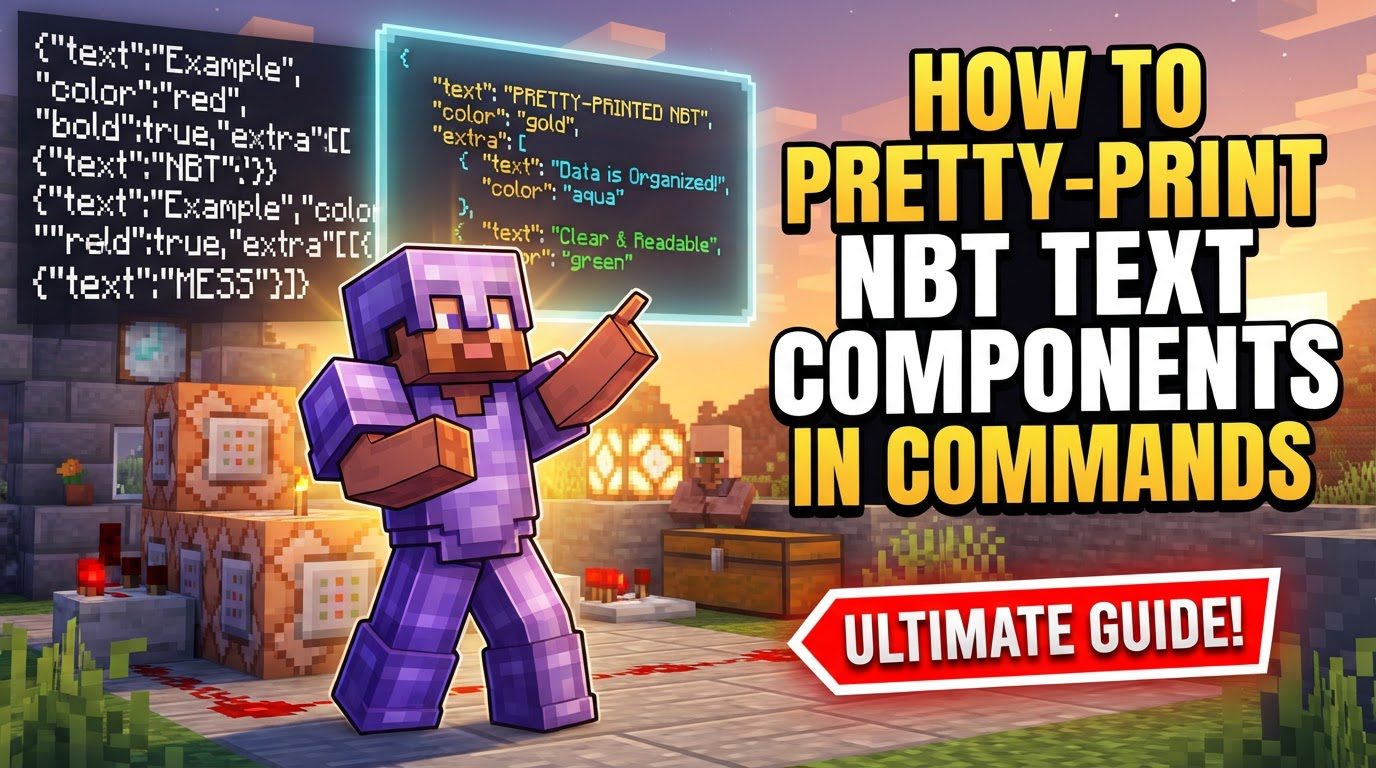
In Minecraft, pretty-printing NBT text components in commands involves using JSON (JavaScript Object Notation) text components to precisely control text appearance and behavior. This advanced technique allows for rich formatting, interactive elements, and dynamic content within various command outputs. It transforms plain text into visually appealing and functional messages, item descriptions, or entity names, enhancing command block creations and server experiences with customized and engaging textual feedback.
Key Mechanics for Pretty-Printing NBT Text Components
-
JSON Text Components: Text formatting in commands relies on raw JSON text, a structured data format. It provides a powerful way to define text properties, allowing for intricate designs beyond simple color codes. Every piece of formatted text in a command is a JSON object or an array of objects.
-
NBT Tags: JSON text is embedded within NBT (Named Binary Tag) data structures. NBT is Minecraft’s format for storing complex data for items, entities, and blocks. When formatting text for an item’s name or lore, JSON is placed within specific NBT tags like
display. -
Curly Brackets
{}: These represent a compound tag or a JSON object, holding key-value pairs. Each key is a string (e.g.,"text") and its value defines a property (e.g.,"Hello"), as seen in{"text":"Hello"}. -
Square Brackets
[]: Used for lists or arrays, these allow combining multiple text components or NBT tags. This is essential for different formatting within a single line or for multiple lines, such as[{"text":"Hi"},{"text":"bye"}]. -
Properties: JSON text components use properties to define appearance and behavior. Key properties include
"text","color","bold","italic","strikethrough","underlined", and"obfuscated"to control text styles. -
Color Codes: Colors can be specified by name (e.g.,
"red","blue") or by hexadecimal values. Hexadecimal values must be preceded by a hash symbol (#), for example,"color":"#FF00FF"for custom hues. -
Formatting Codes: Beyond color, various styles can be applied: bold, italic, strikethrough, underlined, and obfuscated (scrambled characters). Each is controlled by a boolean property (
trueorfalse) within the JSON object. -
Event Handling: Text components can be made interactive.
clickEventtriggers an action upon clicking (e.g., running a command, opening a URL).hoverEventdisplays additional information when hovering (e.g., more text, an item tooltip, or entity data).
Step-by-Step Process for Crafting NBT Text Components
Creating pretty-printed NBT text components involves a systematic approach to ensure proper syntax and functionality within Minecraft commands. Follow these steps to construct your desired text effects:
-
1. Identify the Command: Determine which command supports JSON text components. Examples include
/givefor item names/lore,/summonfor custom names,/tellrawfor chat messages,/titlefor on-screen titles, and/setblockfor signs. The chosen command dictates where the NBT data is placed. -
2. Start with the Basic Structure: Begin NBT data with curly braces (
{}). For item names or lore, this is often nested within adisplaytag, thenNameorLore. For instance,{display:{Name:'{"text":"My Item"}'}}illustrates this nesting for an item’s custom name. -
3. Define Text Content: Specify the actual message using the
"text"property within quotes. For example,'{"text":"My Text"}'creates a basic text component. This forms the fundamental building block of your formatted message. -
4. Add Formatting (Optional): Enhance text appearance by adding formatting properties after the
"text"property, separated by a comma. Include properties like"color":"red"or"bold":true. Multiple properties are also separated by commas, like'{"text":"My Text","color":"red","bold":true}'. -
5. Combine Multiple Components (Optional): To apply different formatting within a single line or for multiple lines (e.g., item lore), use square brackets (
[]) to create an array of JSON text objects. Each object is separated by a comma, allowing for diverse styling, such asLore:['{"text":"Line 1","color":"gold"}', '{"text":"Line 2","italic":true}']. -
6. Escape Quotes: When embedding JSON within a command string, inner double quotes (
") often need to be escaped with a backslash (\") to prevent syntax errors. Alternatively, enclosing the entire NBT string in single quotes (') can simplify quote handling, improving readability. -
7. Complete the Command: Ensure all brackets and quotes are correctly closed and the NBT structure is valid for the specific command. Meticulous attention to detail is essential, as a single misplaced character can invalidate the entire command.
Important Tips for Advanced NBT Text Formatting
-
Use Command Blocks: For complex or lengthy commands with extensive NBT data, use command blocks. The chat interface has character limits, which command blocks bypass, allowing for more elaborate constructions.
-
Consult the Minecraft Wiki: The official Minecraft Wiki is a comprehensive resource for NBT tags, data types, and changes across versions. Always refer to it for specific NBT structures or updated formatting syntax to ensure accuracy.
-
Online Generators: Utilize online command generators, like MCStacker, to simplify command creation. These tools provide user-friendly interfaces to build NBT structures and JSON text components, handling syntax and verification automatically.
-
Prettifiers/Validators: Websites exist to validate and prettify NBT command syntax. These tools automatically indent and format JSON, making it easier to read, spot errors, and debug complex command strings.
-
Version Compatibility: NBT tag formats and availability can change between Minecraft versions (e.g., the 1.20.5 update). Always verify that your NBT and JSON syntax is compatible with the specific game version you are targeting.
Common Mistakes to Avoid When Pretty-Printing NBT Text
Even experienced command creators can encounter pitfalls. Being aware of these common mistakes can save significant debugging time:
-
Syntax Errors: Missing or misplaced curly braces
{}, square brackets[], colons:, or commas,are frequent causes of command failure. Double-check all punctuation and structure meticulously. -
Incorrect Tag Names or Values: NBT tags are case-sensitive (e.g.,
NoAIis correct,noaiis not). Each tag expects a specific data type. Using an incorrect name or value type will cause commands to fail or behave unexpectedly. -
Unescaped Quotes: Incorrectly handling quotes within the JSON string can lead to parsing errors. Inner double quotes (
") often require escaping with a backslash (\") or the entire NBT string can be enclosed in single quotes ('). -
Forgetting
interpret:true: When using/tellrawwith the"nbt"component, if the NBT data itself contains JSON-formatted text,"interpret":trueis often necessary for correct rendering. Without it, the JSON might display as plain text. -
Mixing NBT and JSON formats: Understand that NBT and JSON are distinct but intertwined. JSON is for text components; NBT encompasses broader data structures. Confusing their specific roles or syntax can lead to parsing issues.
-
Version Incompatibility: Commands that worked in older versions might not function in newer ones due to NBT format changes. Always verify compatibility with your target Minecraft version, especially after major updates.
Tags:
YOU MAY ALSO LIKE...