

Setting Up an ME Storage Network in AE2
Understanding the ME Storage Network
An Applied Energistics 2 (AE2) ME Network, or Matter Energy Network, is a sophisticated system designed for automated item storage, crafting, and management within Minecraft. It comprises interconnected blocks and cables that work in concert, requiring power and careful channel management to function efficiently.
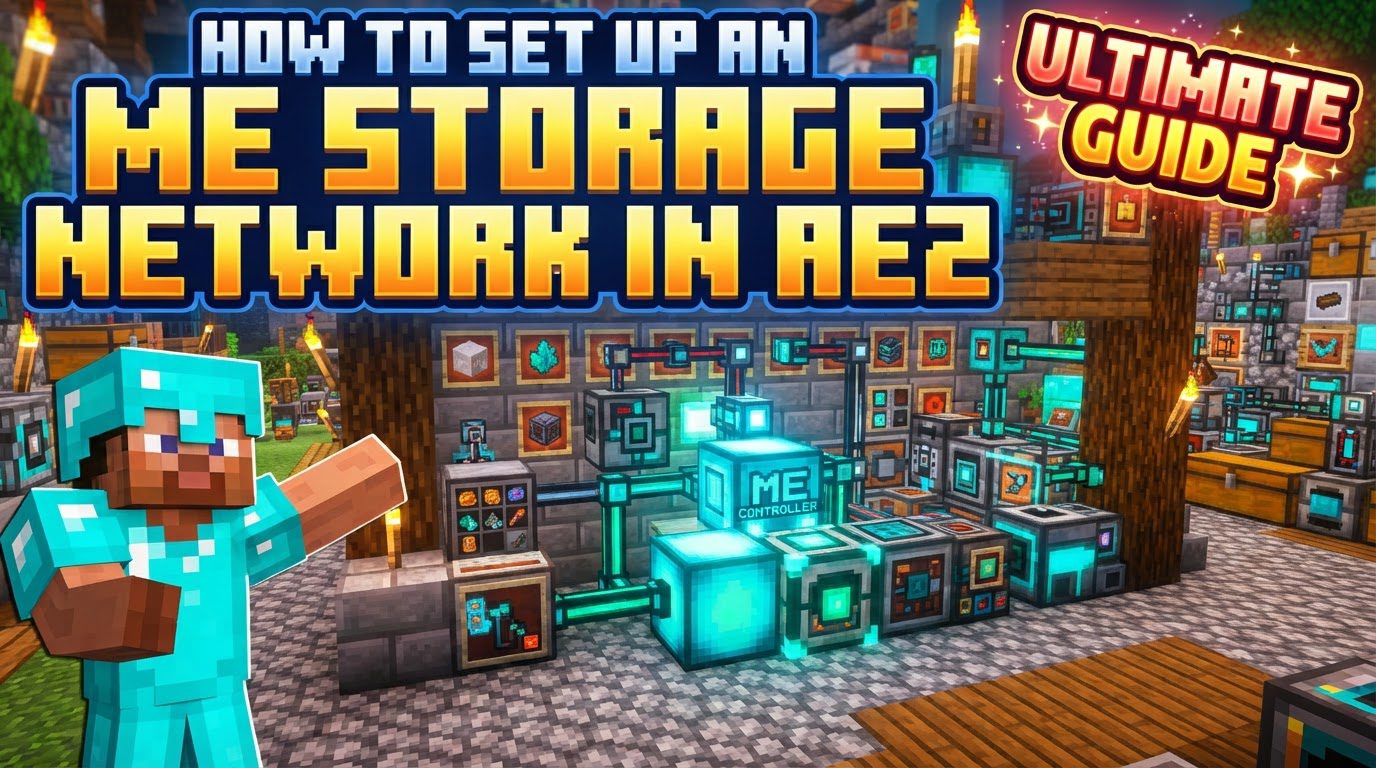
Key Mechanics of an ME Network
- Power: All ME Networks are energy-dependent. Power is typically introduced into the network via an Energy Acceptor, which converts external power sources into the ME energy format.
- Channels: These are crucial data connections that facilitate communication within the network. Any device that directly interacts with items or information, such as an ME Terminal or an ME Import Bus, consumes channels.
- Standard ME Glass Cables and Smart Cables can carry a maximum of 8 channels.
- ME Dense Cables are capable of transmitting up to 32 channels.
- ME Controller: This block acts as the “brains” of larger networks. It becomes necessary when your network requires more than 8 channels or when you wish to utilize the full 32 channels available per side from Dense Cables. An ME Controller can be built as a multi-block structure for increased capacity and flexibility.
- ME Drive: The ME Drive is a housing unit for ME Storage Cells. It does not store items itself but provides slots where cells can be inserted to become part of the network’s storage capacity.
- ME Storage Cells: These are the actual storage units within the network. They come in various tiers (e.g., 1k, 4k), each capable of storing a limited number of unique item *types* but with increasing overall *capacity* for those items.
- ME Terminal/Crafting Terminal: These blocks provide the primary user interface for interacting with your ME Network. They offer a searchable inventory, allowing you to access, deposit, and withdraw items. A Crafting Terminal adds integrated crafting capabilities.
- ME Import/Export Buses: These specialized devices facilitate automatic item transfer. An ME Import Bus pulls items from an external inventory (like a chest or machine) into the ME Network, while an ME Export Bus pushes items from the ME Network into an external inventory.
Step-by-Step Guide to Setting Up Your ME Storage Network
1. Initial Material Gathering
Begin by collecting the foundational resources: Certus Quartz, Nether Quartz, Redstone, Iron, and Glass. A critical early step is to locate meteorite structures, as these contain the essential Inscriber Presses: Silicon, Logic, Calculation, and Engineering. These presses are indispensable for crafting the electronic components required by AE2.
2. Crafting Fluix Crystals
Fluix Crystals are a core component for many AE2 items, especially cables. To create them, combine one piece of Charged Certus Quartz, one Nether Quartz, and one Redstone Dust. Place these three items into a pool of water, and they will react to form a Fluix Crystal.
3. Setting Up the Inscriber
The Inscriber is vital for creating processors. First, craft an Inscriber and ensure it is powered. This machine, in conjunction with the Inscriber Presses found in meteorites, will process raw materials:
- Use the Silicon Press with Silicon to create Printed Silicon.
- Use the Logic Press with Gold to create Printed Logic Circuits.
- Use the Calculation Press with Diamonds to create Printed Calculation Circuits.
- Use the Engineering Press with Diamonds to create Printed Engineering Circuits.
Once you have the Printed Silicon and the various Printed Circuits, combine them with Redstone to craft the final Processors (e.g., Logic Processors, Calculation Processors, Engineering Processors). These processors are fundamental for almost all AE2 devices.
4. Establishing Power Infrastructure
Before any AE2 device can function, it needs power. Craft an Energy Acceptor and connect it to your existing power generation system (e.g., generators, solar panels). The Energy Acceptor will convert this power into the ME Network’s internal energy format. Additionally, a Charger is essential for creating Charged Certus Quartz, which is needed for Fluix Crystal production and other components.
5. Basic Network Assembly
With your materials and power infrastructure ready, you can now assemble a basic, functional ME Network:
- Place your Energy Acceptor and ensure it is properly connected to a power source.
- Connect an ME Glass Cable (also known as Fluix Cable) directly to one side of the Energy Acceptor. This cable will transmit power and channels throughout your network.
- Attach an ME Drive to the ME Glass Cable. The ME Drive will house your storage cells.
- Craft one or more ME Storage Cells (e.g., 4k cells) using the processors and other materials you’ve prepared. Once crafted, insert these cells into the ME Drive.
- Finally, place an ME Terminal or Crafting Terminal onto the ME Glass Cable. This terminal will serve as your interface to access and manage the items stored within your newly established network.
Expanding Your ME Network
As your base grows, you will likely exceed the 8-channel limit of basic cables. This is where the ME Controller becomes indispensable.
- ME Controller: If you find yourself needing more than 8 channels, craft and place an ME Controller. The ME Controller can be built as a multi-block structure by placing multiple controller blocks adjacent to each other. Each face of an ME Controller block can output up to 32 channels when connected with an ME Dense Cable. Connect your cables directly to the faces of the ME Controller to expand your network’s channel capacity.
- Channel Management: To efficiently manage channels in larger networks:
- Utilize Dense Cables for high-channel pathways originating from the ME Controller.
- Employ P2P Tunnels to transfer many channels through a single cable or over long distances, effectively extending your network’s capacity without excessive cable runs.
- Implement Subnets by connecting a separate, smaller ME Network (with its own ME Controller) to your main network via an ME Interface and an ME Storage Bus. This strategy helps reduce the channel load on your main network by offloading specific tasks or storage areas.
Important Tips for ME Network Management
- Channel Visibility: Always use Smart Cables to monitor channel usage. These cables visually display how many channels are being used, helping you identify bottlenecks or available channels.
- Strategic Storage: Leverage ME Storage Buses to connect external inventories, such as chests or specialized barrels for single-item types, directly to your network. This is particularly useful for bulk storage of common items, conserving valuable space in your ME Storage Cells.
- Chunk Loading: Ensure that all components of your ME Network, including machines and cables, are located within loaded chunks. Unloaded parts of your network can lead to instability or complete network failure.
- Network Tool: The Network Tool is an invaluable diagnostic item. Use it to identify all components connected to your network and to troubleshoot any connection issues that may arise.
Common Mistakes to Avoid
- Insufficient Power: A network that is unpowered or underpowered will not function. Always ensure your Energy Acceptor has a consistent and sufficient power supply.
- Channel Overload: Exceeding the channel limit of any cable (8 for normal, 32 for dense) will cause connected devices to go offline. Use Smart Cables to visualize and prevent this.
- Disconnected Controllers: If using a multi-block ME Controller structure, all controller blocks must be physically touching each other. You cannot have two separate, disconnected controllers on the same network.
- Direct Dense Cable Connections: Some smaller devices, such as ME Import or Export Buses, may not directly connect to Dense Cables. In such cases, use an intermediate basic cable (like an ME Glass Cable) to bridge the connection.
- Subnetting Errors: When setting up subnets, carefully configure the ME Interface and ME Storage Bus to ensure they are correctly passing items, not channels directly. Incorrect setup can lead to infinite channel loops or network instability.
- Excessive Import/Export Buses: While useful, deploying a very large number of Import/Export Buses can negatively impact game performance, especially on multiplayer servers. Use them judiciously.
- “Remapping” Lag: Frequently adding or removing components from your ME Network forces the entire system to re-evaluate its connections, which can cause temporary lag. Plan your expansions to minimize this.
By following these guidelines, you can establish a robust and efficient ME Storage Network, transforming your item management and automating many aspects of your Minecraft world.
Tags:
YOU MAY ALSO LIKE...


