

Terraforming a Landscape Without It Looking Flat, Explained
Creating a truly immersive and natural-looking landscape in Minecraft requires a keen eye for detail and an understanding of how real-world terrain forms. The goal is to avoid the dreaded “flatness” that often plagues player-built environments, making them feel artificial and uninspired. By focusing on organic shapes, varied textures, and thoughtful elevation changes, you can transform any area into a vibrant, dynamic, and realistic piece of digital wilderness.
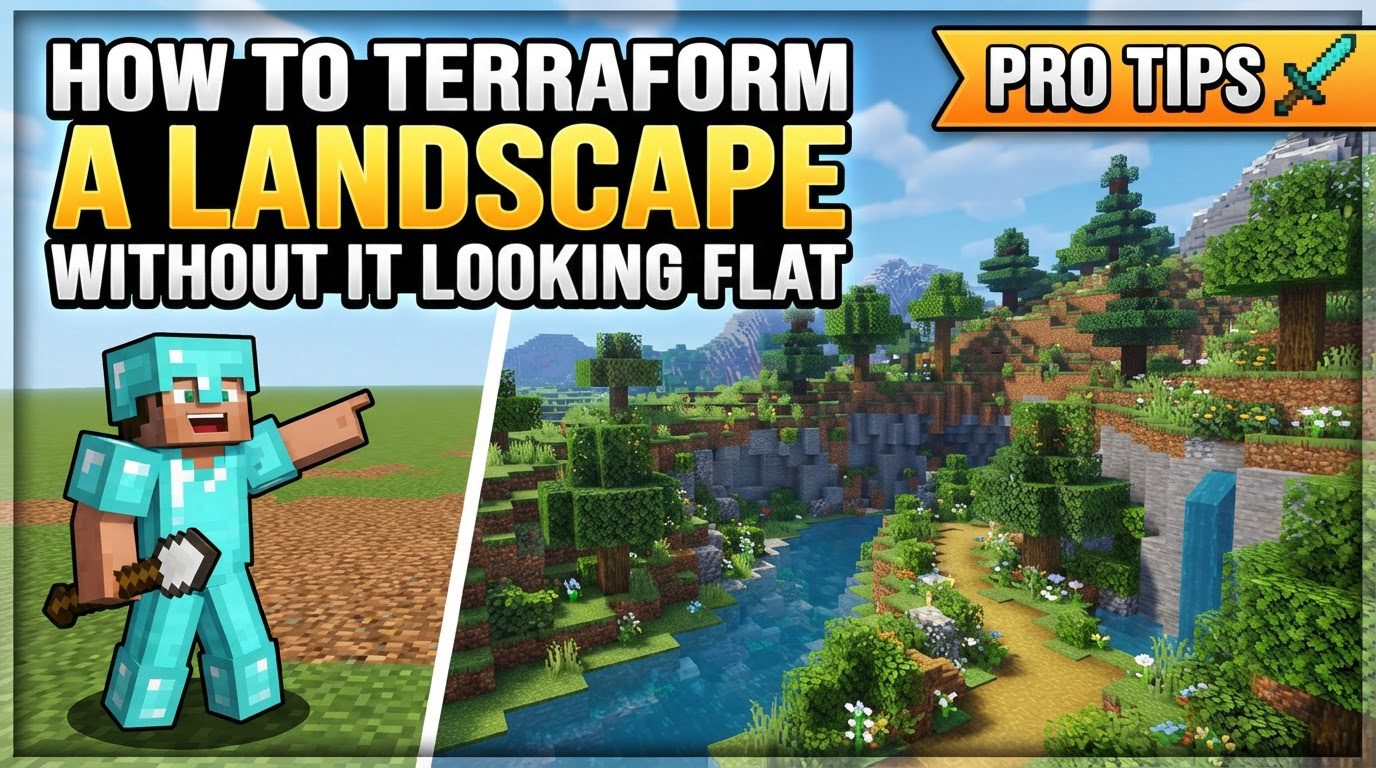
Key Mechanics for Natural Terraforming
To ensure your terraformed landscape avoids a flat appearance, integrate these fundamental principles into your design process:
- Irregularity and Asymmetry: Natural terrain is rarely perfectly symmetrical or geometrically uniform. Embrace organic, uneven shapes, and consciously avoid straight lines longer than seven blocks. This introduces a sense of natural randomness that is crucial for realism.
- Smoothing and Tapering: Transitions between different elevations and features should be smooth rather than abrupt. Create gentle slopes and natural curves that mimic the way land gradually changes height in the real world. This removes harsh, blocky edges.
- Depth and Layers: Incorporate varied levels, overhangs, and recesses within cliffs and hills. These elements add significant visual interest and realism, preventing large rock faces from appearing as flat, solid walls.
- Texturing: Utilize a variety of blocks to break up large uniform surfaces. Blocks such as stone, andesite, diorite, gravel, coarse dirt, grass path, and moss can be blended to create natural transitions and mimic different geological formations or soil types.
- Water Flow: Design rivers and waterfalls to follow natural paths. This often means allowing them to meander, vary in depth, and appear as if they’ve carved their way through the landscape over time, rather than being simple straight channels.
Step-by-Step Process to Build Dynamic Landscapes
Transforming a flat expanse into a captivating landscape is a systematic process. Follow these steps to build your terrain effectively:
- Gather Inspiration: Before placing a single block, observe real-life landscapes, concept art, or even natural in-game generation. Pay attention to how hills rise, how rivers carve valleys, and how different biomes blend. This will provide a strong foundation for your design ideas.
- Rough Outline: Begin by defining the large-scale shapes and general elevation changes. Use broad strokes to lay out the basic footprint of your hills, valleys, and major landforms. This initial stage is about establishing the overall flow and silhouette of your landscape.
- Smooth and Sculpt: Once the rough shapes are in place, refine them. Smooth out any sharp edges and blend different height levels using the tapering technique. Think of it as sculpting, gradually adding or removing blocks to create natural contours and gentle slopes.
- Add Features: With the main terrain sculpted, start carving out details. This includes creating overhangs, designing natural-looking caves, and forming intricate rock formations on cliffs. These features add character and depth to your landscape.
- Introduce Textures: Apply a mix of appropriate blocks to mimic natural rock, soil, and vegetation patterns. Don’t just use one type of stone for a mountain; blend in gravel, coarse dirt, and different stone variants to create a more authentic appearance.
- Integrate Water: Create or refine rivers, ponds, and waterfalls. Ensure they appear natural and deep, following the contours of your sculpted land. Water bodies should look like they belong in the environment, not simply placed on top of it.
- Decorate: The final touch involves adding diverse vegetation. This includes custom trees, bushes (often made from leaf blocks), tall grass, flowers, and vines. Utilize bone meal extensively for quick natural growth and to add a layer of organic detail and vibrancy to your landscape.
Important Tips for Success
Keep these crucial tips in mind to elevate your terraforming efforts and avoid common pitfalls:
- Double-layer terrain: Always construct your terrain with at least two block layers. This prevents issues with mobs spawning unnaturally and ensures a more solid, realistic appearance.
- Work with existing terrain: Rather than completely flattening an area and rebuilding from scratch, consider enhancing or modifying the generated landscape. This often saves time and can provide a more natural starting point.
- Vary curves and slopes: To prevent a rigid, man-made look, ensure that different layers of a hill or curve have slightly different shapes and starting/ending points. This organic variation is key to naturalism.
- Subtlety: Unless you are specifically aiming for dramatic features, avoid overly steep or abrupt changes in elevation. Natural landscapes tend to have more gradual transitions.
- Bone meal is your friend: Use bone meal extensively to quickly add natural foliage and detail. It’s an invaluable tool for populating your landscape with grass, flowers, and even trees.
- Utilize modded tools (Java): For large-scale terraforming projects in creative modes on Java Edition, tools like WorldEdit and VoxelSniper can significantly speed up the process, allowing for precise and expansive changes.
Common Mistakes to Avoid
Being aware of common terraforming mistakes can save you time and help you achieve a more natural aesthetic:
- Flatness and harsh angles: Do not leave large flat areas or create unnaturally sharp, jagged transitions between blocks. These are immediate indicators of artificial terrain.
- Repetition and symmetry: Avoid repeating identical block patterns or creating perfectly symmetrical structures. Nature thrives on subtle variations and asymmetry.
- Long straight lines: Straight lines for organic elements like paths, river edges, or hill contours make them look artificial and out of place. Embrace curves and irregularities.
- Lack of variation: Relying on a single block type for large sections of terrain or uniform vegetation will result in a bland and unrealistic landscape. Mix textures and plant types.
- Shallow or straight rivers: Rivers should meander, have varying depths, and appear to have a natural source and flow. Avoid creating uniform, straight, and shallow water channels.
- Ignoring context: Always consider the biome or surrounding environment when designing new terrain. A desert mountain should look different from a forest mountain.
- No overhangs: Cliffs that are perfectly vertical appear unrealistic. Always add overhangs, recesses, and varied surfaces to give them a more natural, weathered look.
By diligently applying these principles and avoiding common pitfalls, you can transform any Minecraft plot into a breathtaking, dynamic, and natural-looking landscape that is anything but flat.
Tags:
YOU MAY ALSO LIKE...


