

MCPE iOS (1.26.60.4, 26.60.4) - ดาวน์โหลดไฟล์ iPA ตัวเต็มสำหรับ iPhone, iPad, Apple

MCPE iOS คือ Minecraft ที่ออกแบบมาสำหรับ iPhone และ iPad โดยเฉพาะ เวอร์ชันนี้เพิ่มคุณสมบัติที่ปรับแต่งได้ เช่น ม็อด สกิน หรือแพ็กทรัพยากรฟรี
วิธีติดตั้ง (ไม่ต้องเจลเบรก):
- ดาวน์โหลดไฟล์ Minecraft IPA ด้านล่าง
- บน PC ให้ติดตั้ง Sideloadly (sideloadly.io) และ iTunes (สำหรับไดรเวอร์ USB) ไม่มี PC? ใช้แอป eSign บน iPhone แทน
- เชื่อมต่อ iPhone ของคุณ เปิด Sideloadly ลากไฟล์ IPA เข้าไป ป้อน Apple ID ฟรี จากนั้นกด Start
- บน iOS 16 หรือใหม่กว่า ให้เปิด Settings > Privacy & Security > Developer Mode เปิดใช้งาน แล้วรีสตาร์ท
- เปิด Settings > General > VPN & Device Management แตะ Trust บนโปรไฟล์ของคุณ จากนั้นเปิด Minecraft
หมายเหตุ:
- หากคุณใช้ Sideloadly หรือ eSign (Apple ID ฟรี) – ซึ่งจำเป็นสำหรับอุปกรณ์ iOS 16 และใหม่กว่าทั้งหมด – แอปจะใช้งานได้ 7 วัน เมื่อหมดอายุ เพียงลงชื่อใหม่ด้วยวิธีเดิมเพื่อเล่นต่อ
- เฉพาะบน iOS 14.0 ถึง 16.6.1 เท่านั้น คุณสามารถใช้ TrollStore แทนได้ – ซึ่งจะติดตั้งถาวร ไม่มีข้อจำกัด 7 วัน และไม่ต้องลงชื่อใหม่
- บิลด์นี้ใช้งานได้เฉพาะแบบออฟไลน์/ผู้เล่นคนเดียวเท่านั้น การลงชื่อเข้าใช้บัญชี Microsoft (Xbox) ไม่ทำงานบนเวอร์ชันที่ติดตั้งผ่าน Sideload.
MCPE iOS (1.26.60.4, 26.60.4) ลิงก์ดาวน์โหลด
Older Versions – Legacy
Show More
For Minecraft PE, Bedrock Edition 1.19.831
For Minecraft PE, Bedrock Edition 1.20.81
For MCPE 1.21.x Version – Legacy
Show More
For Minecraft PE, Bedrock Edition 1.21.44
For Minecraft PE, Bedrock Edition 1.21.51
For Minecraft PE, Bedrock Edition 1.21.72
For Minecraft PE, Bedrock Edition 1.21.81
For Minecraft PE, Bedrock Edition 1.21.93
For Minecraft PE, Bedrock Edition 1.21.94
For Minecraft PE, Bedrock Edition 1.21.100
For Minecraft PE, Bedrock Edition 1.21.101
For Minecraft PE, Bedrock Edition 1.21.132
For Minecraft PE, Bedrock Edition 1.26.0.2, 26.0
For Minecraft PE, Bedrock Edition 1.26.31.1, 26.31.1
For Minecraft PE, Bedrock Edition 1.26.32.2, 26.32.2
For Minecraft PE, Bedrock Edition 1.26.33.1, 26.33.1
For Minecraft PE, Bedrock Edition 1.26.40.5, 26.40.5
For Minecraft PE, Bedrock Edition 1.26.44.3, 26.44.3
For Minecraft PE, Bedrock Edition 1.26.45.1, 26.45.1
For Minecraft PE, Bedrock Edition 1.26.50.4, 26.50.4
For Minecraft PE, Bedrock Edition 1.26.51.1, 26.51.1
For Minecraft PE, Bedrock Edition 1.26.52.3, 26.52.3
For Minecraft PE, Bedrock Edition 1.26.60.4, 26.60.4
Click to rate this post!
[Total: 101 Average: 3.5]
Tags:
12 Comments
Leave a Comment
YOU MAY ALSO LIKE...
Sponges+ Addon (1.21) – MCPE/Bedrock Mod
1,049
views
Bring a splash of chaos and creativity to your world with 30 all‑new custom sponges,…
RLCraft Map (1.21) – MCPE/Bedrock
11,466
views
RLCraft is here-and it’s brutal. Dive into the most hardcore, unforgiving, and unfair survival experience…
Custom Shield Powers Addon (26.10) – MCPE/Bedrock
203
views
Custom Shield Powers Addon adds ten unique shields to Minecraft, each with special abilities and…
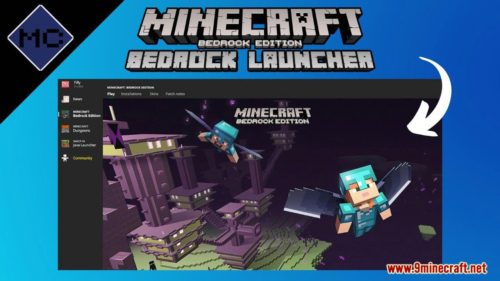
Bedrock Launcher (1.21, 1.20) – Minecraft Bedrock for Windows
64,214
views
❘
Bedrock Launcher (1.21, 1.20) is an unofficial Minecraft for Windows 10+ launcher that enables similar…
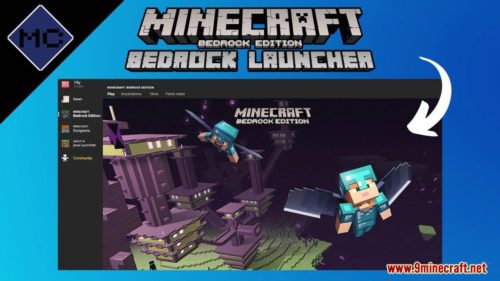
Bedrock Launcher (1.20, 1.19) – Support Window 10
8,031
views
❘
Bedrock Launcher (1.20, 1.19) serves as an unofficial Windows 10 launcher for Minecraft, offering functionalities…
BlockLauncher 1.27 for MCPE/Bedrock Edition
2,083
views
BlockLauncher 1.27 program for Minecraft Bedrock allows you to modify the game using ModPE add-ons.…
Download HER TREES APK (Full, Latest) – Puzzle Dream
4,820
views
❘
HER TREES APK is a unique point-and-click puzzle game where players move and combine objects…
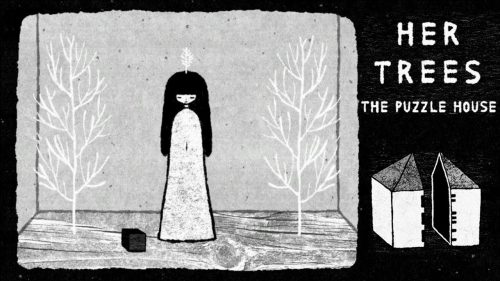
Download HER TREES Windows v1.2 (Full, Latest) – Puzzle Dream
1,778
views
❘
HER TREES Windows is a unique point-and-click puzzle game available on Windows where players move…
Hello Minecraft Launcher (1.21.3, 1.20.1) – Play Minecraft For Free
46,555
views
❘
Hello Minecraft Launcher (1.21.3, 1.20.1) tweaks the main focus of the Minecraft PC Client onto…
On iOS, when I tap a texture, addon, or mod file (.mcpack/.mcaddon) to open it in Minecraft, the game launches but doesn’t import the file or show it in the packs list. The only way it works is by manually placing the file in the correct Minecraft folder. It should import automatically when opened.
And how to place the file in the correct minecraft folder?
I wish they fix the sgin in so l can play with friend
Can i play online if i use esign to install it?
Use in LiveContainer
Little nova shut your ass
I can’t log in my Microsoft account
This build is offline/single-player only. Microsoft (Xbox) account sign-in does not work on sideloaded versions.
Update Latest Minecraft official v26.3.1 iOS version
Thanks, now i can play minecraft on iphone
Thanks
we only provide