

The Complete Breakdown of Inventory Slot Mechanics
One of the most frustrating experiences in Minecraft is having your inventory completely full just as you discover a rare diamond vein or a valuable mob drop. This common mistake highlights a fundamental truth about Minecraft gameplay: mastering your inventory is not just about storing items; it’s about efficient resource management, quick access to tools, and strategic preparation for any challenge the game throws your way. A well-organized inventory can mean the difference between triumph and being overrun by hostile mobs, or between a smooth building project and constant trips back to storage.
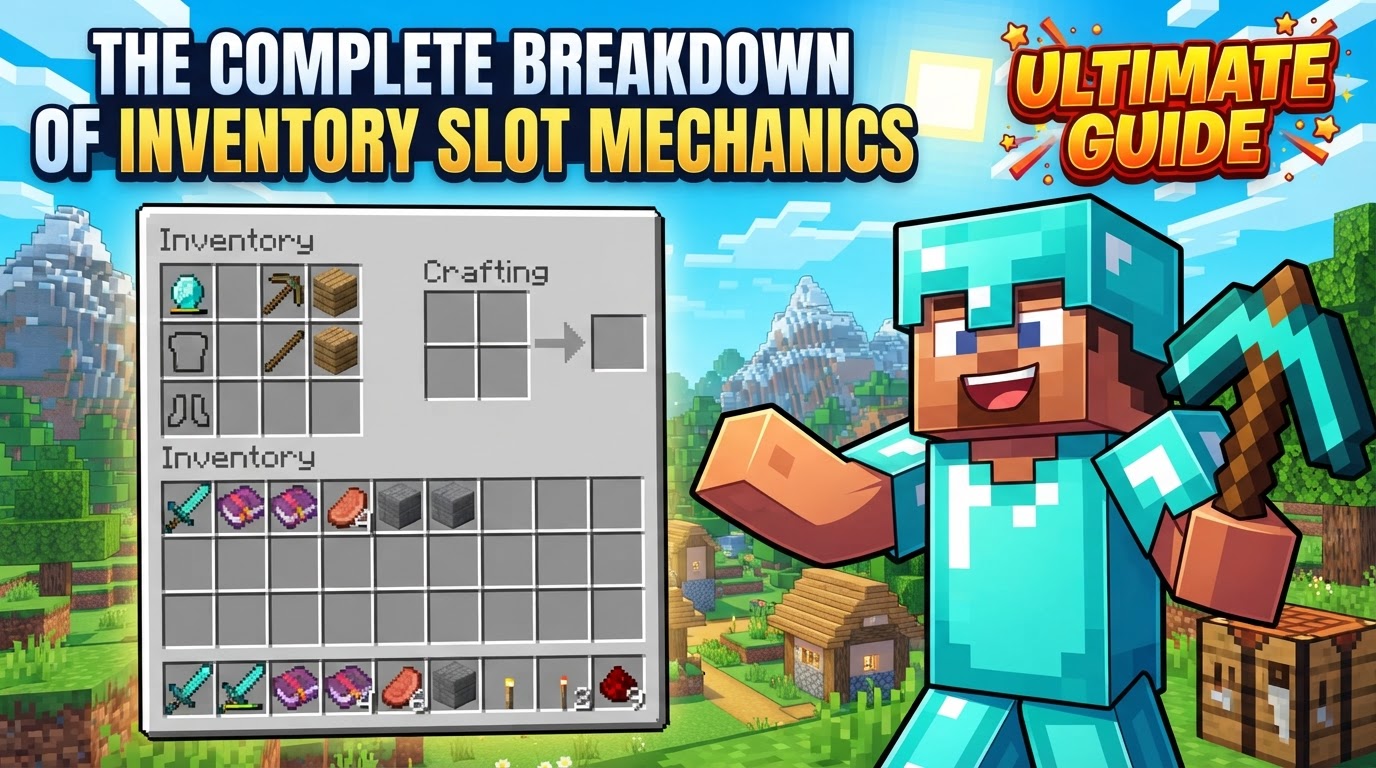
Minecraft’s inventory system is an intricate, yet intuitive, core mechanic that players interact with constantly. It serves as your personal portable storage, crafting station, and quick-access toolbar, all rolled into one. Understanding the nuanced mechanics of each slot, how items stack, and the various methods for manipulating them is paramount for both novice adventurers and seasoned veterans looking to optimize their gameplay. This guide will meticulously break down every aspect of inventory slot mechanics, ensuring you can manage your digital backpack with unparalleled efficiency.
Deconstructing the Player Inventory
The player’s personal inventory is a multi-faceted interface, providing various sections tailored for different purposes. When you open your inventory, typically by pressing the ‘E’ key (or the equivalent button on other platforms), you’re presented with a comprehensive overview of your character’s immediate carrying capacity and capabilities.
- Armor Slots: Located prominently are four dedicated slots for armor pieces: helmet, chestplate, leggings, and boots. These slots are exclusively for protective gear, offering no general item storage.
- Main Storage Slots: The bulk of your inventory consists of 27 main storage slots. These are your primary holding areas for blocks, resources, food, and other non-equippable items. This is where the majority of your collected treasures will reside temporarily.
- Hotbar Slots: Directly below your main storage are nine hotbar slots. These are arguably the most critical for active gameplay, allowing for quick selection of frequently used items like weapons, tools, and food without needing to open the full inventory screen. During gameplay, these can be cycled through using the mouse wheel or selected directly with number keys 1 through 9.
- Off-hand Slot: A unique and incredibly versatile slot, the off-hand allows players to hold an item in their non-dominant hand. This is distinct from the main hand (which corresponds to the currently selected hotbar item). Items like shields, maps, torches, or even food can be placed here for quick access or dual-wielding capabilities. The item in your main hand can be swapped with the item in your off-hand by pressing the ‘F’ key.
The Intricacies of Item Stacking
Not all items are created equal when it comes to inventory space. Minecraft employs a stacking system to prevent inventories from becoming impossibly cluttered with single-item slots. Understanding these rules is crucial for efficient packing.
- Standard Stack Size (64): The vast majority of blocks and many common items, such as cobblestone, dirt, wood, and most raw materials, can stack up to 64 units in a single inventory slot. This generous stacking limit is fundamental for gathering large quantities of resources.
- Reduced Stack Size (16): A smaller subset of items, often those with unique properties or more limited availability, stack up to 16. Examples include Ender Pearls, which are used for teleportation, and certain types of food.
- Non-Stackable Items (1): Many items, due to their unique properties, durability, or special functions, do not stack at all; they occupy one slot per item. This category includes all tools (pickaxes, shovels, axes, hoes), all armor pieces (helmets, chestplates, leggings, boots), weapons (swords, bows, crossbows), filled buckets (water, lava, milk), and potions. Items with durability attributes are specifically designed not to stack, as each item tracks its own wear and tear. Clocks and compasses are exceptions, as they have durability but don’t track it in the same way tools do, yet still don’t stack. Generally, if an item has custom data or properties, it will not stack beyond one.
Interacting with External Containers
Your personal inventory is just one piece of the storage puzzle. Minecraft offers numerous blocks with their own inventories, allowing for massive expansion of your storage capacity. When you interact with a block that has an inventory, such as a chest, crafting table, furnace, or barrel, its graphical user interface (GUI) opens. This interface typically displays both the block’s inventory and your personal inventory simultaneously, facilitating easy transfer of items between the two.
The Integrated Crafting Grid
Within your personal inventory screen, you’ll also find a small 2×2 crafting grid. This grid is incredibly convenient for basic crafting recipes that require only four or fewer ingredient slots, such as crafting planks from wood logs, sticks from planks, or a basic crafting table itself. It’s important to note that this 2×2 grid does not offer item storage; any items placed within it will be dropped if the inventory screen is closed without a craft being completed.
Mastering Item Manipulation: A Step-by-Step Guide
Efficiently moving items within and between inventories is a skill that dramatically improves gameplay flow. Minecraft offers several intuitive methods for item manipulation:
- Picking up a Full Stack: To grab an entire stack of items from a slot, simply left-click on it. If you want to gather all instances of a specific item type from your entire inventory into a single stack on your cursor, double-clicking on one of those items will achieve this.
- Placing a Full Stack: With a stack of items held on your cursor, left-clicking an empty slot will deposit the entire stack into that slot.
- Splitting a Stack: If you need to divide a stack, right-clicking on it will pick up exactly half of the items, leaving the other half in the original slot. If the stack is an odd number, the larger half will remain in the slot.
- Placing a Single Item: To place just one item from a stack you’re holding, right-click on an empty slot. This is useful for distributing items or placing single blocks precisely.
- Quick Transfer (Shift-Click): Holding down the `Shift` key while left-clicking an item provides a rapid transfer mechanism. If the item is in your main inventory, it will attempt to move to your hotbar (or vice-versa). If you have an external container open, it will move the item between your personal inventory and the container’s inventory, prioritizing available slots.
- Dividing Stacks by Dragging:
- Left-dragging: While holding a stack, left-clicking and dragging your mouse across multiple empty slots will evenly distribute the items across those slots. For example, dragging a stack of 64 across 4 empty slots will place 16 in each.
- Right-dragging: Conversely, right-clicking and dragging across empty slots will place only one item from your held stack into each slot you drag over. This is excellent for quickly filling crafting recipes or distributing single units.
- Hotbar Selection: During active gameplay, items in your hotbar (slots 1-9) can be quickly selected using the corresponding number keys (1-9) or by scrolling your mouse wheel.
- Swapping with Hotbar: When hovering over an item in your main inventory, pressing a number key (1-9) will instantly swap that hovered item with the item currently residing in the corresponding hotbar slot. This is a fast way to organize your hotbar without opening the full inventory.
Strategic Inventory Management for Survival and Success
Beyond understanding the mechanics, effective inventory management requires strategic thinking and consistent practice.
- Organize Your Hotbar: Your hotbar is your immediate toolkit. Dedicate slots 1-3 for essential tools (pickaxe, axe, shovel), slot 4 for your weapon, slot 5 for food, and the remaining slots for torches, building blocks, or other situational items. Consistency here builds muscle memory.
- Utilize External Storage Blocks: Your personal inventory is finite. Leverage storage blocks to expand your capacity exponentially:
- Chests: Offer 27 slots (a single chest) or 54 slots (a large chest, made by placing two chests side-by-side).
- Barrels: Provide 27 slots and can be placed in smaller spaces than chests.
- Shulker Boxes: These are game-changers. A Shulker Box itself occupies one inventory slot but can hold 27 stacks of items within it. Crucially, Shulker Boxes retain their contents even when broken, making them perfect for transporting vast quantities of resources. They can even be placed inside Ender Chests.
- Ender Chests: While visually distinct for each player, all Ender Chests access the same 27-slot inventory. This makes them ideal for storing valuable items that you want to access from anywhere in the world. When combined with Shulker Boxes, an Ender Chest can effectively carry 27 Shulker Boxes, each holding 27 stacks, totaling an astounding 729 stacks of items in the space of one Ender Chest.
- Prioritize Resources: As you explore and gather, constantly evaluate the importance of items. Keep high-value, essential, or immediately needed resources, and be prepared to discard less important items if space becomes an issue.
- Regular Cleanup: Periodically review your inventory and storage systems. Remove broken tools, excess common blocks, or items you no longer need. A clean inventory reduces decision fatigue and ensures you always have room for new discoveries.
- Auto-Sort Features: While not a core vanilla mechanic, some versions or modifications of Minecraft offer an “Auto-Sort” feature that can automatically organize items into predefined categories or stack similar items together, significantly reducing manual organization time.
Common Pitfalls to Avoid
Even experienced players can fall into bad inventory habits. Being aware of these common mistakes can save you a lot of frustration.
- Cluttering Your Inventory: Carrying too many unnecessary items, like multiple stacks of dirt or cobblestone when not needed for a specific project, can quickly fill your inventory. This leaves no room for valuable drops from mining or mob encounters, forcing you to make difficult decisions or leave items behind.
- Insufficient Space: As your game progresses and you accumulate a wider variety of items, the base inventory size of 36 slots (27 main + 9 hotbar) often feels inadequate. Failing to utilize external storage solutions like chests, barrels, and especially Shulker Boxes can severely hinder your progress and efficiency.
- Losing Valuable Items: Taking irreplaceable or hard-to-obtain items into dangerous areas (like the Nether or End dimensions, or deep caves) without proper precautions (like storing them in an Ender Chest or not carrying them at all) significantly increases the risk of losing them upon death.
- Poor Organization: A disorganized inventory makes it difficult to quickly find and access the items you need, particularly in time-sensitive situations like combat or during a rapid building project. Precious seconds spent searching can lead to defeat or missed opportunities.
In conclusion, the Minecraft inventory system is far more than just a place to hold your stuff; it’s a dynamic interface that, when mastered, empowers you to navigate the game’s challenges with confidence and efficiency. By understanding its structure, the nuances of item stacking, and practicing effective manipulation techniques, you can transform your gameplay experience from fumbling to fluid, ensuring you’re always prepared for whatever adventure awaits.
Tags:
YOU MAY ALSO LIKE...


