Understanding Redstone Comparator Subtraction
A single redstone component in Minecraft holds the power to create advanced automated systems, precisely controlling signal strengths through mathematical operations. This seemingly simple device, the Redstone Comparator, reveals its true potential when switched into subtraction mode, allowing builders to craft intricate logic gates and smart devices that react dynamically to changing conditions within their blocky worlds.
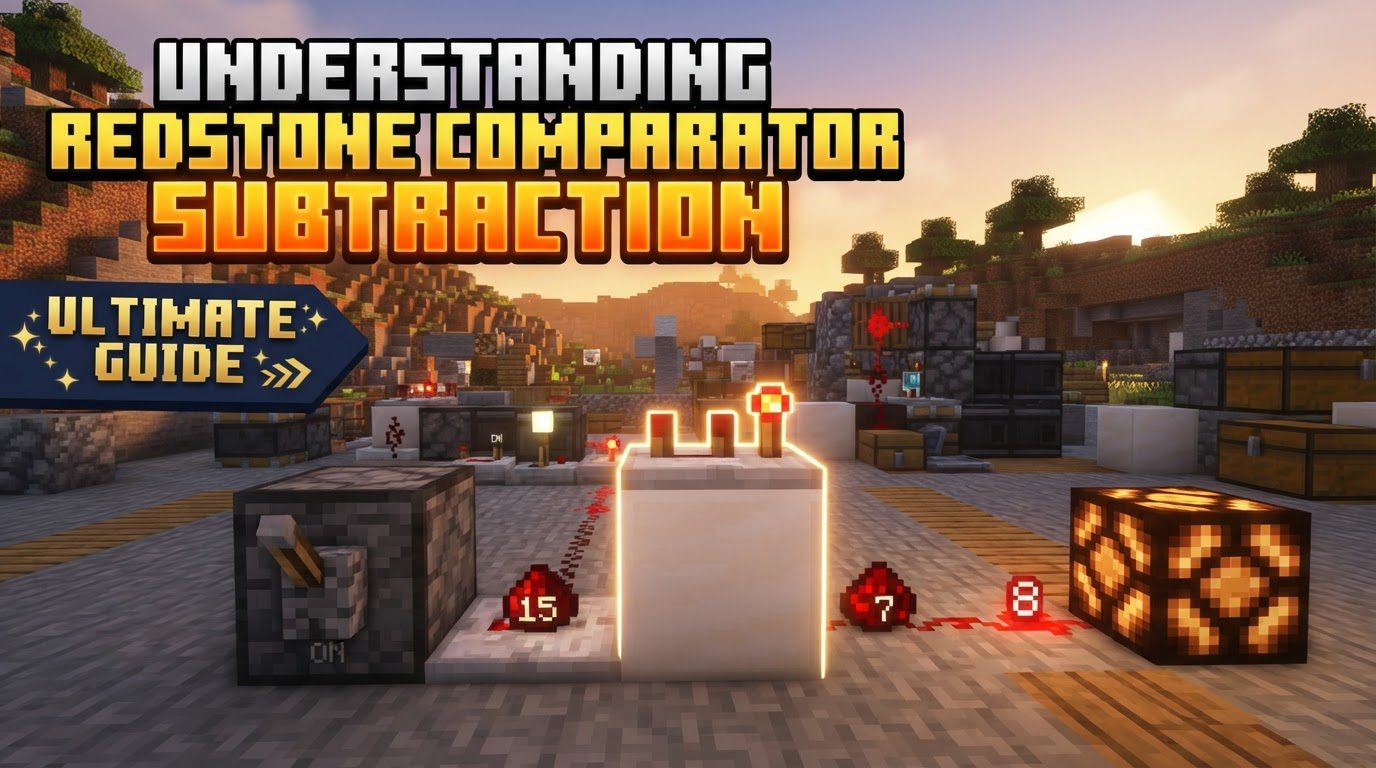
The ability to subtract one redstone signal from another is a cornerstone for any serious redstone engineer. It opens doors to sophisticated mechanisms, from automated sorting systems that only activate under specific circumstances to complex data storage units. Understanding this fundamental mechanic is not just about knowing a formula; it’s about grasping a powerful tool for precision and efficiency in your builds.
Deconstructing Comparator Subtraction: The Core Mechanics
At its heart, the Redstone Comparator’s subtraction mode is about manipulating signal strengths. Unlike its default comparison mode, which simply checks if one signal is greater than another, subtraction mode actively calculates a new output value based on a specific mathematical operation. Mastering this requires a clear understanding of its activation, inputs, and the critical formula it employs.
Mode Activation and Visual Cues
The first step to utilizing subtraction mode is to activate it. A Redstone Comparator is toggled into this powerful state by simply right-clicking it. You’ll know it’s correctly engaged when the small redstone torch located on the front of the comparator illuminates. If this torch is off, the comparator is operating in its default comparison mode, which behaves entirely differently. Always double-check this visual indicator to ensure your circuits function as intended.
Understanding Inputs and Outputs
A comparator has three distinct input points and one output point:
- Rear Input (Main Input): This is the primary signal that the subtraction will be performed on. It comes from the block directly behind the comparator. This can be a direct redstone signal from dust, a block, or, crucially, a signal strength read from a container block placed directly against its rear.
- Side Inputs (Left and Right): These are the signals that will be subtracted from the rear input. Redstone dust, repeaters, other comparators, or any redstone component providing a signal to either the left or right side of the comparator will act as a side input.
- Front Output: The result of the subtraction calculation is emitted from the front of the comparator as a redstone signal.
The Subtraction Formula Explained
The magic of subtraction mode lies in its precise formula. The comparator calculates its output signal strength by taking the rear input and subtracting the stronger of the two side inputs from it. The formula is as follows:
Output = max(Rear_Input - max(Left_Side_Input, Right_Side_Input), 0)
Let’s break this down:
max(Left_Side_Input, Right_Side_Input): This part determines which of your two side inputs is providing the stronger signal. Only the higher of these two values is considered for subtraction. If only one side has a signal, that’s the one used. If neither has a signal, this value is 0.Rear_Input - max(Left_Side_Input, Right_Side_Input): The stronger side input’s value is then subtracted from the rear input’s value.max(..., 0): This final part is crucial. It ensures that the output signal strength will never go below zero. If the result of the subtraction is a negative number (meaning the side input was greater than or equal to the rear input), the comparator will simply output a signal strength of 0. Redstone signals cannot be negative in Minecraft.
Interacting with Containers
One of the most powerful features of comparators, particularly in subtraction mode, is their ability to read the fill level of various container blocks. This includes chests, hoppers, furnaces, dispensers, droppers, brewing stands, and even item frames. The comparator outputs a redstone signal strength (from 1 to 15) corresponding to how full the container is. This container-derived signal can then be used as either the main rear input or as a side input, enabling highly dynamic and intelligent automation based on inventory levels.
Building Your First Subtraction Circuit: A Step-by-Step Guide
Setting up a basic comparator subtraction circuit is straightforward once you understand the components and their roles. Follow these steps to get started:
- Place the Comparator: Begin by placing a Redstone Comparator on the ground or a block. Ensure it’s facing the direction you intend for the output signal to travel, as its front points towards the output.
- Establish the Main Input (Rear): Position a redstone signal source directly behind the comparator. This could be redstone dust powered by a lever, a redstone block, or, for more advanced setups, a container block (like a chest or hopper) whose fill level you want to monitor. This signal strength will be your
Rear_Input. - Provide Side Input(s): Place redstone dust, another comparator, or any redstone component that provides a signal to one or both sides of your main comparator. Remember, only the stronger of these two signals will be used in the subtraction. If you only need to subtract a single value, just power one side. This will be your
Left_Side_InputorRight_Side_Input. - Activate Subtraction Mode: Crucially, right-click the Redstone Comparator. Confirm that the small redstone torch on its front is lit up. This visual cue indicates it’s ready to perform subtraction.
- Observe the Output: The comparator will now emit a redstone signal from its front based on the calculated result. You can place redstone dust or another redstone component in front of it to observe the output strength and confirm your setup is working as expected.
Mastering Redstone Automation: Practical Applications
The true utility of comparator subtraction shines in its practical applications, allowing for compact and efficient redstone designs.
Precise Threshold Detection
One of the most common and valuable uses for subtraction mode is creating systems that activate only when a specific threshold is met. By connecting a comparator to a container (e.g., a chest) as the rear input and then feeding a constant redstone signal (e.g., from a redstone block or a set number of redstone dust) as a side input, you can create a trigger. The comparator will only output a signal when the container’s fill level (rear input) exceeds the constant signal strength you’re subtracting. This is invaluable for automating item distribution or triggering alarms.
Intelligent Automated Crafting and Storage Systems
Subtraction comparators are indispensable for advanced automation. Imagine an auto-crafter that only pulls ingredients from a storage system when its internal inventory drops below a certain level. Or an item elevator that only dispenses more items into a chest when it detects the chest is not completely full. By using a container’s fill level as the rear input and a desired minimum fill level as the subtracted side input, you can create smart logic that prevents overfilling, understocking, and wasted resources.
Compact Redstone Designs
In many scenarios, using a comparator in subtraction mode can lead to significantly more compact redstone circuits. Instead of using multiple comparison gates or complex logic to achieve a specific signal strength manipulation, a single comparator can often handle the task. This is particularly beneficial in survival builds where space is at a premium or for reducing lag in large-scale contraptions.
Memory Cells and Custom Clocks
While often achieved with other components, comparators in subtraction mode can also contribute to building certain types of memory cells (latches) or creating custom redstone clocks. Their ability to hold a signal or fluctuate based on precise input changes makes them versatile for more advanced, experimental redstone logic, offering alternatives to more traditional designs.
Avoiding Common Pitfalls in Comparator Subtraction
Even seasoned redstone engineers can sometimes stumble with comparator subtraction. Being aware of these common mistakes can save you hours of troubleshooting.
- The Incorrect Mode Blunder: This is arguably the most frequent error. Forgetting to right-click the comparator to switch it into subtraction mode (where the front torch is lit) will cause it to operate in comparison mode. In comparison mode, it simply outputs the rear input if the rear input is greater than or equal to the stronger side input, otherwise it outputs 0. This is fundamentally different from subtraction, leading to unexpected behavior. Always visually confirm the lit torch.
- Misunderstanding Side Input Usage: A common misconception is that if both side inputs receive a signal, their strengths are added together before being subtracted. This is incorrect. The comparator only considers the highest signal strength from either the left or right side input. If you have a signal strength of 5 on the left and 10 on the right, only the 10 will be used for subtraction.
- Expecting Negative Output: Redstone signals in Minecraft range from 0 to 15. The comparator’s subtraction formula explicitly prevents negative outputs by clamping the result at zero. If your stronger side input is equal to or greater than your rear input, the output will always be 0, regardless of how much larger the side input is. Do not expect a negative value to somehow ‘turn off’ a circuit more strongly.
- Unintended Signal Interference: Redstone signals can be tricky. Components or redstone dust placed too close to the sides of your comparator, even if not directly intended as an input, can accidentally provide a signal. This rogue signal might become the ‘stronger’ side input, completely altering your subtraction calculation. Always ensure your comparator’s side inputs are isolated or intentionally controlled.
The Precision Tool for Redstone Engineers
The Redstone Comparator in subtraction mode is far more than just another redstone component; it’s a precision instrument. Its ability to perform direct mathematical operations on redstone signal strengths empowers players to move beyond simple ON/OFF switches and into the realm of intelligent, dynamic, and compact automation. Whether you’re building a modest farm or an expansive, fully automated factory, mastering comparator subtraction will elevate your redstone skills and enable you to create truly remarkable contraptions in Minecraft.
Tags:
YOU MAY ALSO LIKE...