What Causes Redstone Components to Desynchronize
Building a complex Redstone contraption only to have it mysteriously fail after a few cycles is a frustratingly common experience for many Minecraft engineers. This unpredictable behavior, known as desynchronization, can transform a perfectly designed machine into a chaotic mess. Understanding the underlying causes of Redstone desynchronization is paramount for constructing reliable and consistent circuits, whether you’re automating a farm, building a minigame, or designing an intricate piston door.

The Core Problem: When Timing Goes Awry
At its heart, Redstone desynchronization occurs when different parts of a circuit, intended to activate simultaneously or in a precise sequence, instead fire out of order or with inconsistent timings. This can lead to pistons extending when they should retract, doors failing to open, or entire systems grinding to a halt. The causes are often subtle, rooted in the game’s fundamental mechanics and the unique properties of Redstone components.
Fundamental Mechanics Driving Desynchronization
Several intricate factors contribute to why Redstone circuits lose their rhythm:
- Redstone Ticks vs. Game Ticks: Minecraft operates on game ticks, with 20 game ticks occurring per second. However, Redstone components primarily operate on Redstone ticks, where one Redstone tick equals two game ticks (0.1 seconds). This crucial difference means that most Redstone actions don’t happen instantaneously in game ticks. If you’re trying to achieve very precise timing based on game ticks, this inherent delay can lead to discrepancies, especially when components respond at different multiples of a Redstone tick.
- Unreliable Pulse Lengths: The duration of a Redstone signal, or pulse length, is critical. Very short pulses, particularly 1 or 2-tick pulses, can be problematic. Components like Redstone torches and comparators might not reliably register or respond to such brief activations. While repeaters can extend a short pulse into a longer, more manageable one, mismanaging pulse lengths can lead to components not activating at all or activating for an unintended duration, throwing off the circuit’s timing.
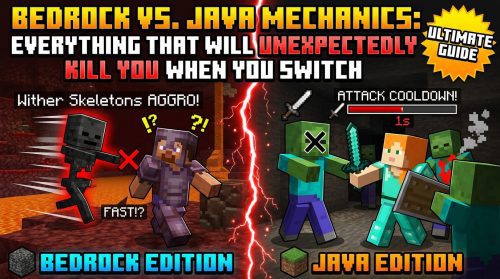
- Update Order Discrepancies (Java vs. Bedrock): This is one of the most significant differentiators between editions.
- Java Edition: While not purely random, Java Edition’s Redstone update order can be influenced by factors like locationality and quasi-connectivity. Components update based on their position and surrounding blocks, which can lead to subtle inconsistencies if not carefully managed.
- Bedrock Edition: Redstone in Bedrock Edition is notoriously less deterministic. When multiple components are powered simultaneously within the same game tick, the game randomly determines which one activates first. This non-deterministic update order makes it incredibly challenging to predict and control circuit behavior, often leading to desynchronization in complex builds.
- Quasi-Connectivity (QC): Exclusive to Java Edition, quasi-connectivity is a mechanic where certain blocks, primarily pistons and droppers, can be powered indirectly. They react to Redstone power up to two blocks away and above, or even diagonally. This “ghost powering” can cause components to activate unexpectedly or remain powered when they shouldn’t, introducing uncontrolled variables and disrupting the intended sequence of operations.
- Signal Strength Degradation: Redstone dust transmits power, but its strength diminishes by one for each block it travels. It starts at a strength of 15 and can only power components directly adjacent to it once its strength reaches 1. If a signal’s strength drops too low before reaching its intended destination, a component might fail to activate, or only weakly activate, leading to a segment of the circuit falling out of sync with the rest.
- Chunk Loading/Unloading: Minecraft worlds are divided into chunks, and only loaded chunks are actively processed. When a Redstone circuit spans across chunk borders, and parts of it unload (e.g., when a player moves away or the server restarts), its processing freezes. Upon reloading, components may not resume in their exact synchronized state, especially for continuous systems like clocks or Redstone links. Receivers might not reconnect to transmitters, or timings can reset incorrectly, causing a complete desynchronization.
- Player Desynchronization: Although not a direct Redstone circuit issue, “player desync” relates to network lag where the client and server have differing information about a player’s location. While it doesn’t directly cause Redstone components to desynchronize, it can lead to frustrating interactions with contraptions, where a player’s perceived action (like flipping a lever) doesn’t align with the server’s processing of the Redstone, creating a sensation of desync.
The Step-by-Step Path to Desynchronization
Understanding how these factors combine can shed light on why your meticulously planned Redstone contraption goes awry:
- Uneven Pulse Propagation: A Redstone signal is initiated, typically from a lever, button, or sensor.
- Varying Component Delays: As the signal travels, it encounters various components, each with its own inherent processing delay or unique reaction to pulse lengths. For instance, Redstone dust has minimal delay, but repeaters introduce configurable delays, and a Redstone torch might ignore a very short pulse entirely.
- Simultaneous Activation Points: The signal branches out, reaching multiple parts of the circuit that are designed to activate concurrently or in a specific, tight sequence.
- Unpredictable Update Order:
- Bedrock Edition: If these activations happen in the same game tick, the game’s random update order dictates which component fires first, leading to an inconsistent outcome every time.
- Java Edition: Even in Java, subtle positional differences or the influence of quasi-connectivity can cause one component to update fractionally before another, even if they appear to be triggered simultaneously.
- Desynchronized States: Because components activate in an unintended sequence or with incorrect timings, the circuit enters a desynchronized state. For example, a piston might extend too early, blocking another piston’s movement, or a door might not open fully.
- Chunk Borders & Reloading: If the circuit crosses chunk boundaries, and those chunks unload and then reload, the saved state of the Redstone components might not correctly re-establish synchronization, especially for time-sensitive elements like clocks or Redstone links, leading to a persistent desync.
Mastering Redstone: Essential Tips for Synchronization
Preventing desynchronization requires careful planning and a deep understanding of component behavior:
- Utilize Repeaters for Consistent Delays: Redstone repeaters are your best friend for precise timing. They not only prevent signal strength loss but also introduce predictable, configurable delays. Always ensure repeaters in critical timing loops, like clocks, are set to identical delays to prevent them from locking up or falling out of sync.
- Be Mindful of Short Pulses: Components like Redstone torches and comparators are finicky with 1 or 2-tick pulses. If you need a component to react reliably, ensure the pulse it receives is at least 3 ticks long, or use repeaters to extend shorter pulses.
- Contain Circuits within Single Chunks: Whenever possible, design critical Redstone contraptions to entirely fit within a single chunk. This mitigates the risk of desynchronization caused by chunk unloading and reloading, ensuring consistent operation.
- Introduce Delays in Bedrock Edition: Due to Bedrock’s non-deterministic update order, avoid relying on simultaneous activation for sequential events. Instead, intentionally introduce a 1-tick delay between components that need to activate in a specific order. This forces the game to process them sequentially.
- Isolate Redstone Lines Effectively: Prevent unwanted cross-talk or unintended connections by using repeaters, different block heights, or non-Redstone-conducting blocks to separate Redstone lines. This ensures signals only go where they are intended.
- Thoroughly Understand Component Behavior: Each Redstone component has its own unique quirks. Learn how repeaters, comparators, pistons, observers, and other elements function, including their specific delays, power requirements, and special mechanics like quasi-connectivity. This knowledge allows you to anticipate and design around potential issues.
Common Pitfalls Leading to Circuit Chaos
Even experienced builders can fall victim to these common Redstone mistakes:
- Overlapping Redstone Lines: Allowing Redstone dust to accidentally connect to unintended paths, or having a powered block inadvertently power an adjacent component, is a frequent cause of unexpected activations and desynchronization.
- Incorrect Pulse Timings: Sending a 1-tick pulse to a component that requires a longer activation, or conversely, using a repeater to inadvertently lengthen a crucial 1-tick pulse meant for a specific action (like a BUD switch), can throw off the entire circuit.
- Ignoring Quasi-Connectivity: Forgetting that pistons and droppers can be powered indirectly in Java Edition often leads to mysterious, unintended activations or components remaining powered when they should not, creating a persistent desync.
- Building Compactly Without Thorough Testing: While compact designs are aesthetically pleasing, they often hide subtle interactions, cross-powering issues, and tight timing windows that are difficult to diagnose. Always test compact builds extensively, or consider adding more space during the design phase for easier troubleshooting.
- Relying on Bedrock’s Simultaneous Activation: Expecting multiple components powered at the exact same moment in Bedrock Edition to always activate in a specific, desired order is a recipe for inconsistency, given its random update order.
- Uncontrolled Redstone Clocks: Improperly designed or stopped repeater clocks can lock into a perpetually “on” state if repeaters within the loop are set to different timings or if one is locked while powered, causing continuous and unintended activation.
Mastering Redstone in Minecraft is a journey of understanding its intricate physics and temporal mechanics. By recognizing the causes of desynchronization, from the subtle differences between game and Redstone ticks to the unpredictable nature of chunk loading and Bedrock’s update order, you can build more robust, reliable, and impressive contraptions that consistently perform as intended.
Tags:
YOU MAY ALSO LIKE...