Adding Clickable Links to Chat Using Tellraw, Explained
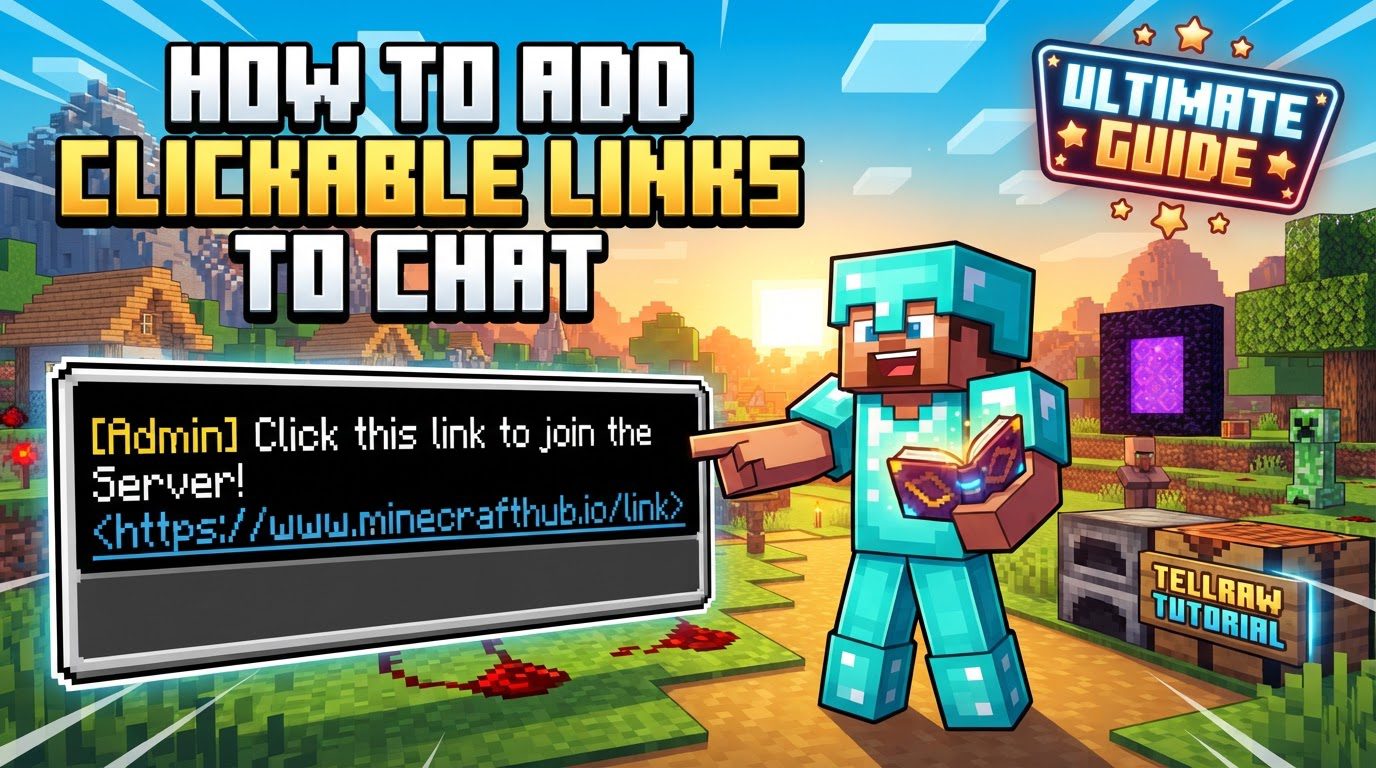
Adding interactive elements to your Minecraft chat can significantly enhance the player experience, allowing for seamless navigation to external resources or execution of in-game commands. The cornerstone of this functionality is the /tellraw command, a powerful tool that leverages JSON (JavaScript Object Notation) to craft highly customized and interactive messages within the game’s chat system.
Understanding the Core Mechanics of /tellraw
The /tellraw command is not just another chat command; it’s a gateway to advanced text manipulation in Minecraft. It bypasses the standard chat parser, giving you unparalleled control over how messages appear and behave. Here are the fundamental principles:
- JSON-Formatted Messages: At its heart,
/tellrawsends messages structured as JSON. This format allows for a vast array of properties to be applied to text, from simple colors to complex interactive events. - Targeted Delivery: Unlike regular chat,
/tellrawmessages can be directed to specific players or groups of players using player names or target selectors (e.g.,@a,@p,@s). - The
"clickEvent"Property: This is the key to creating clickable links. Within a text component’s JSON, including a"clickEvent"property transforms that text into an interactive element. - Action and Value: The
"clickEvent"property requires two sub-properties:"action"and"value". For opening a web link, the"action"is typically set to"open_url", and the"value"is the actual URL you wish to open. - Beyond Links: While this guide focuses on web links,
/tellrawalso supports other interactive elements, such as"hoverEvent"(displaying text, item, or entity information on mouse-over) and various text formatting options like color, bold, and italics.
Step-by-Step Guide to Adding Clickable Web Links
Creating your first clickable link using /tellraw is a straightforward process once you understand the JSON structure. Follow these steps carefully:
-
Initiate the Command: Begin by typing the basic
/tellrawcommand structure into your chat or command block:/tellraw <target> <JSON text component>
-
Define Your Target: Replace
<target>with the player or players who will receive the message. Common target selectors include:@a: All players currently online.@p: The nearest player to where the command is executed.@s: The player executing the command (yourself).- A specific player’s username.
-
Construct the JSON Message: The entire message, including text and events, must be enclosed within curly braces
{}. This signifies a single JSON object. -
Specify the Display Text: Inside the curly braces, define the text that players will see in chat. This is done using the
"text"property:"text":"Your clickable text here"
-
Incorporate the Click Event: Immediately after the
"text"property (and separated by a comma,), add the"clickEvent"property. This property itself is another JSON object, containing the"action"and"value":"clickEvent":{"action":"open_url","value":"https://example.com"}- Remember to replace
"https://example.com"with the actual URL you want to open.
-
Assemble the Full Command: Combining all these elements, your command will look similar to this example:
/tellraw @a {"text":"Click here for a helpful website!","color":"blue","underlined":true,"clickEvent":{"action":"open_url","value":"https://www.minecraft.net/"}}- This command sends a message to all players (
@a). The message text is “Click here for a helpful website!”. It’s colored blue and underlined for visual emphasis. When a player clicks this text, their web browser will open to the Minecraft official website.
Important Tips for Advanced Usage and Best Practices
While the basic structure is simple, mastering /tellraw involves understanding several nuances and leveraging additional features:
-
Utilize Online Generators: For commands that involve multiple text components, complex formatting, or nested events, manually writing JSON can be prone to errors. Online
/tellrawgenerators (such as minecraftjson.com or mcstacker.net) are invaluable tools. They provide a user-friendly interface to build commands, generate the correct JSON, and significantly reduce the chance of syntax mistakes. -
Always Include
https://orhttp://: For any URL specified in the"value"of an"open_url"action, it is crucial to prepend eitherhttps://orhttp://. Omitting this protocol prefix will prevent the link from functioning correctly, as the game will not know how to interpret the destination. -
Explore
"run_command": Beyond opening web links, the"clickEvent"can also execute in-game commands. By setting the"action"to"run_command"and the"value"to a Minecraft command (e.g.,"/tp @s 100 64 200"or"/give @p diamond"), you can create interactive buttons that trigger server-side actions. This is incredibly useful for custom maps, minigames, or server hubs. -
Enhance Readability with Formatting: Make your clickable links stand out and convey meaning through formatting. You can add a
"color"property (e.g.,"color":"red", or hex codes like"#FF0000"for Minecraft 1.16+). Other modifiers like"bold":true,"italic":true, or"underlined":truecan further improve visibility and user experience. -
Master Escape Characters: When your text or command
"value"needs to contain quotation marks, you must “escape” them to prevent JSON syntax errors. This is done by preceding the inner quotation mark with a backslash (\"). For example,"text":"He said, \"Hello!\"". -
Understand Player Confirmation: As a security measure, Minecraft displays a confirmation dialog to the player before opening any external URL. This is designed to protect players from potentially malicious links and is a standard feature that cannot be bypassed by the command itself.
Common Mistakes to Avoid
Working with JSON can be finicky, and even experienced users can make errors. Being aware of these common pitfalls will save you time and frustration:
-
Incorrect JSON Syntax: This is by far the most frequent source of errors. JSON requires precise syntax. Missing or misplaced curly braces
{}, square brackets[](for arrays of text components), commas,between properties, or unclosed quotation marks"will cause the command to fail. Always double-check your syntax, especially when dealing with multiple properties or nested objects. -
Java vs. Bedrock Edition Syntax Differences: It’s crucial to distinguish between Minecraft Java Edition and Bedrock Edition command syntax. While Java Edition directly uses a JSON object for the message, Bedrock Edition often requires wrapping the JSON in a
"rawtext"array, like/tellraw @a {"rawtext":[{"text":"Your text here"}]}. Ensure you are using the correct format for your specific game version. -
Typos in Actions or Values: Simple spelling mistakes in
"action"types (e.g.,"open_url"instead of"open_url") or invalid URLs/commands in the"value"field will result in a non-functional click event. Pay close attention to detail when typing these crucial elements. -
Insufficient Permissions for
"run_command": If you’re using"action":"run_command", the player who clicks the link must possess the necessary in-game permissions to execute that specific command. For instance, a player in Adventure mode cannot typically use/giveunless specifically granted permission. If permissions are lacking, the command will simply not run for that player. -
Overly Long Commands in Chat: While technically not a mistake, typing extremely long and complex
/tellrawcommands directly into the chat window can be cumbersome and error-prone. For such cases, it is far more practical to use a command block, which offers more space and allows for easier editing, or to generate the command using an online tool and then paste it.
By understanding and applying these techniques, you can effectively leverage the /tellraw command to create dynamic and interactive chat experiences within your Minecraft world, guiding players to resources or empowering them with in-game actions at the click of a button.
Tags:
YOU MAY ALSO LIKE...