Generating a Single Biome World Type — A Quick Guide
Understanding Single Biome Worlds in Minecraft
Creating a world composed entirely of a single biome offers a unique and often challenging Minecraft experience. This specialized world generation type significantly alters gameplay by concentrating resources and environmental features, providing a distinct canvas for survival, building, or exploration. The methods for achieving a single biome world differ between Minecraft Java Edition and Minecraft Bedrock Edition, reflecting the distinct architectures and user interfaces of each version.
Key Mechanics of Single Biome Generation
The fundamental principle of a single biome world is to populate the entire Overworld dimension with a chosen biome. However, the exact implementation and resulting terrain can have some nuances:
- Java Edition’s Built-in Feature: Minecraft Java Edition provides a direct and user-friendly method for generating these worlds. It includes a specific “Single Biome” world type option within its world creation interface, allowing players to easily select their preferred biome from an extensive list.
- Bedrock Edition’s External Requirement: In contrast, Minecraft Bedrock Edition does not feature an in-game user interface option for single biome worlds. To achieve this, players typically need to utilize external websites or specialized tools that can generate or modify world seeds and settings.
- Overworld Dominance: When a single biome is selected, the Overworld will be almost exclusively composed of that chosen biome. This means vast stretches of land, oceans, or other features will conform to the chosen type.
- Nether and End Dimensions: Regardless of the Overworld’s single biome setting, the Nether and End dimensions generally generate normally, retaining their characteristic biomes and structures.
- Nether or End Biomes in the Overworld: An interesting quirk arises if a Nether biome (like a Warped Forest) or an End biome (like an End Barrens) is selected for the Overworld. In such cases, players will still spawn within the Overworld dimension. The terrain will primarily consist of basic Overworld blocks (like dirt, stone, grass), but the game’s internal detection will identify these areas as the chosen Nether or End biome type. This means the visual landscape will not be a true representation of that dimension’s native appearance, despite the biome classification.
- Structure Generation: Structures that are naturally associated with the chosen biome can still generate. For instance, if you create a world entirely of desert, desert temples and villages will have a chance to spawn within it, providing specific resources or challenges.
- Terrain Nuances: It’s important to note that the terrain generation in a single biome world may not always perfectly replicate the natural, diverse generation of that biome when it appears as part of a standard world. For example, selecting a “windswept savanna” as a single biome might not guarantee its characteristic towering mountains and high terrain across the entire map, as it might in a naturally generated world where it transitions with other biomes.
Step-by-Step Process for Minecraft Java Edition
Generating a single biome world in Minecraft Java Edition is a straightforward process, thanks to its integrated world type option:
- Open Minecraft: Launch your Minecraft Java Edition game client.
- Navigate to Singleplayer: From the main menu, select the “Singleplayer” option.
- Create New World: Click on the “Create New World” button to begin the world generation setup.
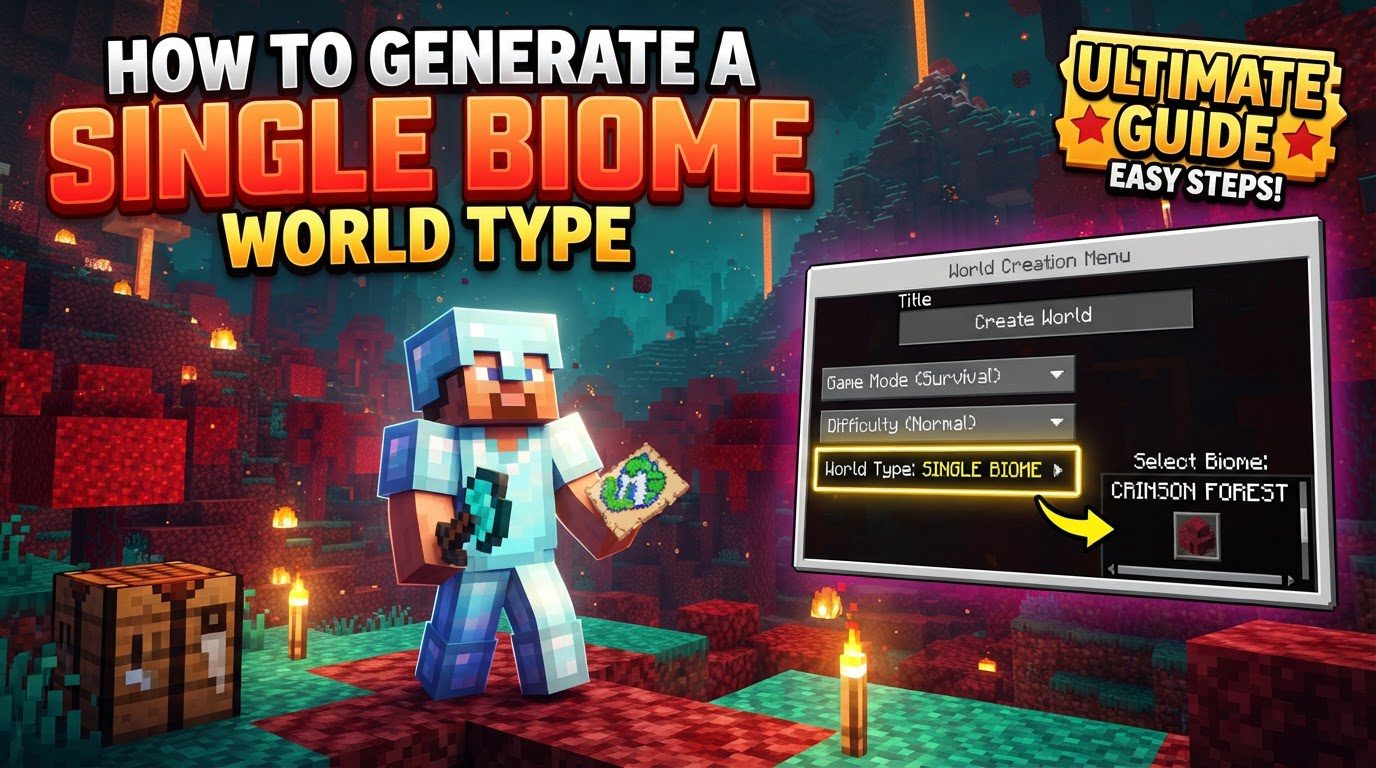
- Select World Type: Locate the “World Type” option. By default, this is usually set to “Default”. Click this button repeatedly until “Single Biome” appears as the selected world type.
- Customize Biome: Once “Single Biome” is chosen, a “Customize” button will appear directly below the “World Type” option. Click this button to proceed.
- Choose Your Biome: A list of available biomes will be displayed. Scroll through the list and select your desired biome for the entire Overworld.
- Configure Other Settings: Adjust any other world settings as you normally would, such as the game mode (Survival, Creative, Adventure, Spectator), difficulty level, and whether to use a specific seed.
- Create World: Finally, click the “Create New World” button to generate and immediately enter your newly created single biome world.
Step-by-Step Process for Minecraft Bedrock Edition
Minecraft Bedrock Edition requires an alternative approach due to the absence of an in-game UI option for single biome worlds:
- Access External Tool: Open your web browser and navigate to a reputable external world generation tool website. Examples include “MCBE Essentials” or “superflat.crackedmagnet.com,” which are known to offer such functionalities.
- Choose Single Biome Option: On the selected website, look for an option specifically designed for creating an “infinite single biome” world.
- Select Preferred Biome: From the list or dropdown menu provided by the tool, choose the biome you wish to have for your entire Overworld.
- Download World File: The website will then generate a world file based on your selections. Download this file, which typically comes in the `.mcworld` format.
- Import World: Locate the downloaded `.mcworld` file on your device. Double-clicking or opening this file will automatically initiate the import process into your Minecraft Bedrock Edition game.
- Launch and Play: Once the import is complete, launch Minecraft Bedrock Edition. The newly imported single biome world will appear in your list of playable worlds, ready for you to explore.
Important Tips for Single Biome Worlds
Venturing into a single biome world can present unique challenges and experiences. Keep the following tips in mind:
- Resource Scarcity: Be acutely aware of potential resource limitations. Biomes such as deserts or ice spikes naturally lack essential resources like wood, making the early game particularly challenging for survival. Certain specialized resources, like clay, might only be found in specific structures within the biome, such as villages in a desert world.
- Biome Quirkiness: Even in a world designated as a single biome, some natural variations can occur. For instance, a deep ocean biome, when selected as a single biome, might still generate small, distinct islands scattered across its vast expanse.
- Nether/End Biomes in Overworld Clarification: As mentioned, if you choose a Nether or End biome for your Overworld, you will still spawn in the Overworld. The landscape will largely consist of normal Overworld blocks (like stone, dirt, grass, and water). While the game will internally detect the biome as your chosen Nether/End type, the visual appearance will not mimic the true dimension.
- Natural Water Bodies: Even in Overworld biomes, natural water bodies such as rivers, lakes, and even small ponds may still generate within your chosen single biome, providing some ecological variation.
- Challenge Mode: Single biome worlds often transform standard Minecraft gameplay into a more intensive challenge mode. The limited availability of resources and the unique environmental puzzles posed by a homogeneous landscape can significantly alter survival strategies and require creative problem-solving.
Common Mistakes to Avoid
To ensure a smooth experience when setting up your single biome world, be mindful of these common pitfalls:
- Bedrock Edition UI Search: Do not waste time searching for a “Single Biome” option directly within Minecraft Bedrock Edition’s in-game world creation menu. This feature is not present in its user interface and requires external tools.
- Misconceptions about Nether/End Biomes: Avoid expecting a full Nether or End landscape to magically generate in the Overworld when selecting those biomes as a single world type. The block palette will predominantly remain Overworld-based, despite the biome classification.
- Post-1.18 Generation Issues: Following the 1.18 “Caves & Cliffs” update, some single biome generations, especially those involving water-related biomes (like oceans) or Nether/End biomes in the Overworld, might occasionally result in “unnatural” terrain or unexpected generation glitches. In such cases, the community sometimes develops mods or datapacks that can help address and rectify these specific issues for a more consistent experience.
Tags:
YOU MAY ALSO LIKE...