Create Design N’ Decor
One of the most common pitfalls builders encounter in Minecraft is the creation of flat, undetailed structures that lack depth and character. This often results in interiors that feel monotonous or exteriors that blend unremarkably into the landscape. Fortunately, for those deeply invested in the engineering marvels and logistical puzzles of the Create mod, there exists an elegant solution to these aesthetic dilemmas: “Create: Design N’ Decor.” This exceptional add-on elevates the decorative possibilities within your Create-powered worlds, transforming functional contraptions and sprawling factories into visually captivating masterpieces.
What is Create: Design N’ Decor?
“Create: Design N’ Decor” is an indispensable extension specifically crafted for the popular Minecraft “Create” mod. It does not function as a standalone modification; rather, it builds upon the robust foundation of Create, expanding its capabilities with a keen focus on aesthetic enhancement and quality-of-life decoration features. Imagine the intricate machinery of Create, now complemented by an array of decorative elements designed to seamlessly integrate with its distinct steampunk-inspired visual style.
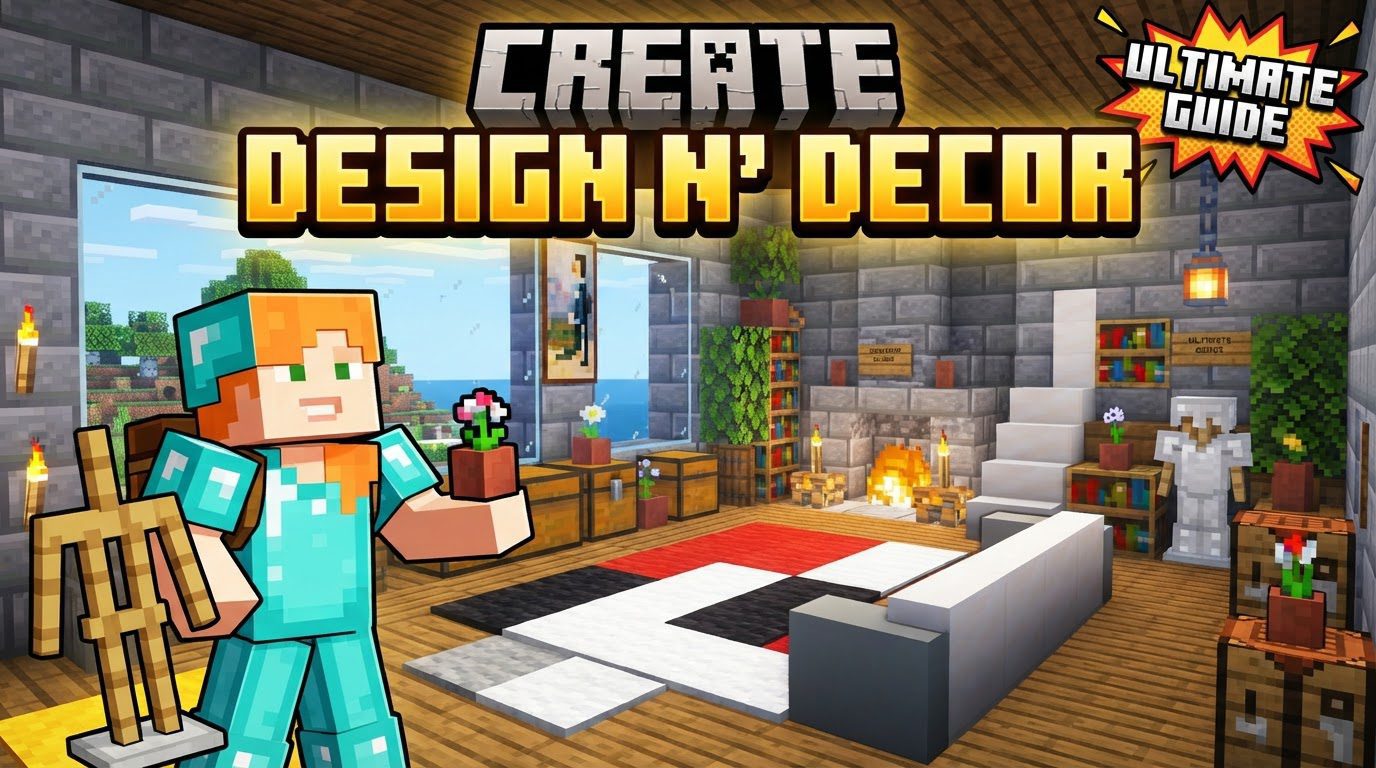
The primary objective of this add-on is to enrich your building experience by introducing a wealth of new block variants and decorative items. These aren’t just arbitrary additions; they are carefully designed to fit the Create mod’s existing aesthetic and functional language. For instance, you might find variants of familiar Create blocks, such as crushing wheels or various containers, reimagined with new textures or slight structural alterations that open up fresh decorative avenues without compromising their original utility. This dedication to visual and thematic consistency ensures that every new block feels like a natural part of your Create world, rather than an intrusive element.
A significant aspect of “Create: Design N’ Decor”‘s development philosophy is its community-driven nature. The creators actively incorporate player feedback, ensuring that the features and decorative options provided are precisely what the community desires to enhance their builds. This collaborative approach means the mod continuously evolves to meet the aesthetic demands of its user base, delivering tools that genuinely empower builders to express their creativity.
Furthermore, “Create: Design N’ Decor” boasts broad compatibility across various Minecraft mod loaders. Whether your current setup utilizes NeoForge, Forge, Fabric, or Quilt, this add-on is designed to integrate smoothly, making it accessible to a wide range of players regardless of their preferred modding environment. This flexibility ensures that almost any Create enthusiast can incorporate its decorative prowess into their game.
Laying the Foundation: Principles of Thoughtful Decoration
While “Create: Design N’ Decor” provides the tools, effective decoration begins with a solid plan. The mod doesn’t dictate a specific “process” for its own items, but it empowers you to execute general, tried-and-true Minecraft decorating principles with greater flair and precision. Consider these foundational steps before diving into the intricate details:
- Define Room Function and Layout: Before placing a single decorative block, clarify the purpose of each room. Is it a bustling factory floor, a cozy living quarter, or a grand entrance hall? This definition will guide your layout choices and dictate the appropriate decorative style. Sketching out a floor plan, even roughly, can prevent costly redesigns later.
- Build with Dimension: Avoid single-block thick walls, floors, and ceilings. Employing double-thick (or more) construction provides crucial depth. This extra space allows for hidden lighting, intricate wall patterns, recessed windows, and varied ceiling designs, all of which contribute significantly to a more dynamic and visually interesting interior. “Create: Design N’ Decor”‘s block variants excel here, offering new textures and shapes to fill these dimensional spaces.
- Vary Room Shapes: Rectangular rooms can quickly become monotonous. Experiment with different room shapes like round chambers, oval spaces, or even split-level designs. Introducing angles and curves adds architectural interest and makes each area feel unique. The mod’s decorative elements can help soften sharp corners or accentuate curved walls.
- Integrate Lighting Thoughtfully: Lighting is paramount for ambiance. Design your structures to allow for ample natural light where appropriate, utilizing large windows or skylights. Supplement this with a variety of artificial light sources – not just torches. Different light blocks, custom fixtures, or even hidden light sources can dramatically alter a room’s mood and highlight decorative features.
Elevating Your Builds: Essential Decorating Tips with Design N’ Decor
With “Create: Design N’ Decor” at your disposal, the possibilities for enhancing your Minecraft builds are virtually limitless. Here are key tips to leverage the mod’s offerings and transform your structures:
- Utilize a Variety of Blocks: This is where “Create: Design N’ Decor” truly shines. Don’t limit yourself to one or two block types. Mix different block textures, materials, and colors to add depth, contrast, and visual interest. The mod’s new variants of existing Create blocks provide an expanded palette that ensures aesthetic cohesion with your machinery while offering new decorative opportunities.
- Consider Layout and Flow: Beyond individual rooms, think about how spaces connect and transition. A well-planned layout guides the player’s eye and ensures a logical and visually appealing arrangement of rooms and elements. Decorative pathways, archways, and subtle changes in block patterns can enhance this flow.
- Add Greenery: Incorporating plants, flowers, and other forms of plant life is an instant way to beautify any space. Whether it’s a potted plant on a shelf, a lush garden outside a window, or vines creeping up a factory wall, greenery adds life and color.
- Experiment with Furniture: Craft realistic-looking furniture using diverse blocks and clever techniques. Tables, chairs, beds, and storage units can be constructed in countless ways. “Create: Design N’ Decor” might introduce new functional or purely aesthetic blocks that lend themselves perfectly to intricate furniture designs, allowing for greater detail than vanilla blocks alone.
- Use Maps and Banners: These items are incredibly versatile for unique decorative accents. Custom maps can become paintings or elaborate wall art, while banners can add heraldry, signage, or patterned wall hangings, contributing to a specific theme or aesthetic.
- Display Items Thoughtfully: Showcase your rare or important items as part of your decor. Item frames, pedestals, or custom display cases can turn prized possessions into focal points, adding personality and a sense of history to your builds.
- Harness Natural Light: Beyond just lighting, design your structures to maximize natural light. Large windows, skylights, and open-air sections can flood rooms with brightness, making them feel more spacious and welcoming.
- Employ Two-Block Thick Walls: Reiterate this crucial point. The depth provided by two-block thick walls is invaluable. It allows for intricate wall designs, hidden wiring (for Create contraptions), and the ability to recess decorative elements, creating a much more sophisticated look.
- Introduce Color Variety: While maintaining a cohesive palette, introduce different colored walls, floors, or accents. This prevents monotony and can define different zones within a larger space. “Create: Design N’ Decor”‘s expanded block selection can offer new shades and textures to achieve this without clashing with the Create aesthetic.
Common Decorating Pitfalls to Avoid
Even with the best tools, certain mistakes can undermine your decorative efforts. Being aware of these common traps, especially when working with an add-on like “Create: Design N’ Decor” which provides so much creative freedom, will help you produce superior results:
- Flat, Undetailed Builds: This is the cardinal sin of Minecraft building. Neglecting depth, varying textures, and intricate details will always result in uninspired structures. Use “Create: Design N’ Decor”‘s variants to break up large surfaces and add subtle complexities.
- Poor Lighting: Inadequate or monotonous lighting can make even the most beautifully designed interiors feel dull, unwelcoming, or even claustrophobic. Avoid relying solely on a single light source type; instead, layer different light sources to create varied moods and illuminate specific features.
- Lack of Theme/Cohesion: Designs without a consistent theme, color scheme, or architectural style can appear messy and disjointed. Decide on a theme (e.g., industrial, rustic, futuristic) and stick to it, allowing “Create: Design N’ Decor”‘s elements to support that chosen aesthetic.
- Ignoring the Surroundings: Building without considering the biome or the exterior landscape can create a disconnected aesthetic. Your structure should ideally complement or contrast harmoniously with its environment, not clash with it.
- Over-reliance on a Single Block Type: Using only one type of block for large surfaces, such as an entire wall or floor, inevitably leads to monotonous builds. “Create: Design N’ Decor” provides the perfect antidote with its diverse block variants, encouraging you to mix and match.
- Cramped Spaces: Not allowing enough space for rooms, corridors, or furniture can make interiors feel claustrophobic and uninviting. Always consider the scale of your furniture and the movement flow within a room.
- Unrealistic Furniture Scale: Building furniture that doesn’t fit the scale of the room or the player character can look awkward and break immersion. Pay attention to proportions to ensure your decorative pieces feel natural within their environment.
Conclusion
“Create: Design N’ Decor” is more than just another add-on; it’s a vital companion for any serious builder utilizing the Create mod. By providing a rich array of new block variants and decorative items, it directly addresses the need for enhanced aesthetic possibilities within the game. It empowers players to move beyond purely functional designs, transforming their intricate contraptions and expansive bases into truly personalized, visually stunning works of art. Whether you’re aiming for a grimy industrial aesthetic, a charming steampunk abode, or something entirely unique, this mod provides the tools to bring your creative vision to life, ensuring your Minecraft builds are never again flat or undetailed.
Tags:
YOU MAY ALSO LIKE...