Handcrafted 1.20.1
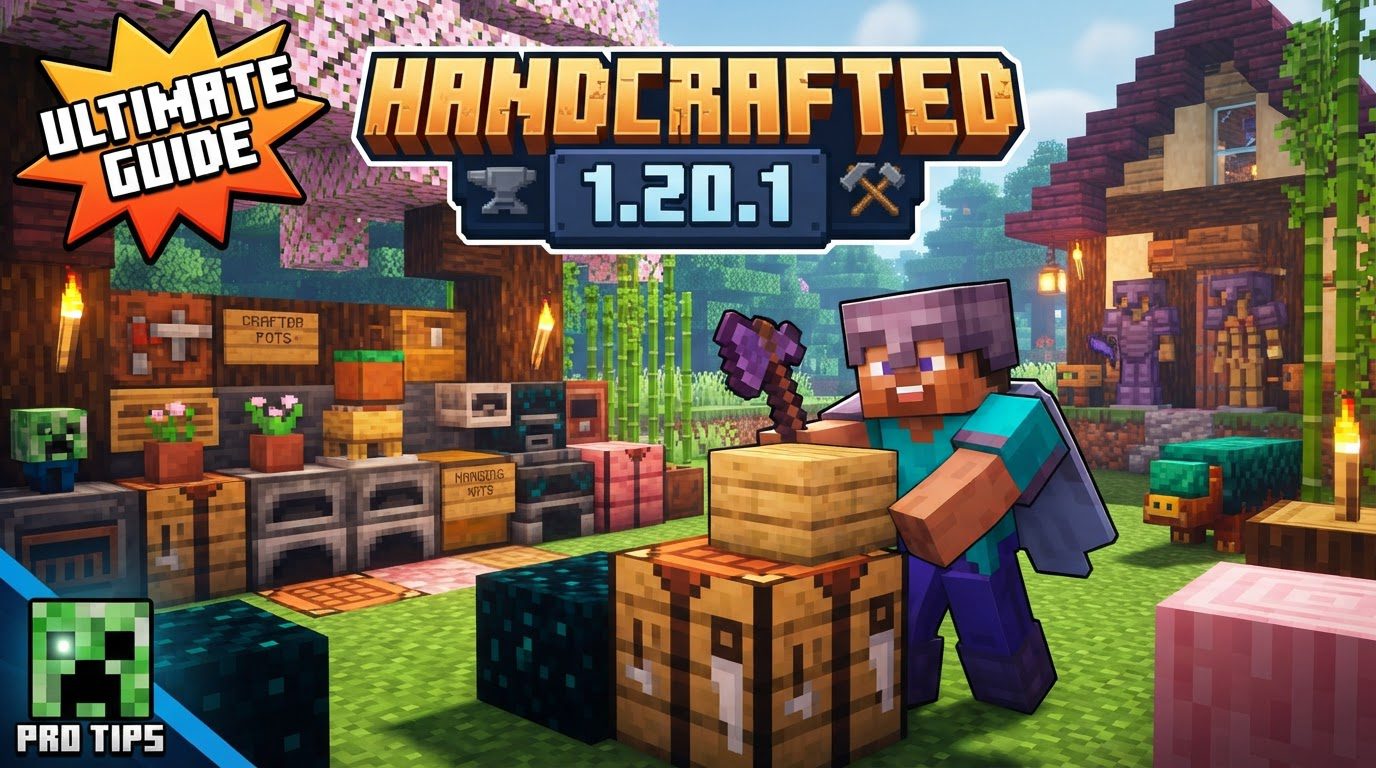
Over 250 new decorative items await your Minecraft world, transforming humble dwellings into bespoke architectural marvels. This staggering collection is the core offering of the “Handcrafted” mod for Minecraft 1.20.1, a popular addition designed to significantly expand the game’s aesthetic possibilities. Far from just another block pack, Handcrafted introduces an extensive array of furniture and decorative elements, allowing players to infuse their builds with unparalleled detail and personality across various styles.
Elevating Your Minecraft Aesthetics with Handcrafted 1.20.1
The “Handcrafted” mod for Minecraft 1.20.1 is a comprehensive decoration mod that breathes new life into interior and exterior design within the game. Its primary appeal lies in its vast collection, boasting over 250 distinct pieces of furniture and decorative items. This extensive catalog empowers players to move beyond basic block constructions, enabling the creation of truly unique and visually rich environments.
One of the mod’s strengths is the sheer variety of styles it encompasses. Whether your building aesthetic leans towards the whimsical and magical fantasy, the sturdy and rustic medieval, the intricate and mechanical steampunk, or even just an enhanced vanilla-inspired look, Handcrafted offers items to match. This stylistic diversity ensures that the mod seamlessly integrates into a wide range of build themes, providing suitable decorative solutions for virtually any project.
Beyond the quantity and variety, customization is a key feature. Many items within the Handcrafted mod are not static; they can be dyed to fit specific color palettes, allowing for greater aesthetic control and cohesion within your builds. Furthermore, certain furniture pieces, such as drawers and counters, offer changeable layouts. This modularity means players can adapt items to their specific space and functional needs, rather than being confined to a single design.
The mod strikes a balance between purely decorative elements and functional additions. While many items are designed solely to enhance visual appeal, Handcrafted also includes functional furniture. Players can utilize chairs, tables, and benches for seating, or incorporate desks, beds, and nightstands to furnish living spaces. Crucially, items like drawers, shelves, wardrobes, and cupboards aren’t just for show; they often provide storage capabilities, adding practical utility alongside their decorative value. Unique decorative elements further enrich the experience, with items such as mob trophies – like a goat head – and various decorative trims available to add intricate details to structures.
Seamless Integration: Installing Handcrafted for 1.20.1
To embark on your journey of enhanced Minecraft decoration with Handcrafted, proper installation is paramount. The mod, like many others, requires a compatible mod loader to function within your Minecraft client. For version 1.20.1, Handcrafted is available for popular mod loaders such as Fabric, Forge, and NeoForge. It is crucial to ensure you have one of these installed and configured correctly for your Minecraft version before proceeding.
An equally vital component for Handcrafted’s operation is its required dependency: the “Resourceful Library” mod. This library provides foundational code that Handcrafted relies upon, and without it, the mod will not run correctly, if at all. Both Handcrafted and Resourceful Library must be downloaded for the same Minecraft version (1.20.1) and for the same mod loader (e.g., both for Fabric or both for Forge).
Players can reliably download both the “Handcrafted” mod and the “Resourceful Library” from reputable modding platforms. Modrinth and CurseForge are excellent sources, offering up-to-date files and ensuring compatibility information is readily available.
The installation process itself is straightforward, provided you follow these steps precisely:
- Step 1: Verify Your Environment. Ensure that you have Minecraft version 1.20.1 installed and that a compatible mod loader (Fabric, Forge, or NeoForge) is correctly set up for that version. If you haven’t installed a mod loader yet, you’ll need to do so first.
- Step 2: Download the Necessary Files. Navigate to your preferred modding platform (Modrinth or CurseForge) and download the “Handcrafted” mod file. Immediately after, download the “Resourceful Library” mod file. Double-check that both files specify compatibility with Minecraft 1.20.1 and your chosen mod loader (e.g., “Handcrafted-1.20.1-fabric.jar” and “ResourcefulLibrary-1.20.1-fabric.jar”).
- Step 3: Place Mods in Your Directory. Locate your Minecraft installation directory. Inside, there should be a folder named ‘mods’. Copy and paste both the downloaded “Handcrafted” and “Resourceful Library” mod files directly into this ‘mods’ folder.
- Step 4: Launch Minecraft. Start your Minecraft launcher. Make sure you select the profile associated with your installed mod loader (e.g., “Fabric Loader 1.20.1” or “Forge 1.20.1”) before clicking ‘Play’. If installed correctly, Handcrafted’s items will now be available in your game.
Maximizing Your Handcrafted Experience: Essential Tips
To ensure a smooth and enjoyable experience with Handcrafted, a few key practices can help prevent common frustrations and enhance gameplay:
- Always Check Compatibility: This cannot be stressed enough. Before downloading any mod, including Handcrafted and its dependencies, meticulously verify that the mod’s version number matches your Minecraft version (1.20.1) and that it is designed for your specific mod loader (Fabric, Forge, or NeoForge). Mismatched versions are a leading cause of game crashes and mod failures.
- Utilize JEI (Just Enough Items): With over 250 new items, remembering or discovering all crafting recipes for Handcrafted can be a daunting task. The “Just Enough Items” (JEI) mod is an indispensable companion for any modded Minecraft playthrough. Installing JEI alongside Handcrafted will provide an in-game interface to instantly view all crafting recipes, item usages, and item IDs, making it incredibly easy to craft and experiment with all the new furniture and decorations. It’s available for both Fabric and Forge/NeoForge.
- Back Up Your Worlds Religiously: Modding, while rewarding, introduces variables that can occasionally lead to unexpected issues, such as world corruption or incompatible saves. Before adding Handcrafted or any other mod to an existing world, always create a backup copy of that world save. This simple step can save countless hours of progress and prevent significant data loss should something go awry. You can usually find your world saves in the ‘saves’ folder within your Minecraft directory.
Navigating Potential Pitfalls: Common Modding Mistakes
Even experienced players can stumble into common modding traps. Being aware of these potential issues can save you time and frustration when working with Handcrafted:
- Version Incompatibility: One of the most frequent errors is attempting to run a mod designed for a different Minecraft version. For instance, using a 1.19.2 mod on a 1.20.1 installation will almost certainly result in your game crashing on startup or failing to launch entirely. Always confirm the mod version matches your game version.
- Mod Loader Mismatch: Fabric and Forge (or NeoForge) are distinct mod loaders. A mod built for Fabric cannot be used with a Forge installation, and vice-versa. Attempting to mix and match will lead to immediate errors and prevent your game from starting. Ensure that Handcrafted and all its dependencies are downloaded for the specific mod loader you are using.
- Missing Dependencies: As highlighted, “Resourceful Library” is a critical dependency for Handcrafted. Forgetting to install it, or installing an incompatible version of it, will prevent Handcrafted from loading correctly. The game will likely crash with an error message indicating a missing or incompatible dependency.
- Adding Too Many Mods at Once: While the allure of many new features is strong, installing a large number of mods simultaneously can complicate troubleshooting. If your game crashes after adding a big batch of mods, pinpointing the specific culprit becomes incredibly difficult. It’s advisable to add mods in smaller groups, testing after each addition, to easily identify any conflicting or problematic mods.
- Post-Update Issues: Minecraft’s major version updates (e.g., from 1.20 to 1.20.1, or 1.20.1 to 1.20.2) frequently break mod compatibility. When Minecraft updates, mods typically require updates from their developers to function with the new game version. If your game updates, be prepared for your mods, including Handcrafted, to temporarily stop working until their respective developers release compatible updates.
- Graphical Glitches: Some users have reported specific graphical issues with Handcrafted. These can manifest as ambient occlusion bugs, where unusual or overly dark shadows appear on Handcrafted models, particularly when they are placed directly against other blocks. This phenomenon is often attributed to the models’ geometry slightly exceeding the standard block size, causing the game’s lighting engine to render shadows incorrectly. While often minor, it can be a visual quirk to be aware of.
By understanding and applying these insights, you can fully leverage the creative potential of the Handcrafted mod, transforming your Minecraft builds into intricately detailed and personalized masterpieces.
Tags:
YOU MAY ALSO LIKE...