Building a Fully Automatic Sorting System for a Mega Base
Building a Fully Automatic Sorting System for Your Minecraft Mega Base
For any ambitious Minecraft mega base builder, efficient item management quickly becomes a paramount concern. Manually sorting thousands of blocks, resources, and unique items is a tedious and time-consuming task that can detract from the joy of creation. A fully automatic sorting system is the ultimate solution, providing seamless organization and ensuring that every item finds its designated place. This guide will walk you through the essential mechanics, construction steps, and critical considerations for building a robust and expandable sorting system.
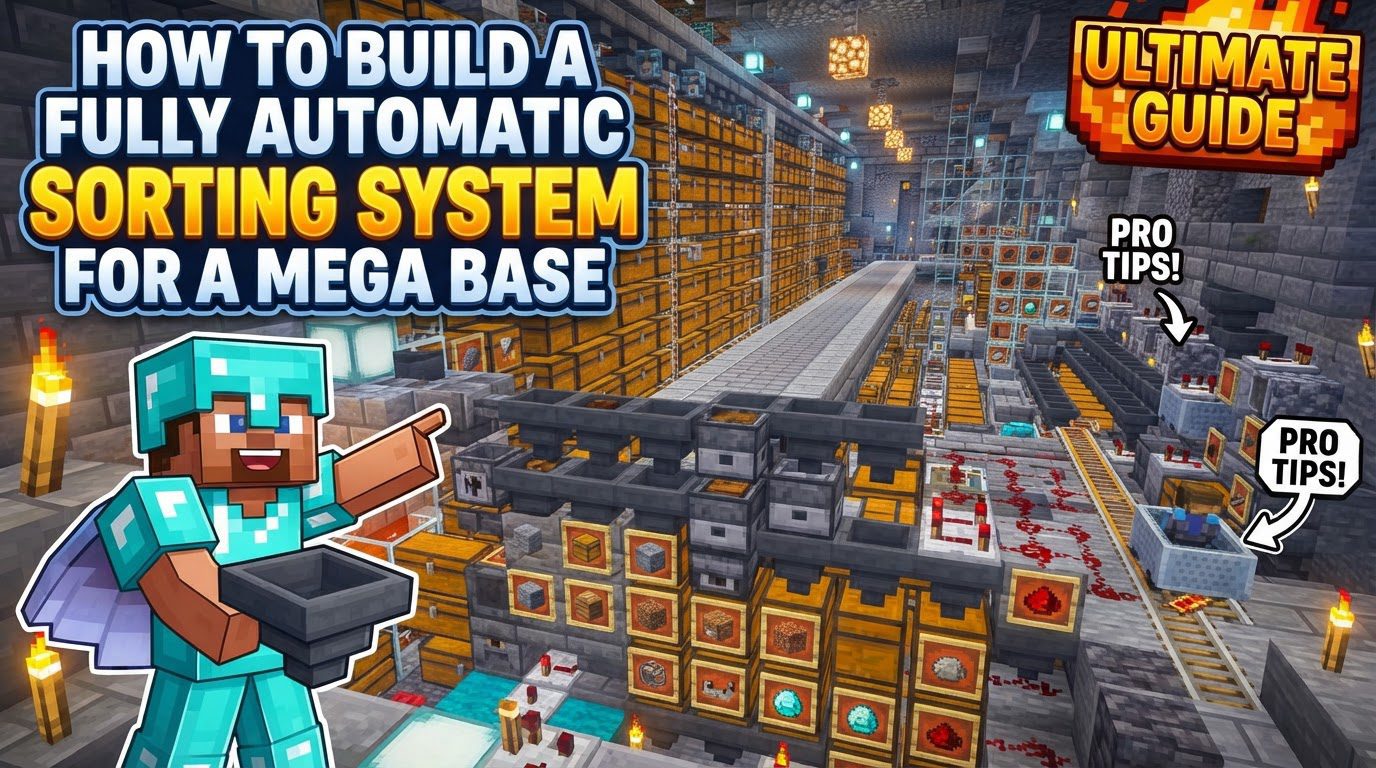
Understanding the Core Mechanics
Automatic sorting systems are engineering marvels in Minecraft, relying on a sophisticated interplay of fundamental redstone components. Mastering these mechanics is key to designing and troubleshooting your system.
- Hoppers: These are the workhorses of any sorting system. Hoppers possess the unique ability to pull items from inventories directly above them and push them into any inventory they are pointed at. Crucially, hoppers can also be “locked” with a redstone signal. When locked, a hopper will cease to move items, a property vital for item filtering.
- Comparators: Comparators are intelligent redstone components that can detect the fill level of an inventory block, such as a hopper or chest. When placed to read a hopper, a comparator emits a redstone signal strength that directly corresponds to the number of items inside. This signal strength is the trigger for the entire sorting process.
- Redstone Dust: The circulatory system of any redstone contraption, redstone dust transmits power and signals from one component to another, activating or deactivating parts of the circuit as needed.
- The Item Filter Principle: The heart of each sorting module is a specialized hopper configuration. A typical item filter utilizes a hopper that contains 41 of the desired item in its first inventory slot. The remaining four slots are then filled with “filler” items, such as renamed blocks or any random, unstackable item that will not enter the sorting system. When an incoming item matches the desired item, it enters the filter hopper, increasing the total count to 42. A comparator reading this hopper detects the change in fill level and emits a stronger redstone signal. This activated signal then triggers a redstone circuit, which allows the items to be pulled into a dedicated storage chest below.
Step-by-Step Construction Guide
Building your sorting system involves a sequence of interconnected steps, starting with your storage and ending with the input mechanism.
- Establish Storage: Begin by placing a row of double chests. These will serve as the primary storage for your sorted items. Ensure you leave ample space above and behind these chests for the hoppers and redstone circuitry.
- Connect Storage Hoppers: Position hoppers directly above or leading into the top of these double chests. These hoppers will receive the sorted items from the filter modules.
- Construct the Redstone Filtering Mechanism: Behind each hopper that feeds into a storage chest, you will construct the specific redstone filter. This typically involves a precise arrangement of building blocks, redstone repeaters, redstone torches, comparators, and redstone dust. The comparator will be placed to read the filter hopper (which sits above the storage hopper). When the comparator detects the influx of the target item, its signal will activate a redstone circuit. This circuit is designed to either directly or indirectly unlock the hopper beneath the filter hopper, allowing the specific item to flow down into the storage chest.
- Configure the Filter Hoppers: This is a critical step for each individual sorting module. For every item you wish to sort, take a hopper and place 41 units of that specific item into its first inventory slot. Then, in the remaining four inventory slots of that same hopper, place unique “filler” items. These filler items should ideally be renamed items or unstackable items that you are certain will never be present in your unsorted input. This setup ensures that the filter hopper maintains a specific item count, allowing the comparator to detect when a new, desired item enters.
- Set Up the Input System: Finally, design the mechanism that delivers unsorted items to the top of your sorting modules. Common methods include a long line of hoppers, efficient water streams, or high-speed ice channels. These systems should be designed to feed items sequentially into the first filter hopper of your sorting array.
Important Design and Optimization Tips
A truly effective sorting system for a mega base requires foresight and smart design choices.
- Design with Expansion in Mind: Mega bases grow, and so will your item collection. Always leave sufficient space – both horizontally and vertically – to add more sorting modules as your needs evolve. This prevents costly and time-consuming redesigns later on.
- Prioritize Essential Items: When starting, focus on creating filters for commonly gathered and essential items first. This includes basic building blocks, common ores, farming produce, and frequently used crafting ingredients. You can expand to rarer items later.
- Utilize Renamed Filler Items: To prevent any accidental sorting or disruption, always use renamed items as filler in your filter hoppers. Renaming an item makes it unique, ensuring it won’t accidentally be pulled by another filter or cause issues if a similar item type enters the system.
- Efficient Long-Distance Transport: For moving large quantities of items over significant distances, hoppers can be slow. Consider incorporating water streams or ice paths into your input system. These methods offer much faster item transport, reducing bottlenecks and improving overall system throughput.
- Ensure Chunk Loading: A sorting system is only as good as its loaded parts. For your system to function continuously, it must operate within loaded chunks. If portions of your system are in unloaded chunks, they will “freeze,” causing item backups, clogs, and system failures. Implement chunk loaders if your sorting system extends beyond your constantly loaded area.
- Implement Overflow Protection: This is an absolutely critical feature for any large-scale sorting system. Overflow protection mechanisms are designed to catch items that either don’t have a dedicated filter or accumulate beyond the capacity of their designated storage chests. Without overflow protection, items will back up into the system, potentially breaking adjacent filters and causing widespread failure. A common approach is a general storage area at the end of the sorting line for all uncategorized or excess items.
Common Mistakes to Avoid
Even experienced builders can make errors. Being aware of these pitfalls can save you hours of troubleshooting.
- Incorrect Filter Setup: One of the most frequent causes of sorting system failure is incorrectly configuring the filter hopper. This includes placing the wrong number of the target item (e.g., not exactly 41 in the first slot) or misplacing the filler items. Double-check every filter hopper for accuracy.
- Redstone Signal Bleeding: In compact designs, redstone signals from one sorting module can sometimes “bleed” or interfere with an adjacent one. This can cause items to be sorted incorrectly or trigger unintended actions. Mitigate this by ensuring sufficient space between modules or by using precise redstone designs, such as placing exactly three redstone dust after the comparator’s output to limit its range.
- Sorting Unstackable or 16-Stack Items with Standard Modules: A standard 64-stack sorting module is not suitable for items that stack only to 16 (like eggs or snowballs) or are unstackable (like tools or armor). These item types require specific modifications to the filter design to function correctly, as their stack size affects the comparator’s signal strength.
- Missing or Misplaced Components: Forgetting to place crucial redstone torches, misplacing hoppers so they point in the wrong direction, or incorrect repeater delays can prevent the entire system, or individual modules, from functioning. Carefully review all component placements.
- Neglecting Overflow Protection: As mentioned, not having an overflow protection mechanism is a recipe for disaster. If a storage chest becomes full or an item has no filter, it will back up into the main input line, potentially clogging the entire system and causing adjacent filters to malfunction.
- Ignoring Chunk Loading: Building a vast sorting system across multiple chunks without ensuring they are all consistently loaded will lead to parts of the system “freezing.” Items will stop moving, causing bottlenecks and rendering your automated system useless when you’re away.
By carefully following these guidelines and understanding the underlying mechanics, you can construct a highly efficient and reliable automatic sorting system that will transform your Minecraft mega base into a paragon of organization and productivity. Happy building!
Tags:
YOU MAY ALSO LIKE...