

Building a Pixelmon Pokemon Center, Explained
44
views ❘
July 20, 2026
Building a Pixelmon Pokémon Center: A Comprehensive Guide
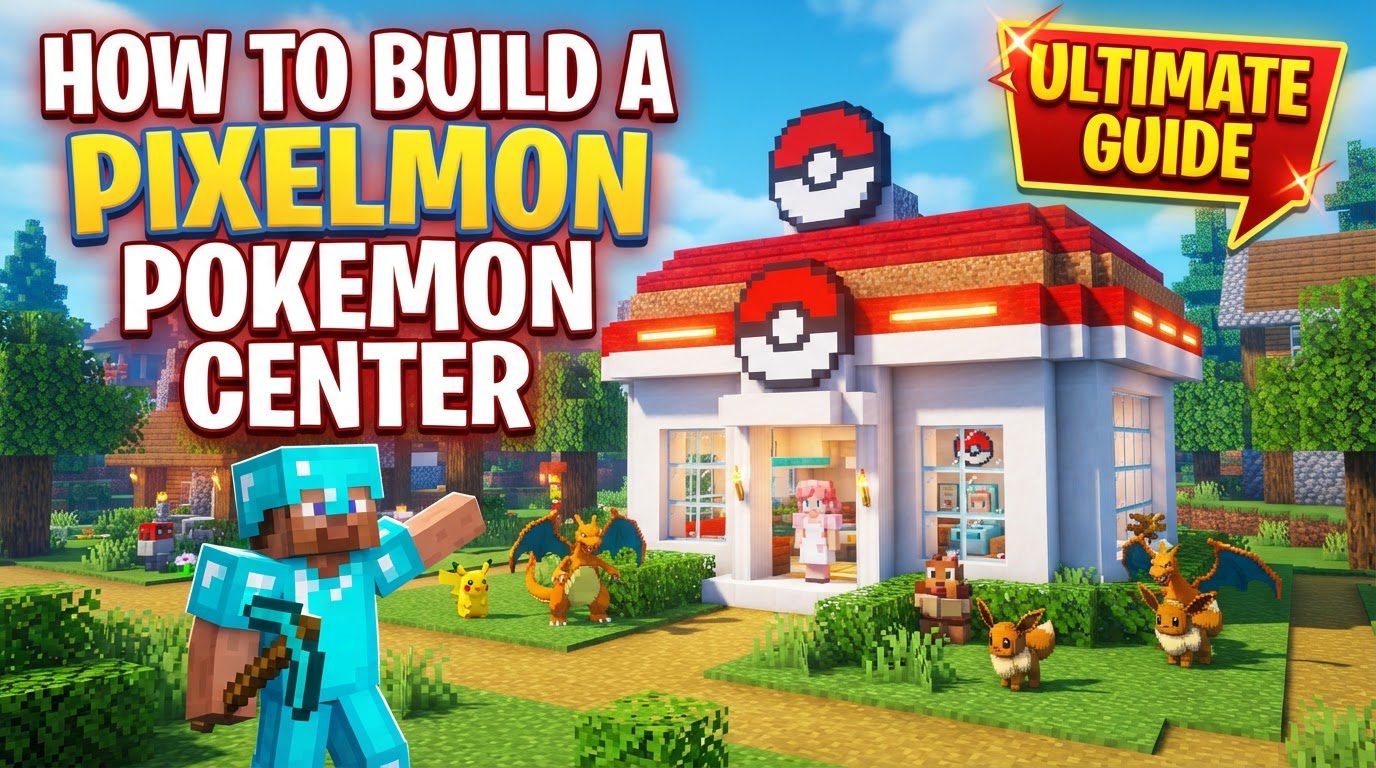
A Pixelmon Pokémon Center in Minecraft stands as an indispensable hub for trainers, providing essential services to maintain the health and organization of their Pokémon. Constructing such a facility requires a thorough understanding of its core functions, a systematic approach to its construction, and an awareness of common pitfalls that can arise during the process.
Key Mechanics of a Pokémon Center
- Pokémon Healing: The foremost function of any Pixelmon Pokémon Center is to restore your Pokémon to full health and alleviate any status conditions they may be suffering from. This crucial service is facilitated by a specialized “Healer” block. To initiate the healing process, a trainer simply needs to right-click the Healer block, which will then fully heal all Pokémon currently in their party. This instant restoration is vital for sustained adventuring and battles.
- Pokémon Storage (PC): Beyond the immediate healing capabilities, a Pokémon Center typically includes a Pokémon PC. This block allows trainers to store and retrieve Pokémon, effectively expanding their team capacity beyond the standard six-slot party limit. This is essential for trainers who wish to collect a wide variety of Pokémon or manage their battle teams efficiently. Unlike Healer blocks, PCs generally do not require the Silk Touch enchantment to be mined, making them easier to relocate if necessary.
- Trade Machines: Some Pixelmon Pokémon Centers may incorporate trade machines into their design. These machines serve as a dedicated interface for facilitating player-to-player Pokémon trades, fostering interaction and cooperation among trainers in a multiplayer environment. While not a primary functional requirement for every center, they add significant value for community engagement.
- Crafting a Healer: The Healer block, central to a Pokémon Center’s function, can be crafted by trainers. The recipe requires four aluminum plates, four iron ingots, and one diamond. These components must be assembled in a specific pattern on a crafting table. It is important to note that aluminum plates are not raw ingots; they are crafted from aluminum ingots using a Pixelmon anvil and a hammer. This two-step crafting process for the plates is a key detail to remember.
Step-by-Step Construction Process
Building an effective Pixelmon Pokémon Center involves a series of structured steps, from gathering initial resources to adding the final aesthetic touches.
- Gather Materials: The first step is to collect all the necessary building blocks and functional Pixelmon items. For the structure itself, consider various concrete colors, such as light gray, red, and white, to achieve the iconic Pokémon Center aesthetic. Quartz blocks, stairs, and slabs can provide a clean and robust look, while glass panes are essential for windows. Crucially, you will need functional Pixelmon items like the Healer block and a Pokémon PC, which are the heart of the center’s utility.
- Establish Layout: Before laying down any blocks, determine the overall size and footprint of your Pokémon Center. Consider how much space you’ll need for the interior elements and external aesthetics. Many classic designs feature a distinctive red roof, which should be factored into your initial layout planning to ensure proper scale and visual impact.
- Build the Foundation and Walls: Begin construction by laying down a base layer for your center. Blocks like quartz bricks or cyan terracotta are excellent choices for a sturdy and visually appealing floor. Once the foundation is set, proceed to construct the walls. Materials such as concrete or bone blocks are commonly used. Remember to incorporate openings for windows and doors, filling window frames with glass panes to allow natural light and provide views.
- Construct the Roof: The roof is often the most recognizable feature of a Pokémon Center. Aim to create a distinctive and often red roof. This can involve intricate shapes and a variety of block types to add depth and detail, such as red concrete, red wool, or red nether bricks. A very common and popular design element is to incorporate the iconic Poké Ball symbol onto the roof, making the building instantly identifiable from a distance.
-
Install Interior Elements: With the main structure complete, focus on the interior functionality.
- Place the Healer block in a prominent and easily accessible area. Traditionally, this is done behind a counter, replicating the familiar setup of a Nurse Joy station found in the Pokémon games.
- Set up a PC for Pokémon storage. This can be placed in a dedicated alcove or alongside the healing station, depending on your design preferences.
- If desired, integrate other functional elements like trade machines to enhance multiplayer interaction.
- Add decorative items to bring the interior to life, such as lighting fixtures (e.g., ochre frog lights for a warm glow) and plant pots for a touch of greenery.
- Add Details and Aesthetics: The final touches significantly enhance your Pokémon Center’s appearance. Incorporate decorative elements like pillars to add architectural interest, signs to label different sections or welcome trainers, and various interior furnishings to create a comfortable and inviting atmosphere. Attention to these details can transform a functional building into a truly immersive and appealing landmark.
Important Tips for Your Pokémon Center
- Accessibility: Ensure that your Pokémon Center is easily accessible to all players. Consider its proximity to common travel routes, spawn points, or other important community areas. An accessible center maximizes its utility for trainers.
- Server Protection: On multiplayer servers, you might encounter issues where Healers or PCs are not interactive. This is often due to spawn protection settings. Default protection near the world spawn can block player interaction with certain blocks. If this occurs, it is crucial to inform the server staff so they can adjust these settings, allowing trainers to utilize the center’s services.
- Strategic Placement: The location of your Pokémon Center can greatly impact its usefulness. Consider building it near a variety of biomes to facilitate encounters with diverse Pokémon species, providing trainers with more opportunities for catching and training. Additionally, placing it near villages can offer convenient access to resources and trade opportunities.
- Functionality over Aesthetics (Initially): While a visually appealing build is certainly desirable, it’s wise to prioritize placing the functional Healer and PC correctly first. Ensure these core elements are working as intended before dedicating extensive time to elaborate decorations. The primary purpose of the center is to serve trainers, and its functionality should be established from the outset.
- Resource Management: Healers are relatively straightforward to craft once you have the necessary materials. However, if you find yourself in the early game and in urgent need of healing, discovering a village that already contains a Pixelmon Pokémon Center can be a lifesaver. You can utilize their facilities until you are able to craft your own Healer.
Common Mistakes to Avoid
- Incorrect Healer Crafting: A frequent mistake is attempting to craft a Healer using raw aluminum ingots. Remember, the recipe specifically calls for aluminum plates. These plates must first be crafted from aluminum ingots using a Pixelmon anvil and a hammer. Skipping this crucial step will result in a failed crafting attempt.
- Breaking Healers: Be cautious when attempting to move or remove a Healer block. If you break a Healer block without the proper tools, you will typically only recover one aluminum plate, losing the other valuable materials like iron ingots and the diamond used in its creation. Unlike PCs, Healers generally require the Silk Touch enchantment to be picked up as an item; otherwise, they are destroyed upon breaking.
- Ignoring Server Protection: As mentioned previously, placing functional blocks like Healers and PCs within a spawn-protected area on a server can lead to them being non-interactive for players. Always check with server administrators or be aware of protected zones to ensure your center functions correctly for everyone.
- Insufficient Space: While not a “mistake” in a purely functional sense, underestimating the space required for both the exterior and interior elements can lead to a cramped or less visually appealing build. Plan for adequate room for counters, waiting areas, and potential expansions, in addition to the external architectural details.
- Mod Conflicts/Glitches: Occasionally, other Minecraft mods installed alongside Pixelmon can interfere with its functionality. This might manifest as issues like Pokémon spawning unexpectedly when placing certain blocks, or functional blocks like Healers and PCs not working correctly. If you encounter such unusual behavior, ensure your Pixelmon installation is correct and consider investigating potential mod conflicts as a troubleshooting step.
Click to rate this post!
[Total: 0 Average: 0]
Tags:
YOU MAY ALSO LIKE...

How to install Fabric for modding
98
views
Minecraft modding offers an incredible way to enhance your gameplay experience, introducing new features, optimizing…

How to install Forge for modding
111
views
Minecraft Forge stands as an indispensable tool for anyone looking to dive into the expansive…

Installing Iris Shaders As an Alternative to OptiFine
67
views
Understanding Iris Shaders: A Modern Alternative Iris Shaders stands out as a contemporary shaders modification…

Installing JEI Alongside Create for Recipe Help — A Quick Guide
93
views
Integrating JEI with Create for Enhanced Recipe Management in Minecraft Minecraft's modding community continually innovates,…
Installing Lithium for Server-side Optimization
70
views
Optimizing a Minecraft server is crucial for providing a smooth, lag-free experience for all players,…

How to install Minecraft Java Edition on a new PC in 2026
88
views
Setting up Minecraft Java Edition on a brand-new PC in 2026 is a straightforward process,…
Installing NeoForge Instead of Forge — A Quick Guide
102
views
NeoForge stands as a modern evolution in the realm of Minecraft modding, specifically designed as…

Installing OptiFine for Performance and Shaders (Step by Step)
60
views
OptiFine is an essential optimization tool for Minecraft, designed to significantly boost Frames Per Second…

Installing the Correct Java Version for Minecraft — A Quick Guide
66
views
Minecraft: Java Edition, a cornerstone of the gaming world, relies fundamentally on Java to operate.…