Crafting and Using a Quantum Network Bridge in AE2
Understanding the AE2 Quantum Network Bridge
The Applied Energistics 2 (AE2) Quantum Network Bridge is an advanced and essential multiblock structure for any player looking to expand their ME network across vast distances, or even between different dimensions. This powerful component allows for the seamless integration of fragmented ME networks into one cohesive system, overcoming the typical limitations of cable length and dimensional boundaries. By establishing a quantum-entangled link, the bridge ensures that all items, crafting recipes, and storage within your network are accessible from any connected point, regardless of how far apart they may be.
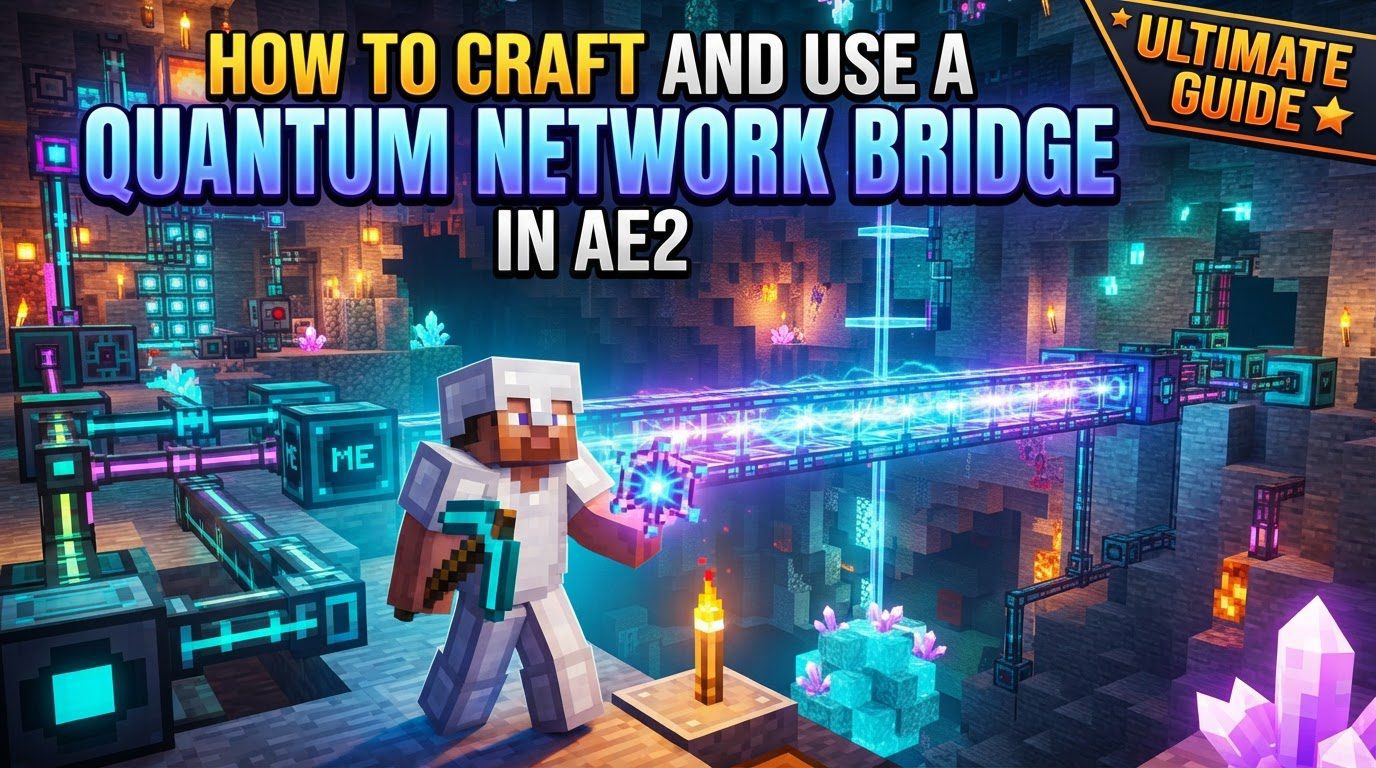
Each Quantum Network Bridge is designed to carry a substantial amount of network traffic. Specifically, it can transmit 32 channels, making it equivalent in capacity to a Dense ME Cable. This high channel count is crucial for managing large and complex ME systems that span multiple bases or dimensions, ensuring that your network doesn’t become bottlenecked. It’s important to understand that while the bridge connects networks, it does not inherently transfer power through the link itself. Each side of the bridge must be independently powered by its local ME network to establish the initial connection. Once the link is active, it is possible for power to be drawn from one side to the other, but for optimal stability and performance, it is always recommended to maintain a stable power supply on both ends of the quantum connection.
For the Quantum Network Bridge to function correctly and maintain its connection, both sides of the multiblock structure must be actively chunk-loaded. Neglecting this crucial step is a common pitfall that can lead to connection failures and network instability. Furthermore, a fundamental rule of AE2 networks applies here: only one ME Controller is permitted per connected network. This means that the Quantum Network Bridge serves to link fragments of what is fundamentally the *same* ME network, rather than merging two entirely separate networks with their own controllers. Adhering to this principle is vital for a stable and functional quantum-linked ME system.
Step-by-Step Guide to Crafting and Usage
1. Crafting Essential Components
Before you can construct your Quantum Network Bridge, you’ll need to gather and craft several specialized Applied Energistics 2 components. Remember that you will be building a pair of bridges to establish a connection, so plan your material gathering accordingly.
- ME Quantum Ring: You will need 8 ME Quantum Rings for each individual bridge structure. Since you’re building a pair, this means a total of 16 ME Quantum Rings will be required.
- ME Quantum Link Chamber: One ME Quantum Link Chamber is needed for each bridge. For a pair of bridges, you will require 2 ME Quantum Link Chambers.
- Singularity: Crafting a Singularity is a process that demonstrates the immense storage capabilities of AE2. To create one, you must fill an ME Matter Condenser with a staggering 256,000 items of any type (cobblestone is a common choice due to its abundance). In addition to the items, a 64k ME Storage Component must also be present in the Matter Condenser’s input slot. Once satisfied, the Matter Condenser will condense these materials into a single Singularity.
- Quantum Entangled Singularity: This is the mystical core of the quantum link. To create a pair of these, you must perform a specific ritual:
- First, take your newly crafted Singularity and some Ender Dust. It is critically important to ensure that this Ender Dust is specifically from Applied Energistics 2, as Ender Dust from other mods will not work for this recipe.
- Drop both the Singularity and the AE2 Ender Dust onto the ground in close proximity to each other.
- Next, you need to cause an explosion near these dropped items. A simple method is to ignite a TNT block or use a Tiny TNT, ensuring the blast radius encompasses the Singularity and Ender Dust.
- Upon successful explosion, the Singularity and Ender Dust will transmute into a pair of Quantum Entangled Singularities. These two singularities are now inextricably linked and will be used to establish your quantum connection.
2. Building the Multiblock Structure
With your components ready, the next step is to construct the physical bridge structures at both desired locations. Remember, this structure must be built identically at each end of your intended quantum link.
- At each location where you wish to establish a connection, create a 3×3 square on the ground using 8 of your ME Quantum Rings. Crucially, leave the very center block of this 3×3 square empty.
- Once the 3×3 ring of ME Quantum Rings is in place, position one ME Quantum Link Chamber directly into the empty center block of the square. This action will form the completed Quantum Network Bridge multiblock structure. You will observe a distinct change in the appearance of the blocks, confirming the successful formation of the multiblock.
3. Providing Power to the Bridge
Energy is the lifeblood of any AE2 system, and the Quantum Network Bridge is no exception. Each bridge structure requires a dedicated and stable power supply from its local ME network.
- Ensure that each Quantum Network Bridge structure is adequately powered. You will know the bridge is receiving power when the blue lights on its surface illuminate. These lights serve as a visual indicator of power flow to the multiblock.
- It is imperative that both sides of the quantum connection receive power independently to successfully establish the initial link.
4. Linking the Bridges
Once both bridge structures are built and powered, the magical step of linking them with your Quantum Entangled Singularities can occur.
- Take one of the Quantum Entangled Singularities you crafted and place it into the ME Quantum Link Chamber of your first constructed bridge.
- Then, travel to your second bridge location, take the other Quantum Entangled Singularity from the pair, and place it into the ME Quantum Link Chamber of the second bridge.
- Upon insertion of the second singularity, the two bridges will automatically detect their entangled counterparts and establish a quantum link, connecting your ME networks.
5. Connecting to the ME Network
With the quantum link established, the final step is to integrate the bridge into your existing ME network infrastructure.
- Connect your local ME network to the Quantum Ring blocks of the bridge. It is critical to note that only the four ME Quantum Ring blocks adjacent to the central ME Quantum Link Chamber can accept network connections. The corner Quantum Rings do not serve as connection points for your ME cables.
- Due to the 32-channel capacity of the Quantum Network Bridge, it is highly recommended to use Dense ME Cables to connect to these four specific Quantum Ring blocks. This ensures that the full channel capacity of the bridge can be utilized by your network.
Important Tips for Optimal Performance
- Rename Your Quantum Entangled Singularities: If you plan to establish multiple quantum bridges for different network segments or locations, it is highly advisable to rename your Quantum Entangled Singularities in an anvil. Giving them descriptive names (e.g., “Main Base to Nether,” “Farm to Storage”) will help you easily identify which pair links to which connection, preventing confusion and potential misconnections.
- Stable and Sufficient Power Source: Quantum Bridges are powerful but also power-hungry. Each bridge has a high power consumption rate, typically around 200 AE/t (Applied Energistics energy units per tick) or 400 RF/t (Redstone Flux per tick). Ensure your local power generation is robust enough to supply this demand consistently.
- Initial Power on Both Sides: As reiterated, for the initial link to be established, both sides of the bridge *must* have independent power. While a linked bridge *can* sometimes draw power from the other side, it is best practice and highly recommended to maintain a stable and sufficient power supply on both ends for maximum reliability and stability of your entire ME network. Always use an Energy Acceptor on each side to ensure the bridge consistently receives power from the local network.
- Chunk Loading is Non-Negotiable: This cannot be stressed enough. For your Quantum Network Bridge to remain active and maintain its connection, you absolutely must place a chunk loader at both Quantum Network Bridge locations. Without both ends being chunk-loaded, the link will break, and your remote network will become inaccessible.
Common Mistakes to Avoid
- Not Chunk-Loading Both Ends: This is by far the most frequent cause of Quantum Network Bridge connection failures. If one or both ends of the bridge are in unloaded chunks, the quantum link will cease to function, rendering your remote network inaccessible. Always double-check your chunk loaders.
- Incorrectly Connecting Cables: Remember, only the four ME Quantum Ring blocks directly adjacent to the central ME Quantum Link Chamber can accept ME cable connections. Attempting to connect cables to the corner Quantum Rings will not work and will prevent your network from integrating with the bridge.
- Using the Wrong Ender Dust: The creation of the Quantum Entangled Singularity specifically requires Ender Dust from Applied Energistics 2. Many modpacks include Ender Dust from other mods; using these will not yield the desired Quantum Entangled Singularities, resulting in wasted resources and failed crafting attempts.
- Renaming the Quantum Entangled Singularity Incorrectly: While renaming is generally advised for organization, some specific versions of AE2 or certain modpack setups might experience issues if the NBT (Named Binary Tag) data of renamed singularities interferes with the linking process. In such rare cases, it is sometimes advised *not* to rename them, or to test carefully. If you encounter inexplicable linking problems, try using an unrenamed pair.
- Only Having Power on One Side Initially: To establish the initial quantum link, both bridge structures require power from their respective local networks. A bridge without power cannot participate in forming the connection.
- Having Multiple ME Controllers on the Same Linked Network: An Applied Energistics 2 network, even when extended across dimensions by Quantum Bridges, can only ever have one ME Controller. Introducing a second controller into what becomes a single, merged network will cause network instability, power fluctuations, and potential item loss. Ensure that only one ME Controller manages the entire quantum-linked system.
By diligently following these steps and heeding the important tips and common mistakes to avoid, you will successfully establish a robust and reliable Quantum Network Bridge. This will unlock unprecedented possibilities for your AE2 system, allowing for truly global and interdimensional item and fluid management, crafting, and automation within your Minecraft world.
Tags:
YOU MAY ALSO LIKE...