Tracking Distance Traveled Using Statistics — A Quick Guide
Understanding Minecraft’s Distance Tracking System
Minecraft, particularly its Java Edition, incorporates a sophisticated and highly detailed statistics system designed to record a player’s every action, including various forms of locomotion. This built-in feature serves as an invaluable tool for players interested in meticulously tracking their in-game progress and movements. These statistics are inherently numerical, with distance measurements typically recorded in centimeters. To translate this into more familiar Minecraft units, it’s important to remember that one block in the game is equivalent to 100 centimeters, providing a straightforward conversion for calculating distances in blocks or meters.
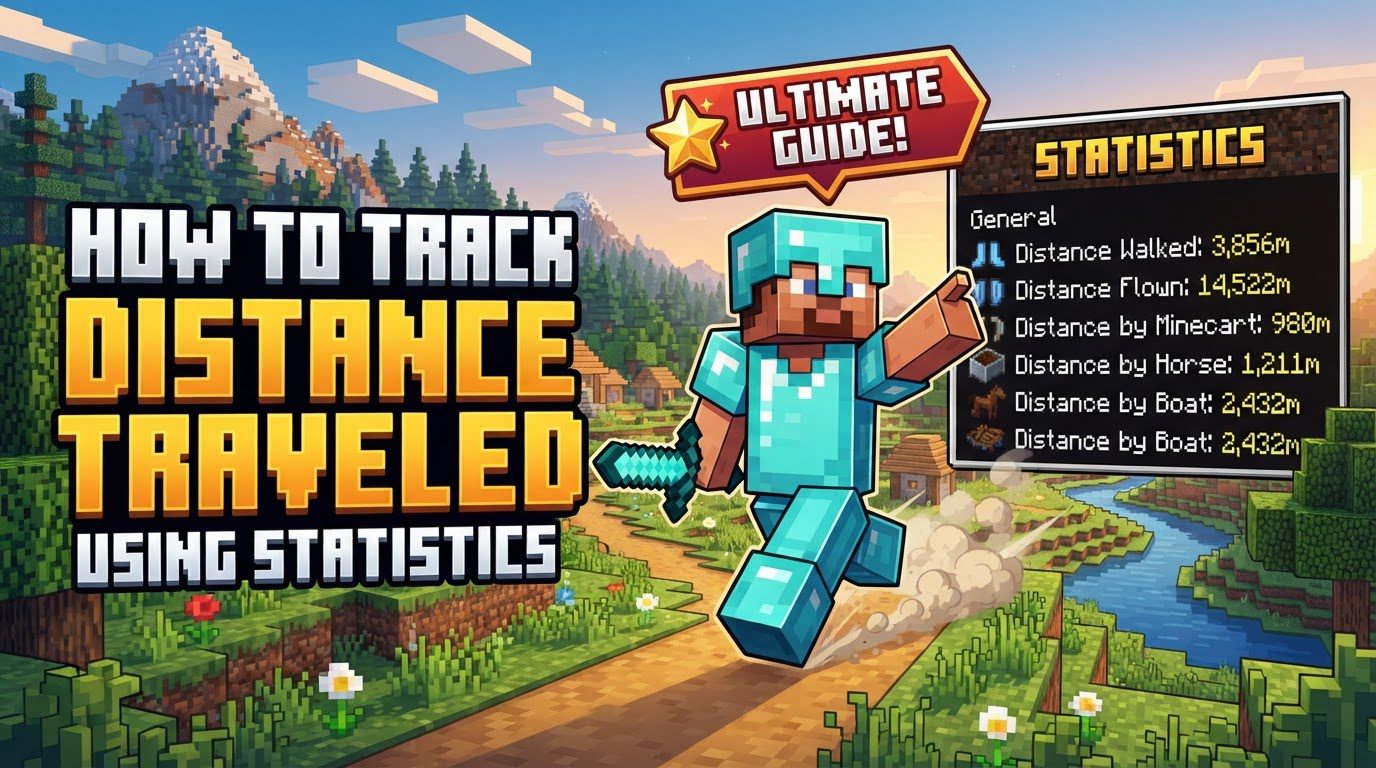
The game’s distance tracking capabilities are remarkably specific, distinguishing between a wide array of movement types. This includes basic actions such as walking and sprinting, as well as more specialized forms of travel like swimming through water, flying gracefully with an elytra, or even riding various animals and vehicles. Beyond intentional movement, the system also tracks less conventional forms of “travel,” such as falling distances and climbing actions. This granular detail allows players to gain a comprehensive understanding of how they traverse the Minecraft world.
While the core concept of statistics exists across both major editions of Minecraft, their accessibility and utility differ. In Minecraft Bedrock Edition, players can readily access their lifetime statistics, which encompass the total distance they’ve traveled across all their gameplay, directly through the in-game profile menu. Additionally, Bedrock players have the alternative option of reviewing these cumulative statistics, alongside other metrics like blocks broken and monsters killed, via the associated Xbox application on various devices. Conversely, Java Edition offers a more dynamic and customizable approach, primarily through the creation and display of custom scoreboards. These scoreboards provide the unique ability to monitor and present these intricate statistics in real-time within the game world, offering an immediate feedback mechanism for players.
Tracking Distance in Minecraft Java Edition
For players of Minecraft Java Edition, the primary method for tracking specific distances involves leveraging the game’s powerful scoreboard system. This allows for highly customizable and real-time monitoring of various movement statistics.
- Step-by-step process for Java Edition (using scoreboards):
- 1. Create an objective: The first step is to establish a scoreboard objective that will specifically track the desired distance. This is achieved using the command
/scoreboard objectives add <name> <criteria> [display name].- The
<name>is an internal identifier for your objective (e.g.,playerWalked). - The
<criteria>is crucial; for distance tracking, you must select a specificminecraft.custom:criterion. These criteria are designed to monitor particular player actions. For example, to track the distance a player walks, the appropriate criterion isminecraft.custom:minecraft.walk_one_cm. Other criteria exist for sprinting, swimming, riding, flying, etc. - The optional
[display name]is what players will see in-game (e.g., “Walking Distance”). - Example: To track walking distance, you would enter:
/scoreboard objectives add playerWalked minecraft.custom:minecraft.walk_one_cm "Walking Distance". This command creates an objective named “playerWalked” that will count every centimeter a player walks, displaying it as “Walking Distance.”
- The
- 2. Display the statistic: Once an objective is created, it needs to be displayed in the game for players to see. This is done with the command
/scoreboard objectives setdisplay <location> <name>.- The
<location>specifies where the scoreboard will appear. Common display locations includesidebar(visible on the side of the screen),list(visible when pressing the Tab key), orbelowName(visible below a player’s name tag). - The
<name>refers to the internal identifier of the objective you created in the previous step. - Example: To display the walking distance on the sidebar for all players, you would use:
/scoreboard objectives setdisplay sidebar playerWalked. This makes the “Walking Distance” scoreboard visible and updates in real-time as players walk.
- The
- 1. Create an objective: The first step is to establish a scoreboard objective that will specifically track the desired distance. This is achieved using the command
Important Tips for Java Edition Distance Tracking
- Comprehensive Tracking: For a truly complete measurement of total distance traveled, it is essential to combine various
minecraft.custom:statistics. Each criterion tracks a specific type of movement. For instance, distance walked, distance sprinted, distance ridden, and distance flown (by elytra) are all separate statistics. To get an overall total, you would need to create multiple scoreboard objectives and potentially sum their values if you want a single, consolidated number. - Unit Conversion: Always remember that distance statistics in Java Edition are typically recorded in centimeters. To convert the displayed number into blocks (or meters), simply divide the scoreboard value by 100. For example, a statistic showing “50000” centimeters means you have traveled 500 blocks.
- Statistic Reset: Scoreboard values are not permanent and can be reset. This functionality is particularly useful for monitoring distance within specific gameplay sessions, for tracking progress during challenges, or for starting fresh on a new adventure without prior statistics influencing current measurements.
- Nether Scale: When calculating distances, especially for travel involving the Nether dimension, it’s crucial to recall the 8:1 distance ratio. One block traveled in the Nether corresponds to eight blocks traveled in the Overworld. This means that distances recorded within the Nether, if translated to Overworld terms, would need to be multiplied by eight for an accurate comparison.
Common Mistakes to Avoid in Java Edition
- Incorrect Scoreboard Criteria: A frequent error is using an inappropriate or incorrect
minecraft.custom:criterion in your scoreboard command. This will either result in tracking an unintended statistic or, if the criterion is invalid, the command simply won’t work, leading to no tracking at all. Always double-check the exact criterion name. - Forgetting Display Command: After creating a scoreboard objective, many players forget to use the
/scoreboard objectives setdisplaycommand. Without this command, your objective, though actively tracking data, will not be visible in-game, leading to confusion about why the statistic isn’t appearing. - Misunderstanding “Distance Flown”: In Java Edition, the general “distance flown” statistic can increase from various aerial movements that aren’t strictly flying, such as sprint-jumping, being launched by TNT, or receiving knockback from a mob. It is distinct from “distance by elytra,” which specifically tracks flight using an elytra. If you’re only interested in elytra flight, ensure you use the correct, specific criterion.
- Extreme Distances: While Java Edition worlds are vast, game mechanics can begin to break down or become glitchy at very large distances from the world’s origin (0,0 coordinates). Traveling millions of blocks, for instance, can lead to rendering issues, block placement problems, and other unexpected behaviors that might indirectly affect accurate distance tracking or overall gameplay stability.
Tracking Distance in Minecraft Bedrock Edition
Minecraft Bedrock Edition offers a more straightforward, albeit less customizable, approach to viewing distance traveled statistics. These are typically lifetime statistics, meaning they accumulate over all your gameplay.
- Step-by-step process for Bedrock Edition:
- 1. Navigate to your profile: From the main menu of the game, locate and select your profile. This is usually found in the top right or within a dedicated “Profile” or “Settings” section.
- 2. View statistics: Within your profile, there will typically be a “Stats” or “Statistics” button. Click on this button to access a summary of your lifetime statistics, which will include a listing for total distance traveled, among other metrics.
- Alternatively, through the Xbox app: Bedrock players can also review their cumulative statistics, such as distance traveled, blocks broken, and monsters killed, through the Xbox app. This is accessible on various devices and provides an external way to check your progress even when not actively in the game.
Important Tips for Bedrock Edition Distance Tracking
- Bedrock Boosting Maps: Specialized maps exist for Bedrock Edition that are designed to help players quickly accumulate statistics, including distance traveled. These maps often utilize automated (AFK) mechanisms, allowing players to leave their game running while the map’s design facilitates continuous movement, thereby rapidly increasing their recorded distance.
- Unit Conversion: Similar to Java Edition, distance statistics in Bedrock are also typically recorded in centimeters. To convert these numbers into blocks or meters, divide the displayed value by 100.
Common Mistakes to Avoid in Bedrock Edition
- Teleportation Glitches: Extensive or frequent use of the
/tpcommand in Bedrock Edition might cause the distance traveled statistic to behave unexpectedly. In some reported cases, the statistic might stop updating entirely or become stuck at zero, failing to accurately record further movement. Relying on organic movement is best for accurate tracking. - Extreme Distances: While Bedrock worlds are vast, they also have limitations. At extremely large distances from the world’s origin, specifically around 65,536 blocks, Bedrock Edition can experience game mechanics breaking down or becoming glitchy. This “Far Lands” phenomenon can lead to various visual and functional issues, potentially impacting the reliability of distance tracking.
General Considerations Across Editions
Understanding the nuances between Minecraft’s Java and Bedrock editions is paramount when attempting to track distance traveled, as significant differences exist.
- Platform Discrepancies: It is crucial to be aware that the methods for accessing, managing, and the level of detail provided by statistics vary significantly between Java and Bedrock editions. Java offers granular, real-time tracking via custom scoreboards for specific movement types, while Bedrock provides lifetime, cumulative statistics primarily accessible through menus or external apps. Expect different functionalities and limitations depending on which edition you are playing.
- Unit Conversion Consistency: Regardless of the edition, the fundamental unit for distance statistics remains the centimeter. Always remember the conversion factor: divide the reported centimeter value by 100 to obtain the distance in blocks or meters. This consistent conversion is key to interpreting your travel statistics accurately across both platforms.
Tags:
YOU MAY ALSO LIKE...