Elytra Trims
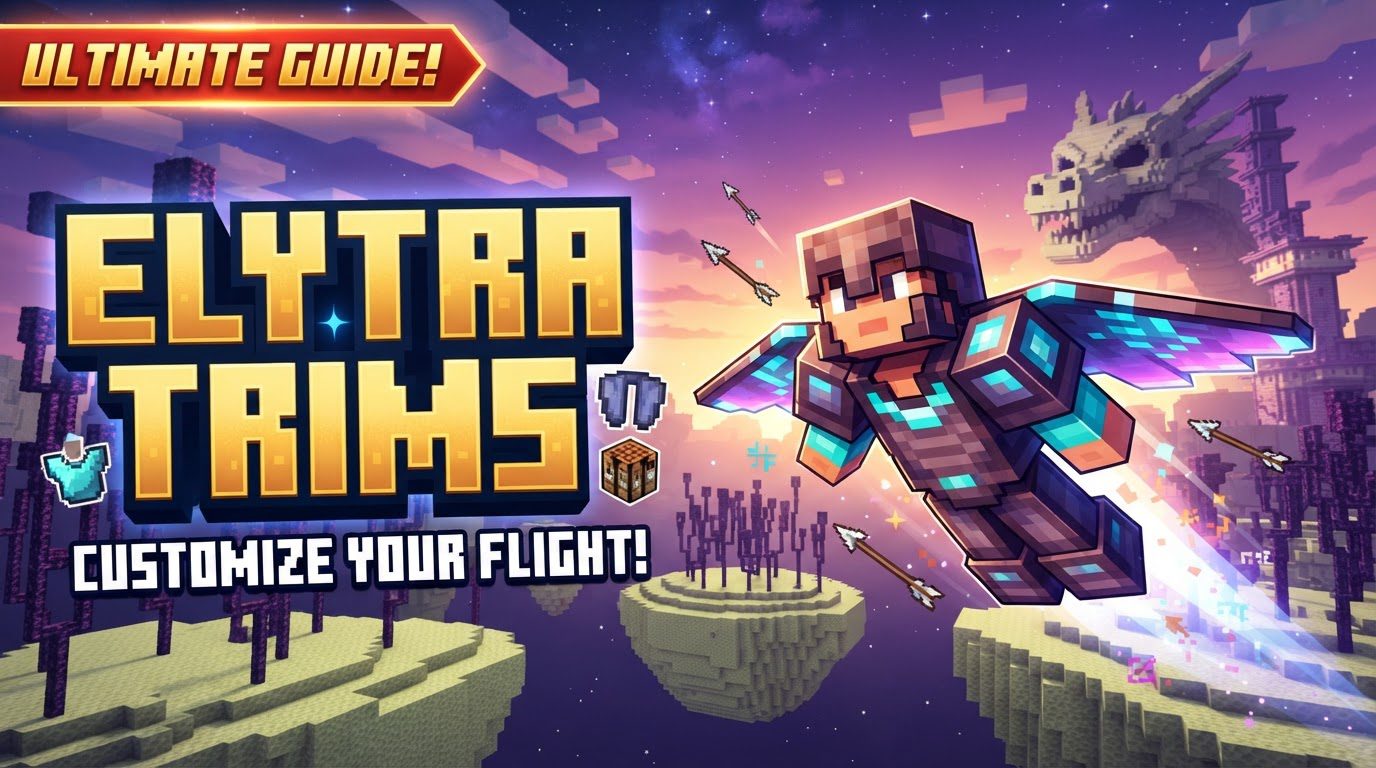
Elytra Trims in Minecraft are not a vanilla feature, but rather a powerful customization option introduced primarily through a specific mod. This distinction is crucial for any player looking to personalize their flight, as it means the extensive visual enhancements available for your elytra wings depend entirely on having the “Elytra Trims” mod correctly installed and functioning within your game environment.
The Mod Behind the Magic: What Are Elytra Trims?
At its core, the Elytra Trims mod revolutionizes how players can express themselves while soaring through their Minecraft worlds. Traditionally, elytras have a fixed appearance, but this mod opens up a vast new realm of aesthetic possibilities. It introduces the ability to apply armor trims to elytras, mirroring the intricate designs and material textures that can already adorn your protective gear. This means your elytra can now match your armor, or stand out as a unique statement piece.
Beyond the fundamental application of armor trims, the mod extends its customization capabilities even further. Players gain the unprecedented ability to dye their elytras any color imaginable, much like the versatile dyeing system for leather armor. This isn’t limited to primary colors; the mod allows for mixing dyes, offering a truly custom palette for your wings. Furthermore, the mod enables the transfer of banner patterns onto elytras, allowing you to literally wear your guild crest, personal emblem, or favorite design as you traverse the skies.
For those seeking to truly stand out, additional cosmetic effects are also available. A glowing effect can be imparted to your elytra, making you a beacon of light in the night sky. For the most ambitious and well-resourced players, a cosmic effect offers an even more spectacular visual, though it comes with a significantly higher cost. All these functionalities, from the simplest dye job to the most elaborate cosmic glow, are contingent on the presence and proper integration of the Elytra Trims mod.
A Canvas in the Sky: Core Customization Mechanics
Understanding the various ways you can transform your elytra is key to unlocking the mod’s full potential. Each customization option offers a distinct layer of personalization, allowing for truly unique combinations.
Adorning with Armor Trims: A Familiar Process
The primary feature of the Elytra Trims mod is the application of armor trims. This process is designed to feel intuitive to anyone familiar with vanilla armor trimming. Just as you’d combine an armor piece, a trim template, and a material in a smithing table to create a distinct pattern, you can do the same with your elytra. This means you can choose from a wide array of trim patterns (e.g., Sentry, Ward, Silence) and pair them with various materials (such as diamond, netherite, redstone, amethyst, or copper) to achieve a desired aesthetic. The choice of material dictates the color and texture of the applied trim, allowing for striking contrasts or subtle blends with your elytra’s base color.
Dyeing Your Wings: Unleash a Spectrum of Color
Imagine flying with wings of emerald green, obsidian black, or even a blend of sunset hues. The mod allows you to dye your elytra any color, akin to the extensive dyeing options available for leather armor. This opens up an incredible spectrum of possibilities. You can use standard Minecraft dyes, or even experiment with mixing different dyes to achieve custom shades and gradients, giving your elytra a truly bespoke appearance that perfectly matches your preferences or complements your overall character design.
Emblazoning Your Elytra: The Art of Banner Patterns
For players who value symbolism and intricate designs, the ability to transfer banner patterns onto their elytras is a game-changer. Banners in Minecraft already offer a rich tapestry of patterns and layers, and now these designs can be proudly displayed on your back as you fly. This allows for the expression of allegiances, personal motifs, or simply complex artistic patterns, making your elytra a flying work of art. The combination of a unique banner design with a custom dyed elytra and an armor trim can result in an unparalleled level of personalization.
Beyond the Basic Palette: Special Effects for Your Elytra
To further enhance the visual spectacle of your flight, the Elytra Trims mod introduces two advanced cosmetic effects:
- Radiant Flight: The Glowing Effect: By combining your elytra with a glow ink sac, you can imbue it with a subtle yet distinct glowing aura. This effect makes your elytra stand out, especially in low-light conditions or at night, turning your flight into a luminous streak across the sky. It’s a relatively inexpensive way to add an extra layer of visual flair.
- Cosmic Journeys: The Nether Star Effect: For those who truly wish to make a statement, the mod offers a cosmic effect, achieved by combining your elytra with a nether star. This is an expensive endeavor, reflecting the rarity and value of the nether star itself. The resulting cosmic effect transforms your elytra into a mesmerizing spectacle, often featuring swirling patterns or starry textures that evoke the vastness of space. It’s the ultimate visual upgrade for the most dedicated and resource-rich aviators.
Crafting Your Unique Flight: Step-by-Step Application
Applying these various customizations is straightforward, generally utilizing either a smithing table or a crafting table, depending on the desired effect.
Applying Elaborate Armor Trims
To apply an armor trim to your elytra, you will need access to a smithing table. The recipe is simple: place your elytra in one slot, an armor trim template (e.g., a Sentry Armor Trim) in another, and your chosen material (ee.g., a Diamond, Redstone Dust, or Amethyst Shard) in the third. The smithing table interface will then display your newly trimmed elytra, ready for you to take it and soar with style.
Infusing with Color: Dyeing Your Elytra
Changing the base color of your elytra is done using a crafting table. Simply place your elytra in one slot and your desired dye (or a combination of dyes for custom shades) in another. The crafting grid will then show the dyed elytra, allowing you to pick it up and instantly change its appearance. Remember that the ability to mix dyes provides an extensive range of hues beyond the standard sixteen colors.
Transferring Banner Designs
To emblazon your elytra with a banner pattern, you’ll also use a crafting table. Combine your elytra with a banner that has the desired pattern. To complete the recipe, you’ll also need either a piece of paper or a piece of leather. This combination will transfer the banner’s intricate design onto your elytra, making it a flying canvas for your custom emblem.
Achieving the Glowing Aura
For the glowing effect, return to the crafting table. Place your elytra in one slot and a glow ink sac in another. The resulting item will be your elytra, now subtly radiating light, perfect for nighttime excursions or simply to add a touch of ethereal beauty to your flight.
Mastering Elytra Aesthetics: Expert Tips for Customization
The true power of the Elytra Trims mod lies in the sheer number of combinations possible. Don’t be afraid to experiment!
- Endless Combinations: Consider the numerous possibilities when combining trim patterns, material choices, custom dye colors, and intricate banner designs. Each element adds a layer of depth to your elytra’s appearance. A netherite trim with a redstone material on a dark blue, cosmic-patterned elytra will look vastly different from a gold trim on a bright green, glowing elytra with a simple banner.
- Learn from Armor Trims: If you’re already familiar with the vanilla armor trimming system, you’re halfway there. The mod functions very similarly, making the transition to customizing your elytra incredibly intuitive. Use your existing knowledge of what certain trim patterns and materials look like on armor as a guide for how they might appear on your wings.
- Plan Your Look: Before committing expensive materials or rare dyes, consider how your elytra will complement your armor, weapons, and even your base. A cohesive aesthetic can greatly enhance your Minecraft experience.
Troubleshooting Your Custom Elytra: Common Issues and Solutions
While the Elytra Trims mod offers fantastic customization, players may occasionally encounter issues. Knowing how to troubleshoot these can save a lot of frustration.
- Trims Not Rendering Correctly or Visibly: One common issue is that the applied trims might not appear as expected, or at all. This often stems from the mod’s reliance on custom textures. If you’re using other mods or datapacks that affect armor trims, they might not have explicit support or custom textures for elytras. In such cases, the trim might not render correctly, or the elytra itself might not be explicitly supported by the mod’s rendering pipeline. Ensure that any conflicting resource packs or mods are compatible or disabled to properly display your custom elytra.
- Inability to Apply Customizations: If you find yourself unable to dye, trim, or apply patterns to your elytra, the most likely culprit is an improper mod installation or a conflict. It is absolutely crucial that the Elytra Trims mod is correctly installed on both your client (your game) and the server (if playing multiplayer). Mismatched versions or corrupted installations can prevent the crafting recipes from working or the visual changes from taking effect. Always double-check your mod folder, ensure compatibility with your Minecraft version, and look for any error messages in your game logs that might indicate a conflicting mod.
With the Elytra Trims mod, the sky is no longer the limit for your personal style; it’s the canvas. Embrace the freedom to customize every aspect of your flight, turning your elytra into a true reflection of your in-game identity.
Tags:
YOU MAY ALSO LIKE...