Setting Up BuildCraft Pipes for Item Transport — A Quick Guide
BuildCraft pipes offer a robust and versatile system for automating item transport within your Minecraft world. Mastering their various functions allows for the creation of intricate and efficient logistical networks, moving resources from production to storage or processing with minimal manual intervention. Understanding the unique properties of each pipe type and how they interact is crucial for designing effective and reliable systems.
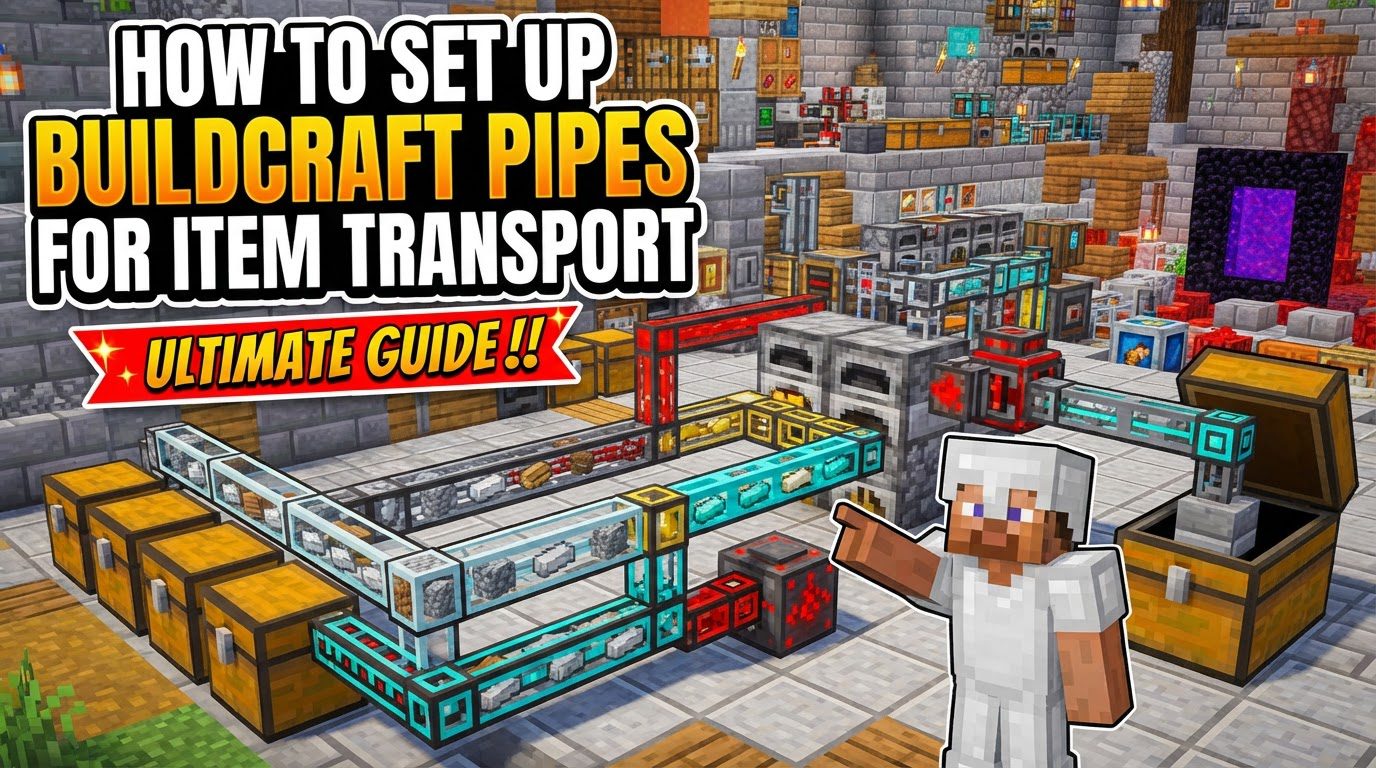
Key Mechanics of BuildCraft Pipes
Each BuildCraft pipe serves a distinct purpose, contributing to the overall functionality of an item transport system. From initiating item flow to directing and sorting items, a combination of these pipes forms the backbone of automation.
- Extraction: The initial step in any automated transport system is getting items out of an inventory.
- Wooden Pipes: These pipes are designed to extract items from adjacent inventories, such as chests, furnaces, or machines. For a wooden pipe to function, it requires power from an adjacent engine. A common and efficient choice for powering wooden pipes is the Redstone Engine, which operates autonomously when supplied with a redstone signal, providing consistent extraction.
- Obsidian Pipes: Unlike wooden pipes which extract from inventories, obsidian pipes specialize in picking up items dropped on the ground. They possess a suction capability that draws loose items towards them from within a certain range. This range can be significantly increased when the obsidian pipe is powered by an engine, making it ideal for automatic collection of drops from mob farms or harvesting systems.
- Transport: Once items are extracted, they need a pathway to their destination. Various transport pipes offer different characteristics.
- Cobblestone Pipes: These are the most basic and fundamental pipes for carrying items through your network. They serve as the standard conduit for general item movement.
- Stone Pipes: Offering a faster alternative to cobblestone pipes, stone pipes can significantly improve transport speed. However, it’s important to note that stone pipes will not connect to cobblestone pipes, requiring careful planning or the use of intermediary connection pipes if both types are to be used in the same network segment.
- Quartz Pipes: These pipes are designed to extend the speed boost provided by golden pipes. When items pass through a golden pipe and then enter a quartz pipe, they maintain their accelerated speed for a longer duration, making them excellent for long-distance, high-speed transportation.
- Golden Pipes: Golden pipes are crucial for optimizing item travel speed. As items pass through a golden pipe, they accelerate, reaching their destination more quickly. For sustained speed over long distances, golden pipes are best paired with quartz pipes.
- Sorting: For complex setups where different items need to go to different destinations, sorting capabilities are essential.
- Diamond Pipes: These pipes are the primary tool for item filtering and sorting. When an item reaches a diamond pipe, the pipe can be configured to direct specific items out of designated sides. By right-clicking the diamond pipe, a GUI opens where items can be placed into colored slots corresponding to the pipe’s output directions, allowing for precise control over item flow.
- Directional Control: At junctions or intersections, controlling item flow prevents randomness and ensures items reach their intended destination.
- Iron Pipes: Iron pipes provide crucial directional control within a pipe network. They can be configured to direct items to a specific output side, preventing items from randomly choosing a path at junctions. This configuration can be achieved by using a BuildCraft wrench to rotate the pipe’s output direction or by applying a redstone signal to one of its sides.
- Insertion: The final step in item transport is getting items into their receiving inventory or machine.
- Clay Pipes: These pipes attempt to insert items into an adjacent inventory first. If the adjacent inventory is full or cannot accept the item, the item will continue along the pipe network. The placement of clay pipes is vital when inserting items into machines; for example, a pipe on the top of a furnace will insert items into its input slot, while a pipe on the bottom will insert fuel.
- Destruction: Sometimes, unwanted items need to be removed from the system.
- Void Pipes: Void pipes offer a simple solution for item disposal. Any items that pass through a void pipe are instantly and permanently destroyed, making them useful for managing overflow or eliminating junk items.
- Connection Rules: Not all pipe types connect to each other, which is an important consideration for network design.
- For instance, wooden pipes do not connect to other wooden pipes, and cobblestone pipes do not connect to stone pipes. Understanding these incompatibilities is key to building functional networks. Pipe plugs can also be used to intentionally prevent connections between adjacent pipes, offering further control over network design.
Step-by-Step Process for Setting Up BuildCraft Pipes
Building an item transport system involves a logical sequence of steps, starting from extraction and ending with insertion.
- Extract Items: Begin by placing a wooden pipe directly adjacent to the inventory from which you wish to extract items, such as a chest containing raw materials or a machine holding finished products. Immediately after placing the wooden pipe, position an engine (a Redstone Engine is highly recommended for its autonomous operation) adjacent to the wooden pipe. This engine will provide the necessary power to activate the wooden pipe, causing it to begin extracting items from the attached inventory.
- Transport Items: Connect the wooden pipe to a network of transport pipes. For a basic setup, cobblestone pipes are an excellent starting point due to their simplicity and widespread connectivity. Lay out your desired path from the extraction point to the destination, ensuring the pipes form a continuous line or network.
- Insert Items: At the destination, connect your transport pipe network to the receiving inventory, which could be another chest for storage, a furnace for processing, or any other machine. Pay close attention to the placement of the pipe connecting to the machine. For example, when inserting items into a furnace, a pipe on the top will insert into the smelting slot, while a pipe on the bottom will insert into the fuel slot. Similarly, a pipe on the side of a furnace can be used to extract smelted items.
- Sort (Optional): For more advanced systems where different items need to be directed to specific locations, incorporate diamond pipes into your network. Place a diamond pipe at a junction where sorting is required. Right-click the diamond pipe to open its graphical user interface (GUI). In this GUI, you can place specific items into the colored slots, which correspond to the pipe’s output directions. Any item matching a filter will be directed out of the corresponding side, allowing for precise item routing.
- Optimize (Optional): To enhance the efficiency and speed of your item transport, integrate golden pipes for acceleration and iron pipes for precise flow control. Place golden pipes along long stretches to boost item speed, especially in conjunction with quartz pipes. Use iron pipes at critical junctions where items might otherwise choose a random path. Configure iron pipes with a BuildCraft wrench or redstone to ensure items are directed to their intended output side, preventing bottlenecks and misdirection.
Important Tips for Effective Pipe Systems
- Always Power Extraction Pipes: Remember that extraction pipes, such as wooden pipes and obsidian pipes, are inert until powered. An engine, like a Redstone Engine, must be placed adjacent to them to initiate their function.
- Utilize the BuildCraft Wrench: The BuildCraft wrench is an invaluable tool for configuring your pipe network. It allows you to reconfigure the output direction of iron pipes, ensuring items flow exactly where you want them to go. It can also be used to adjust the sorting directions of diamond pipes.
- Consider Pipe Placement for Machines: The orientation of pipes connecting to machines is critical. A wooden pipe on the side of a furnace will extract smelted items, while pipes on the top and bottom are used for inserting raw materials and fuel, respectively. Understanding these machine-specific interactions is key to automation.
- Strategic Use of Pipe Materials: Leverage the unique properties of each pipe material. Use cobblestone for general transport, stone for faster basic transport, golden and quartz pipes for high-speed long-distance travel, diamond pipes for sorting, and iron pipes for directional control at junctions.
- “Painting” Pipes for Connection Management: To prevent unwanted connections between adjacent, otherwise compatible pipe systems, you can “paint” pipes. This technique can help isolate sections of your network and maintain system integrity, especially in compact builds.
Common Mistakes to Avoid
Even experienced players can encounter issues if they overlook certain aspects of pipe setup. Being aware of these common pitfalls can save significant time and resources.
- Items Going to the Wrong Place: Without proper sorting or directional control, items at junctions can take random paths. This is a common issue if you rely solely on basic transport pipes. Incorporate diamond pipes for specific item filtering and iron pipes at junctions to dictate item flow, preventing items from ending up in unintended destinations.
- Unpowered Extraction: A frequent oversight is forgetting to power your extraction pipes. Wooden pipes and obsidian pipes will not extract or suck up items unless an engine, such as a Redstone Engine, is placed directly adjacent to them and providing power. Always double-check that your engines are running and correctly positioned.
- Improper Pipe Connections: BuildCraft pipes have specific connection rules. For example, a wooden pipe will not connect to another wooden pipe, and cobblestone pipes do not connect directly to stone pipes. Attempting to force these connections will result in a non-functional network. If you need to bridge incompatible pipe types, use an intermediary pipe like an iron pipe or a sandstone pipe, which often connect to a wider range of types.
- Items Dropping into the World: If your pipe system is not properly designed to receive or sort items at its destination, items may be ejected from the pipe network and drop into the world. This can lead to item loss, especially if they despawn. Ensure all destinations have adequate capacity or that overflow mechanisms (like void pipes for unwanted items) are in place.
- Overheating Engines: While less of a concern for simple item transport where Redstone Engines are often used, some more powerful engines (like combustion engines) can overheat and explode if not properly managed with cooling systems. For basic item extraction, Redstone Engines are generally safe and don’t pose an overheating risk, but it’s a general BuildCraft engine consideration to be aware of.
By carefully planning your layouts, understanding the function of each pipe, and adhering to these guidelines, you can construct efficient and reliable item transport systems that will greatly enhance your automation capabilities in Minecraft.
Tags:
YOU MAY ALSO LIKE...