

Using a Mechanical Press to Flatten Items (Step by Step)
Mastering the Mechanical Press: Flattening Items in Minecraft Create
The Mechanical Press, a cornerstone of the Create mod in Minecraft, stands as a testament to ingenious engineering, even in the early stages of your industrial revolution. This versatile machine is adept at pressing, packing, and compacting a wide array of items, transforming raw materials into valuable components. This guide will focus specifically on its application for “flattening” items, such as converting ingots into sheets, a fundamental process for many crafting recipes within the Create ecosystem.
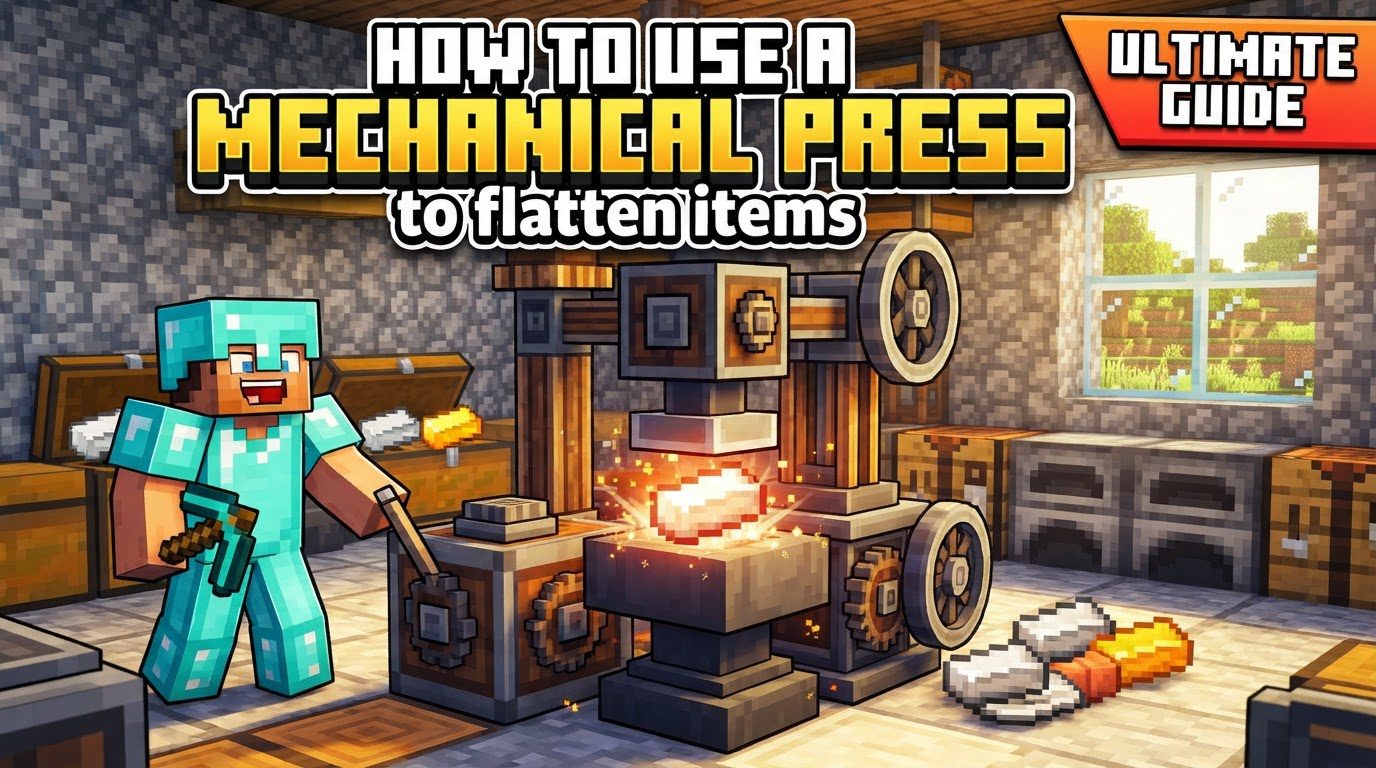
Understanding the Mechanical Press: Key Mechanics for Flattening
At its core, the Mechanical Press operates by applying specific recipes to items placed beneath it. To perform its function, it demands rotational power, which can be supplied by various sources, from the simple Hand Crank to more sophisticated setups involving Water Wheels or other rotating components. The efficiency of the press is directly tied to the power it receives; higher rotational speed translates to faster processing times.
For the purpose of “flattening” items, such as turning an iron ingot into an iron sheet, the Mechanical Press requires a precise setup. It must be positioned one block above a solid surface. The item you wish to flatten is then dropped directly onto this solid block. This configuration triggers “pressing” recipes. It is crucial to distinguish this from “packing” or “compacting” recipes, which necessitate a Basin placed directly beneath the press. Using a Basin for simple flattening will lead to unintended results, as it activates different recipe types.
By default, the press processes items individually. However, for those looking to scale up production, the mod’s configuration files offer options for bulk processing. When integrated into an automated system using components like Mechanical Belts or Depots, the press will temporarily halt the movement of items until the current processing task is complete, ensuring a smooth, uninterrupted workflow.
The Art of Flattening: A Step-by-Step Guide
Flattening items with the Mechanical Press is a straightforward process once you understand the basic setup. Here’s how to convert your ingots into useful sheets:
-
Step 1: Craft the Mechanical Press
Your journey begins with crafting the Mechanical Press itself. You will need to combine a Shaft, an Andesite Casing, and a Block of Iron. The Andesite Casing is a foundational Create component, crafted from Andesite Alloy and any type of log or plank. Andesite Alloy, in turn, is made by combining Andesite and Iron Nuggets. Gather these materials to construct your press.
-
Step 2: Strategic Placement
Once crafted, place your Mechanical Press thoughtfully. For flattening operations, it must be positioned exactly one block above the spot where your items will be processed. Crucially, ensure there is an empty block space directly beneath the press’s piston mechanism. This empty space is where the item will be dropped, and the flattened output will appear.
-
Step 3: Connecting the Power Source
The Mechanical Press is useless without power. Connect a rotational power source to one of the press’s accessible internal shaft interfaces. For early game, a Hand Crank is a simple, if manual, solution. For more automated setups, consider a Water Wheel, a Windmill Bearing, or other powered rotational components. Ensure the power source is active and generating sufficient kinetic stress.
-
Step 4: Item Introduction
With the press in place and powered, it’s time to introduce the item you wish to flatten. For example, if you want an Iron Sheet, drop an Iron Ingot onto the solid block directly beneath the Mechanical Press. Make sure it’s a solid block, not a Basin, to trigger the correct “pressing” recipe.
-
Step 5: Activation and Operation
The press will now activate. If you are using a Hand Crank, you will need to right-click and hold it to generate power. For automated power sources, the press will detect the item and begin its cycle automatically. You will see the press piston descend and then retract, indicating the item has been processed.
-
Step 6: Collecting Your Flattened Goods
Once the pressing animation completes, the flattened item – in our example, an Iron Sheet – will materialize on the block below. It is now ready for collection. For manual setups, simply pick it up. For automated systems, ensure a collection mechanism, such as a Mechanical Belt or a funnel, is in place to move the output.
Optimizing Your Flattening Operation: Important Tips
To get the most out of your Mechanical Press and ensure a smooth flattening process, keep these tips in mind:
- Ensure Adequate Kinetic Stress: Your power source must generate enough kinetic stress to not only move the press but also to prevent it from freezing or stalling during operation. Insufficient power will halt production.
- Automate for Efficiency: For any substantial production, manual operation will quickly become tedious. Implement automated input systems, such as Mechanical Belts or Depots, to feed items into the press, and output systems to collect the processed goods. This allows for continuous, hands-off operation.
- Speed is Power: The faster the rotational power supplied to the press, the quicker it will complete each pressing cycle. Investing in more robust or faster power generation will significantly boost your flattening throughput.
- Mind Your Hunger (Manual Operation): If relying on a Hand Crank, be aware that constantly turning it will consume your character’s hunger points. For prolonged manual use, bring plenty of food.
Troubleshooting and Common Pitfalls
Even expert engineers encounter challenges. Here are common mistakes to avoid when using the Mechanical Press for flattening:
- Lack of Rotational Power: This is the most frequent issue. If the press isn’t moving, check your power connection. The press simply will not function without an active and connected rotational power source. Ensure gears are meshed and power is flowing.
- Incorrect Placement for Recipe Type: This is critical for flattening. For “pressing” recipes like ingots to sheets, you must place the item on a solid block beneath the press. Using a Basin will trigger “compacting” recipes, potentially turning an iron ingot into an iron trapdoor or other unexpected items, rather than flattening it. Always use a solid block for flattening.
- Insufficient Kinetic Stress: Your power source might be connected, but if it’s not generating enough kinetic stress, the press will operate erratically, slowly, or stop entirely. Monitor the stress unit overlay (F3+G in newer versions of Create) or check the stress meter on a connected power component to ensure your power grid can handle the press’s demands.
- Not Clearing Output: If the processed item remains on the output block, the press may not be able to process subsequent items. This creates a bottleneck. Implement an automated collection system or manually clear the output promptly to ensure continuous operation.
- Attempting to Press Unpressable Items: Not every item has a defined “pressing” recipe. Trying to flatten something that doesn’t have a corresponding sheet or flattened form will yield no results. Always check Create’s JEI (Just Enough Items) integration to see what recipes are available for the item you wish to process.
By understanding these mechanics, following the steps, and heeding the advice, you will quickly become proficient in using the Mechanical Press to flatten items, unlocking a new realm of crafting possibilities in your Minecraft Create world.
Tags:
YOU MAY ALSO LIKE...


