How to Use Basic Tier Upgrade Sophisticated Storage
Many players struggle with inventory management in Minecraft, often resorting to endless rows of chests that quickly become unmanageable. Sophisticated Storage offers a revolutionary solution, transforming mundane storage blocks into powerful, customizable units. At the heart of this transformation are its upgrades, and understanding the basic tier is your first step towards organized efficiency.
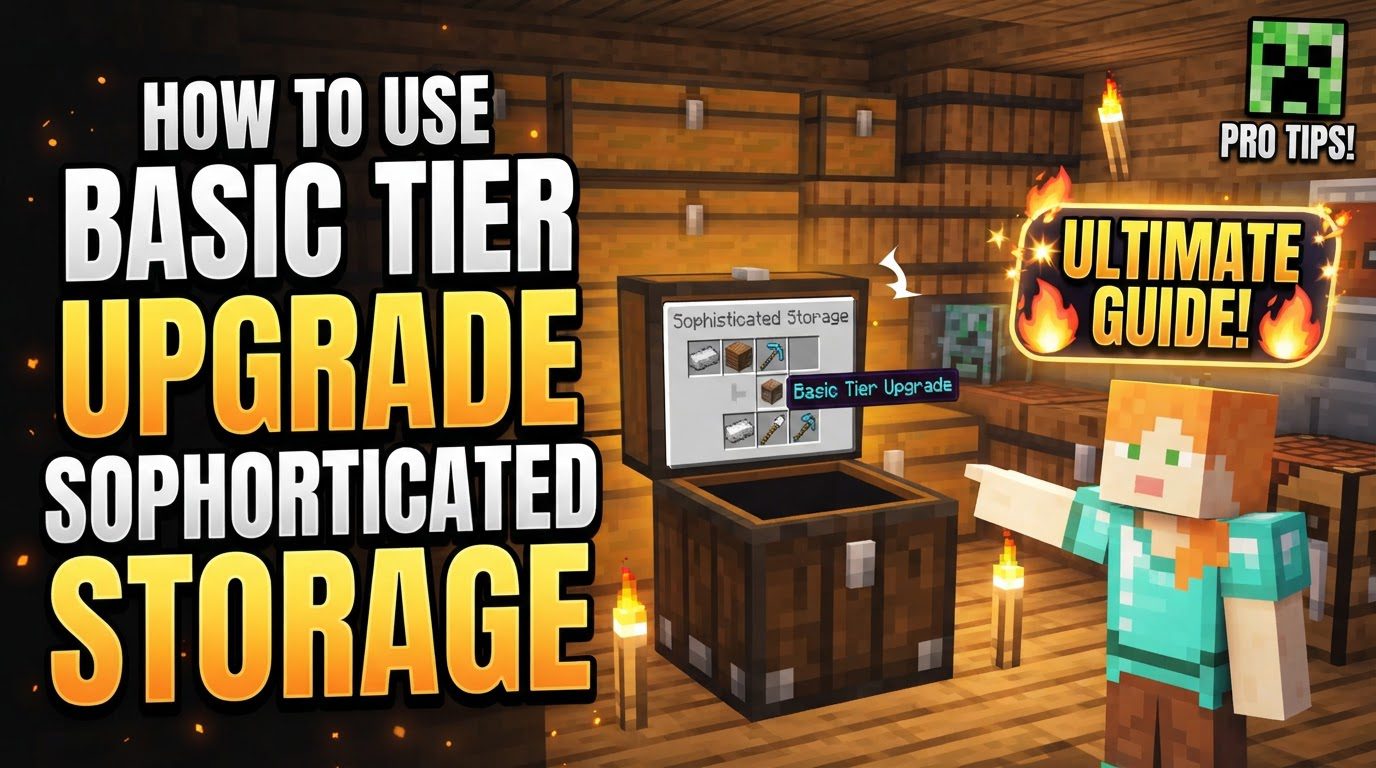
Understanding Sophisticated Storage Upgrades
Sophisticated Storage is a popular Minecraft mod designed to significantly enhance the functionality of traditional chests and barrels. Instead of just holding items, these blocks can be imbued with special abilities through the application of “upgrades.” These upgrades are special items crafted separately and then inserted into dedicated upgrade slots within a Sophisticated Storage container’s GUI. They range from simple capacity boosts to complex filtering and automation features, fundamentally changing how you interact with your inventory.
The Foundation: Basic Tier Upgrades Explained
Sophisticated Storage upgrades come in various tiers, typically starting with ‘Basic’ and progressing to ‘Advanced’ and ‘Ultimate’. The Basic Tier upgrades are your entry point, providing fundamental enhancements that lay the groundwork for more complex storage solutions. These upgrades are generally inexpensive to craft, requiring common materials, making them accessible early in your survival or modded progression. Mastering their use is crucial for any player looking to optimize their storage and automation setups.
Crafting Your First Basic Upgrades
Crafting basic tier upgrades is straightforward, typically involving common resources. While specific recipes can vary slightly between modpack versions or game updates, the general principle remains consistent. Most basic upgrades require materials like wood planks, iron ingots, redstone dust, and sometimes specific components related to the upgrade’s function (e.g., a hopper for a pickup upgrade, a crafting table for a crafting upgrade). These items are usually arranged in a crafting grid, often with a core item like a wooden plank or an iron ingot at the center, surrounded by the functional components. Always consult your in-game recipe book (like JEI or REI) for the exact patterns relevant to your current setup.
Applying Upgrades to Your Storage
Once you’ve crafted an upgrade, applying it to a Sophisticated Storage chest or barrel is simple. Right-click the storage block to open its GUI. You’ll notice dedicated slots, usually on the left or top-left side of the inventory, specifically for upgrades. Simply drag and drop your crafted upgrade item into one of these slots. The effect of the upgrade is instantaneous. You can stack multiple compatible upgrades in a single storage block, allowing for powerful combinations. To remove an upgrade, simply click and drag it out of the upgrade slot back into your inventory.
Essential Basic Upgrades and Their Functions
Here are some of the most commonly used and highly beneficial basic tier upgrades:
Basic Stack Upgrade
The Basic Stack Upgrade is perhaps the most fundamental enhancement for any Sophisticated Storage block. When applied, it multiplies the effective stack size of items within the chest or barrel. A single Basic Stack Upgrade typically doubles the capacity of each slot, allowing you to store 128 items per stack instead of the standard 64. This is invaluable for bulk resources like cobblestone, dirt, or even highly used components such as iron ingots or logs. For automated systems, it means fewer chests are needed to store the same volume of material, reducing footprint and complexity.
Basic Filter Upgrade
The Basic Filter Upgrade provides essential control over what items can enter or exit your storage unit. Once applied, right-clicking the storage block with an empty hand opens a dedicated filtering GUI. Here, you can place specific items into designated slots to create either a whitelist (only these items are allowed) or a blacklist (these items are explicitly forbidden). This is crucial for automation setups, ensuring only desired items are routed to a particular chest and preventing unwanted clutter. You can also configure it to ignore NBT data or durability, offering flexibility for tools or enchanted items.
Basic Void Upgrade
Have you ever found yourself with an overflowing farm or automated system, generating more items than you can possibly store? The Basic Void Upgrade is your answer. When a storage block equipped with this upgrade becomes full, any additional items that attempt to enter it will simply be destroyed or ‘voided’. This prevents bottlenecks in automated systems and helps manage unwanted overflow, especially useful for mob farms dropping excess rotten flesh or string, or resource generators producing infinite cobblestone.
Basic Magnet Upgrade
The Basic Magnet Upgrade adds a convenient quality-of-life feature to your storage. When placed on a chest or barrel, it will automatically pull nearby items dropped on the ground directly into its inventory, provided there’s space for them. This is incredibly useful in areas where you’re frequently mining or harvesting, reducing the need to manually pick up every single dropped item. The range of the basic magnet is usually quite modest, effective for the immediate vicinity of the storage block, making it perfect for a central collection point in a small work area.
Basic Pickup Upgrade
Similar to the Magnet Upgrade but with a slightly different application, the Basic Pickup Upgrade allows the storage block to automatically pick up items dropped directly onto its top surface. This is perfect for simple drop-chute systems or for catching items from a basic mob grinder directly above, without the need for hoppers or complex item transportation. It’s a highly efficient way to collect items from a single point directly into a storage container, minimizing item despawn risk and saving on hopper resources.
Basic Crafting Upgrade
For those who frequently craft items using materials stored in a specific chest, the Basic Crafting Upgrade is a game-changer. Applying this upgrade adds a small, integrated 3×3 crafting grid directly into the storage block’s GUI. This means you can access your stored components and craft new items without ever having to open a separate crafting table, streamlining many repetitive crafting tasks. It’s particularly useful for crafting tools, armor, or intermediate components directly from your supply chest.
Strategic Use and Combinations
The true power of Sophisticated Storage upgrades lies in their ability to be combined. For example, a chest with a Basic Stack Upgrade and a Basic Filter Upgrade can store massive quantities of only specific items. Add a Basic Void Upgrade, and any excess of those items will be automatically disposed of once the chest is full. A storage block with a Basic Magnet Upgrade and a Basic Pickup Upgrade becomes a formidable item collector. Experiment with different combinations to find setups that best suit your needs, whether it’s a dedicated ore chest, a mob farm drop-off, or a crafting station.
Moving Beyond Basic
While basic tier upgrades are powerful on their own, remember that they are just the beginning. Sophisticated Storage offers advanced and ultimate tiers for many of these upgrades, providing even greater multipliers, larger ranges, and more complex filtering options. Mastering the basic tier will provide you with the fundamental understanding and practical experience necessary to seamlessly transition to these higher tiers, further optimizing your storage and automation systems in Minecraft.
By integrating these basic tier upgrades into your gameplay, you’ll quickly discover a newfound level of organization and efficiency, freeing up more time for exploration, building, and adventure.
Tags:
YOU MAY ALSO LIKE...