TNT Duper Design Comparison Guide
A common misconception among new Minecraft players is that an infinite supply of TNT must be an exploit, and while technically true, the mechanism behind TNT duping is a fascinating display of Minecraft’s intricate redstone and block update mechanics. These ingenious contraptions allow players to generate an endless stream of TNT blocks, serving as an invaluable tool for large-scale excavation, automatic farming, and complex redstone engineering. Understanding the nuances of different TNT duper designs is crucial for any aspiring Minecraft expert looking to harness this powerful capability effectively and efficiently.
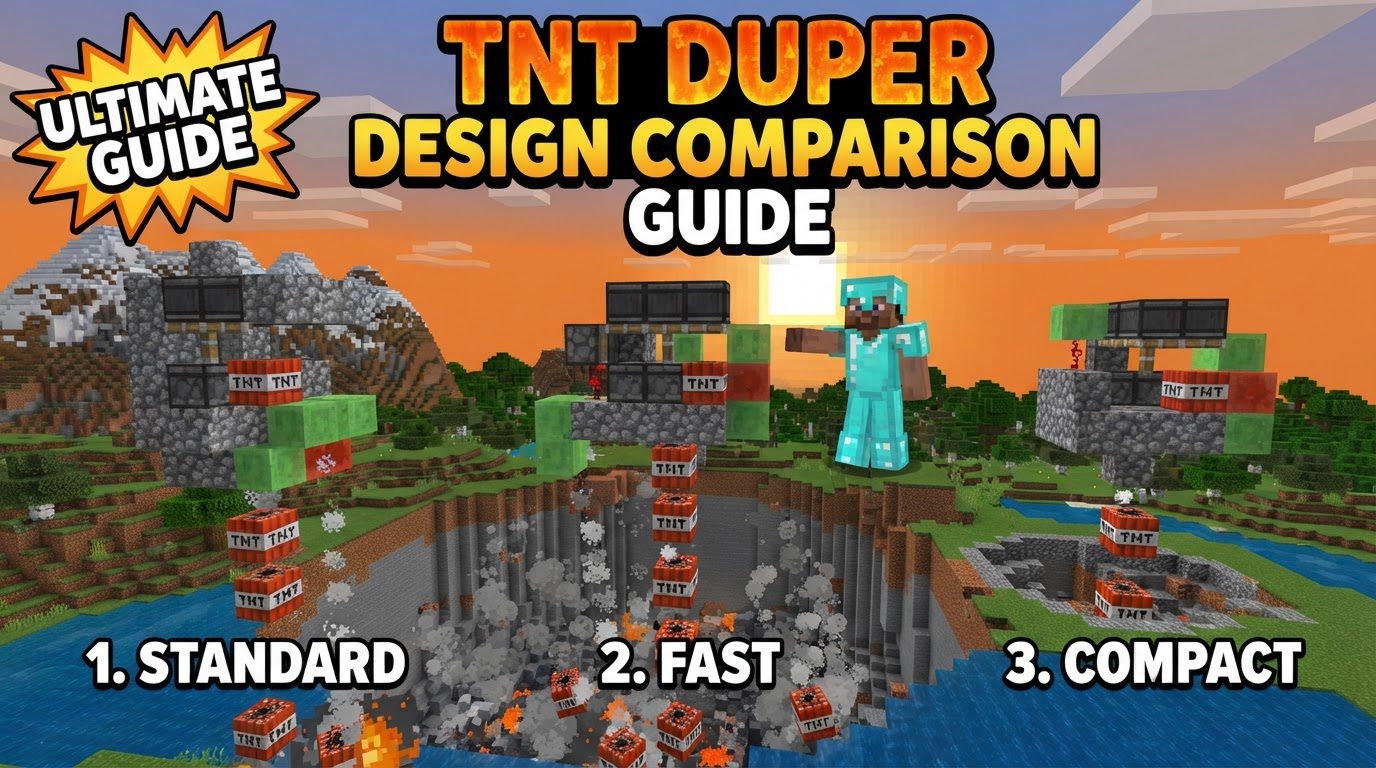
The Ingenious Core of TNT Duping: Understanding the Mechanics
At its heart, TNT duping in Minecraft Java Edition relies on a clever exploitation of specific game mechanics, primarily a concept known as Block Update Detection (BUD) powering. This mechanic allows a block to be powered without immediately realizing it until it receives a subsequent block update.
- BUD Powering Explained: In the context of TNT dupers, a TNT block is strategically positioned to be powered, often by a detector rail with a minecart on top. However, this power state doesn’t instantly ignite the TNT. It enters a “BUD state,” awaiting a trigger.
- The Critical Role of the Coral Fan: Since Minecraft 1.13.1, a dead coral fan has become the standard component for providing the crucial block update. When a piston moves the coral fan, it creates a ‘breaking’ animation. This animation acts as a block update, which is precisely what the BUD-powered TNT needs to ignite. This block update from the coral fan must occur within the same game tick as the TNT is about to be moved by a piston.
- Simultaneous Movement and Ignition: The magic happens when a piston pushes the TNT block at the exact moment it receives the block update from the coral fan. This precise timing causes the TNT to ignite and become an independent entity, while the original TNT block remains in place, is moved by the piston, and is ready to be duped again in the next cycle. Essentially, the game registers both an ignition and a block movement for the same TNT block simultaneously, creating a duplicate.
- Precision Redstone Timing: Achieving this simultaneous action requires incredibly precise redstone timing. Components like observers are frequently employed to ensure the coral fan updates first, followed by the TNT’s BUD state being triggered, and then the power source for the piston, all within the correct order of operations within a single game tick.
Crafting a Duper: A General Blueprint for Construction
While specific designs vary greatly, particularly with the use of slime or honey blocks, a common Java Edition TNT duper follows a general build order and incorporates several key components:
- Piston Setup: Begin by placing a sticky piston. This piston will serve as the primary mover, pushing and pulling the core assembly of the duper.
- Slime Block Assembly: Attach slime blocks (or honey blocks in some designs) to the sticky piston. These blocks form the movable part of the duper, often in an “L” shape or a similar configuration.
- Detector Rail and Minecart: Place a detector rail on one of the slime blocks. A minecart is then placed on top of this rail. This combination is fundamental for BUD-powering the TNT.
- TNT Placement: Carefully position a single TNT block within the slime block assembly. Its exact location is critical for the duper to function correctly.
- Coral Fan Placement: Place a dead coral fan adjacent to the TNT. Ensure its position is such that it will receive a block update (typically from being pushed or pulled by a piston) just before the TNT is moved.
- Structural Support: Add a fence or a wall block nearby. This helps stabilize the TNT and, critically, controls its trajectory upon ignition, directing where the duplicated TNT will fall.
- Activation Mechanism: Connect a redstone activation mechanism to the sticky piston. This could be a simple lever, a button for single activation, or more commonly, an observer clock for continuous, automatic duping.
- Initial Priming: Many duper designs require an initial push or pull to correctly position the TNT and establish the BUD state without immediate ignition, setting the stage for the duping cycle to begin.
Diverse Designs for Every Need: A Comparison Guide
The ingenuity of the Minecraft community has led to a variety of TNT duper designs, each optimized for different applications and levels of complexity. Understanding these variations is key to choosing the right duper for your project:
- Mytteri Designs (Push/Pull Duping): These dupers are known for their robust push/pull mechanics, making them excellent for stationary farms or applications where the duper itself doesn’t need to travel. They are often larger but reliable for consistent output. Their ability to both push and pull the TNT allows for more complex redstone timing and positioning.
- Kades Designs (Pull Duping): Kades dupers typically focus on a ‘pull’ mechanism, often making them simpler and easier to assemble for beginners. They are a good starting point for understanding the basic principles of duping before moving to more complex designs. Their ease of construction doesn’t compromise their effectiveness for many common tasks.
- Rays Works Designs (Slim Push Dupers): Rays Works is renowned for compact and efficient designs. Their “slim push dupers” prioritize a small footprint, making them ideal for situations where space is limited, such as within flying machines or compact builds. They often achieve their slimness by optimizing the piston and slime block layout.
- IImango’s Honey-Based Designs (Compact & Controlled): Ilmango, another prominent redstone engineer, has popularized designs that heavily utilize honey blocks. These designs are often incredibly compact and can offer superior control over the TNT’s fall trajectory. A key advantage is that honey blocks are not sticky on their bottom face, preventing unintended block movements below the duper and allowing for more controlled interactions with the environment.
- Slimeless/Honeyless Designs (Resource-Efficient & Compact): For builders looking to minimize resource consumption or achieve extreme compactness, slimeless or honeyless dupers are an excellent choice. These designs often leverage other blocks and intricate redstone to achieve the necessary movement and block updates without relying on sticky blocks. While potentially more complex in their redstone, they offer significant advantages in resource efficiency and can be incredibly small.
Mastering Your Duper: Essential Tips for Operation
To ensure your TNT duper operates safely and effectively, consider these crucial tips:
- Build High: Always construct TNT dupers high above the ground and well away from any important structures. Duplicated TNT can be launched surprisingly far and cause significant, unintended damage.
- Mirror Designs: To double your TNT output without building a completely separate duper, many designs can be mirrored. Ensure there’s a block of air separating the slime/honey blocks of the two mirrored sections to prevent them from sticking together.
- Automate with Observers: For continuous and hands-free operation, utilize observers to create a redstone clock. This allows the duper to activate and deactivate automatically, producing a steady stream of TNT.
- Control Fall Height: Incorporating honey blocks or specific structural elements into your design can help control the fall height and precise explosion point of the duplicated TNT, crucial for precise excavation or farming.
- Precision Alignment: Exact alignment of components, especially with blocks like walls and fence gates, is vital for consistent TNT trajectory and preventing misfires.
Avoiding Catastrophe: Common Mistakes and How to Prevent Them
Even seasoned players can make errors with TNT dupers. Be aware of these common pitfalls:
- Incorrect Placement: Misplacing even a single block can lead to the duper failing to function or, worse, self-destructing in an explosive chain reaction. Double-check all placements against your chosen design.
- Pre-priming TNT: Placing the TNT block or the minecart on a powered rail in the duper’s final configuration can prematurely prime the TNT, leading to an immediate explosion. Special assembly methods are often required to avoid this, such as placing the TNT last or ensuring no power is present during initial setup.
- Wrong Rail Type: Using an activator rail instead of a detector rail will prevent the duper from functioning correctly, as activator rails have different powering properties.
- Improper Block Updates: Not all block updates will trigger the BUD powering correctly. The specific ‘breaking’ animation caused by a coral fan being moved by a piston is key; other block updates may not work.
Critical Platform and Server Considerations
Before investing time in building a TNT duper, it’s essential to understand its compatibility:
- Server Limitations: Many multiplayer servers, especially those running optimization plugins like Paper or Spigot, disable TNT duping. This is often done to prevent performance issues, excessive world damage (griefing), or to maintain server economy. Always check server rules or consult an administrator before building.
- Bedrock Edition Incompatibility: It is crucial to note that TNT duping mechanics, as described here, generally differ or do not work at all in Minecraft Bedrock Edition compared to Java Edition. The designs and principles discussed are almost exclusively for Java.
Mastering TNT dupers opens up a world of automation and large-scale projects in Minecraft. By understanding the core mechanics, exploring various designs, and heeding critical advice, players can effectively integrate these powerful contraptions into their blocky worlds, transforming the landscape with unprecedented efficiency and precision.
Tags:
YOU MAY ALSO LIKE...