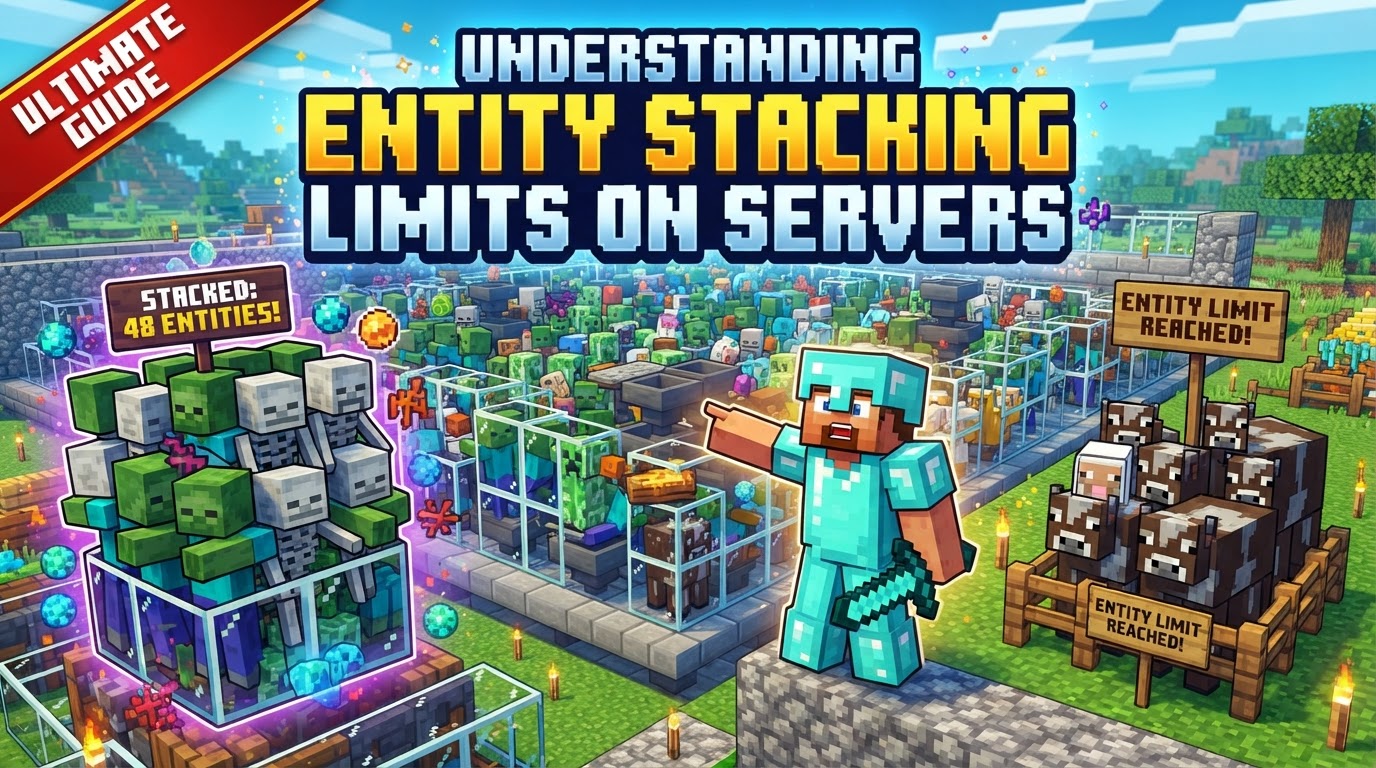
Understanding Entity Stacking Limits on Servers
A single, often overlooked, factor can bring even the most powerful Minecraft server to its knees: the entity. While blocks form the world, entities – anything from a wandering pig to a dropped pickaxe or a flying arrow – are the dynamic elements that demand constant processing power. Understanding and managing the limits imposed on these entities is not just a best practice; it’s a fundamental requirement for a smooth, lag-free server experience for both players and administrators.
What Constitutes an Entity in Minecraft?
In Minecraft, an entity is any non-block object that exists and interacts within the game world. This broad definition encompasses a vast array of elements, each contributing to the server’s computational load. Common examples include:
- Mobs: All creatures, hostile or passive, such as zombies, creepers, villagers, cows, and chickens.
- Dropped Items: Any item that has been thrown or dropped into the world.
- Projectiles: Arrows, fireballs, snowballs, trident, etc.
- Vehicles: Minecarts, boats, and horses.
- Armor Stands: Decorative entities.
- Experience Orbs: The glowing orbs dropped by defeated mobs or mined blocks.
Each of these entities “ticks” – meaning the server constantly calculates its position, AI (if applicable), interactions, and other properties. A high concentration of ticking entities in a loaded area is a primary culprit for server performance degradation and lag.
Vanilla Minecraft’s Native Entity Controls
Even without custom server software, Minecraft includes several built-in mechanisms to manage entity populations and their impact:
maxEntityCrammingGame Rule: This essential game rule controls how many entities can occupy the exact same block space before they begin taking suffocation damage. Its default value in Java Edition is 24. If 25 or more entities are in one block, they will start to take damage until the count drops below 24. Setting this rule to 0 effectively disables cramming damage, allowing an infinite number of entities to occupy a single block without harm. While this might seem beneficial for some farms, it can quickly lead to extreme lag if not carefully managed.- Mob Caps (Natural Spawns): Minecraft has overarching limits on the number of naturally spawning mobs of specific categories that can exist in loaded chunks. These caps are dynamic and scale with the number of loaded chunks and active players.
- Java Edition Default Caps: The base caps are Monsters: 70; Animals: 10; Ambient (bats): 15; Water Creatures (squid, dolphins): 5; Water Ambient (fish): 20. The actual global cap is calculated based on these base values, the total number of loaded chunks, and a 17×17 chunk area around each player. This system aims to distribute spawns across the world without overwhelming any single area.
- Bedrock Edition Mob Caps: Bedrock has a simpler global mob cap of 200 for all natural spawns combined. It also includes additional density caps within a smaller 9×9 chunk area to prevent too many mobs from congregating in one spot.
Advanced Server Software and Configuration Options
While vanilla Minecraft provides foundational controls, popular server software like Spigot, PaperMC, and Purpur offer significantly more granular control over entity behavior and limits, allowing administrators to fine-tune performance.
- Per-Player Mob Spawns (PaperMC): A game-changer for crowded servers, this PaperMC feature alters mob spawning from a shared global cap to a budget allocated independently for each player. Instead of all players contributing to one large cap, each player essentially has their own “mob allowance,” which dramatically reduces lag caused by excessive mob spawns in multi-player environments.
- Entity Activation Range (`entity-activation-range`): This crucial setting determines how close a player needs to be for an entity’s AI and other processing ticks to be active. Entities outside this range become “inactive,” meaning their AI is paused, and they consume significantly fewer server resources. Reducing this range (e.g., from vanilla 32 blocks to 16-24 for monsters and animals) can yield massive performance gains, especially in areas with many entities far from players.
- Item Merging (`merge-radius.item`): Dropped items are a common source of lag. Server software can be configured to automatically merge multiple dropped items of the same type into a single stack entity if they are within a specified radius. Increasing this radius (e.g., to 3.5-4.0 blocks) aggressively consolidates items, reducing the total number of item entities the server has to track.
- Entity Per Chunk Save Limit (`entity-per-chunk-save-limit`): This powerful setting imposes a hard cap on the number of specific entity types that can be saved within a single chunk. If a chunk contains more entities of a given type than this limit, the excess entities are simply discarded when the chunk unloads. This is particularly useful for preventing item pile-ups or runaway projectile counts in specific chunks.
Leveraging Plugins for Enhanced Entity Management
Beyond server configuration files, many administrators turn to plugins for even more sophisticated entity control:
- Mob Stacking: Some plugins are designed to actively group multiple similar mobs (e.g., 20 cows) into a single visual entity. While the individual mobs are still technically present for game mechanics, they are rendered and processed as one unit, drastically reducing the server’s rendering and ticking load. Stacking typically triggers when a certain number (often five or more) of the same mob type are within a small radius.
- Optimization Plugins: Tools like ClearLag, FarmLimiter, EntityTrackerFixer, or LagAssist offer automated solutions for entity removal, granular per-chunk limits, and real-time performance monitoring. They can automatically despawn old items, limit mob spawns in specific areas, or even remove entities that are causing excessive lag spikes.
Strategic Steps for Server Optimization
Effective entity management is a multi-faceted approach combining server settings, player education, and careful monitoring:
- Adjust `maxEntityCramming` Judiciously: For most survival servers, setting `/gamerule maxEntityCramming 0` is generally not recommended as it allows infinite entity accumulation. A higher value like 150 can provide a buffer for farms without disabling the mechanic entirely.
- Fine-Tune Server Software Settings:
- In
bukkit.yml, lowerspawn-limitsfor mob categories to reduce overall natural spawns. - In
spigot.yml, significantly reduceentity-activation-rangefor monsters and animals (e.g., to 16-24). Settick-inactive-villagers: falseto pause AI for villagers outside the activation range. Increasemerge-radius.item(e.g., to 3.5-4.0) to consolidate dropped items more aggressively. - In
paper-world-defaults.yml, enableper-player-mob-spawns: true. Adjustdespawn-rangesfor mobs to ensure they don’t linger unnecessarily. Configureentity-per-chunk-save-limitfor specific entity types, especially projectiles, to prevent accumulation.
- In
- Manage Dropped Items Aggressively: Beyond increasing
merge-radius.item, consider reducing the default item despawn timer from 5 minutes to 15-30 seconds using plugins or server settings. Also, lowerentity-per-chunk-save-limit.itemto prevent large item pile-ups when chunks unload. - Control Villager Populations: Villagers, with their complex AI and pathfinding, are notorious lag sources. Cap their numbers at 10-15 per chunk and encourage distributed trading setups. The
tick-inactive-villagers: falsesetting is crucial here. - Optimize Experience Orbs: Large numbers of XP orbs, especially in grind farms, can cause significant lag. Implement entity limiters to aggressively remove excess orbs or reduce their merge radius.
- Educate Players and Set Clear Rules: Inform players about entity limits and guidelines for efficient farm designs. Encourage responsible building and discourage excessive AFK farms that generate thousands of entities.
- Monitor and Alert: Implement tools to monitor entity counts in real-time and set up automated alerts for when thresholds are exceeded. This allows administrators to proactively address lag sources before they become critical.
- Strategic Chunk Loading: While not directly an entity limit, managing chunk loading efficiently can reduce the number of active entities the server needs to process at any given time. Consider permanently loading frequently accessed, high-entity areas to prevent constant loading/unloading overhead.
Common Pitfalls to Avoid
Many server performance issues stem from common player behaviors or design flaws that inadvertently create entity overload:
- Excessive AFK Farms: Unchecked mob grinders that run 24/7, pushing thousands of items or mobs into a single collection point, are a top cause of server lag.
- Dense Villager Trading Halls: Cramming 50 or more villagers into a tiny space for trading significantly impacts server performance due to their constant AI calculations and pathfinding attempts.
- Ignoring XP Orbs: Large quantities of experience orbs, especially from high-yield farms, are often underestimated as a major source of lag.
- Massive Mob Farms: Building sprawling dark rooms that funnel hundreds of mobs into kill chambers creates immense server load from spawning, pathfinding, and subsequent item drops.
- Redstone Contraptions with Many Entities: Complex redstone builds involving numerous minecarts, item frames, or other constantly updating entities can generate persistent lag.
Mastering entity stacking limits and management is a continuous process for any Minecraft server administrator. By understanding how entities impact performance and utilizing the tools available, you can cultivate a thriving, lag-free environment that players will appreciate.
Tags:
YOU MAY ALSO LIKE...