Changing Item Components with Item Modify (Step by Step)
Minecraft’s item system received a significant overhaul starting from version 1.20.5+ (Java Edition) with the introduction of item components. This new system replaces the older NBT (Named Binary Tag) system for defining an item’s properties and behaviors, offering a more structured and robust way to customize virtually any item in the game. Understanding and utilizing item components, particularly through the /item modify command, opens up a vast array of possibilities for map makers, server administrators, and players looking to create unique gameplay experiences.
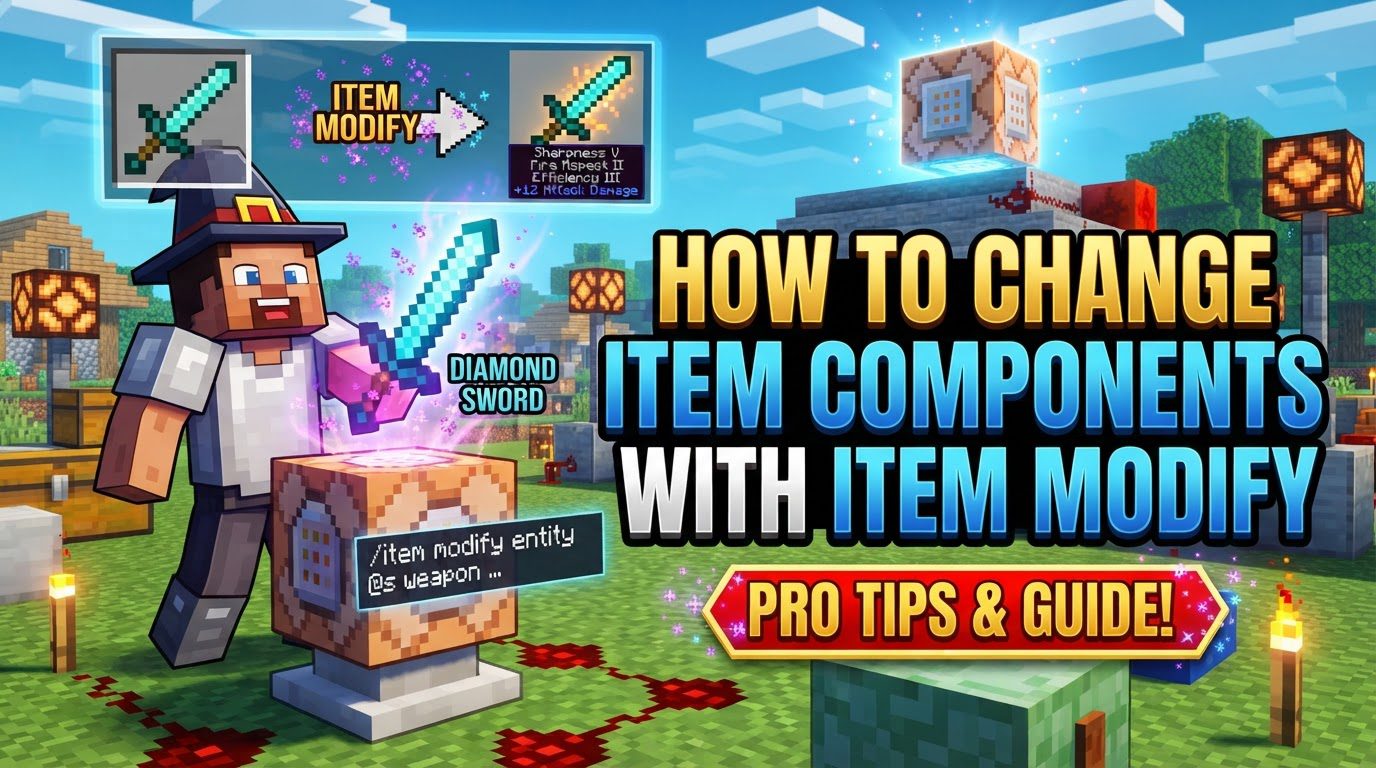
Every item in Minecraft now possesses a set of components, even if some of these components are empty or hold default values. These components are defined using JSON-like structures, often referred to as SNBT (Stringified NBT) when used in commands. They consist of key-value pairs, where the key is a fixed string identifier (e.g., minecraft:consumable, minecraft:tool, minecraft:max_damage), and the value defines the specific properties and behaviors of that component. The /item modify command is the primary in-game tool for applying changes to an item’s components directly or by referencing item modifiers defined within data packs. Item modifiers themselves are JSON files within data packs that encapsulate item functions, enabling structured, reusable, and complex modifications.
Step-by-Step Process for Changing Item Components
Modifying item components involves a systematic approach to ensure your custom items behave exactly as intended. Here’s a breakdown of the process:
-
1. Identify the Item and Desired Components:
Begin by clearly defining which item you intend to modify. More importantly, determine precisely which components you wish to add, remove, or alter. For instance, you might want to make a common block edible, turn a stick into a powerful tool, or simply adjust the maximum damage an existing tool can take.
-
2. Consult the Wiki or Documentation:
Before attempting any modifications, it is crucial to consult the official Minecraft Wiki or other reliable documentation. This step is vital for understanding the exact structure and available values for each specific component. Component structures can be intricate, and knowing the required keys and their acceptable value types (e.g., boolean, integer, string, object) is paramount for success.
-
3. Construct the Component JSON/SNBT:
Once you understand the component’s structure, the next step is to write out the JSON (or SNBT for in-game commands) that defines the component and its desired values. This involves careful attention to syntax. For example, to make an item consumable with specific effects, you might construct a JSON similar to this:
{"minecraft:consumable":{"consume_seconds":1.6,"animation":"eat","sound":"entity.generic.eat","on_consume_effects":[{"type":"apply_effects","effects":[{"id":"speed","amplifier":0,"duration":100,"show_particles":true}],"probability":1.0}]},"minecraft:food":{"nutrition":2,"saturation":5.0,"can_always_eat":false}}In this example, the
minecraft:consumablecomponent defines how long it takes to consume (consume_seconds), the animation and sound played, and a list of effects applied upon consumption. Here, it applies a Speed I effect for 100 game ticks (5 seconds) with a 100% probability. Additionally, theminecraft:foodcomponent specifies its nutritional value (nutrition), saturation amount (saturation), and whether it can always be eaten regardless of hunger (can_always_eatset tofalse). -
4. Apply using
/item modify:There are two primary methods for applying your component modifications:
-
Directly (for simpler changes or testing):
For quick tests or straightforward modifications, you can use the
/item modifycommand directly in a command block or the chat. The general syntax is/item modify <target> <slot> <modifier_json>. Themodifier_jsonin this case will typically include afunctionlikeminecraft:set_components, which allows you to define the components to be set. For instance, to make an item in a player’s main hand edible if it’s not already food:execute as @a if items entity @s weapon.mainhand *[!minecraft:food] run item modify entity @s weapon.mainhand {function:"minecraft:set_components", components: {"minecraft:food": {nutrition:1, saturation:2, can_always_eat:true, eat_seconds:3.2}}}This command targets all players (
@a). It then checks if the item in their main hand (weapon.mainhand) does NOT already have theminecraft:foodcomponent (*[!minecraft:food]). If it passes this condition, it modifies that item, adding or overwriting theminecraft:foodcomponent with a nutrition of 1, saturation of 2, allowing it to always be eaten, and setting a consumption time of 3.2 seconds. -
Via Data Packs (for complex or reusable modifications):
For more complex, organized, or reusable modifications, creating item modifiers within data packs is the recommended approach. This method involves:
- Creating a
.jsonfile inside your data pack’sdata/<namespace>/item_modifiers/folder. The<namespace>can beminecraftfor vanilla or a custom name for your data pack. - This JSON file defines the item modifier, which uses a
functionor an array of functions to specify the changes. For example, a file nameddata/my_pack/item_modifiers/make_edible.jsonmight contain theminecraft:set_componentsfunction with your desired components. - Invoking this modifier using the command
/item modify <target> <slot> <namespace>:<modifier_name>. For instance,/item modify entity @s weapon.mainhand my_pack:make_ediblewould apply the changes defined in yourmake_edible.jsonmodifier to the item in your main hand. This method promotes cleaner command structures and easier management of modifications.
- Creating a
-
Directly (for simpler changes or testing):
Important Tips for Item Component Modification
- Use Online Generators: Tools like MCStacker can significantly simplify the process of generating complex component JSON/SNBT. These generators often have user-friendly interfaces that help you select components and define their values correctly, reducing the chance of syntax errors.
- Start with Similar Base Functionality: If you’re aiming for a custom item with a specific right-click action (e.g., tilling soil or placing blocks), it’s often more efficient to start by modifying an item that already possesses that inherent action (like a hoe for tilling or a block item for placing). This leverages existing game mechanics rather than trying to recreate them entirely.
-
Be Meticulous with JSON Syntax: JSON syntax is strict. Pay extremely close attention to the placement and matching of curly braces
{}, square brackets[], quotation marks""around keys and string values, and commas,separating elements. A single misplaced character can invalidate the entire structure. -
Understand Key-Value Pairs: Remember that component keys (e.g.,
"minecraft:tool","minecraft:max_stack_size") are fixed strings and must be spelled exactly as defined by the game. The values associated with these keys (e.g.,1.0,"head",64) are what you can change to customize the component’s properties. - The Minecraft Wiki is Your Friend: The official Minecraft Wiki is an invaluable resource. It provides comprehensive lists and detailed explanations of all available item components, their sub-properties, and valid values. Always refer to it for accurate information.
Common Mistakes to Avoid
- Confusing NBT with Components: Item components are a completely distinct system from the older NBT tags. Techniques or commands that relied on NBT for item properties in older versions might no longer work or produce unexpected results in Minecraft 1.20.5+.
- Incorrectly Specifying Component Keys: Component keys are case-sensitive and must be exact. Typos or incorrect capitalization will prevent the modification from being applied successfully.
-
Expecting
/giveto Handle Complex Components: While the/givecommand can apply basic NBT data, for full and intricate item component customization,/item modifyor data pack-based item modifiers are necessary./giveis generally not sufficient for the new component system. - Trying to Modify Items in Older Versions: Item components are a relatively new feature. Attempting to use these commands or structures in Minecraft versions older than 1.20.5 will not work.
-
Forgetting to Define All Necessary Sub-components: Many components require specific sub-values or nested objects to function correctly. For example, the
minecraft:consumablecomponent needs details likeconsume_seconds,animation, and often works in conjunction withminecraft:foodproperties to be fully functional. Omitting these can lead to partial or non-functional components. - Assuming Visual Changes Equate to Functional Changes: Merely changing an item’s model or texture through a component does not inherently alter its fundamental behavior. For instance, making magma cream look like a block through a component won’t automatically make it behave like a placeable block if its base item type remains magma cream. Functional changes require specific components that dictate behavior, not just appearance.
Tags:
YOU MAY ALSO LIKE...