Sharing a Player Database Across Multiple Servers (Step by Step)
Sharing a player database across multiple Minecraft servers is a fundamental aspect of creating a cohesive and professional server network. This approach ensures a seamless player experience, allowing players to retain their progress, inventory, and statistics as they move between different servers within your network. Instead of starting fresh on each server, players can enjoy a continuous journey, enhancing engagement and satisfaction. This guide will walk you through the essential mechanics, a step-by-step setup process, important tips, and common pitfalls to avoid when implementing a shared player database system.
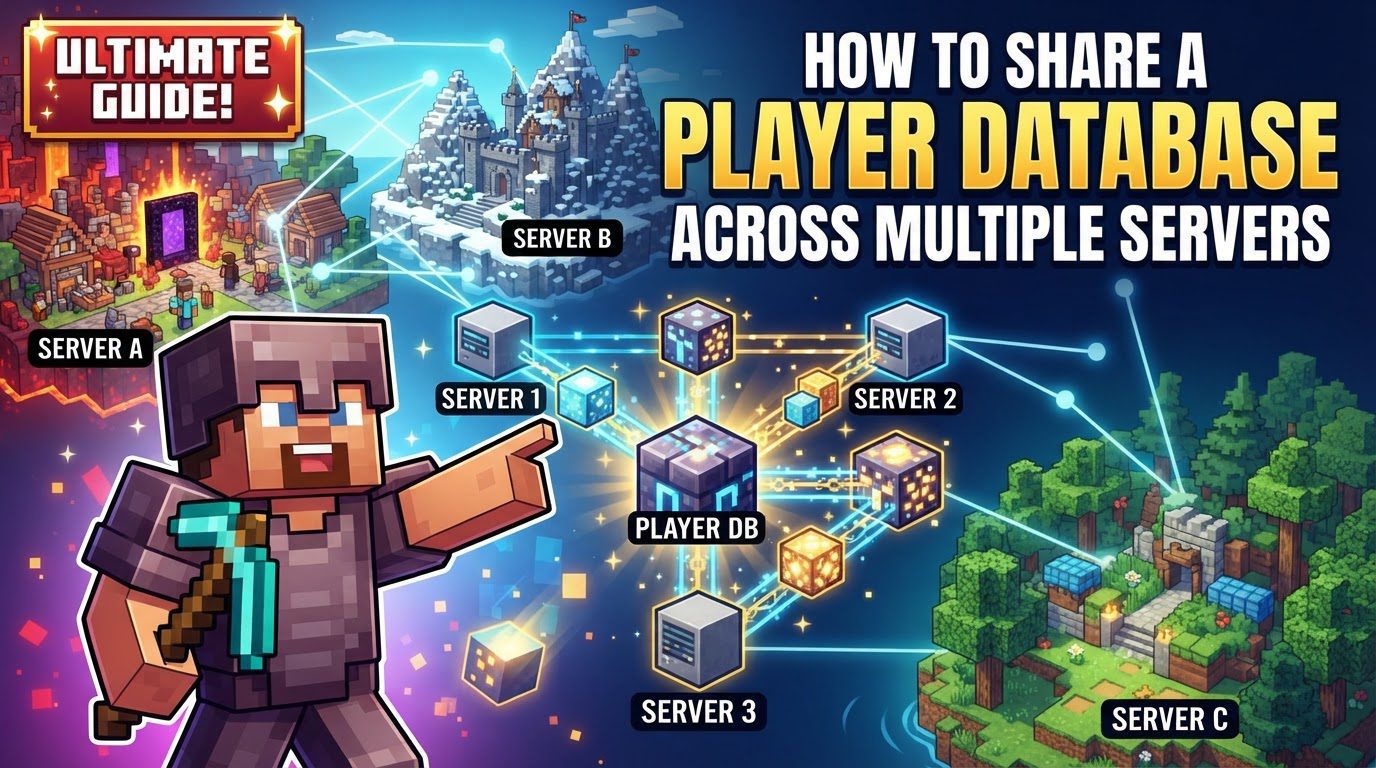
Key Mechanics of Player Data Synchronization
-
Centralized Database: The core of a multi-server player data system is a centralized database, typically MySQL or MariaDB. This database acts as a single source of truth for all player data, preventing fragmentation and ensuring consistency across the entire network. All player information, from inventories to experience, is stored here rather than on individual server files.
-
Plugins: Specialized Minecraft plugins are essential. These plugins run on each server, acting as intermediaries to communicate with the centralized database. They manage the loading and saving of player data, keeping the database updated with player progress and actions.
-
Data Synchronization: When a player joins a server, their data is loaded from the central database. When they leave or their data is saved, it is updated in the database. This continuous process ensures a player’s progress is always current and available, regardless of which server they are playing on.
-
BungeeCord/Velocity Integration: For networks using proxies like BungeeCord or Velocity, data synchronization plugins often integrate with them. This integration ensures player data is reliably saved when players switch between servers via the proxy, preventing potential data loss during transitions.
-
Asynchronous Operations: Modern synchronization plugins perform database operations asynchronously. This critical feature prevents blocking the main server thread, thus maintaining server performance and preventing lag, especially under heavy load. The server can continue game processing while database interactions occur in the background.
Step-by-Step Process for Implementing a Shared Player Database
Implementing a shared player database requires careful execution of several key steps to ensure proper functionality and data integrity across your Minecraft network.
-
1. Set up a MySQL/MariaDB Database: Begin by establishing your centralized database. Create a new database specifically for Minecraft player data and set up dedicated user credentials (username, password). This can be done via your hosting panel or by manually installing a database server. Ensure the database is accessible from all your Minecraft servers.
-
2. Install the Synchronization Plugin: Next, install a suitable player data synchronization plugin (e.g., PlayerSync, PlayerDataSync, MC Data Bridge) on each of your Minecraft servers. Download the plugin’s JAR file and place it into the
plugins/folder (ormods/for Fabric/Forge) of *every* server that will be part of the synchronized network. -
3. Configure the Plugin: This is a crucial configuration phase:
-
Initial Configuration File Generation: Start and then stop each server where the plugin was installed. This action generates the plugin’s initial configuration file (e.g.,
config.ymlorplayersync.toml) within its dedicated plugin folder. -
Database Connection Details: Edit this configuration file on *each* server. Accurately provide the connection details for your MySQL or MariaDB database: host, database name, username, and password. Incorrect details will prevent connection.
-
Unique Server IDs (If Required): If your chosen plugin requires unique server IDs, assign a distinct identifier to each server in its configuration file. This prevents data conflicts.
-
BungeeCord/Velocity Integration: If your network uses a BungeeCord or Velocity proxy, enable the corresponding integration setting in the plugin’s configuration. This ensures proper data handling during player transitions between servers via the proxy.
-
-
4. Start Your Servers: After configuring all servers, restart every Minecraft server in your network. The synchronization plugin should automatically connect to your database, create necessary tables, and begin actively synchronizing player data across your network, providing a seamless experience.
Important Tips for Optimal Player Data Synchronization
-
Choose a Robust Plugin: Select an actively maintained plugin compatible with your Minecraft version and supporting all desired data types (inventory, XP, health, advancements). A comprehensive plugin minimizes data loss risks.
-
Use a Central Database: A MySQL or MariaDB database is highly recommended for networks. It centralizes data, offloads storage from individual servers, and ensures efficient, consistent access to player information.
-
Secure Your Database: Ensure database credentials are strong and secure. Restrict database access to only necessary server IPs to prevent unauthorized access.
-
Understand Data Coverage: Know exactly what data your chosen plugin synchronizes. Match its capabilities (e.g., inventory, health, XP, advancements) with your network’s specific requirements to avoid gaps.
-
Backup Your Data: Regularly back up your MySQL/MariaDB database. This database holds all player progress, making consistent backups critical for disaster recovery and preventing data loss.
-
Monitor Performance: After setup, monitor server and database performance (CPU, memory, query times). Some plugins offer profiling tools to help identify and resolve potential bottlenecks efficiently.
Common Mistakes to Avoid When Sharing Player Data
While setting up a shared player database offers significant advantages, being aware of common pitfalls can prevent frustrating issues and potential data loss.
-
Not Using a Central Database: Attempting to share data by directly linking or copying
.datfiles is highly prone to errors, data corruption, and timing issues. A dedicated central database is the only reliable solution. -
Incorrect Database Configuration: Mistakes in database connection details (host, port, username, password, database name) are a frequent cause of synchronization failure. Double-check all credentials and ensure accessibility.
-
Missing Plugin on a Server: The synchronization plugin must be installed and correctly configured on *every* server in the network that needs shared player data. Forgetting one will isolate that server.
-
Not Unique Server IDs: If your plugin requires unique server IDs, failing to set them up correctly can lead to data conflicts and incorrect player data association.
-
Ignoring Modded Item Handling: For modded servers, ensure your plugin supports modded items. Without proper support, players risk losing these items when switching between servers with different mods.
-
Player Data Conflicts: Without proper synchronization, players may lose inventory, stats, or appear as “new” when moving to different servers or worlds, leading to a frustrating experience.
-
Sharing Player Positions: Avoid synchronizing player positions across different servers. Each server has a unique world, and sharing positions will cause players to spawn in unintended, impossible, or dangerous locations, potentially trapping or killing them.
Tags:
YOU MAY ALSO LIKE...