Using Super Glue to Attach Blocks for Movement
Understanding Super Glue for Dynamic Minecraft Builds
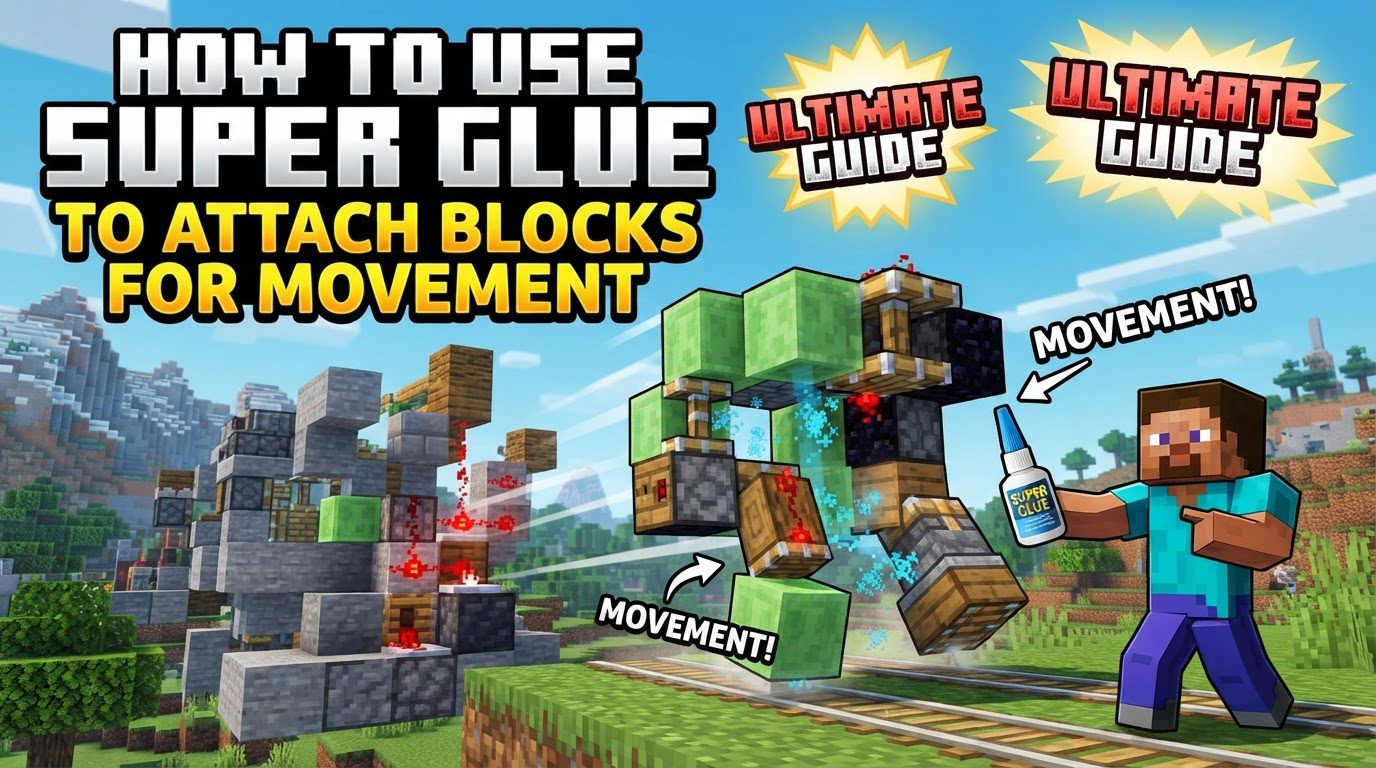
Super Glue is an essential tool for players looking to transcend the static nature of traditional Minecraft blocks, enabling the creation of dynamic, moving structures. This functionality is primarily introduced through the “Create” mod for Minecraft Java Edition or the “Physics Glue Create” (Super Glue) Addon for Minecraft Bedrock Edition. By utilizing Super Glue, ordinary blocks can be transformed into cohesive, dynamic physics objects capable of movement, rotation, floating, and even flight. This opens up a vast array of possibilities, allowing players to construct intricate contraptions such as functional cars, buoyant boats, majestic airships, practical elevators, and even entire movable houses.
Key Mechanics of Super Glue
The core concept behind Super Glue is its ability to weld multiple individual Minecraft blocks into a single, unified entity that adheres to physics principles. Once blocks are glued together, they become a dynamic physics object. This means they can be manipulated as a whole, responding to forces and movements as a single unit. The connection established by Super Glue is permanent until it is intentionally removed, providing a stable foundation for complex mechanical designs.
- Durability and Maintenance: The Super Glue item itself possesses durability, meaning it can wear out with use. However, its lifespan can be significantly extended by applying the Unbreaking enchantment, and its durability can be restored using the Mending enchantment, ensuring long-term utility for your building projects.
- Physics and Design Considerations: When designing movable structures, attention to physical properties is crucial. Factors such as the overall mass and weight of your build, along with its center of gravity, play a significant role. Heavy blocks naturally require more lift or buoyancy to move effectively. Furthermore, an unbalanced construction can lead to undesirable outcomes like tipping over or uncontrolled spinning, highlighting the importance of thoughtful design.
- Physics Placing & Breaking: A notable feature enabled by Super Glue is “Physics Placing & Breaking.” This allows for real-time interaction with your moving creations. Players can add or remove blocks from a glued structure even while it is in motion, without the need to unglue the entire assembly. This offers unparalleled flexibility for on-the-fly modifications and repairs.
Step-by-Step Application Modes
Super Glue offers two primary methods for attaching blocks, catering to different building needs and scales: block-by-block application and area selection.
Block-by-Block Mode
This method is ideal for precise, controlled gluing or for adding individual blocks to an existing glued structure.
- Automated Off-Hand Placement: To use Super Glue in a highly efficient block-by-block manner, hold the Super Glue item in your off-hand. When you then place blocks as you normally would, each newly placed block will automatically be glued to any adjacent blocks that are already part of a glued structure or to other blocks being placed simultaneously.
- Targeted Chassis Coating: Alternatively, you can right-click directly on a Linear or Radial Chassis with Super Glue. This action coats the face of the chassis, preparing it to automatically glue any subsequent blocks attached to that specific face. This is particularly useful for building directly onto the moving parts of a contraption.
Area Selection Mode
For larger constructions or when you need to glue a significant volume of blocks efficiently, the area selection mode is invaluable.
- Initiating Selection: Begin by right-clicking on a starting block within your desired structure while holding Super Glue. This marks the first corner of your selection.
- Defining the Area: Next, move your cursor to the opposite corner of the section you wish to glue. It’s important to note that there are typically range limitations for this mode; for instance, the Create Mod often has a range limit of 24 meters and a maximum volume of 3150 cubic meters for the selection. As you move your cursor, a green box will visually outline all the blocks that are currently within your potential selection.
- Confirming and Gluing: Once the green outline encompasses all the desired blocks, right-click again to confirm your selection. All blocks within the outlined area will then be glued together, forming a single dynamic object.
- Aborting a Selection: Should you need to cancel an ongoing area selection before confirming, simply right-click while simultaneously sneaking. This will abort the current selection process without applying any glue.
Important Tips for Effective Super Glue Use
Mastering Super Glue involves understanding several nuances that can significantly improve your building efficiency and the stability of your creations.
- Automated Gluing with Off-Hand: As mentioned, keeping Super Glue in your off-hand streamlines the construction process by automatically gluing blocks as you place them, saving considerable time and effort.
- Visualizing Glued Areas: To easily identify which blocks are currently glued together, simply hold Super Glue in your main hand. All glued areas will be highlighted with a distinctive green outline, providing clear visual feedback.
- Gluing to Chassis in Area Mode: When using area selection mode to attach blocks to a linear or radial chassis, remember to click on the side of the chassis when initiating your selection, rather than its face. This ensures proper attachment and integration with the chassis’s movement capabilities.
- Unglueing Blocks: To detach blocks from a glued structure, left-click on the desired blocks while holding Super Glue. This action will remove the glue connection, allowing the blocks to become independent again.
- Optimizing Performance with Bounding Boxes: For very large or complex structures, consider gluing them as a single, large bounding box rather than many small, interconnected ones. This approach can help reduce the computational impact on your game, leading to smoother performance.
- Natural Terrain Protection: By default, natural terrain blocks are often protected from accidental gluing to prevent players from inadvertently moving parts of the world itself. This setting can usually be modified within the mod or addon’s configuration options if you specifically need to interact with terrain.
Common Mistakes to Avoid
Even experienced builders can make mistakes when using Super Glue. Being aware of these common pitfalls can help you create more robust and functional contraptions.
- Disconnected Block Sections: A frequent error is attempting to glue disconnected sections of blocks. A glue region requires a continuous path connecting all blocks within that section. If blocks are isolated or only partially connected, the glue may fail to apply or disappear entirely, leading to unexpected detachments.
- Forgetting to Glue Essential Blocks: It is crucial to ensure that all necessary blocks intended to move together are indeed glued. Forgetting to glue even a single critical component can result in parts of your contraption not moving in unison, potentially leading to structural failure or malfunction.
- Misusing WorldEdit for Glued Blocks: Do not assume that WorldEdit can copy and paste glued blocks while preserving their Super Glue connections. WorldEdit typically does not retain Super Glue data between blocks. For duplicating glued structures, it is highly recommended to use the schematic system provided by the Create mod, which is designed to handle these complex structures correctly.
- Inefficient Gluing of Large Areas: Manually gluing every two blocks individually across a large area is inefficient and time-consuming. Instead, always utilize the area selection mode or the off-hand placement method for large-scale gluing tasks to save time and ensure consistent connections.
- Ignoring Weight and Balance: Overlooking the weight distribution and placement of blocks is a common mistake that can have significant consequences. Unbalanced builds, especially vehicles, are prone to tipping over or spinning uncontrollably, making them difficult or impossible to operate effectively. Always consider the center of gravity during the design phase.
Tags:
YOU MAY ALSO LIKE...