How to Fix an End Gateway Not Teleporting Correctly
The shimmering, ethereal portal promises a swift journey to the End’s outer islands, a treasure trove of shulkers and elytra. Yet, for many Minecraft adventurers, that promise can turn into a frustrating plunge into the void, an endless loop back to the starting point, or simply a portal that refuses to cooperate. When an End Gateway fails to teleport correctly, it can halt exploration and leave players stranded. Fortunately, understanding the mechanics behind these enigmatic structures and knowing how to intervene can quickly get your End expeditions back on track.

End Gateways are more than just pretty effects; they are crucial conduits generated automatically in the End dimension after the defeat of the Ender Dragon. Up to 20 of these gateways will spawn around the central End island, typically at Y-level 75, each enclosed within a sturdy frame of 12 bedrock blocks. Their primary function is to facilitate travel to the vast, resource-rich outer End Islands. Activating these gateways usually requires nothing more than tossing an Ender Pearl directly into their shimmering core. However, when this simple act goes awry, it’s often due to underlying data issues or peculiar game mechanics.
Deciphering End Gateway Mechanics
To effectively troubleshoot a malfunctioning gateway, it’s essential to grasp how they operate under the hood. Unlike standard Nether portals, End Gateways are singular blocks with specific data attached to them that dictates their behavior.
- Generation and Purpose: Upon the Ender Dragon’s defeat, the game algorithm places these gateways, providing players with a means to access the expansive outer islands, which are otherwise inaccessible without extensive bridge building or elytra flight.
- Activation Method: The intended method of activation is by throwing an Ender Pearl into the gateway’s swirling center. The pearl must physically enter the portal block to trigger the teleportation sequence.
- Structural Integrity: Each gateway is essentially an `end_gateway` block, encased by a protective ring of 12 bedrock blocks. This structure is typically robust, but it’s the internal data of the gateway block itself that matters most for teleportation.
- Teleportation Data (NBT Tags): The magic of teleportation is stored within the gateway’s Non-Player Data (NBT) tags. Specifically, the `ExitPortal` tag holds the destination coordinates (X, Y, Z) where the player is supposed to arrive. An additional tag, `ExactTeleport`, determines the precision of this arrival. If `ExactTeleport` is set to 0, the player will be teleported to a safe, nearby location around the specified coordinates. If it’s set to 1, the player will be placed precisely at those coordinates, which can sometimes lead to suffocation if the destination is blocked.
- Return Journeys: It’s worth noting that gateways found on the outer End Islands function differently. Instead of leading to further islands, these gateways are hardwired to teleport the player back to the original obsidian platform on the central End island, serving as a convenient return route.
Common Malfunctions and Historical Quirks
End Gateways, while generally reliable, have been subject to various bugs and inconsistencies over Minecraft’s development. Recognizing these common issues can help diagnose the problem:
- Bedrock Edition Bugs: Historically, Bedrock Edition has seen its share of gateway woes. Players might find themselves plummeting into the void, inexplicably returned to the main island, or trapped in an infinite teleportation loop. While many of these issues were reportedly addressed in a September 2025 update, residual problems can still manifest, particularly in modified game environments.
- Suffocation Hazards: A known issue arises when players are teleported directly into solid blocks, such as the bedrock surrounding the gateway itself. This can cause immediate suffocation damage, or even death, upon arrival. This often happens if the `ExactTeleport` tag is set to 1 and the destination isn’t perfectly clear.
- Legacy World Generation: Gateways generated in older Minecraft versions (pre-1.9) or in chunks that existed before the gateway generation mechanics were fully refined, were particularly susceptible to infinite teleport loops. These older gateways might lack the necessary NBT data to function correctly.
- Missing `ExitPortal` Data: In some cases, especially if a gateway block is created without proper NBT data (e.g., through commands or external tools), it might lack the crucial `ExitPortal` tag. When this happens, Bedrock Edition gateways, in particular, have been known to default to teleporting players to coordinates 0,0,0, often resulting in a fall far below the main island.
- The `DIM1` Deletion Myth: An outdated “fix” involved deleting the `DIM1` folder (which houses the End dimension’s data) to force a complete reset of the End. While this does reset the outer islands, it is strongly discouraged for versions 1.9 and later, as it can lead to a broken and unplayable End dimension, potentially losing all progress and structures within it.
The Command-Line Solution (Java Edition)
For Java Edition players, the most robust and reliable method to fix a malfunctioning End Gateway involves using in-game commands to precisely control its properties. This method allows you to delete a faulty gateway and replace it with a new, perfectly configured one.
1. Safeguard Your Progress: Backup Your World
Before executing any commands that modify your world, it is absolutely paramount to create a complete backup of your world directory. This ensures that if anything goes wrong, you can revert to a previous state without losing hours of progress. This cannot be stressed enough.
2. Pinpoint Coordinates
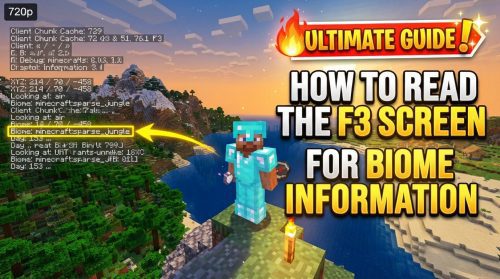
Open your debug screen (F3 on most keyboards) and note down the exact X, Y, Z coordinates of the malfunctioning gateway. Additionally, if you know or can determine the desired destination coordinates (let’s call them m, n, o) on an outer island, note those as well. This is where you want your new gateway to send you.
3. Enable Cheats
Commands require cheats to be enabled. If you’re playing in a single-player world, you can temporarily enable cheats by opening your world to LAN (Escape Menu > Open to LAN) and ensuring “Allow Cheats: ON” is toggled before starting the LAN world.
4. Remove the Problematic Gateway
Once you have the coordinates and cheats enabled, use the `/setblock` command to remove the faulty gateway block. Replace `x y z` with the coordinates you noted for the gateway:
/setblock x y z air 0 replace
This command replaces the gateway block at the specified coordinates with an air block, effectively deleting it.
5. Install a New, Functional Gateway
Now, you will place a new gateway block, embedding the correct destination data within it. Replace `x y z` with the gateway’s coordinates (the same ones you used to delete it) and `m n o` with your desired destination coordinates:
/setblock x y z end_gateway 0 replace {ExitPortal:{X:m,Y:n,Z:o},ExactTeleport:0}
A crucial part of this command is the `ExactTeleport` tag. Setting it to `0` (as shown above) is generally safer, as it tells the game to teleport the player to the nearest safe block around the destination coordinates. If you set `ExactTeleport:1`, the player will be teleported to the precise coordinates `m n o`. Use `1` only if you are absolutely certain the destination is clear and safe, as it bypasses the game’s safety checks and can lead to suffocation.
6. Finalize Changes: Save and Restart
After executing the command, save your game. If you enabled cheats via “Open to LAN,” restarting Minecraft and reloading your world normally will close the LAN session and ensure the changes are permanently applied without cheats active.
Alternative Entry Methods and General Tips
Beyond direct command intervention, there are several practical tips and alternative methods to consider when dealing with End Gateways:
- Precision Ender Pearl Throws: Ensure your Ender Pearl is thrown directly into the shimmering, active part of the gateway. A pearl landing on the bedrock frame or near the edges might not trigger the teleport, or worse, could lead to unexpected behavior or a fall into the void.
- Creative Entry Techniques: If throwing pearls is proving difficult or unreliable, several methods can bypass the typical activation. You can create a one-block-tall space (e.g., by placing a block above the gateway and standing under it) and then flying through with elytra. Sprint-swimming through water placed inside the gateway block, or even using a trapdoor glitch, can also allow passage.
- Respawning the Dragon: If you have access to four Ender Dragon eggs, you can respawn and defeat the Ender Dragon again. Each subsequent defeat will generate a new End Gateway, provided fewer than 20 currently exist. This can be a viable, albeit resource-intensive, way to acquire a new, potentially functional gateway without using commands.
- Forcing Main Island Gateway Regeneration: For gateways located on the main island, you can attempt to force their regeneration. By using the command `/setblock 75 minecraft:end_gateway destroy` at their coordinates, you can effectively destroy and recreate the gateway. This might reset its internal data and resolve issues, though it’s less precise than specifying a destination.
Fixing a stubborn End Gateway requires a blend of understanding game mechanics and, when necessary, careful use of commands. By following these steps and employing a cautious approach, especially with world backups, you can ensure your journeys to the outer End Islands are smooth and uninterrupted, allowing you to fully explore and conquer the challenges the End has to offer.
Tags:
YOU MAY ALSO LIKE...